Xfinity Stream
- 95.63K
- 2.9
- Installs
- 10.00M
- Price
- Free
Screenshots
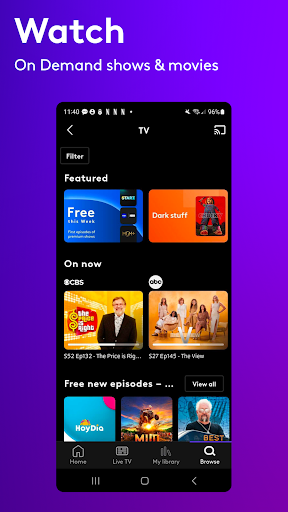
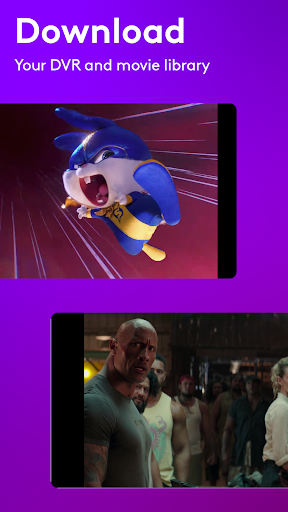
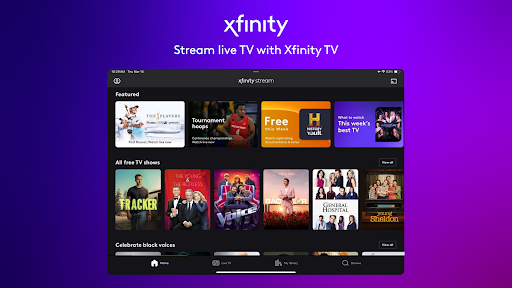
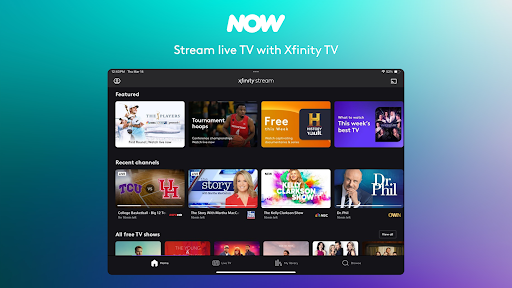
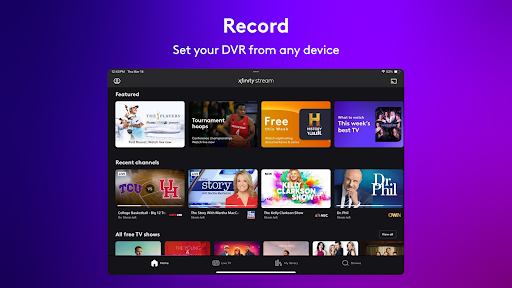
Analysis by Reviewed APKs
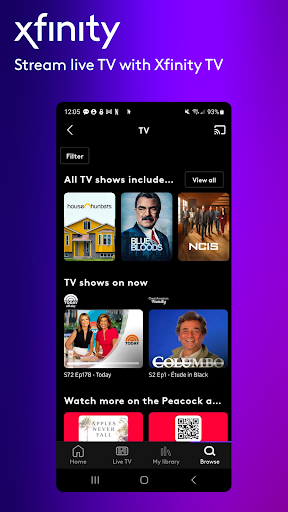
Xfinity Stream is a companion app for watching live TV, on-demand shows and movies, and DVR recordings on an Android device. It suits people who already get eligible Xfinity or NOW TV service and want to keep their usual viewing close at hand. After spending time with its mix of live channels and saved programs, I see it as a useful extension of a TV subscription, rather than a streaming service that stands on its own.
TV That Travels With You
When I first opened Xfinity Stream, I thought about the small gaps in a normal TV routine: waiting for a game to start while away from home, catching the news during a break, or picking up a show after dinner. The app brings live TV and on-demand viewing together, with the available channels and programs depending on the customer’s Xfinity or NOW TV service. That makes it most useful when it extends a lineup you already know.
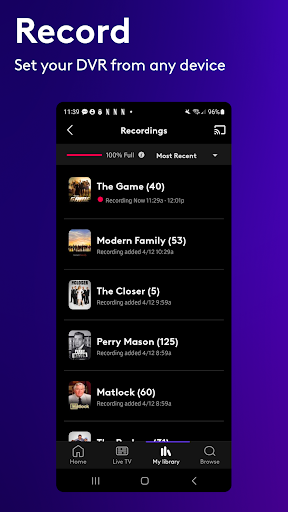
I also like the practical role of DVR controls on a phone. If I realize I’ll miss a program, I can schedule a recording from the app instead of waiting until I’m back in front of the TV. For a commute or a stretch without a reliable connection, the option to download recordings and movie-library titles for offline viewing can make the service easier to fit around the day.
A Companion, Not a Standalone Service
Compared with a general-purpose video app, Xfinity Stream is tied more closely to an existing television or internet relationship. Xfinity TV customers can access live channels and their channel lineup at home, while NOW TV customers have a separate live-channel offering. Xfinity internet customers can also watch free live streaming channels and free on-demand programs. The exact experience depends on the service level, so the app is best understood as a way to use eligible access.
That distinction matters if you are choosing a first streaming service. Xfinity Stream is not presented as an independent catalog that anyone can simply open and browse; its viewing options are connected to Xfinity or NOW TV service. I wouldn’t recommend installing it in the hope that it replaces every other entertainment subscription. For existing customers, though, it can be a convenient second screen and a way to manage viewing while away from the TV.
Make DVR Work for You
A little planning makes the app more useful. I’d use the schedule-recording option when a show or game is coming up, then check the recording later rather than relying on my evening plans to cooperate. Keeping that habit on the phone is handy because it puts DVR management within reach even when I’m not sitting near the television.
For trips or other times when internet access may be limited, it’s worth thinking ahead about the download option. The app supports downloading recordings and titles from the movie library for offline viewing, so preparing before leaving can save some hassle later. At home, casting from a phone or tablet to Chromecast or a supported TV gives the app another role: a quick way to move a selection from a small screen to a larger one.
More From Our News Desk

Zoom Meetings, Google Meet, or Teams: Which Is Easiest to Join?

How I Build a Free Streaming Lineup With Tubi

Why Crunchyroll Is the Default Anime App for So Many Fans

YouTube TV: A Practical Guide to Cutting Cable

Rummikub and the Small Comfort of Phone Games

TeamViewer Remote Control or AnyDesk for Helping Family?
Who Will Get the Most From It
I’d recommend Xfinity Stream to Xfinity TV and NOW TV customers who want to watch live programming or on-demand titles on an Android device. It makes particular sense for people who already use DVR recordings and would appreciate scheduling them from a phone. Xfinity internet customers may also find it worthwhile for the free live streaming channels and free on-demand shows and movies available through the app.
It may not suit someone looking for a standalone streaming library without an eligible service relationship, or someone who rarely watches TV away from a television. The app’s channel and feature availability depends on the level of service, so not every customer should expect the same selection. I’d also weigh its Google Play rating, which is 2.9 stars, against how useful mobile access would be in my own routine.
Xfinity Stream is an entertainment app from Comcast. On Google Play, it has over 10 million installs and a 2.9-star rating from 95,628 ratings. The app is free to download, contains ads, and is rated Teen. The description says it requires Android 7.0 or later, so an older device may not meet the stated minimum.
The current version in the supplied app details is 8.16.0.4120. Xfinity Stream was released on February 25, 2014, and its last update is dated September 9, 2026. The app itself is free, while viewing access is for Xfinity and NOW TV customers and depends on their service. The supplied details do not give a separate price for that service.
A Second Screen for Your TV Routine
Getting Started
My first impression is that Xfinity Stream makes the most sense once you think of it as an extension of home TV, not as a blank slate for browsing. The app is available to Xfinity and NOW TV customers, and Xfinity internet customers have access to certain free streaming and on-demand content. In everyday terms, the useful first step is knowing which service you have, because that shapes what you can watch.
The app description says viewing can begin right after an order, while the full set of channels and features becomes available once services are activated at home. That suggests the experience can change during setup rather than arriving all at once. I’d give the service activation time to catch up before judging the full channel selection, especially if I had just arranged a new service.
Everyday Viewing
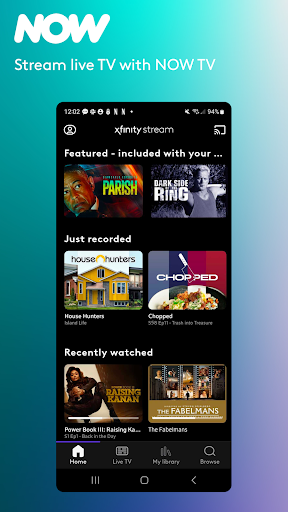
The day-to-day appeal is having several kinds of viewing in one place: live TV, on-demand shows and movies, and recordings. When I want to follow something as it happens, the live-TV side is the natural choice. When my timing is less predictable, a saved recording or an on-demand title is a better fit. It’s a simple division, but it suits the way a normal week can alternate between planned viewing and spare moments.
The service’s channel reach varies by customer type. Xfinity TV customers can watch more than 250 live channels on the go and their full channel lineup at home; NOW TV customers can watch more than 40 live channels from anywhere. Those differences are worth keeping in mind when deciding whether the app covers the programs I care about, rather than assuming every account has the same menu.
Useful Extra Features
DVR scheduling is one of the features I find easiest to appreciate in a mobile companion app. If I’m away from the TV when a program comes to mind, I can use another device to schedule a recording. The app also supports downloading recordings and movie-library titles for offline viewing, which is a practical option for planning ahead instead of depending on a connection at the moment I want to watch.
Casting adds another handy bridge between devices. Xfinity Stream can cast from a smartphone or tablet to Chromecast and supported TVs, so a phone can be the starting point without being the final screen. I can picture choosing something while away from the living room and then moving the viewing to a bigger display when I get home. That flexibility is useful without turning the phone into the whole entertainment setup.
A Simple Weekly Routine
A routine I’d use is to check upcoming viewing when I have a spare minute, schedule recordings for anything I don’t want to miss, and return to those recordings when my evening opens up. That makes the phone a lightweight control point for a TV habit I already have. It is less about constantly browsing and more about removing the small problem of remembering to set a recording at the right time.
Before a trip or a long day out, I’d also consider whether there are recordings or movie-library titles I want to download for offline viewing. Back at home, casting can shift a selection from my mobile device to a supported TV. These are modest steps, but together they make the app more useful across different places and schedules than simply opening it when I’m already settled on the couch.
Keep the Service Limits in View
The main limitation is that Xfinity Stream’s usefulness depends on the service attached to it. Channel lineups and features can vary, and an app download by itself does not promise access to the same live-TV selection for everyone. I’d check what my Xfinity or NOW TV service includes before treating the app as a replacement for another viewing option.
The Google Play rating is another reason to keep expectations grounded: it stands at 2.9 stars from 95,628 ratings. That figure doesn’t explain any individual customer’s experience, but it is a useful signal to consider alongside the app’s specific benefits. If I already use eligible service, DVR tools and mobile viewing could matter more than a general rating; if I don’t, the service connection is a substantial hurdle.
Xfinity Stream is at its best when I treat it as a practical companion to an existing TV setup. Live channels, on-demand viewing, DVR scheduling, downloads, and casting cover a useful range of everyday situations, especially when I’m away from the main screen or trying to work around a busy schedule.
I’d recommend it to Xfinity and NOW TV customers who want more flexibility from the service they already have. If you’re looking for a standalone streaming library, this is probably not the right starting point. Check your service’s channel and feature access first, then decide whether mobile viewing and recording controls would genuinely improve your routine.
Xfinity Stream Frequently Asked Questions
What is Xfinity Stream used for?
Xfinity Stream lets eligible customers watch live TV, on-demand shows and movies, and DVR recordings on an Android device. It can also schedule DVR recordings, download recordings and movie-library titles for offline viewing, and cast from a phone or tablet to Chromecast and supported TVs. The channels and features available depend on the customer’s service.
Which devices can run Xfinity Stream?
Xfinity Stream is an Android app, and its description gives Android 7.0 as the minimum operating system version. It also supports casting from a smartphone or tablet to Chromecast and supported TVs. If you are checking a particular device or TV setup, availability and compatibility may vary, so it is worth checking the Google Play store details and your service information.
Does Xfinity Stream cost anything?
The app is free to download on Google Play and the supplied details do not report in-app purchases. Watching content requires eligible Xfinity or NOW TV service, and the available channels and features depend on the service level. The cost of that service is separate from the app, so check your account or the store details for current information.
Does Xfinity Stream include live TV?
Yes. Xfinity TV customers can watch more than 250 live channels on the go and their full channel lineup at home. NOW TV customers can watch more than 40 live channels from anywhere. Xfinity internet customers can access free live streaming channels and free on-demand shows and movies. What you can watch depends on your service.
Is Xfinity Stream a good fit for me?
It is a better fit if you already have eligible Xfinity or NOW TV service and want to watch on a phone or tablet, manage DVR recordings, or prepare downloads for offline viewing. It may not suit someone seeking a standalone streaming service with no connection to those offerings. Check your service details to see which channels and features you can use.
Pros
- Combines live TV, on-demand viewing, and DVR recordings for eligible customers.
- Lets customers schedule DVR recordings from a mobile device.
- Supports downloads for offline viewing and casting to supported TVs.
- Offers different viewing options for Xfinity TV, NOW TV, and Xfinity internet customers.
Cons
- Access and channel selection depend on the customer’s service level.
- The app is less useful as a standalone streaming option.
- Its Google Play rating is 2.9 stars from 95,628 ratings.
- Category
- Entertainment
- Version
- 8.16.0.4120