Xactimate ®
- 438
- 4.5
- Installs
- 50.00K
- Price
- Free

Screenshots

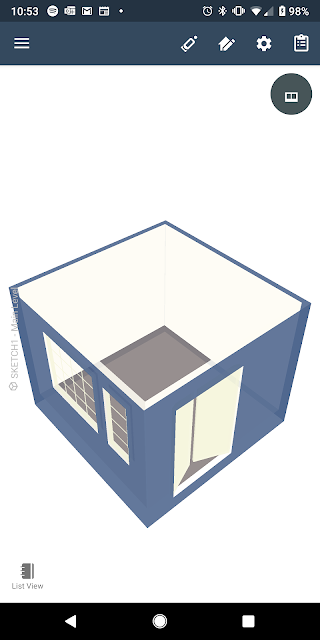
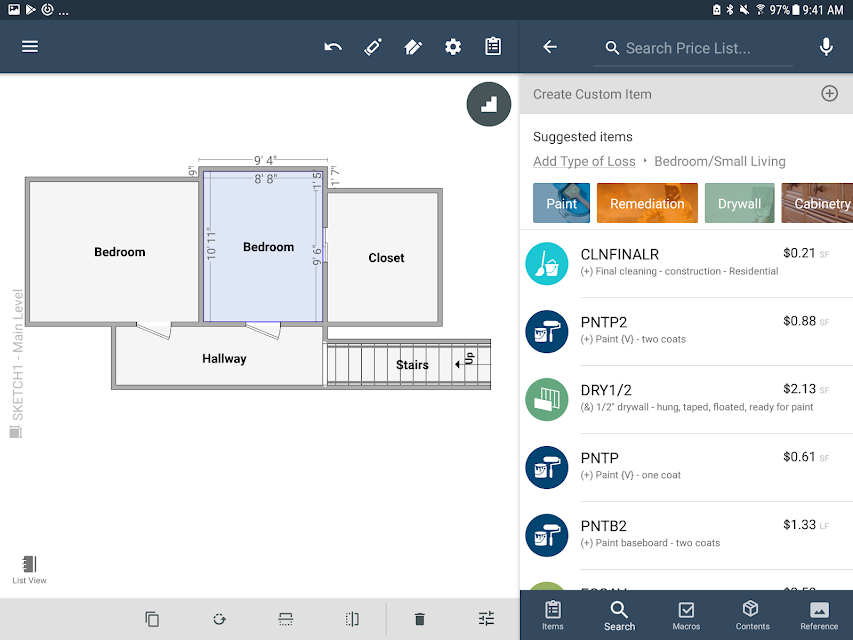
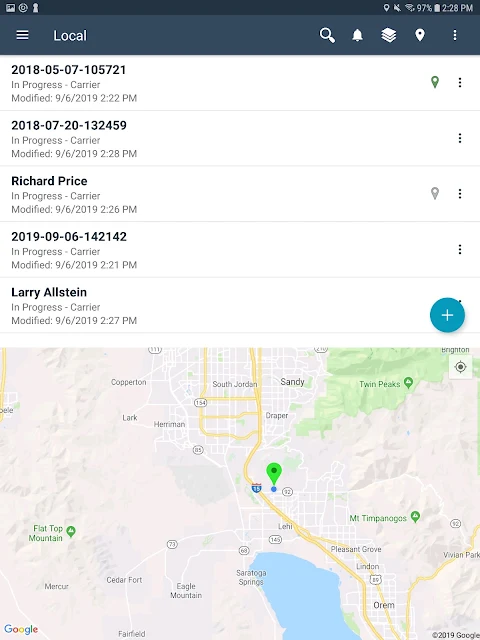
Analysis by Reviewed APKs
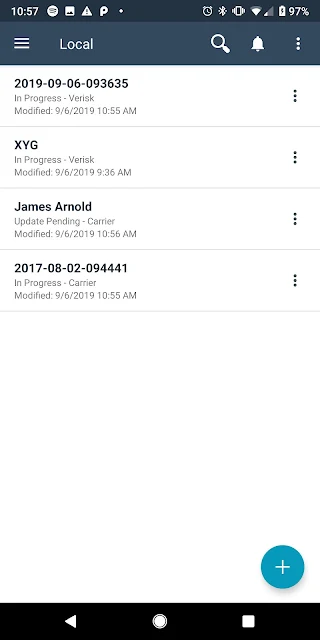
Xactimate Mobile is a field estimating app for professionals who need to build estimates while away from a desk. It connects with Xactimate’s online and desktop platforms, so it makes the most sense for people already working in that product family, rather than casual home project planners. My overall take is that it aims to make a substantial estimating workflow portable, with offline use as a practical bonus and an Xactware Cloud account as a necessary part of getting started.
Estimating Away From The Desk
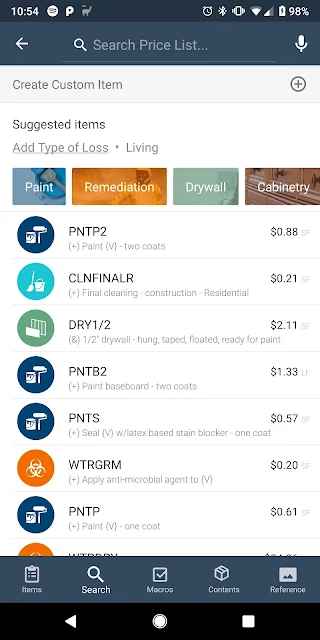
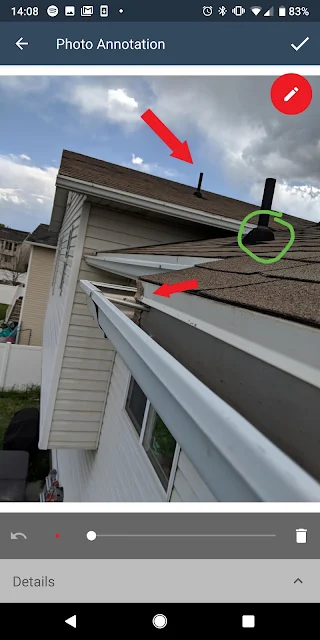
Picture arriving at a property to work through an estimate and wanting to handle the job on the device already in your hand. Xactimate Mobile is built for that sort of field work: its stated purpose is to let professionals create complete estimates from start to finish on an Android device. Instead of treating mobile as a place to glance at a desktop project, the app is intended to support the estimating work itself.
I would think of the workflow as part of a wider Xactimate routine. You need an Xactware Cloud account, and a periodic internet connection is required to sync with the connected platforms. The app can also be used offline, which is useful when a connection is unavailable during the workday. That combination makes it suited to moving between connected and disconnected situations, rather than depending on continuous access.
A Field Tool, Not A Home Planner
Compared with a general note-taking app or a simple household calculator, Xactimate Mobile is a professional estimating product with a specific ecosystem around it. Its strongest reason to choose it is the ability to build estimates in the field and connect that work with Xactimate’s online and desktop platforms. If you already use those tools, mobile access may fit naturally into the work you do away from the office.
It is not positioned as a broad consumer app for comparing renovation ideas or planning an occasional do-it-yourself project. The account requirement and emphasis on professional field use make it a narrower choice. I would also not assume that it replaces every part of the desktop workflow: the supplied description says it integrates with desktop and online platforms, but does not lay out every feature difference between them.
Make Sync Part Of The Routine
A useful habit is to think about connectivity before heading into a work session. Since syncing requires a periodic internet connection, I would make a point of connecting when practical rather than treating offline use as a substitute for syncing altogether. The ability to work offline gives the app flexibility, but the connected Xactware Cloud account remains part of the setup and the broader platform connection.
Device choice is another practical consideration. Xactware names a group of tested Android phones and tablets and recommends those devices for the best performance; it also says Dell tablets are not supported. I would check the current device guidance before building a daily workflow around a particular tablet. Those details matter more here than they would for a lightweight app used only for occasional reference.
More From Our News Desk

Zoom Meetings, Google Meet, or Teams: Which Is Easiest to Join?

How I Build a Free Streaming Lineup With Tubi

Why Crunchyroll Is the Default Anime App for So Many Fans

YouTube TV: A Practical Guide to Cutting Cable

Rummikub and the Small Comfort of Phone Games

TeamViewer Remote Control or AnyDesk for Helping Family?
Who May Find It Useful
I would recommend Xactimate Mobile to professionals who already work with Xactimate and need to create estimates in the field. It is especially relevant if you want mobile estimating to connect with the product’s online and desktop platforms, or if your work sometimes takes you somewhere without a dependable connection. Offline use gives the workflow some breathing room, while periodic syncing keeps the mobile app connected to the wider system.
It may not suit someone looking for an uncomplicated personal budgeting or home-improvement app, or anyone who does not need the Xactimate ecosystem. The cloud account requirement and device guidance are worth considering before relying on it for routine work. If you prefer to do all estimating at a desktop, the mobile app may offer little reason to change your habits; its value is specifically in taking estimating into the field.
Xactimate® is a Business app from Xactware Solutions, Inc. On Google Play it has over 50,000 installs and a 4.5-star rating from 438 ratings. The app is free to download, with no in-app purchases or ads reported in the supplied facts. Its content rating is Everyone. The listed version is 2026.10.1000.465.465.
The app was released on February 27, 2013, and was last updated on October 14, 2026. The description specifies Android 6.0 through 9.0 and says an Xactware Cloud account is required. It also calls for periodic internet access to sync, while allowing offline use. Xactware recommends certain tested devices for best performance and says Dell tablets are not supported.
Taking A Full Estimating Workflow Mobile
Getting Started In The Field
When I first opened the idea of Xactimate Mobile, what stood out was its ambition: this is presented as a complete mobile estimating application, not merely a companion for checking work. The intended starting point is clear enough from the description: use an Android device, have an Xactware Cloud account, and work within the broader Xactimate setup.
The setup details deserve attention before a first workday. Xactware gives specific Android version requirements and names tested phones and tablets, with a recommendation to use those devices for the best performance. That makes checking compatibility part of getting started, not an afterthought. If you work on a tablet, the explicit note that Dell tablets are unsupported is particularly useful to know in advance.
The Day-To-Day Workflow
The day-to-day appeal is being able to build estimates on an Android device while working in the field. I can see the practical difference on a day when the work location changes: rather than waiting to return to a desk to begin the estimate, the app is designed to let that work happen on the device. The description frames this as a start-to-finish estimating workflow, which is more substantial than simply opening a connected project.
Connectivity is a straightforward part of that routine. The app can be used offline, but syncing requires a periodic internet connection. I would treat those as complementary modes: offline access can keep work moving when a connection is missing, while connecting periodically is necessary to sync with Xactimate’s online and desktop platforms. That is a useful distinction for anyone planning how to use the app on a field visit.
Connected Xactimate Tools
The feature that most clearly defines Xactimate Mobile is its connection to Xactimate’s online and desktop platforms and the wider Xactware product family. For someone already using that environment, the mobile app has a specific job: carry estimating into field settings while keeping it part of the larger workflow. That integration is more meaningful than a generic promise of mobile access because the app is built for an established platform.
Offline operation is another standout detail, especially for work in places where a reliable connection cannot be assumed. It does not remove the need to sync, but it gives the app a way to remain usable between connections. I appreciate that this is a practical capability rather than a claim that the app works entirely independently; the description is clear that periodic internet access is still needed for syncing.
A Practical Field Routine
For a typical routine, I would start by checking that the Android device is within the stated requirements and that the Xactware Cloud account is ready. Then I would use the mobile app for the estimating work that needs to happen on site. If the connection drops or is unavailable, offline use offers a way to continue working, rather than making internet access an absolute requirement for every moment.
Afterward, I would make room for a connection so the work can sync with the online and desktop platforms. That simple sequence—prepare the device and account, work in the field, then connect periodically—is a sensible way to approach the app based on its stated requirements. It keeps the offline feature in perspective and makes the relationship between mobile work and the broader Xactimate setup easier to plan around.
Limits To Keep In Mind
The main limitation is also part of the product’s identity: this is a professional estimating app tied to Xactimate, not an all-purpose tool for every kind of project. The need for an Xactware Cloud account may be a hurdle for someone arriving without an existing connection to the platform. Its mobile purpose is clear, but the description does not make it a general replacement for every online or desktop task.
Device requirements are worth taking seriously, too. The description specifies Android 6.0 through 9.0, lists selected tested devices, and says Dell tablets are unsupported. I would verify the current Google Play details and device guidance before choosing hardware, especially because system requirements can change over time. And while offline use helps in the field, syncing still depends on periodic internet access.
Xactimate Mobile makes the most sense as a field extension of a professional estimating workflow. Its combination of complete mobile estimating, offline use, and links to Xactimate’s online and desktop platforms gives it a clear purpose. The account and device requirements are real considerations, but they are also easy to identify before committing to a routine.
I would try it if I already relied on Xactimate and wanted to do estimating away from a desk. For casual home planning or work outside that ecosystem, I would look elsewhere. The key question is not whether mobile estimating sounds convenient; it is whether Xactimate is already part of the way you work.
Xactimate Frequently Asked Questions
What is Xactimate Mobile used for?
Xactimate Mobile is a professional estimating app for Android. Its description says users can build complete estimates from start to finish on a device, with integration across Xactimate’s online and desktop platforms and the Xactware product family. It can be used offline, although periodic internet access is required to sync.
Which devices can run Xactimate Mobile?
The supplied description specifies Android 6.0 through 9.0 and names several tested phones and tablets that Xactware recommends for best performance. It also says Dell tablets are not supported. Device and system requirements can change, so check the Google Play information and Xactware’s current guidance before choosing a device.
Does Xactimate Mobile need an internet connection?
The app can be used offline, according to its description. A periodic internet connection is required to sync, and an Xactware Cloud account is required to use the app. That makes offline access useful when a connection is unavailable, but it does not remove the need to connect from time to time.
Is Xactimate Mobile free?
The supplied Google Play facts say Xactimate Mobile is free to download, with no in-app purchases or ads. Store details can change, so it is worth checking the current Google Play entry for the latest cost information before installing.
Who is Xactimate Mobile best suited to?
It is aimed at professionals who need to build estimates in the field and use Xactimate’s connected online or desktop platforms. I would not recommend it as a general-purpose home project planner. Whether it suits your workflow depends on your need for mobile estimating, your Xactware Cloud account, and whether your Android device meets the requirements.
Pros
- Designed to build complete estimates directly on an Android device.
- Can be used offline when a connection is unavailable.
- Connects with Xactimate’s online and desktop platforms.
- Free to download, with no ads or in-app purchases reported.
Cons
- Requires an Xactware Cloud account to use.
- Periodic internet access is still needed to sync.
- Device compatibility guidance is specific, and Dell tablets are unsupported.
- Category
- Business
- Version
- 2026.10.1000.465.465











