Wingstop
- 179.52K
- 4.8
- Installs
- 5.00M
- Price
- Free
Screenshots
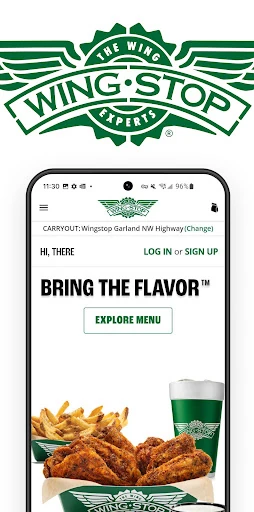
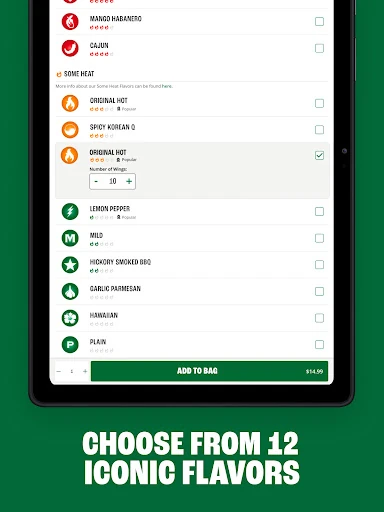
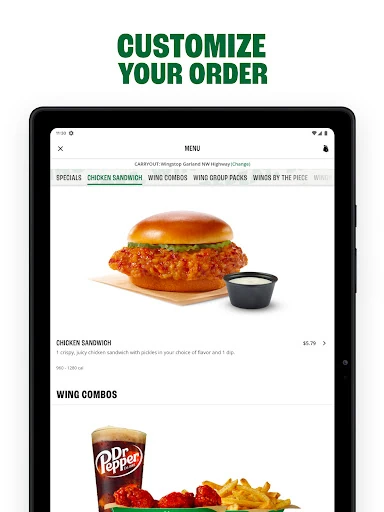
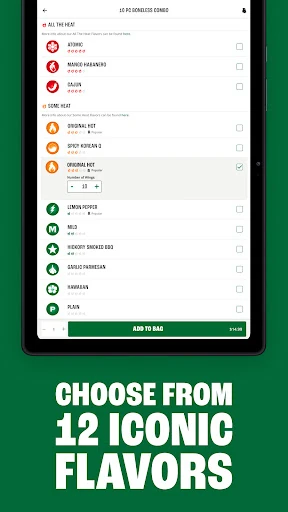
Analysis by Reviewed APKs
Wingstop is a restaurant ordering app for people who want to plan a wings, tenders, sandwich, or sides order for pickup or delivery. I found its appeal in the practical details: choosing a location, ordering for now or later, and making a familiar order again without starting from scratch. It suits Wingstop regulars best, though it is focused on one restaurant rather than comparing meals across brands.
A dinner plan without guesswork
When I’m sorting out dinner for a group, the awkward part is often coordinating what everyone wants and when we need it. Wingstop’s app gives me a place to put together an order from its wings, crispy tenders, chicken sandwiches, sides, and dips, then choose pickup or delivery. If we know the plan ahead of time, I can schedule the order up to seven days in advance instead of leaving it until the last minute.
I’d use it on a busy evening when nobody wants to make a phone call or negotiate at the counter. Choosing a location and placing the order in the app keeps the restaurant details and payment in one flow. The app also supports ASAP ordering, so it can work for an impromptu meal. Its main job is straightforward: help me arrange a Wingstop order, not turn dinner into a complicated planning project.
A focused restaurant tool
Compared with a broad restaurant-delivery service, Wingstop’s app is naturally narrower: it is for ordering from Wingstop, not browsing menus from several restaurant chains. That focus makes sense if I already know what I want from the menu or often return to the same location. The location information and saved favorites also fit that habit. I wouldn’t open it expecting a general food directory or a way to compare unrelated restaurants.
It is also not a recipe app, a meal planner, or a substitute for deciding whether Wingstop is the right choice for the group. Ordering functionality is for U.S. residents, so the practical use case is tied to that. For someone who rarely eats at Wingstop, a dedicated restaurant app may have less day-to-day value than a broader option. For a regular, though, keeping the ordering process in one place is the point.
Small habits that help
Creating an account can make repeat orders less of a chore. The app can save favorite locations, delivery addresses, and an in-app payment method, and it keeps order history available for reordering. I’d take a minute to set up those details when I have time rather than trying to enter everything while friends are waiting for dinner. Once those basics are in place, the next order can start from a more familiar setup.
I’d also use the scheduling option when a meal is tied to a predictable moment, such as a planned get-together, rather than assuming I’ll remember to order later. Checking store information before choosing a location can help keep the order connected to the right restaurant. For a quick solo meal, ASAP ordering is the simpler route. These are modest habits, but they make a focused ordering app feel more useful over time.
More From Our News Desk

Zoom Meetings, Google Meet, or Teams: Which Is Easiest to Join?

How I Build a Free Streaming Lineup With Tubi

Why Crunchyroll Is the Default Anime App for So Many Fans

YouTube TV: A Practical Guide to Cutting Cable

Rummikub and the Small Comfort of Phone Games

TeamViewer Remote Control or AnyDesk for Helping Family?
Who will get the most from it
I’d recommend Wingstop to people who already order from the chain and want a convenient way to arrange pickup or delivery. It is especially suited to regulars who like returning to a favorite location or repeating an order from their history. The option to schedule up to seven days ahead is useful for anyone who prefers to settle a group meal plan before the day gets busy.
It may not suit someone who wants one app for many restaurant brands, or someone who visits Wingstop only occasionally and sees little value in saving account details. The ordering functionality is for U.S. residents, which is an important practical boundary. I’d also keep expectations focused on ordering and store information: the app’s strengths are convenience and repeat use, rather than broad food discovery.
Wingstop is a Food & Drink app from Wingstop Restaurants, Incorporated. On Google Play, it has over 5 million installs and a 4.8-star rating from around 180,000 ratings. The app is free to download, with no in-app purchases and no ads indicated in its store details. Its content rating is Everyone, making the listing appropriate for a general audience.
The Android version requires Android 7.0 or later. The current version is 2026.01.1, and the app was last updated on January 22, 2026. It first came out on November 11, 2011. Those details give a useful snapshot of the app’s availability, though device compatibility can still depend on the phone and its software.
How Wingstop Fits Into Dinner
Getting started
My first impression is that Wingstop is built around a specific task rather than trying to be a complete dining companion. I can use it to order menu items, choose pickup or delivery, and find store information. That clear purpose is helpful when I’ve already decided on Wingstop; there’s less reason to browse around for inspiration. The recent app update notes an improved ordering experience and improved stability.
An account is useful if I want the app to remember details across visits. With an account, I can save favorite locations, delivery addresses, and an in-app payment method, as well as use my order history for another order. I’d start with the location I use most often and add the information I’m comfortable saving. It is a practical setup, not something I need to do before every order.
Ordering day to day
The everyday rhythm is simple: decide what to order, choose a location, select pickup or delivery, then complete checkout. I like that the timing can match the plan, whether I’m ordering ASAP or arranging something for a later date. Scheduling as far as seven days ahead can help when a group meal is already on the calendar, while immediate ordering keeps the app useful for an unplanned craving.
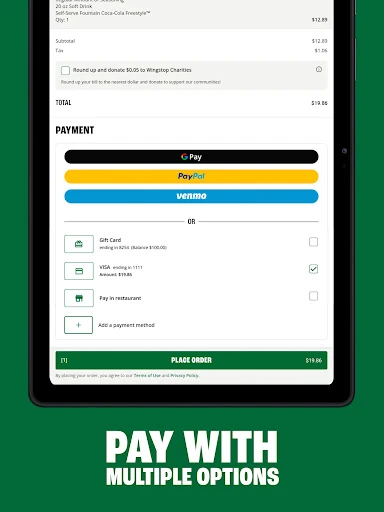
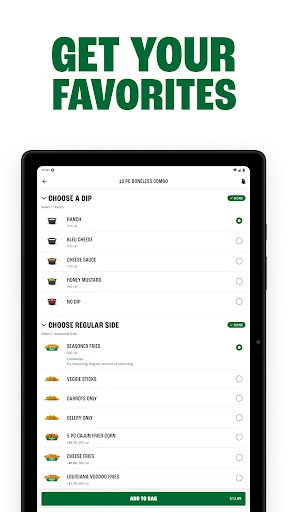
The menu covers wings, crispy tenders, chicken sandwiches, sides, and dips, so the app is relevant for more than a wings-only order. Payment options include Google Pay, PayPal, Venmo, credit card, and more. Having several ways to pay is convenient when different people have different preferences, though the app is still one restaurant’s ordering channel rather than a way to combine orders across businesses.
Useful repeat-order features
Order history is one of the more practical touches for anyone who tends to settle on a favorite meal. Instead of rebuilding the same order from memory, I can use the past-order information to reorder. That is a small convenience, but it matters on a rushed evening when I’m trying to get dinner arranged without revisiting every choice.
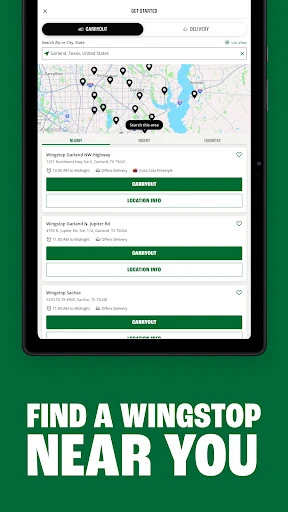
Saved locations and delivery addresses support the same repeat-use pattern. A favorite Wingstop location can be easier to return to, while stored address details can cut down on re-entering information for delivery. The app also provides directions and store information for Wingstop locations. Those features keep the experience grounded in the basics of getting an order to the right place.
A routine for groups
For a planned game night or a casual get-together, I’d use the app earlier in the day rather than waiting until everyone is hungry. I can decide whether pickup or delivery makes more sense, select a location, and schedule the order up to seven days ahead. This doesn’t remove the need to agree on what the group wants, but it gives me a way to arrange the restaurant part before the evening gets hectic.
For a smaller, last-minute meal, I’d keep the process lighter: open the app, choose a familiar location, and place an ASAP order. If I have an account, saved details and order history can make that routine quicker. The useful distinction is between planning and improvising. Wingstop supports both, so I don’t have to treat every order as either a special event or a full setup from scratch.
Limits to keep in mind
The biggest limitation is also the app’s defining focus: it is for Wingstop. If I’m undecided about where to eat or want to compare restaurants, this isn’t the tool for that. It makes more sense once Wingstop is already on the shortlist. Its ordering functionality is for U.S. residents, so that boundary matters for anyone using the app while outside the supported market.
The app’s account conveniences work best when I’m comfortable saving information such as an address or payment method. They are optional conveniences, not a reason everyone needs an account. I’d also remember that a store-focused ordering app serves a different need from a general food marketplace. For occasional Wingstop diners, the benefits may be modest; for repeat customers, those saved details and reorder options are more compelling.
Wingstop does a useful, specific job: it lets me arrange the chain’s menu for pickup or delivery, either right away or ahead of time. Saved locations, addresses, payment details, and order history make it a better fit for repeat customers than one-time visitors. I appreciate that its strengths are practical rather than complicated.
I’d recommend it to U.S. customers who already enjoy ordering from Wingstop and want a direct way to plan or repeat a meal. If you’re looking for restaurant discovery across many brands, it is too focused to be your main food app. For the right routine, though, that focus is exactly what makes it handy.
Wingstop Frequently Asked Questions
What is the Wingstop app used for?
Wingstop is used to order the restaurant’s wings, crispy tenders, chicken sandwiches, sides, and dips for pickup or delivery. You can order ASAP or schedule an order up to seven days ahead. The app also supports saved favorite locations, delivery addresses, payment details, order history, and store information for people who create an account.
Which phones can run the Wingstop app?
The supplied app details describe Wingstop for Android, with a minimum requirement of Android 7.0. The app is available through Google Play. Ordering functionality is for U.S. residents. For current compatibility with a particular phone or operating system, check the Google Play store details, since requirements and availability can vary.
Does the Wingstop app cost anything?
The Wingstop app is free to download on Google Play, and its store details indicate no in-app purchases or ads. Food orders are a separate matter from downloading the app; any applicable order charges or terms may vary. Check the app and store details for current information before placing an order.
Can I schedule a Wingstop order in advance?
Yes. The app supports ordering ASAP or scheduling an order up to seven days in advance, for pickup or delivery. You can also save a favorite location and delivery address with an account, which can help when arranging another order. The ordering functionality is for U.S. residents.
Is the Wingstop app a good fit for occasional diners?
It can work for occasional diners who want to place a Wingstop order, but its saved locations, addresses, payment method, and order history are especially useful for repeat customers. It focuses on Wingstop rather than multiple restaurant brands. If you want broader restaurant choices, a general food service may suit you better.
Pros
- Supports pickup and delivery, with ASAP ordering or scheduling up to seven days ahead.
- Order history and saved locations can make repeat orders more convenient.
- Offers several payment methods, including Google Pay, PayPal, Venmo, and credit card.
- Includes directions and store information for Wingstop locations.
Cons
- Focused on Wingstop rather than browsing or comparing several restaurant brands.
- Ordering functionality is intended for U.S. residents.
- Account-based conveniences are most useful to people who order repeatedly.
- Category
- Food & Drink
- Version
- 2026.01.1











