7-Eleven: Rewards & Shopping
- 433.33K
- 4.8
- Installs
- 10.00M
- Price
- Free

Screenshots

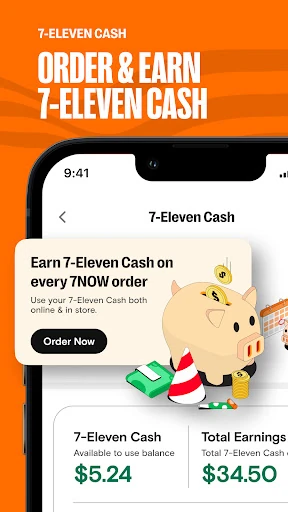
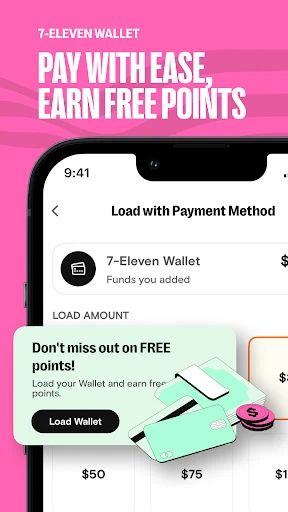
Analysis by Reviewed APKs
7-Eleven: Rewards & Shopping is a companion for people who stop at 7-Eleven or Stripes for coffee, snacks, fuel, or everyday essentials. It brings rewards, deals, delivery, and some checkout and payment options into one place. I like the practical mix: it can make a routine store run more useful, though which options matter will depend on the locations and services available near you.
A More Useful Store Run
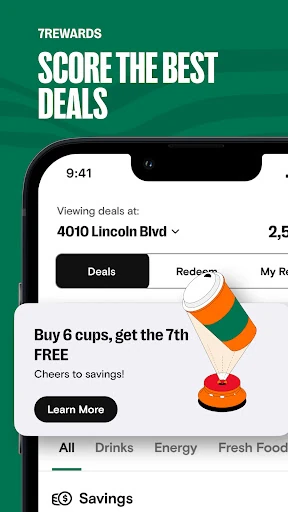
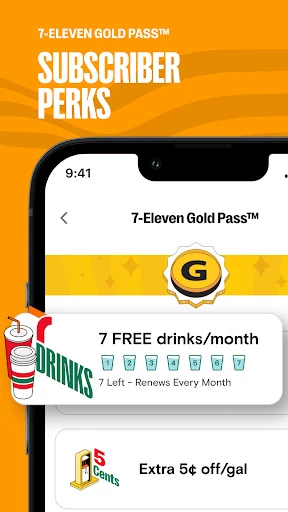
When I first opened the app, I pictured using it on an ordinary morning: check for a coffee deal, scan the app barcode at the counter, and collect points toward a reward. That is the app’s clearest job. Members can earn points on eligible purchases, look through a rewards menu, and redeem points for free food and drinks. Bonus-point offers and punch cards give regular stops a little more structure.
A later snack run could work the same way. I can browse member deals on things like pizza, donuts, bottled water, or ice cream before choosing what to buy. If I am staying home, delivery offers another route for food and everyday items in supported areas. The app is most useful when I already shop at these stores; it adds a rewards and ordering layer to an existing habit rather than asking me to change how I shop.
A Store Companion, Not a General Marketplace
Compared with a standalone loyalty app, 7-Eleven’s combines rewards with shopping and fuel-related tools. Compared with a general delivery service, its catalog is tied to 7-Eleven and, in some cases, Stripes stores. That focus can be convenient when I want a quick drink, snack, or household basic from a nearby participating store. Rewards also give the app a reason to stay useful between orders.
It is not a universal shopping app, and its features are not all available everywhere. Delivery is described for major metro areas, some checkout options are limited to select locations, and fuel benefits vary by state and participating station. I would treat the app as a practical extra for people who already use these stores, rather than a replacement for a broader grocery or delivery service.
Small Habits That Add Up
The easiest habit is to open the app before paying and scan its barcode for eligible purchases. I would also take a quick look at the rewards menu and current offers before deciding whether to pick up a particular snack or drink. Points exclude services, fuel, and age-restricted items such as tobacco, lottery products, and alcohol, so not every transaction contributes to the rewards balance.
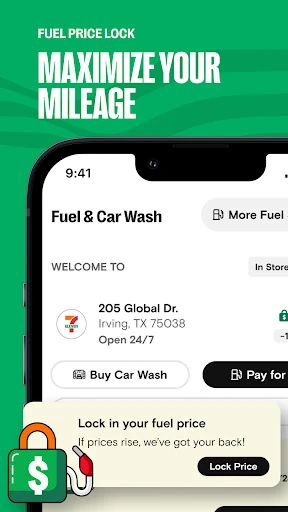
For fuel, it makes sense to check whether a nearby branded station participates before planning around a member saving or Price Lock. If I use delivery, I would browse the available items and offers before starting an order. These are small checks, not complicated routines, but they help keep expectations realistic and make it easier to use the app for what it actually supports.
More From Our News Desk

Zoom Meetings, Google Meet, or Teams: Which Is Easiest to Join?

How I Build a Free Streaming Lineup With Tubi

Why Crunchyroll Is the Default Anime App for So Many Fans

YouTube TV: A Practical Guide to Cutting Cable

Rummikub and the Small Comfort of Phone Games

TeamViewer Remote Control or AnyDesk for Helping Family?
Who May Find It Useful
I would recommend 7-Eleven: Rewards & Shopping to people who make regular stops at 7-Eleven or Stripes and want their rewards, deals, and store-related options in one app. It suits someone who buys coffee or snacks on the way to work, checks member offers before shopping, or wants to see whether delivery is available for a nearby store.
It may be less appealing if you rarely visit these chains or expect every feature to work at every location. The app’s value depends on local availability, and the points program applies only to eligible purchases. Anyone who prefers a simple, single-purpose rewards card may also find the combination of shopping, delivery, fuel, and payment options broader than they need.
7-Eleven: Rewards & Shopping is published by 7-Eleven, Inc. On Google Play, it has over 10 million installs and a 4.8-star rating from about 433,000 ratings. The app is free to download, contains ads, and is rated Everyone. Google Play gives its Android requirement as Android 10 or later.
The current version is 4.2601.0. Google Play shows an original release date of January 20, 2013, and a last update of January 28, 2026. There are no in-app purchases reported in the supplied app facts. Availability of individual services and offers can depend on location and participating stores.
How It Fits Into Everyday Errands
Getting Started
My first impression is that this is less a single-purpose coupon app and more a store companion. Its main ideas are easy to understand: earn points on eligible purchases, browse offers, and use the app for selected shopping or payment options. That range makes sense for a convenience-store chain, though it also means the most useful part will differ from one person to another.
I would start by checking the rewards and offers, then see which services are available around my usual stops. The description covers delivery, fuel savings, Price Lock, a wallet, and mobile checkout, but some are limited by area or location. A little setup and local checking should help me focus on the features I can actually use.
The Everyday Rewards Loop
The basic rewards flow is straightforward: scan the app barcode when making an eligible purchase, earn points, and later use those points for food or drinks from the rewards menu. The app also describes bonus-point offers, point streaks on selected products, and punch cards for additional rewards. Those extras give regular customers a reason to check the app before buying their usual items.
I like that the app ties points to familiar small purchases rather than making the program feel like a separate activity. Still, the exclusions matter: points do not apply to services, fuel, or age-restricted products including tobacco, lottery items, and alcohol. I would keep that in mind when estimating how quickly a particular shopping routine might earn rewards.
Deals, Delivery, and Fuel
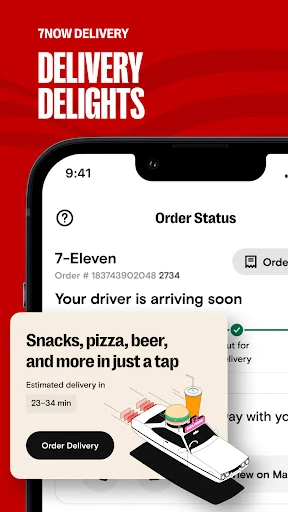
The deals section focuses on everyday convenience-store items, including coffee, pizza, donuts, ice cream, snacks, energy drinks, and bottled water. Delivery extends that convenience beyond snacks: the description says customers can order food, drinks, groceries, household essentials, and other items, with availability in major metro areas and delivery at any time.
Fuel tools add another distinct use. The app can help locate 7-Eleven-branded gas stations, offers member fuel savings, and includes Price Lock for participating stations. The stated savings vary by state, and Price Lock holds a selected price for four days. I would see these as useful extras when they apply locally, not as a reason to assume every station or trip is covered.
A Routine That Makes Sense
On a weekday morning, I would check for a coffee or breakfast deal before heading to a store, then scan the app barcode when paying so an eligible purchase earns points. If I am planning a longer drive, I could check whether a nearby participating branded station has a fuel offer. That routine uses the app in short bursts instead of turning a quick stop into a project.
For an evening at home, delivery could be the more useful part. I would browse what the local store offers, compare any available deal with what I need, and place an order if delivery is supported in my area. The app describes a broad catalog, but the actual options depend on location, so I would check availability before relying on it for a particular item.
Limits to Keep in Mind
The biggest limitation is local variation. Delivery is described for major metro areas, mobile checkout is available only at select 7-Eleven locations, and fuel benefits depend on state and participating stations. Some Stripes options, including curbside pickup, are also limited to select stores. That makes the app potentially helpful but less predictable for someone who moves between different areas.
There is also a difference between earning points and receiving other app benefits: fuel and several age-restricted purchases are excluded from points. Recent changes describe additional options in select areas, but those do not make every feature universal. I would check the app and store information for my location rather than planning around a particular offer or service in advance.
7-Eleven: Rewards & Shopping makes the most sense as a practical add-on for people who already shop at 7-Eleven or Stripes. Rewards and member deals are the everyday core, while delivery, fuel tools, the wallet, and mobile checkout broaden its usefulness where available. The app’s range is appealing, but local access determines how much of it you can use.
I would try it if I make these store runs often and want to keep points and offers close at hand. If I rarely visit, or need every feature to work consistently across locations, it may not earn a regular place on my phone. For the right routine, it is a handy convenience-store companion.
7-Eleven Frequently Asked Questions
What is 7-Eleven: Rewards & Shopping used for?
It is used to earn points on eligible purchases, browse member deals, and redeem points for food and drinks. The app also supports delivery, fuel savings and Price Lock, a wallet, and mobile checkout at select locations. Which options are available can depend on your area and participating stores.
Which devices can run 7-Eleven: Rewards & Shopping?
The app is available for Android, and Google Play gives Android 10 as its minimum requirement. Check Google Play for current device compatibility and availability. The supplied app information covers the Android version, so it does not establish support for other platforms.
How much does 7-Eleven: Rewards & Shopping cost?
The app is free to download, and the supplied facts report no in-app purchases. It does contain ads. Offers and services inside the app may have their own conditions or local availability, so check Google Play and the app for current details.
Does 7-Eleven: Rewards & Shopping work everywhere?
Not every feature is available at every location. Delivery is described for major metro areas, mobile checkout is limited to select stores, and fuel savings and Price Lock depend on participating stations and state. Check the app for the services available near you before relying on them.
Who should use 7-Eleven: Rewards & Shopping?
It is best suited to people who regularly shop at 7-Eleven or Stripes and want to collect eligible purchase points or browse member deals. It may be less useful if you rarely visit those stores, since the app’s main benefits are tied to their products, services, and participating locations.
Pros
- Combines points, member deals, and rewards for eligible everyday purchases.
- Includes delivery and fuel tools alongside the core loyalty program.
- Offers mobile checkout and wallet features at supported locations.
- Free to download, with a clear Android 10 minimum requirement.
Cons
- Delivery, mobile checkout, and fuel features depend on location.
- Points exclude fuel, services, and several age-restricted purchases.
- The broad mix of tools may feel unnecessary to occasional customers.
- Category
- Food & Drink
- Version
- 4.2601.0