DoorDash: Food, Grocery, More
- 6.30M
- 4.7
- Installs
- 50.00M
- Price
- Free

Screenshots

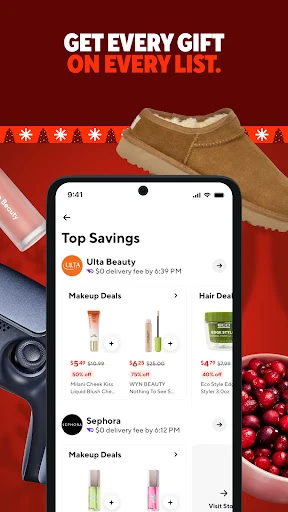
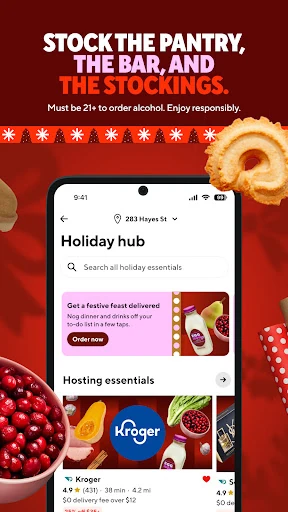
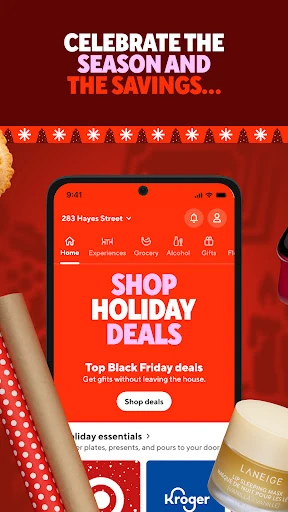
Analysis by Reviewed APKs
DoorDash: Food, Grocery, More brings restaurant meals, groceries, and selected retail essentials into one ordering app. I see its main appeal for people who want to compare nearby options or fit a delivery into a busy day, rather than switch between separate services. The range is useful, and scheduling and order tracking add practical touches, though delivery availability and choices depend on where you are.
A Busy Evening, One Order
When I picture using DoorDash on a busy evening, the appeal is having dinner and a few forgotten essentials in the same place. I can browse restaurant menus, or look at grocery and convenience options if the actual problem is milk, snacks, or another everyday item. That makes the app feel less like a restaurant directory and more like a flexible way to handle a small errand without going out.
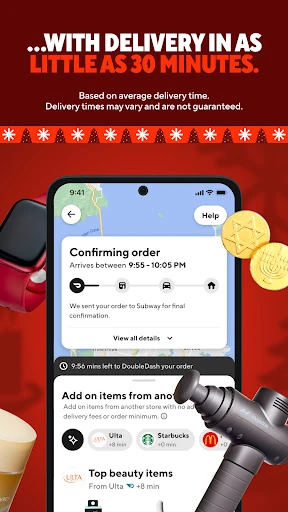
The useful part is choosing between ordering now and arranging a delivery for later. If I am wrapping up work, I can look at available options and place an order; if dinner needs to line up with a planned evening, scheduled delivery may fit better. Real-time tracking gives me a way to follow the order and judge when to be ready. The selection and timing available will depend on my location.
More Than Restaurant Delivery
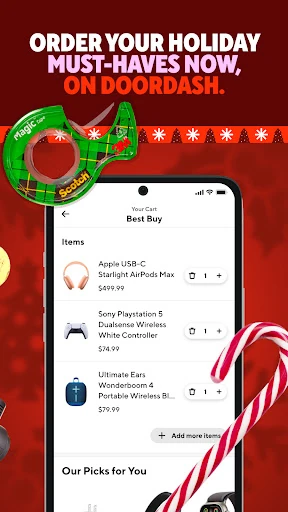
Compared with an app focused only on restaurant meals, DoorDash covers more kinds of shopping. Its description includes groceries, drinks, snacks, flowers, and retail items, alongside prepared food. That breadth is handy when I would otherwise make separate searches for dinner and a quick household top-up. It also supports takeout, so delivery is not the only way to use the restaurant side of the service.
DoorDash is still an ordering and delivery service, not a recipe planner, pantry manager, or general-purpose shopping catalog. I would not treat it as a substitute for visiting a store when I need to inspect products in person or want a particular item that is not available nearby. The app's usefulness depends on local restaurants and stores participating, so its range can feel different from one area to another.
Small Ordering Habits
I would get the most out of DoorDash by deciding first whether I need a meal, groceries, or a quick convenience-store run. That small pause keeps browsing focused when the app has several types of businesses to explore. For a planned dinner, scheduling delivery can help fit the order into the evening; for an immediate craving or forgotten item, the on-demand option is the more natural starting point.
I would also use tracking as a practical cue rather than keep checking the clock. Once an order is underway, seeing its progress can help me decide when to set the table or be ready at the door. If I order a small item, the description says there are no minimums, which makes a quick top-up more plausible. Payment options include several methods, with SNAP/EBT available at participating merchants.
More From Our News Desk

Zoom Meetings, Google Meet, or Teams: Which Is Easiest to Join?

How I Build a Free Streaming Lineup With Tubi

Why Crunchyroll Is the Default Anime App for So Many Fans

YouTube TV: A Practical Guide to Cutting Cable

Rummikub and the Small Comfort of Phone Games

TeamViewer Remote Control or AnyDesk for Helping Family?
Who Will Find It Useful
I would recommend DoorDash to people who already value delivery and want restaurant meals and some everyday shopping in one app. It is especially relevant for a packed workday, an evening when leaving home is inconvenient, or a planned delivery that needs to arrive at a chosen time. The mix of food, grocery, convenience, and retail categories gives it more day-to-day range than a meal-only service.
It may be less appealing to someone who prefers choosing every item in person, or who expects the same selection and delivery options everywhere. People who only order occasionally may also want to weigh the costs shown for each order before deciding whether a membership is worthwhile. DoorDash is useful as a convenience layer, but it cannot make local availability or delivery timing identical for every customer.
DoorDash: Food, Grocery, More is a free Android app from DoorDash in the Food & Drink category. Google Play shows over 50 million installs and a 4.7-star rating from around 6.3 million ratings. The content rating is Everyone. The app's version is 15.299.7, and its release date is March 26, 2015.
The app was last updated on November 3, 2026. Google Play identifies it as free and says it contains no ads or in-app purchases. DoorDash also describes DashPass as an optional membership with a free first 30 days followed by automatic monthly renewal at $9.99, with cancellation available. Eligibility, offers, and terms can matter when considering that membership.
A Closer Look at Everyday Ordering
Opening the App
My first impression of DoorDash is of a service built around a simple question: what do I need delivered? The categories in its description stretch beyond restaurant food to groceries, drinks, snacks, flowers, and retail essentials. That gives the app a broader role than its name might suggest, while keeping the main task familiar: browse available options and place an order.
Getting started is most useful when I have a particular need in mind. I might be comparing dinner choices, or looking for one missing grocery item, rather than browsing every category at once. DoorDash says it serves cities in the United States, Canada, Australia, and New Zealand, but the actual nearby options depend on location. That makes local availability the first practical consideration.
The Daily Ordering Flow
For everyday use, the core experience is browsing a restaurant or store, selecting items, and choosing delivery or takeout where offered. The range covers both a full meal and smaller needs like a drink or snack. I like that those use cases belong in one service, especially when the choice is less about discovering a new restaurant and more about saving a trip.
Timing is another part of the flow. DoorDash describes on-demand same-day delivery, scheduling for a more convenient time, and real-time tracking. Those options address different situations: a last-minute order, a planned meal, or simply wanting a better sense of when to expect something. They are practical tools rather than a reason to assume every order will arrive on a particular schedule.
Features That Stand Out
The standout feature is the combination of restaurant ordering with grocery and retail shopping. The description specifically mentions produce, diapers, over-the-counter medicines, flowers, and convenience-store items. I would not expect every merchant or product to appear in every area, but the breadth makes DoorDash relevant to more than dinner. It can cover an occasional errand as well as a prepared meal.
Scheduling and real-time order tracking are the other useful details. Scheduling suits someone planning around a meal or a busy afternoon, while tracking helps make the waiting period easier to manage. No-minimum ordering is also described, which may suit small purchases better than services that require filling a large basket. Available payment methods include Google Pay, Venmo, PayPal, and credit cards, plus SNAP/EBT at participating merchants.
DoorDash also offers DashPass, which its description presents as a membership with $0 delivery fees on eligible orders, discounts, exclusive items and offers, and credits on eligible pickup orders. It is a separate consideration from simply installing the free app. Since benefits apply to eligible orders and the membership renews after its trial, I would read the terms and compare them with my own ordering habits.
A Useful Weekly Routine
A practical routine might start with a quick check of what the evening actually calls for. If I need a prepared meal, I can compare restaurant options; if the fridge is missing a few basics, I can see what grocery delivery offers. For a planned occasion, flowers are another category the app describes. Keeping the task narrow helps the variety feel useful instead of turning a quick order into prolonged browsing.
When timing matters, I would place an order in advance if scheduling is available, then use tracking to keep an eye on progress. If I am ordering only a small item, the no-minimum feature may be relevant. Payment choices can also make checkout more convenient, although some options are limited to participating merchants. This kind of routine treats DoorDash as an occasional helper rather than assuming it should replace every shopping trip.
Limits to Keep in Mind
The largest limitation is that a broad service still depends on local coverage. Restaurant menus, grocery stores, and retail options will not be identical from one place to another, and the description's list of cities does not mean every merchant is available at every address. I would check what appears for my location before relying on DoorDash for a particular meal or essential.
There is also a difference between the app being free and every order being cost-free. DoorDash describes an optional paid DashPass membership, and its listed benefits apply to eligible orders. I would look at the total and the applicable terms before placing an order or signing up. People who enjoy in-person shopping, want to inspect products themselves, or rarely use delivery may find less value in the service.
DoorDash earns its place as a flexible delivery app by bringing restaurant food together with groceries, convenience items, flowers, and selected retail. Scheduling and tracking make it easier to fit an order around a real day, while takeout gives the restaurant side another use. The broad idea works best when local options match what I actually need.
I would recommend trying it to people who value delivery and want more than restaurant meals in one app. It is a less compelling fit for shoppers who prefer handling errands in person or expect uniform availability everywhere. Before using it regularly, I would check local choices and review costs and membership terms for each order.
DoorDash Frequently Asked Questions
What is DoorDash: Food, Grocery, More used for?
DoorDash is used to order restaurant meals, groceries, convenience items, and selected retail goods for delivery or takeout. Its description also mentions flowers, drinks, snacks, and over-the-counter medicines. Available merchants and products depend on location, so the categories you can use may vary. The app also describes scheduled delivery and real-time order tracking.
Which devices can run DoorDash: Food, Grocery, More?
The provided store information is for the Android app, which is available through Google Play. The Android version requirement can vary as the app is updated, so check the Google Play page for the current device requirements before installing. Supported services and merchants can also differ by location.
Does DoorDash: Food, Grocery, More cost money?
The Android app is free to install and Google Play says it contains no ads or in-app purchases. DoorDash separately describes DashPass, an optional membership with a free first 30 days followed by automatic renewal at $9.99 per month. Its benefits apply to eligible orders, so check the current store and membership terms before signing up.
What Android version does DoorDash require?
The Android version requirement may vary with the app's current release and the device. Check the DoorDash page on Google Play for the latest compatibility information before installing or updating. The app's version shown in the supplied store facts is 15.299.7.
Who should use DoorDash: Food, Grocery, More?
It may suit people who want restaurant delivery, grocery orders, or convenience and retail items in one app, especially when saving a trip is useful. It may be less suitable for people who prefer selecting products in person or rarely use delivery. Local availability and order terms vary, so check the options and costs shown for your location.
Pros
- Combines restaurant meals with grocery, convenience, flower, and retail ordering.
- Offers on-demand and scheduled delivery, plus real-time order tracking.
- No-minimum orders may make smaller convenience purchases practical.
- Supports several payment methods, with SNAP/EBT at participating merchants.
Cons
- Available merchants and products depend on the customer's location.
- DashPass benefits apply only to eligible orders and renew after its trial.
- People who prefer in-person shopping may not benefit from its delivery focus.
- Category
- Food & Drink
- Version
- 15.299.7