Arby’s - Pickup or Delivery
- 275.42K
- 4.6
- Installs
- 5.00M
- Price
- Free

Screenshots
Analysis by Reviewed APKs
Arby’s - Pickup or Delivery is a restaurant ordering app for people who want to place an order with a participating Arby’s and make use of its Loaded Rewards program. I see it as most useful when I already know I want Arby’s and would rather arrange the order in advance. Its appeal is practical: ordering and loyalty rewards sit together, though it is not a general restaurant-finding or meal-planning app.
A planned Arby’s stop
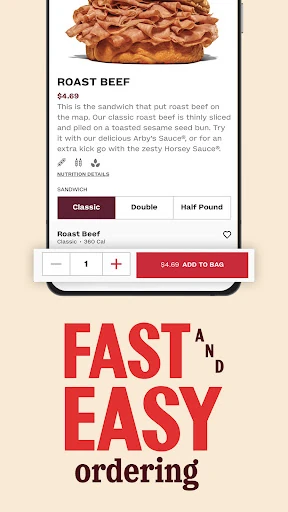
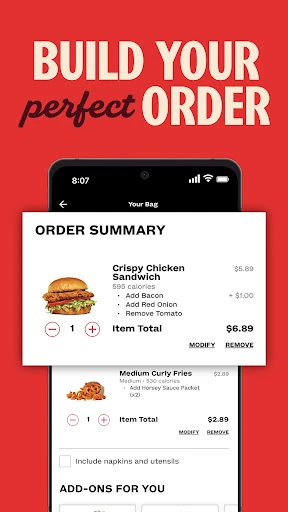
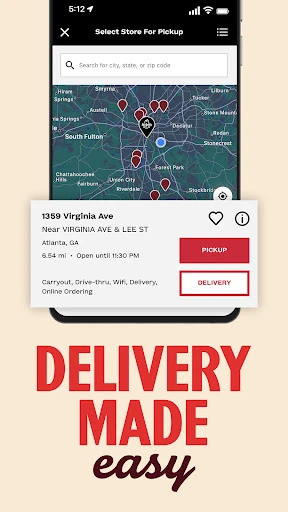
When I’m heading home and know I want an Arby’s meal, this is the kind of app I’d reach for before getting in the car. It lets me order from participating restaurants, with options that include pickup and delivery. I can think through the meal before I arrive rather than making the whole decision at the counter. The app’s central job is straightforward: connect an Arby’s order with the restaurant and reward program.
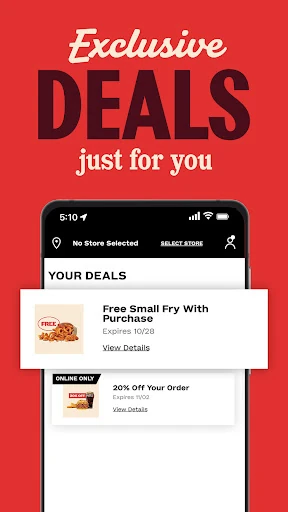
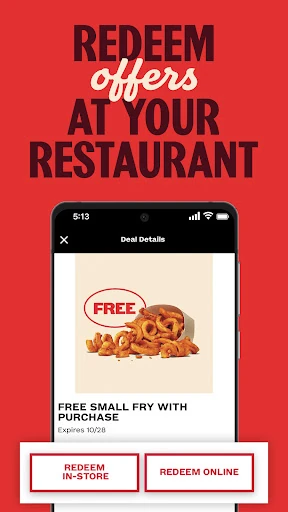
The loyalty angle gives me another reason to open it instead of treating the order as a one-off. Loaded Rewards lets members earn points on qualifying purchases and redeem rewards in several ways, including through the app, at the drive-thru, on delivery, or at the counter. A free sandwich with purchase is offered when joining. I’d keep the qualifying-purchase detail in mind, rather than assuming every order earns points.
An Arby’s-specific alternative
Compared with deciding at the drive-thru or ordering at the counter, this app brings the order and Arby’s rewards into one place. It suits someone who already has Arby’s in mind and wants the choice of pickup or delivery from a participating restaurant. If I’m making a quick lunch decision, that focus is useful: I’m not sorting through unrelated restaurants or trying to compare menus from different chains.
That same focus sets a limit. This is not a general food-delivery marketplace, a restaurant-discovery guide, or a tool for planning meals across several businesses. Its ordering is tied to participating Arby’s restaurants, and the rewards apply to qualifying purchases. If I’m undecided about where to eat, or want a broad range of cuisines, I’d need another option. The app makes more sense once Arby’s is already the plan.
Make rewards part of the routine
A simple habit would be to check Loaded Rewards before placing an order, especially if I’m buying lunch or dinner anyway. The program offers points on qualifying purchases and exclusive offers, so it is worth a quick look before deciding how to order. I would not build a complicated routine around it; just checking for an offer and keeping the order in the app can make the loyalty feature easier to remember.
I’d also choose the redemption route that fits the day. The app describes using rewards in the app, on delivery, at the drive-thru, or at the counter, so the program is not limited to app-only orders. When I’m in a hurry, knowing that flexibility is handy. The important small print in practice is to pay attention to whether a purchase qualifies, rather than expecting points or an offer to apply automatically to everything.
More From Our News Desk

Zoom Meetings, Google Meet, or Teams: Which Is Easiest to Join?

How I Build a Free Streaming Lineup With Tubi

Why Crunchyroll Is the Default Anime App for So Many Fans

YouTube TV: A Practical Guide to Cutting Cable

Rummikub and the Small Comfort of Phone Games

TeamViewer Remote Control or AnyDesk for Helping Family?
Who will get the most from it
I’d recommend Arby’s - Pickup or Delivery to regular Arby’s customers and to anyone who likes placing an order ahead or arranging delivery from a participating restaurant. It is particularly appealing if Loaded Rewards sounds useful: members can earn points on qualifying purchases, access exclusive offers, and redeem rewards through more than one ordering route. The free sandwich with purchase when joining gives a new member a clear reason to explore the program.
It may be less useful if I rarely eat at Arby’s, prefer choosing among many restaurant brands, or simply want a general delivery service. The app’s scope is deliberately narrow, and its rewards are connected to Arby’s purchases. I’d also avoid treating the loyalty program as a reason to buy something I didn’t want in the first place. For someone who already visits Arby’s, though, combining orders and rewards is a sensible fit.
Arby’s - Pickup or Delivery is an Android Food & Drink app from Arby’s Restaurant Group, Inc. Google Play shows more than 5 million installs and a 4.6-star rating from about 275,000 ratings. The app is free to download. Its content rating is Everyone, and the listed version is 2026.19.10.
The app has no in-app purchases and contains no ads, according to its store details. It was released on March 4, 2018, and its listed last update is October 24, 2026. An Android minimum-version requirement is not included among the available facts, so check Google Play for device compatibility before installing.
A closer look at ordering and rewards
A focused first impression
When I first opened the idea of this app, its purpose felt easy to understand: place an order with a participating Arby’s and keep the restaurant’s loyalty program close at hand. There is no need to learn a broad marketplace or work out what the service is for. That narrow focus is a plus if I already want Arby’s, and a limitation if I’m hoping to browse a range of places.
Getting started is most compelling for someone interested in Loaded Rewards. The program offers a free sandwich with purchase when joining, then points on qualifying purchases and exclusive offers. I’d want to take a moment to understand the qualifying-purchase language before counting on points. The details provided establish the rewards concept, but not every condition, so I’d check the in-app or store information for the terms that apply.
Ordering day to day
In everyday use, I’d treat the app as a way to arrange an Arby’s meal rather than as something I need to open constantly. If I’m planning a stop, pickup can fit around a commute or a lunch break; delivery is an alternative when I’d rather have the meal brought to me. Both options depend on participating restaurants, so the app’s usefulness will naturally vary with where I’m ordering.
What I like about that setup is that it gives me a reason to check rewards while I’m already thinking about food. The points and offers are part of the same Arby’s-specific experience, rather than a separate general loyalty app. I would still decide what I want to order first and treat any reward as a bonus. That keeps the routine simple and avoids expecting an offer to suit every visit.
Rewards across ordering routes
The standout feature is Loaded Rewards, which gives the app a role beyond sending an order to a restaurant. Members can earn points on qualifying purchases, unlock exclusive offers, and redeem rewards in more than one setting. That flexibility matters: redemption is described for the app, delivery, the drive-thru, and the counter. It makes the program relevant even when I’m not placing the order directly through the app.
The new-member sandwich offer is another concrete draw, though it comes with a purchase. I’d see it as an invitation to try the loyalty program, not as a promise of a free meal without conditions. The points are also tied to qualifying purchases. Those details make it worth checking the terms as I go, especially if I’m comparing whether a particular order is likely to earn or use a reward.
A low-effort meal routine
A practical routine might start when I’m planning lunch: open the app, consider an order from a participating Arby’s, and check whether a Loaded Rewards offer is relevant. If pickup works with my schedule, I can arrange that; if I’d rather not go out, delivery is also among the options. The useful part is having ordering and rewards in view at the same time, without turning lunch into a project.
For a later visit, I’d remember that rewards can be redeemed at the counter or drive-thru as well as through app and delivery orders. That makes it easier to keep the program in mind even if I change how I order. My only habit would be to check the qualifying details and any offer conditions before relying on them. The app is most helpful when that quick check becomes part of an order I already planned.
Keep the scope in mind
The main limit is the app’s single-brand focus. It is designed around Arby’s, not for comparing restaurants or finding a meal from a wider selection. Ordering also depends on participating restaurants, so pickup or delivery will not necessarily be available in every situation. I’d consider those constraints before making it my default food app, particularly if my meals usually come from several different places.
Rewards have boundaries too: points apply to qualifying purchases, and the joining offer is a free sandwich with purchase. That is useful, but it is not the same as a blanket discount on every order. I’d check the applicable terms rather than assume a reward will work in every channel or on every item. For regular Arby’s customers, these are manageable caveats; for occasional visitors, they may reduce the reason to keep the app.
My overall take is that Arby’s - Pickup or Delivery does its best work for people who already choose Arby’s and want ordering and Loaded Rewards together. Pickup and delivery cover familiar situations, while the option to redeem rewards at the drive-thru or counter adds flexibility. The app’s narrow scope is clear, but that focus keeps its main purpose easy to grasp.
I’d recommend giving it a try if you visit Arby’s often enough to make points or exclusive offers relevant. If you rarely eat there or want a broad restaurant selection, it is unlikely to become a regular tool. Either way, I’d treat rewards as a useful extra and check the qualifying terms before counting on them.
Arby's Frequently Asked Questions
What is Arby’s - Pickup or Delivery used for?
It lets you order from participating Arby’s restaurants for pickup or delivery and access Loaded Rewards. Members can earn points on qualifying purchases, see exclusive offers, and redeem rewards through the app, on delivery, at the drive-thru, or at the counter. A free sandwich with purchase is offered when joining the rewards program.
Which devices can run Arby’s - Pickup or Delivery?
Arby’s - Pickup or Delivery is an Android app available through Google Play. Check the Google Play store page for the current Android version requirement and compatibility details for your device. Ordering availability also depends on participating Arby’s restaurants, so the options you can use may vary by location.
Does Arby’s - Pickup or Delivery cost money?
The app is free to download, and its store details say it has no in-app purchases and contains no ads. Restaurant orders and rewards are separate from the download itself. For current ordering details, reward conditions, or any changes to the app’s terms, check Google Play and the information provided in the app.
What Android version does Arby’s - Pickup or Delivery require?
The Android minimum-version requirement can vary as app compatibility changes. Check the Google Play store page for the current requirement before installing it. The app is listed for Android, and the available store details identify its version as 2026.19.10.
Is Arby’s - Pickup or Delivery worth trying?
I’d suggest it to people who order Arby’s regularly and want pickup, delivery, or access to Loaded Rewards in one place. It may not suit someone looking for a general restaurant-ordering service or who rarely visits Arby’s. Rewards apply to qualifying purchases, so check the current terms and offers before relying on them.
Pros
- Combines Arby’s ordering with its Loaded Rewards loyalty program.
- Supports pickup and delivery from participating Arby’s restaurants.
- Rewards can be redeemed in the app, on delivery, at the drive-thru, or at the counter.
- Free to download, with no in-app purchases or ads.
Cons
- Limited to Arby’s rather than a broad selection of restaurant brands.
- Ordering depends on participating restaurants and local availability.
- Points apply to qualifying purchases, so reward terms matter.
- Category
- Food & Drink
- Version
- 2026.19.10