Papa Johns Pizza & Delivery
- 289.07K
- 4.8
- Installs
- 10.00M
- Price
- Free

Screenshots
Analysis by Reviewed APKs
Papa Johns Pizza & Delivery is an Android ordering app for people who want to arrange Papa Johns delivery or pickup without calling a restaurant. I found its appeal less in novelty than in the useful details: saved orders, scheduled pickup or delivery, rewards, and order tracking all sit alongside the basic task. It suits regular customers especially well, though it only covers Papa Johns restaurants in the United States.
A Dinner Order, Without the Detour
When I first opened the app with dinner on my mind, I pictured the familiar last-minute scramble: decide what everyone wants, find the right restaurant, and place an order before hunger turns into impatience. Papa Johns keeps that routine focused on its own restaurants. I can search by city or ZIP code, choose a local location, and arrange delivery or pickup, rather than searching across unrelated restaurants and menus.
The practical difference shows up when timing matters. If I am planning lunch for tomorrow or food for a weekend gathering, Future Ordering lets me choose a later delivery or pickup time. For an ordinary evening, tracking follows the order from preparation toward delivery, with optional notifications for updates. It is a straightforward path from deciding what to order to knowing when it is on its way.
A Chain-Specific Shortcut
Compared with a general restaurant delivery service, this app has a narrower job: ordering from Papa Johns locations in the United States. That focus can make sense if I already know which restaurant I want and would rather use its own ordering app. I can look for local offers, use saved favorites, and earn Papa Rewards points in the same place instead of treating every order as a one-off.
That focus is also the main boundary. This is not a way to compare pizza shops, browse a broad range of cuisines, or order from restaurants outside the Papa Johns network. I would not open it when the group has not settled on a restaurant. It is most useful after that decision is made, when the remaining task is choosing a location, arranging the order, and keeping tabs on it.
Small Habits That Save Time
The simplest time-saver is remembering to save a favorite or sign in before the next hungry evening. With an account, the app can bring back favorites and orders from the past 90 days, so a familiar meal does not have to start from scratch. I would use that option for reliable repeat orders, then review what I am placing rather than tapping through on autopilot.
I would also separate routine orders from planned ones. For tonight, pickup or delivery can suit the immediate need; for a gathering, scheduling ahead gives me a chance to choose when the food should be ready. Checking restaurant results by city or ZIP code first helps keep the order attached to the intended location. Notifications are optional, so I can enable them when delivery updates or offers would be useful.
More From Our News Desk

Zoom Meetings, Google Meet, or Teams: Which Is Easiest to Join?

How I Build a Free Streaming Lineup With Tubi

Why Crunchyroll Is the Default Anime App for So Many Fans

YouTube TV: A Practical Guide to Cutting Cable

Rummikub and the Small Comfort of Phone Games

TeamViewer Remote Control or AnyDesk for Helping Family?
Who Will Get the Most From It
I would recommend Papa Johns Pizza & Delivery to people who order from the chain often, especially anyone who likes repeating a favorite meal or wants to plan a pickup or delivery time in advance. Rewards points, saved orders, local offers, and tracking give regular customers several reasons to return. The app also suits households that prefer arranging dinner on a phone instead of calling a restaurant.
It may be less useful if you usually compare several restaurants before choosing, or if Papa Johns does not serve your area. The app is centered on the chain and its United States restaurants, not on broad restaurant discovery. Someone who places only an occasional order can still use it, but may get less value from saved-order habits and rewards than a frequent customer.
Papa Johns Pizza & Delivery is a free Food & Drink app from Papa John's Pizza. On Google Play, it has a 4.8-star rating from around 289,000 ratings and over 10 million installs. The app is rated Everyone. Google Play gives its current version as 5.18.0, with the most recent update dated January 27, 2026.
The app first appeared on December 19, 2011, and requires Android 7.0 or later. Google Play describes it as free, with no in-app purchases and no ads. Those store details sit alongside a practical focus on ordering from Papa Johns restaurants in the United States, including delivery and pickup arrangements.
A Closer Look at the Ordering Routine
Getting Started
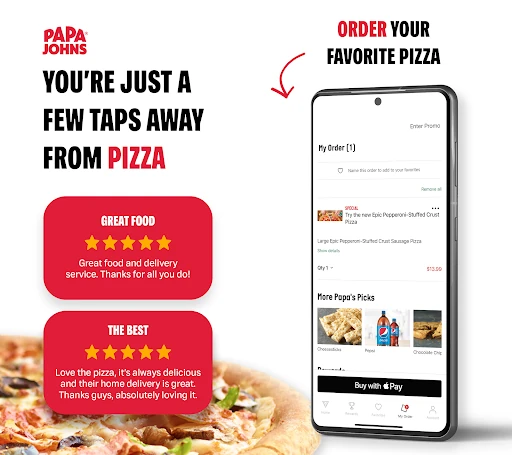
My first impression is that this is a utility for getting food ordered, not an app designed to keep me browsing for its own sake. Its main promise is easy to understand: find a nearby Papa Johns, place an order, and choose delivery or pickup. That direct purpose is welcome when I already know the kind of meal I want and would rather spend less time deciding how to arrange it.
The first useful step is finding the restaurant that serves the right area. Searching by city or ZIP code gives the order a local destination, and that matters before I get invested in timing or offers. I would take a moment to check the location before placing an order, particularly if I am near a boundary between restaurant areas or arranging food for somewhere other than home.
The Everyday Order
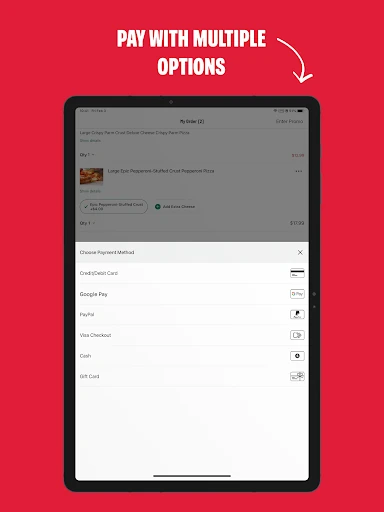
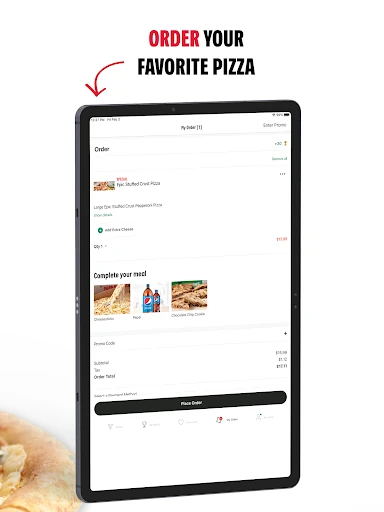
For a regular meal, the app's value is in keeping the practical steps together. I can select a local restaurant, arrange delivery or takeout, and choose how to pay. The listed payment choices include cash, credit card, and Google Pay. That range makes the ordering process more flexible, although which option feels convenient will depend on how I normally pay.
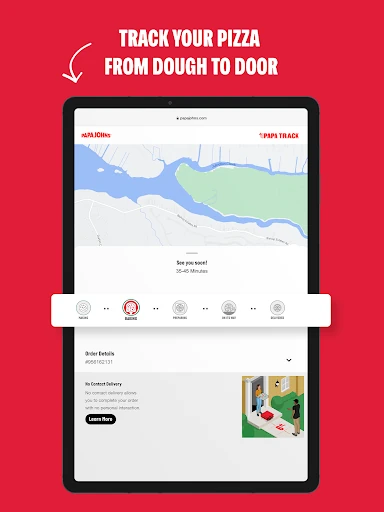
Delivery tracking is the part I would appreciate after tapping through the order. Instead of placing the order and wondering when it is coming, I can follow its progress from preparation toward the door. Push notifications can help surface updates while I am doing something else. I would treat tracking as useful context, not a reason to plan an exact minute around a meal.
Useful Extras for Regulars
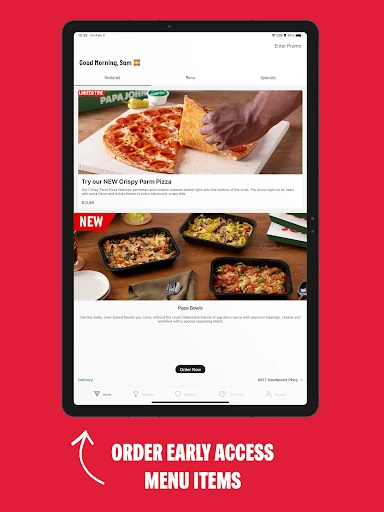
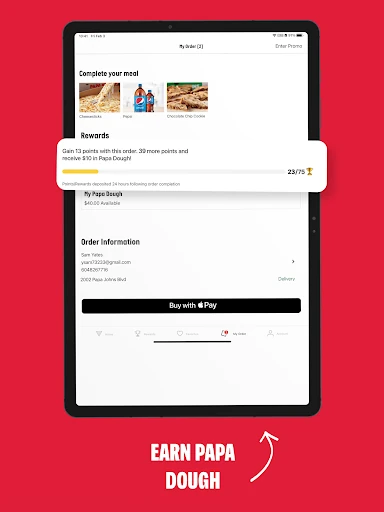
Rewards give repeat orders a longer-term angle. The app lets customers earn Papa Rewards points and redeem Papa Dough for food or pizza items. That is a concrete perk for people who already order through Papa Johns, rather than a reason by itself to order more often. I like that the reward feature belongs to the same routine as choosing a restaurant and placing the order.
Saved favorites and past orders are another practical extra. With an account, the app can make it quicker to reorder a favorite or choose an order from the past 90 days. That suits a household with a dependable go-to meal, or someone who would rather avoid rebuilding the same order each time. I would still check the details before submitting, since a saved order is a shortcut, not a substitute for reviewing it.
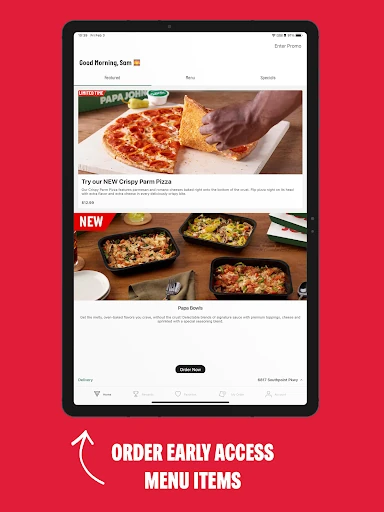
Local offers and push notifications round out the repeat-use features. The app says restaurant deals can be specific to a neighborhood, and notifications can alert me to offers or order updates. I would enable them selectively: delivery progress is handy when food is on the way, while promotional alerts are only worthwhile if I want them.
Planning Ahead
Future Ordering is especially suited to occasions when I know the meal time in advance. I can arrange delivery or pickup for a later time, which could help with tomorrow's lunch or food for a weekend get-together. It is a small but meaningful distinction from placing an order only when everyone is already waiting to eat.
For a group order, I would start by confirming the restaurant and the time the food should be ready or delivered. Then I could choose the order and set the timing, rather than leaving the whole task to the last minute. Tracking can help once a delivery is underway. The app supports the logistics; the useful habit is making the plan early enough to check the details calmly.
Limits to Keep in Mind
The biggest limitation is the app's narrow coverage: it is for Papa Johns restaurants in the United States. That makes it a poor fit for comparing different pizza places or finding dinner from another kind of restaurant. If I have not decided on Papa Johns, a general dining or delivery option is better suited to that first decision.
Its convenience also depends on the local restaurant and the order I want to arrange. The app can help locate a restaurant and set delivery or pickup, but those features do not turn it into a general-purpose meal planner. Offers and restaurant details can be local, so I would check what appears for the location I intend to use.
Finally, some of its best shortcuts are more valuable with repeated use. Favorites, recent orders, and rewards are most relevant to customers who return to the chain. An occasional customer can still place an order, but should expect the app's strongest convenience benefits to build around a regular Papa Johns routine.
Papa Johns Pizza & Delivery does its best work as a practical companion for customers who already know they want Papa Johns. Restaurant search, scheduled orders, rewards, saved past orders, payment choices, and delivery tracking cover the parts of ordering that matter most in everyday use. The chain-specific focus is clear, and that makes the app easier to judge: it is useful when the restaurant choice is already settled.
I would recommend it to regular Papa Johns customers who want a quicker way to reorder, schedule pickup or delivery, and follow an order. If you want to compare restaurants or browse beyond the chain, it is not the right tool for that job. For its intended audience, though, it brings useful ordering steps together without making the routine complicated.
Papa Johns Pizza Frequently Asked Questions
What is Papa Johns Pizza & Delivery used for?
Papa Johns Pizza & Delivery is used to order from Papa Johns restaurants in the United States. It supports delivery and pickup, restaurant searches by city or ZIP code, future orders, rewards, saved favorites, and tracking for delivery orders. It is focused on Papa Johns rather than restaurant discovery across many chains.
What devices can run Papa Johns Pizza & Delivery?
The app is available for Android devices through Google Play. The stated minimum requirement is Android 7.0. For current compatibility details on a particular phone or tablet, it is worth checking the Google Play store page, since device and software support can vary.
Does Papa Johns Pizza & Delivery cost anything?
Google Play lists Papa Johns Pizza & Delivery as free, with no in-app purchases and no ads. Ordering food is a separate purchase through a Papa Johns restaurant, so the total for an order depends on what is selected and the applicable restaurant details. Check the app before submitting an order.
Does Papa Johns Pizza & Delivery work outside the United States?
The app description says it is for Papa Johns restaurants in the United States. Its restaurant search and ordering features are intended for those locations, so it may not help with a restaurant in another country. For local availability and current service details, check what the app shows for the intended location.
Who is Papa Johns Pizza & Delivery best for?
It is best suited to people who order from Papa Johns and want practical shortcuts such as saved orders, rewards points, scheduled pickup or delivery, and tracking. It may not suit someone who wants to compare several restaurant chains or browse a wide range of cuisines. Its usefulness depends on having a participating local restaurant.
Pros
- Combines delivery, pickup, future orders, and tracking in one chain-focused app.
- Saved favorites and orders from the past 90 days can speed up repeat meals.
- Papa Rewards points and local offers add useful extras for regular customers.
- Offers cash, credit card, and Google Pay as payment choices.
Cons
- Limited to Papa Johns restaurants in the United States, rather than broad restaurant discovery.
- Saved-order shortcuts and rewards are less valuable to occasional customers.
- Promotional push notifications may not appeal to everyone.
- Category
- Food & Drink
- Version
- 5.18.0