Webull: Trade Stocks & Options
- 1.88K
- 5
- Installs
- 100.00K
- Price
- Free

Screenshots

Analysis by Reviewed APKs
Webull: Trade Stocks & Options is a finance app for people who want to follow markets, research investments, and place trades from a phone. Its mix of detailed charts, market data, and paper trading gives it more depth than a simple portfolio tracker. I see it as a better fit for hands-on investors than for anyone looking for a set-and-forget savings app or personalized financial advice.
A Market Check That Goes Further
Picture checking a stock during a spare moment in the morning, then looking more closely after work. Webull brings US stocks and ETFs, charts, technical indicators, and real-time data into one trading-focused app. Rather than stopping at a price quote, I can use its tools to examine market movements and decide what I want to investigate next. That extra depth is useful when a quick glance turns into a more considered research session.
I would treat that routine as research, not as a reason to rush into a trade. Webull also offers paper trading, where the description says users can practice with virtual cash before committing real capital. That makes it possible to explore the trading experience without placing a real-money order. Options are available too, but they involve significant risk and are not suitable for everyone, so they deserve more care than a casual market check.
Trading App, Not Savings App
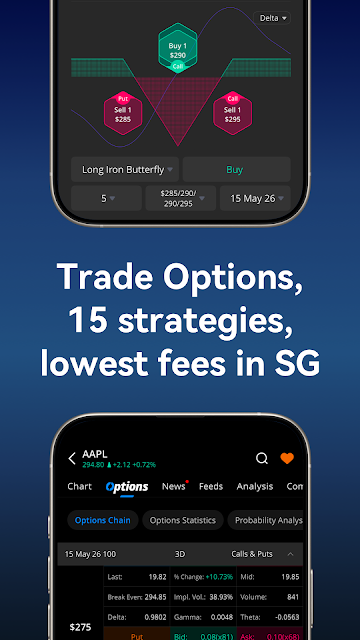
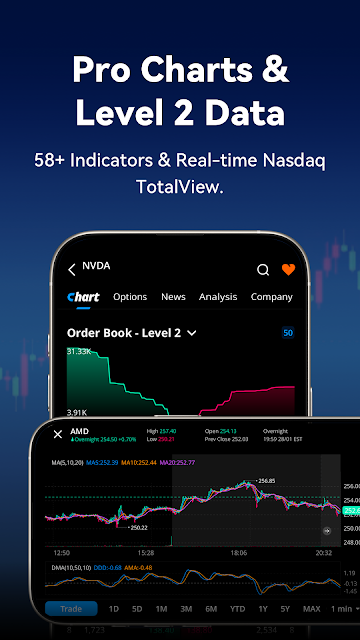
Compared with a basic investing app built around a simple account overview, Webull puts more emphasis on charts, active trading tools, and market information. Its listed features include more than 58 technical indicators, Nasdaq TotalView Level 2 quotes, and 15 options strategies. It also describes US stocks and ETFs as commission-free, while options are priced at US$0.55 per contract. Relevant regulatory and exchange fees may apply.
That focus is not the same as personalized investment planning. The app says its tools can provide general analysis, but they should not be treated as investment advice or a recommendation. I would not choose it solely to automate a household budget or to receive a tailored financial plan; those are different jobs. Its range of instruments and analysis tools may also feel like more than a casual investor needs.
Small Habits, Better Research
A useful way to approach a trading app is to separate watching from acting. I would use a short daily check to review market data, then reserve a calmer session for charts and indicators when I have a specific question. Webull’s paper trading feature offers another deliberate step: try a strategy with virtual funds first, rather than treating a new idea as something that needs an immediate real-money test.
It can also help to keep a clear purpose for each session. For example, I might compare a stock’s movement with the signals on its chart, or look at available options strategies without assuming one is right for me. Webull includes AI-driven market insights and recurring investment tools in its description, but neither replaces personal judgment. A measured routine is especially important when the app makes active trading easy to access.
More From Our News Desk

Zoom Meetings, Google Meet, or Teams: Which Is Easiest to Join?

How I Build a Free Streaming Lineup With Tubi

Why Crunchyroll Is the Default Anime App for So Many Fans

YouTube TV: A Practical Guide to Cutting Cable

Rummikub and the Small Comfort of Phone Games

TeamViewer Remote Control or AnyDesk for Helping Family?
Who May Find It Useful
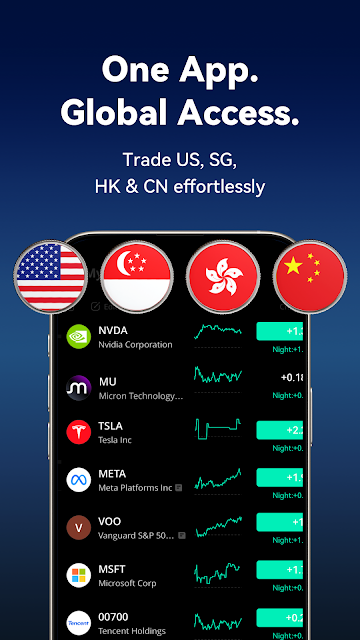
I’d recommend Webull to someone who already follows US markets, wants charts and data close at hand, and is comfortable spending time researching before trading. The paper trading simulator is a welcome option for people who want to practice using virtual funds. Investors interested in different instruments may also appreciate that the app describes stocks, ETFs, options, mutual funds, US Treasuries, and futures among its offerings.
It may be a poor match for anyone who wants a simple, hands-off experience or expects the app to tell them what to buy. Options in particular can bring rapid and substantial losses, and the description is clear that they are not suitable for every investor. I’d also encourage newcomers to take time with the tools and costs before making decisions. This is a trading platform, not a promise of returns.
Webull: Trade Stocks & Options is developed by Webull Technologies Pte. Ltd. On Google Play, it has over 100,000 installs and a 5.0-star rating from 1,880 ratings. The app is free to install, contains no ads, and offers in-app purchases priced from $0.99 to $164.99 per item. Google Play gives it an Everyone content rating.
The Android version varies with the device, and no minimum Android version is specified in the available app details. The current version is also listed as varying with device. A release date and last update date are not provided in the available facts. Separately, the app description says US stocks and ETFs have zero commissions and zero platform fees; options are priced at US$0.55 per contract, and other fees may apply.
A Closer Look at Webull’s Trading Tools
A Busy First Impression
Webull’s description sets an expectation of a trading workspace rather than a stripped-down account tracker. It brings together market data, charts, technical tools, and access to multiple kinds of investments. When I first open an app with that much scope, my instinct is to avoid trying to learn everything at once. Starting with one market or instrument makes the experience easier to understand.
The app describes real-time data and in-depth charts as central parts of the experience. It also lists US stocks and ETFs, options, mutual funds, US Treasuries, and futures. That breadth can be useful, but it means a new user should be clear about what they want to explore. The best first session is likely a focused one: look at a familiar stock, inspect the available data, and leave unfamiliar products for later.
A Day-to-Day Market Companion
For routine use, Webull is aimed at people who want to check markets and do their own analysis. Its listed data and charting features give users several ways to study price movements, while its technical indicators can add detail for those who know how they want to use them. I like the idea of having those research tools available in the same app where trading takes place, though that convenience makes a deliberate pace important.
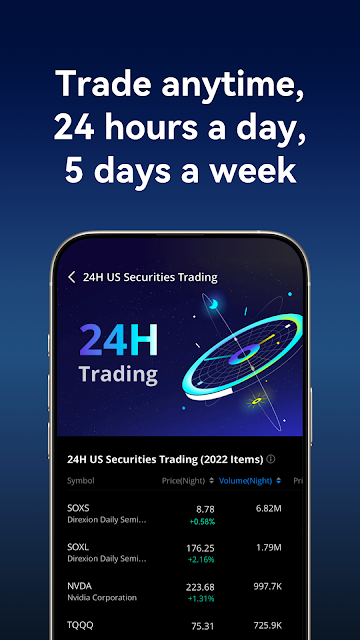
Webull says users can trade US stocks and ETFs 24 hours a day, five days a week. That extended schedule may suit someone who checks markets outside a conventional workday. It is not a reason to watch every market movement, though. I’d still set a purpose for each check, whether that is reviewing a position or reading market data, rather than letting a stream of information dictate the day.
Tools Beyond Basic Quotes
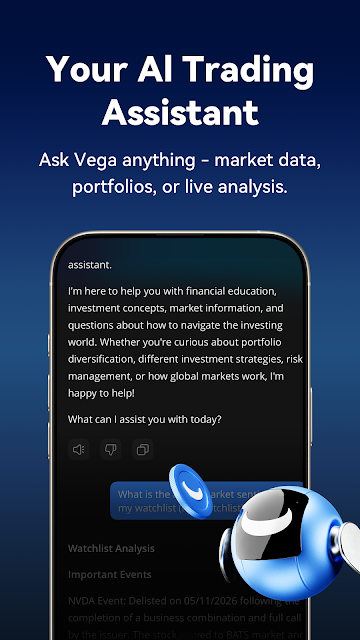
The most notable difference from a simple quote app is the depth of analysis Webull describes. More than 58 technical indicators and Nasdaq TotalView Level 2 quotes give active market watchers additional information to examine. The app also highlights AI-driven insights that synthesize market data, portfolio trends, and real-time signals. Those features can help surface information, but they do not guarantee a useful conclusion or make an investment decision for the user.
Paper trading is another practical inclusion. The description says users can practice with $100 million in virtual cash before committing real capital. That is a large virtual balance, but the important point is the chance to learn the mechanics without using real money. Webull also lists 15 options strategies and free OPRA data, with terms applying. Options remain risky regardless of how much data or practice is available.
A More Measured Routine
One sensible routine would be to begin with a question rather than a trade: what has changed in the market, or what do I want to understand about a particular stock? I could then use the available data and charts to examine that question. If I wanted to learn how a trading idea works, paper trading would offer a way to practice without risking actual funds.
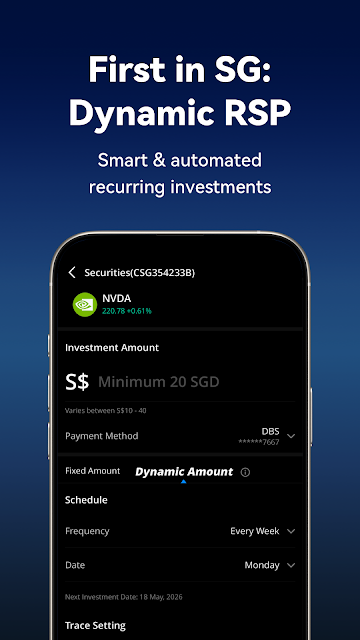
The app also describes a dynamic recurring investment plan in Singapore that responds to market movements, along with automated recurring investments. These features may suit a user who wants a more regular investing workflow, but they are not a substitute for understanding the product or its risks. I would review the terms and applicable fees before relying on any trading or investment feature.
Keep the Risks in View
Webull’s range of tools can make the app feel capable, but capability is not the same as simplicity. Charts, indicators, market signals, and multiple investment products can take time to learn. Someone who only wants occasional, uncomplicated investing may find the emphasis on active trading more involved than necessary. A focused approach helps keep the research useful instead of turning every market update into a prompt to act.
Costs also deserve a closer look than the phrase commission-free might suggest. The description specifies zero commissions and platform fees for US stocks and ETFs, and US$0.55 per options contract. It also says relevant regulatory and exchange fees may apply. The app has in-app purchases listed on Google Play as well. Before trading, users should check the current fee schedule and product terms, especially for options.
Finally, Webull’s tools are not personalized financial advice. Its own description says investments involve risk, options can lead to rapid and substantial losses, and the products are not suitable for every investor. I would treat the app as a place to access information and trading features, not as a source of certainty. Taking time to understand what each instrument does matters more than having another chart at hand.
Webull: Trade Stocks & Options offers a substantial set of market and trading tools, including detailed charts, technical indicators, real-time data, and paper trading. That makes it more compelling for self-directed investors than for people who want a basic, hands-off account. Its broad feature set is useful, but it asks users to bring patience and a clear sense of their own limits.
I’d suggest giving it a look if you want to research markets and understand trading tools in one place, especially if paper trading appeals to you. I would not recommend treating its signals as instructions or assuming that commission-free trading means every activity has no costs. For anyone considering options, careful research and an understanding of the risks are essential.
Webull Frequently Asked Questions
What is Webull: Trade Stocks & Options used for?
Webull is a finance app for researching markets and trading investments. Its description includes US stocks and ETFs, options, mutual funds, US Treasuries, and futures, along with real-time data, charts, technical indicators, and paper trading. The app also describes recurring investment tools and AI-driven market insights. Its analysis tools are not personalized investment advice.
Which devices can run Webull: Trade Stocks & Options?
The provided app details describe an Android app on Google Play. The Android version varies with the device, and a minimum Android version is not specified in the available facts. Check the Google Play store listing for current device compatibility and requirements before installing, since compatibility can vary by device.
Does Webull: Trade Stocks & Options cost money?
The app is free to install and contains in-app purchases listed from $0.99 to $164.99 per item. The description says US stocks and ETFs have zero commissions and platform fees, while US options cost US$0.55 per contract. Relevant regulatory and exchange fees may apply, so check the current fee schedule and Google Play details for applicable costs.
What Android version does Webull: Trade Stocks & Options require?
The available details do not specify a minimum Android version; they say the app version varies with device. Requirements can differ across devices, so check Webull’s Google Play store listing on the phone or tablet you plan to use for the current compatibility information.
Is Webull: Trade Stocks & Options suitable for beginners?
It may suit a beginner who wants to learn about market data and practice through paper trading, which uses virtual cash. Its many analysis tools and investment products can be a lot to take in, and options carry significant risk. Webull says its tools are not investment advice, so the app may not suit someone seeking personal recommendations or a hands-off approach.
Pros
- Combines market data, charts, and more than 58 technical indicators.
- Paper trading lets users practice with virtual funds before risking real capital.
- Supports research across several investment types, not only stocks and ETFs.
- Describes zero commissions and platform fees for US stocks and ETFs.
Cons
- Its broad selection of tools may feel complex to casual investors.
- Options carry significant risk and cost US$0.55 per contract.
- Market insights are not personalized financial advice or trade recommendations.
- Category
- Finance