Webull: Investing & Trading
- 343.18K
- 4.7
- Installs
- —
- Price
- Free

Screenshots
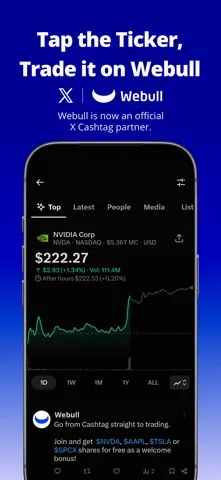
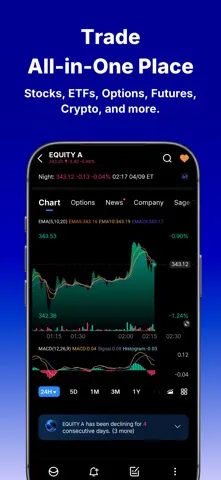
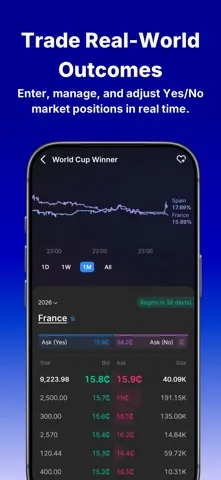
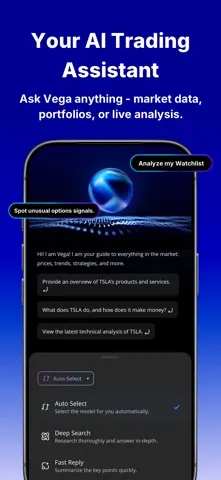
Analysis by Reviewed APKs
Webull: Investing & Trading is a finance app for people who want to follow markets and manage trades from an iPhone or iPad. It brings stocks, ETFs, options, crypto, charts, alerts, and practice trading into one place. I see its appeal for hands-on investors who like detail and control; it is a more involved choice than a simple savings or portfolio-tracking app, and its riskier tools deserve care.
A Market Check in Your Day
When I first imagine using Webull as part of a normal weekday, the draw is having market information and trade controls close together. I might check a chart over breakfast, look at an alert during a break, then review an order before deciding whether to act. The app supports stocks, ETFs, options, and crypto, with real-time data and charting tools intended for people who want to look beyond a single price quote.
That setup can suit an investor who checks positions regularly but does not want to sit at a desktop all day. Alerts can connect a custom indicator with a pre-configured order, and a notification can take me back to review and execute it. The persistent order window is designed to stay available while I move around the app. Those conveniences reduce switching between screens, though they do not remove the need to understand an order before placing it.
More Than a Quote Screen
Compared with a basic investing app focused on a few holdings and a clean balance, Webull leans into trading detail. Its selection includes stocks, ETFs, options, crypto, futures, event contracts, bonds, and treasuries, alongside advanced chart tools and market data. It also offers recurring investments and Webull Smart Advisor. That breadth makes it more appealing to someone who wants to explore several kinds of market activity from one app.
It is not simply a passive portfolio tracker, a bank account, or a beginner course. Features such as options, futures, event trading, and margin involve risks, and the app itself warns that losses can happen quickly. Even paper trading is limited and does not reproduce every real-world situation. I would treat Webull as a tool for informed, self-directed activity, not as a shortcut to deciding what to buy or as a substitute for understanding the risks.
Small Habits That Help
I would get more from Webull by making a short review routine rather than opening it every time a price moves. For example, I could check a watchlist and chart at a set time, compare a few indicators, and decide whether an alert would be useful. The app supports more than 60 technical indicators and over 17 complex charting tools, so a modest, repeatable selection is likely easier to work with than changing settings constantly.
Paper Trading can be a useful place to become familiar with the order experience before using real money, while keeping its stated limitations in mind. I would also review an alert before acting, rather than treating the notification itself as a decision. Custom indicators can sync with pre-configured orders, and voice commands can handle multiple order types, but careful review still matters. A deliberate routine makes these tools easier to use without turning every market update into a prompt to trade.
More From Our News Desk

Zoom Meetings, Google Meet, or Teams: Which Is Easiest to Join?

How I Build a Free Streaming Lineup With Tubi

Why Crunchyroll Is the Default Anime App for So Many Fans

YouTube TV: A Practical Guide to Cutting Cable

Rummikub and the Small Comfort of Phone Games

TeamViewer Remote Control or AnyDesk for Helping Family?
Who May Find It Useful
I would recommend Webull to self-directed investors who want market data, charting, and several trading and investing options in one mobile app. It may be especially useful if you like reviewing technical indicators, setting alerts, or trying Paper Trading before placing orders. People who already understand that different investments carry different risks may appreciate the range, while newcomers can use the tools to explore at their own pace.
It may not suit someone who wants an especially simple, hands-off experience or who would rather avoid frequent market decisions. Webull includes complex and leveraged products, and its disclosures make clear that losses are possible; those features are not right for everyone. I would also hesitate to recommend it to anyone expecting a practice account to mirror every live-market situation. The app can provide tools and information, but users still need to make their own considered choices.
Webull: Investing & Trading is developed by Webull Technologies Pte. Ltd. On the Apple App Store, it has a 4.7 rating from about 343,000 ratings. The app is free to download. Its content rating is 4+, and the listed release date is January 18, 2017.
The current listed version is 12.4.8, with its last update dated October 28, 2026. It requires iOS 14.0 or later. The supplied store information does not give a price for optional in-app purchases or an advertising status, so those details are best checked on the App Store before downloading.
A Closer Look at Webull
Getting Started
My first impression is of an app built to put a lot of market activity within reach. Rather than focusing on one narrow task, Webull spans investing, trading, research tools, and practice trading. That range is useful, but it also means I would approach it with a particular purpose in mind instead of expecting a minimal interface with only a balance and a buy button.
I would start by exploring charts and market information, then decide which tools fit my own routine. Webull lists technical indicators, charting tools, Level 2 Advance with Nasdaq TotalView, and AI-driven insights that synthesize market data, portfolio trends, and real-time signals. These are options for examining markets, not a promise that any signal will predict what happens next.
Daily Market Use
In day-to-day use, the appeal is having research and order handling in the same mobile environment. I can picture checking a market move, opening a chart, and reviewing an order without treating each step as a separate desktop task. The persistent order window is intended to remain available while navigating, which can make it easier to keep an order in view as I move between parts of the app.
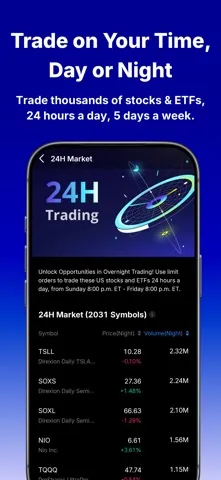
Alerts offer another way to stay connected without watching a screen continuously. Webull describes syncing custom indicators with pre-configured orders, then letting users tap a notification to review and execute a trade. That review step matters: an alert is a prompt to look again, not an instruction I would follow automatically. The app also supports overnight trading from Sunday at 8 p.m. ET through Friday at 8 p.m. ET.
Tools Beyond Trading
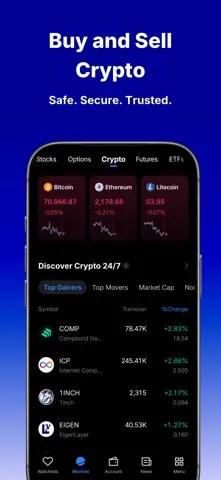
Webull’s range is one of its clearest distinguishing features. Alongside stocks, ETFs, and options, it supports crypto trading, including BTC, ETH, and DOGE, and describes futures and event trading as available activities. It also includes treasuries, bonds, recurring investments, and Smart Advisor. This mix gives the app uses beyond short-term trading, though each product has its own terms and risks.
The research and practice tools add another layer. Users can work with more than 60 technical indicators and over 17 complex charting tools, access Level 2 Advance, and try Paper Trading. Natural voice commands are presented as a way to place multiple order types and manage a portfolio. I would see these as ways to interact with markets and orders, not as features that remove the judgment or attention those decisions require.
A More Deliberate Routine
A practical way I would use Webull is to separate research from action. I might check a chart and a small set of indicators during a planned review, set an alert if I want to revisit a market move, and then use the notification to return for a fresh look. That keeps an alert from becoming an automatic trade and gives me a moment to confirm what I am seeing.
For someone learning the app’s order flow, Paper Trading offers a way to practise without placing a live trade. I would use it to get familiar with the basic experience while remembering that it does not recreate every real-life scenario. If I used recurring investments or portfolio tools, I would still review them periodically. The point of a routine is to make the app serve a plan, rather than letting every new signal dictate what I do.
Risks and Trade-Offs
The biggest limit is not a missing chart or order tool; it is the complexity of what the app makes accessible. Options, futures, event contracts, crypto, and margin all involve substantial risk in different ways. Webull’s disclosures warn that losses can occur, that leverage can increase losses, and that some products are not suitable for everyone. A broad menu can be convenient, but it calls for restraint and an understanding of each product.
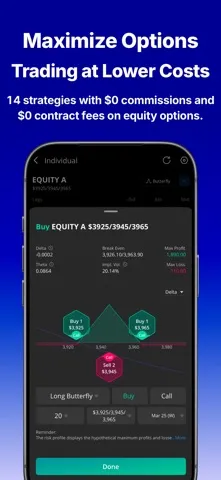
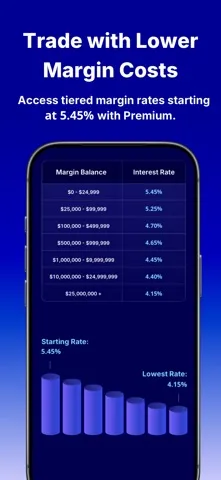
Costs also depend on what is traded and which service is used. The description says stocks, ETFs, and options can be traded with zero commissions, while noting that certain index options and oversized option orders incur per-contract fees and that other fees may apply. Futures contracts have stated starting costs, and Webull Premium requires a subscription for its described benefits. I would check current terms in the app store and product disclosures before relying on any rate or fee.
Webull: Investing & Trading is a broad, capable option for people who want trading tools, market research, and several investment products in one mobile app. I like the combination of charts, alerts, Paper Trading, and order controls, but the depth comes with real complexity. Its most advanced offerings make sense only for users who understand the risks and are willing to review decisions carefully.
I would try it if I wanted a hands-on investing app and planned to use its tools deliberately. If I wanted a very simple, mostly passive experience, I would look for something less trading-focused. Webull can help organize market activity, but it cannot make the decisions safe or suitable for any particular person.
Webull Frequently Asked Questions
What is Webull: Investing & Trading used for?
Webull is a mobile app for investing and trading, with support for stocks, ETFs, options, crypto, and other products described by the app. It also offers charting tools, market information, alerts, and Paper Trading. The range may appeal to self-directed users who want to examine markets and manage activity in one place. Investments involve risk, and the app is not a substitute for understanding the products involved.
Is Webull: Investing & Trading available on iPhone?
Yes. The supplied store information is for the Apple App Store, and Webull requires iOS 14.0 or later. The app describes mobile trading and research features, including charts, alerts, and order controls. Device compatibility can depend on the current store requirements, so it is worth checking the App Store page for the latest information before installing.
What iOS version does Webull: Investing & Trading require?
The listed minimum requirement is iOS 14.0. Webull is available through the Apple App Store, where current compatibility details are the best place to check before downloading. Requirements can change with app updates, so a device that meets the stated minimum should still be checked against the current store information and its own available software version.
Does Webull: Investing & Trading cost money?
The app is free to download on the Apple App Store. The provided store details do not specify optional in-app purchase prices or advertising status. The app description also says Webull Premium requires a subscription for certain benefits, and it notes that fees may apply to some products or transactions. Check the current App Store information and Webull’s terms for applicable costs.
Is Webull: Investing & Trading suitable for beginners?
It may suit a beginner who wants to learn about markets and use Paper Trading to explore the order experience, while remembering that paper trading does not reproduce every real-life scenario. Webull also offers complex products, including options, futures, and margin, which involve significant risks and are not suitable for everyone. Someone seeking a very simple, hands-off investing app may prefer a less trading-focused option.
Pros
- Combines market charts, alerts, order controls, and several investment products in one app.
- Paper Trading gives users a way to practise, with its limitations clearly worth remembering.
- Offers extensive charting tools, technical indicators, and Level 2 market data.
- Supports recurring investments and wealth-management features alongside active trading tools.
Cons
- The wide range of complex and leveraged products can feel overwhelming to newer investors.
- Paper Trading does not reproduce every real-life market scenario.
- Some products and services may involve fees, and Premium requires a subscription.
- Category
- Finance
- Version
- 12.4.8