Wawa
- 38.44K
- 3.5
- Installs
- 5.00M
- Price
- Free

Screenshots
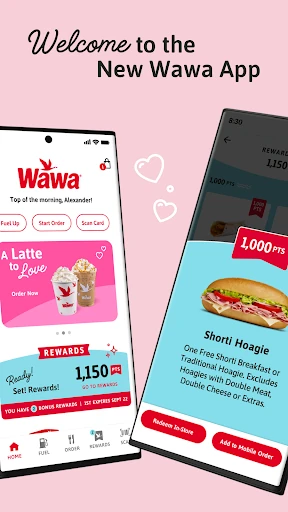
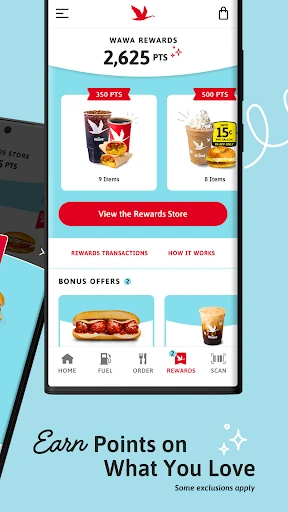
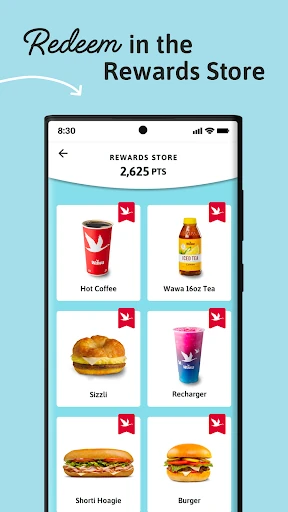
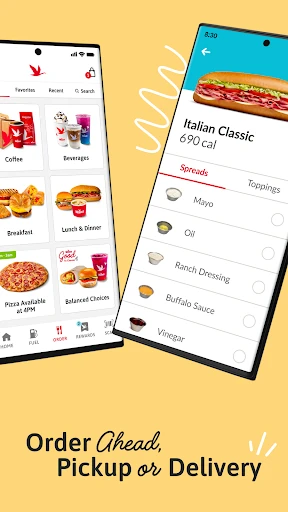
Analysis by Reviewed APKs
Wawa is a food-and-drink app for browsing the menu, placing an order ahead, paying by phone and collecting Wawa Rewards points. I see it as a practical companion for people who already make Wawa part of their regular routine, especially when they want to plan a pickup or keep track of rewards. Its focus is useful rather than complicated, though the rewards program is a big part of the appeal.
A More Planned Wawa Run
When I picture using Wawa, it is on a busy morning when I want to decide what to eat before reaching the store. The app lets me browse the menu, choose something familiar or try a different option, and place the order ahead. That makes the phone useful before I arrive, rather than something I have to sort out while standing at the counter.
Pickup choices include in-store pickup, curbside pickup and delivery, so the app can fit more than one kind of stop. I can also reorder favorites, which is a helpful shortcut when I have a usual breakfast or lunch. The routine is straightforward: look through the menu, make a selection, choose how to receive it, and keep the rewards scan in mind.
Ordering, Not Meal Planning
Compared with walking into a store and deciding at the counter, Wawa gives me a way to browse and order before the visit. It also brings rewards and payment options into the same app, rather than making the order the only reason to open it. For someone who already buys food or drinks at Wawa, that combination is more relevant than a general-purpose restaurant discovery app.
This is not a broad meal-planning tool or a way to compare menus across restaurants. Its focus is Wawa’s menu, ordering and rewards, so it makes most sense when Wawa is already part of the plan. If I am still deciding where to eat, the app does not replace that wider search; it helps me handle the Wawa part of the outing.
Small Rewards Habits
The simplest habit is to open the app before a regular order, check the menu and decide whether to repeat a favorite or try something new. When paying in person, scanning the Rewards Card is the step that connects an eligible purchase with points. Wawa says members earn 10 points per dollar spent on eligible items, so it is worth remembering that not every item necessarily qualifies.
I would also make a quick check of the Rewards Store and any available promotions part of the routine, rather than assuming points only matter when they are earned. The app describes bonus rewards and promotions throughout the year, and its recent update adds Member Extras with deals and challenges. Those features give regular visits a little more structure without requiring a complicated tracking system.
More From Our News Desk

Zoom Meetings, Google Meet, or Teams: Which Is Easiest to Join?

How I Build a Free Streaming Lineup With Tubi

Why Crunchyroll Is the Default Anime App for So Many Fans

YouTube TV: A Practical Guide to Cutting Cable

Rummikub and the Small Comfort of Phone Games

TeamViewer Remote Control or AnyDesk for Helping Family?
Who Will Get the Most From It
I would recommend Wawa to people who already stop at Wawa for food or drinks and want to place orders ahead, choose a pickup method, or collect rewards in one place. It is especially suited to someone with repeat orders: browsing the menu and reordering a favorite can make a familiar run easier to organize. People who like checking promotions may also appreciate having the Rewards Store and Member Extras in the same app.
It may be less useful if Wawa is not a regular stop, or if what you need is a way to compare many restaurants and plan meals across them. The app is centered on Wawa purchases and rewards, and its points apply to eligible items rather than every possible purchase. I would treat it as a focused convenience tool, not something that needs to be part of every food decision.
Wawa is developed by Wawa, Inc and is available on Google Play for Android. It is free to download, has a Everyone content rating and requires Android 8.0 or later. The current version is 10.5.0. Google Play shows more than 5 million installs and a 3.5-star rating from about 38,000 ratings.
The app contains ads, and the supplied store details say it does not offer in-app purchases. Wawa was released on June 21, 2017, and the listed last update was January 26, 2026. These figures provide a useful snapshot of the app’s availability and store reception; the version and other details can change as the app is updated.
Making Everyday Wawa Stops Easier
Getting Oriented
When I first opened an app like this for a planned stop, the useful question was simple: can I find what I want and decide how to get it? Wawa’s stated starting points are its full menu, order-ahead options and rewards. That gives the app a clear purpose, with the main browsing and ordering tasks tied directly to a visit rather than a long setup process.
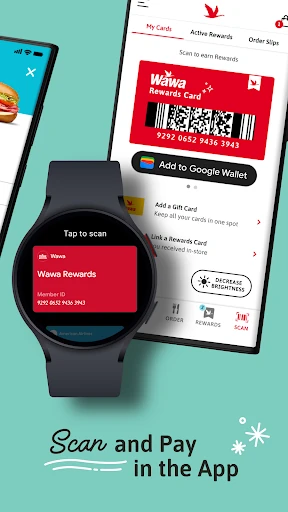
The first choice that shapes the experience is whether I am ordering ahead or handling a purchase in person. For an order, I can select in-store pickup, curbside pickup or delivery. For an in-store purchase, I can scan the Rewards Card and choose a payment method. Those options are easy to understand as separate parts of the same Wawa routine.
The Regular Order
Day to day, the menu is the center of the app. I can browse the available choices, repeat an order I already like or use the moment to try something different. The practical advantage is having time to make that decision before the visit. It suits a planned lunch break or a morning stop when I would rather settle on an order in advance.
Choosing a pickup method makes the order more adaptable to the outing. In-store pickup, curbside pickup and delivery are all described options, though which one makes sense depends on what I am doing. I would use order-ahead when I already know the destination and want to get the decision-making done on my phone, not as a substitute for choosing a Wawa in the first place.
Rewards and Payment
Rewards are one of the app’s clearest extras. Wawa says members earn 10 points for each dollar spent on eligible items and can redeem points for Wawa favorites in the Rewards Store. The eligibility detail matters: I would not assume every item earns points. Bonus rewards and promotions are also part of the program, giving regular customers another reason to check the app from time to time.
For payment, the app describes scanning a Rewards Card and then selecting a Wawa Gift Card, credit or debit card, or Google Pay. That puts earning points and paying in the same flow for an in-store purchase. Recent changes also introduce Member Extras, described as access to exclusive deals and challenges for Wawa Rewards members.
The update notes that points can be earned and redeemed on eligible in-store purchases, mobile orders and in-app fuel purchases. That broadens the ways rewards may fit into a visit, beyond a food order alone. I would still keep the eligibility wording in mind and check the program details when deciding what a particular purchase will earn.
A Useful Weekly Routine
A practical routine might start the night before a busy morning: open the menu, pick a familiar order or browse for something different, and choose a pickup option. On the next visit, I can keep the rewards part in view, either through the order or by scanning the Rewards Card in person. It is a small amount of planning, not a new system to maintain.
For someone who visits more often, I would make the Rewards Store and Member Extras occasional check-ins rather than daily chores. The app mentions bonus rewards, promotions, deals and challenges, so a quick look before a planned Wawa run may be useful. That approach keeps the app tied to an actual purchase instead of encouraging me to open it without a reason.
Keep the Scope in Mind
Wawa is most useful when the destination is already a Wawa. Its menu, order-ahead choices, payment methods and points all serve that specific trip, so someone looking for broad restaurant comparisons will need a different kind of tool. That narrow focus is not a problem for a regular customer, but it does define how often the app will matter.
The rewards program also comes with an important qualifier: points are earned on eligible items, not automatically on everything. The app’s store rating is 3.5 stars from about 38,000 ratings, which is a mixed reception rather than a reason to expect every experience to be smooth. I would judge it by whether its ordering and rewards options match my own Wawa habits.
After looking at the app as part of an everyday Wawa run, I see a focused tool for menu browsing, order-ahead pickup, payment and rewards. Its strongest case is convenience for people who already visit regularly. The options are easy to connect to real errands, and the rewards features add a reason to keep the app close at hand.
I would try Wawa if I often buy food or drinks there and want to plan orders or collect eligible points. If I rarely visit, or want a restaurant app that covers many businesses, it is unlikely to become a regular part of my routine. For its intended audience, it brings several useful parts of a Wawa stop together.
Wawa Frequently Asked Questions
What is the Wawa app used for?
Wawa is used to browse the Wawa menu, place orders ahead for in-store pickup, curbside pickup or delivery, and manage Wawa Rewards activity. It also supports scanning a Rewards Card and choosing a payment method. Members can earn points on eligible purchases and redeem them for Wawa favorites through the Rewards Store.
Which phones and devices support the Wawa app?
The Wawa app is available for Android through Google Play. The supplied requirements specify Android 8.0 or later. Device compatibility can depend on the phone and the current app release, so it is worth checking Google Play on the device you plan to use before installing.
Does the Wawa app cost money?
The Wawa app is free to download, and the supplied store details say it does not offer in-app purchases. It contains ads. Store details and app terms can change over time, so check the Google Play page for the current information before downloading.
How do Wawa Rewards points work in the app?
Wawa says Rewards members earn 10 points for every dollar spent on eligible items and can redeem points for Wawa favorites in the Rewards Store. Eligibility applies, so points are not necessarily earned on every item. The app also describes bonus rewards, promotions and Member Extras for members.
Is the Wawa app a good fit for me?
It is most useful if you already visit Wawa and want to browse the menu, order ahead, choose a pickup method or use rewards and phone-based payment options. It may not suit someone seeking menus from many restaurants or someone who rarely shops at Wawa. Its features are built around Wawa visits.
Pros
- Supports menu browsing and order-ahead with in-store pickup, curbside pickup or delivery.
- Combines Rewards points, a redemption store, promotions and Member Extras.
- Offers several described payment choices, including Wawa Gift Card and Google Pay.
- Lets regular customers reorder favorites instead of starting each order from scratch.
Cons
- Its ordering and rewards features are focused specifically on Wawa visits.
- Points apply to eligible items, so not every purchase necessarily earns rewards.
- Google Play shows a 3.5-star rating from about 38,000 ratings.
- Category
- Food & Drink
- Version
- 10.5.0











