Virgin TV Go
- —
- —
- Installs
- 1.00M
- Price
- Free

Screenshots
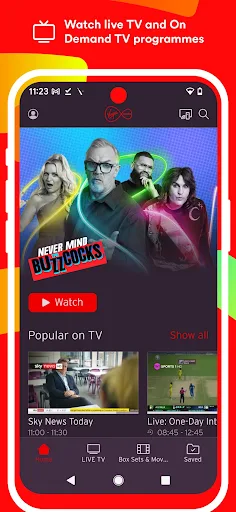
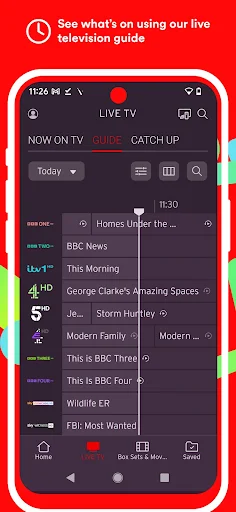
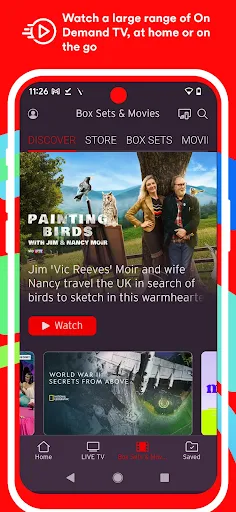
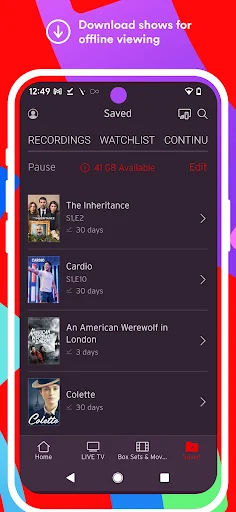
Analysis by Reviewed APKs
Virgin TV Go is a companion app for Virgin TV customers who want live channels and On Demand shows on an Android phone or tablet. I see its appeal in the small gaps around a normal TV routine: catching a programme while away from the sofa, or saving a selected show for a journey. It is useful rather than a replacement for a full TV setup, and that distinction matters.
TV beyond the living room
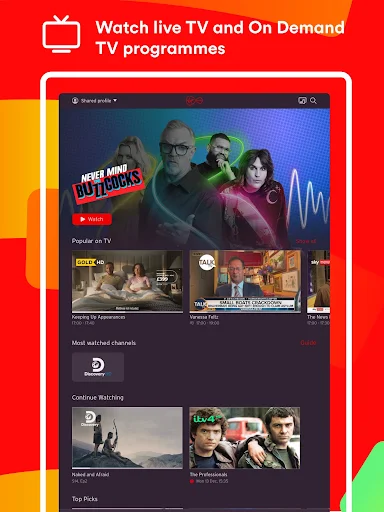
Imagine you have a quiet stretch on a train, or a family member has taken over the television just as you planned to watch something. Virgin TV Go gives Virgin TV customers another way to get to live TV and On Demand programmes, using a phone or tablet and an internet connection in the UK. The live guide helps you see what is on, while the On Demand selection lets you choose a programme around your own schedule.
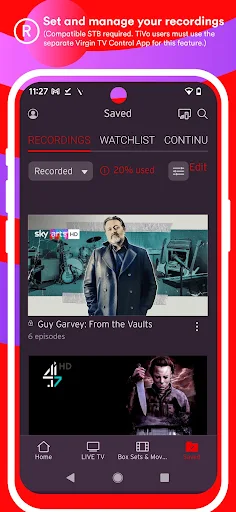
The app makes most sense as an extension of a TV subscription you already use. You sign in with your My Virgin Media username and password, then the channels and shows available to you depend on your package. Selected shows can be downloaded for offline viewing, which is handy when you know a connection may be unreliable. I would treat it as a flexible extra screen, not as a standalone service for someone without Virgin TV.
A companion, not a replacement
Compared with switching on the main television, this app trades the bigger-screen experience for convenience. It suits a quick check of the live guide, a programme watched during a lunch break, or On Demand viewing when the main TV is unavailable. Depending on your package, the live selection can include up to 100 channels. That is a useful range for a mobile companion, though the available choices are tied to your Virgin TV subscription.
Virgin TV Go is not a general streaming service that anyone can sign up for on its own. You need to be a Virgin TV customer, and the app is intended for Android phones and tablets rather than a laptop viewing setup. It also relies on internet access for streaming, with downloads available only for selected shows. If you are looking for an entirely separate library or a replacement for your existing TV provider, this is the wrong kind of app.
Make the guide yours
A little setup can make repeat visits less fiddly. The TV guide can be reorganised so your favourite channels appear first, which is more practical than repeatedly scanning a long list for the same few choices. I would take a moment to arrange it around the channels I actually watch, then use the guide as a starting point when deciding whether to watch live or find something On Demand.
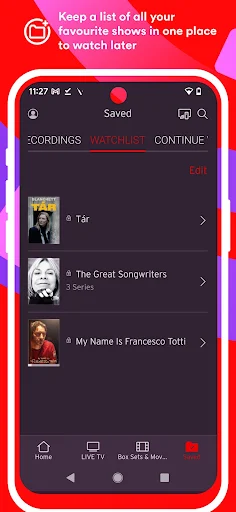
The watchlist offers another small planning habit: add On Demand shows you mean to return to, rather than trying to remember their names later. For a trip, check which selected programmes are available to download before leaving home. These habits do not change what your package includes, but they can make the app easier to use when time is short or connectivity is limited.
More From Our News Desk

Zoom Meetings, Google Meet, or Teams: Which Is Easiest to Join?

How I Build a Free Streaming Lineup With Tubi

Why Crunchyroll Is the Default Anime App for So Many Fans

YouTube TV: A Practical Guide to Cutting Cable

Rummikub and the Small Comfort of Phone Games

TeamViewer Remote Control or AnyDesk for Helping Family?
Who will get the most from it
I would recommend Virgin TV Go to existing Virgin TV customers who want more flexibility from the service they already have. It is especially relevant if you sometimes watch on a phone or tablet, want to check live channels away from the main television, or like having selected shows ready to watch offline. The ability to register up to five devices and watch simultaneously on up to two compatible devices can also help in a household with different viewing routines.
It is less suitable for people without a Virgin TV subscription, anyone who mainly wants to watch on a computer, or viewers who expect every programme to be downloadable. The app also needs an internet connection for streaming, and mobile viewing uses data on a cellular connection. If your viewing is almost always on one television at home, you may not need a second-screen app; its value is in the extra choice of when and where to watch.
Virgin TV Go is an entertainment app from Virgin Media. On Google Play it has over one million installs. The app is free to download, with no in-app purchases or ads reported in the supplied app details. Its content rating is Teen. The service is for Virgin TV customers, and the Android requirements described for the app are Android 6 or later, an Android phone or tablet, and internet access.
The supplied app details give version 5.30.15206 and a last update date of September 22, 2026. Google Play rating and rating-count figures are not included in the supplied facts. The app works with a Virgin TV customer’s My Virgin Media login, and channel availability depends on the customer’s package. Viewing over mobile data counts toward the allowance set by the mobile network.
A closer look at Virgin TV Go
A straightforward starting point
When I first opened an app like this, the main question I would want answered is simple: can I find something to watch without first navigating a maze? Virgin TV Go is built around a live television guide and an On Demand selection, so it has two clear starting points: browse what is on now, or pick a show to watch when it suits you.
Getting started depends on being a Virgin TV customer and signing in with My Virgin Media credentials. That requirement makes the app less universal than a streaming service with a separate subscription, but it also explains why the available channels follow your existing package. You will need an Android phone or tablet running Android 6 or later, plus an internet connection for streaming.
The everyday viewing flow
The live guide is the feature I would reach for when I want to see what is on without committing to a particular show first. It gives the app a familiar television feel: scan the schedule, spot a channel, and decide whether to tune in. The number of channels available depends on the package, with the app description saying customers can watch up to 100 live channels.
On Demand works differently. Instead of fitting viewing around a broadcast schedule, you choose from the available programmes when you have time. That makes the app more useful during a spare half-hour or when the main television is occupied. The selection is described as a large range, but what appears to you depends on your Virgin TV package and the content available through the service.
Small features that help
A personal watchlist is a sensible touch for anyone who tends to find a show and then forget to come back to it. I like the idea of using it as a lightweight reminder for On Demand viewing, especially when browsing happens in a spare moment rather than at the start of a planned TV session. It keeps the app focused on making the existing catalogue easier to return to.
The guide can also be reorganised so favourite channels appear first. That is a modest convenience, but small reductions in scrolling matter when you open an app for a quick check. Parental controls are included too, giving households a way to help keep children safe while using the app. These features support ordinary viewing habits rather than trying to turn the app into a complicated media manager.
Plan for a journey
For a trip, I would use the app before leaving rather than assume every part of the journey will have a good connection. Browse On Demand, download any selected shows you want to watch offline, and check that the downloads are ready before setting off. That is a practical way to make use of the feature during a commute or in a place with limited connectivity.
For live viewing away from home, the key trade-off is data. The app can stream over Wi-Fi or mobile connections, but cellular viewing uses the allowance set by your network operator. If I were planning a longer viewing session, I would keep that in mind and prefer Wi-Fi where available. The app is designed for use in the UK, so it is best understood as a UK viewing companion.
Keep expectations realistic
The biggest limitation is also the clearest: this app is for Virgin TV customers, not a way to browse a universal TV catalogue without a subscription. Your package affects which channels are available, and only selected shows can be downloaded. That means the exact experience can differ between households, even when everyone uses the same app.
It is also a mobile and tablet experience, so I would not choose it when a large television screen is the priority. Streaming needs a connection, and mobile data use can add up against a monthly allowance. These are not surprises so much as practical boundaries to plan around. For people who already have Virgin TV and want another screen, the boundaries are reasonable; for everyone else, they narrow the app’s appeal.
Virgin TV Go is a useful add-on for Virgin TV customers who want live and On Demand viewing on an Android phone or tablet. Its guide, watchlist, channel ordering, selected downloads and parental controls support a range of everyday situations without making the app feel like a separate TV service.
I would try it if I already had Virgin TV and wanted more flexibility, particularly for journeys or times when the main television is busy. I would skip it if I needed a standalone streaming subscription or expected every show to work offline. Check your package and keep mobile data in mind.
Virgin TV Go Frequently Asked Questions
What is Virgin TV Go used for?
Virgin TV Go lets Virgin TV customers watch live channels and On Demand programmes on an Android phone or tablet. It includes a live guide, a watchlist for On Demand shows, and downloads for selected programmes to watch offline. Channel access depends on your Virgin TV package, so it works as a companion to that service rather than as a separate TV subscription.
Which devices can I use with Virgin TV Go?
The app is described for Android mobile phones and tablets. The stated requirement is Android 6 or later, along with internet access for streaming. The service allows registration on up to five devices and simultaneous viewing on up to two compatible devices. Device compatibility can vary, so it is worth checking the Google Play store details for your device.
Does Virgin TV Go cost anything?
The app is free to download, and the supplied details say it has no in-app purchases or ads. You do need to be a Virgin TV customer and sign in with your My Virgin Media username and password. Watching on mobile data uses your network allowance, so any data charges or limits depend on your mobile plan.
What Android version does Virgin TV Go need?
The app description says it needs an Android mobile or tablet running Android 6 or later. It also needs Wi-Fi or a mobile internet connection for streaming. The supplied app details do not give a separate minimum Android version field, so check the Google Play store page for current compatibility information before installing.
Is Virgin TV Go a good fit for me?
It is a good fit if you are a Virgin TV customer and want to watch live or On Demand TV on a phone or tablet, including selected downloads for offline viewing. It may not suit someone without Virgin TV, someone looking for a standalone streaming service, or a viewer who mainly wants to watch on a laptop or television.
Pros
- Combines live TV and On Demand viewing for existing Virgin TV customers.
- Selected programme downloads make offline viewing possible for journeys.
- Favourite-channel ordering and a watchlist support quicker repeat visits.
- Parental controls and multi-device viewing suit shared households.
Cons
- Requires a Virgin TV subscription and a My Virgin Media login.
- Available channels depend on the customer’s package.
- Mobile streaming uses data, and only selected shows can be downloaded.
- Category
- Entertainment
- Version
- 5.30.15206