Total Wine & More
- 21.40K
- 4.6
- Installs
- 1.00M
- Price
- Free
Screenshots
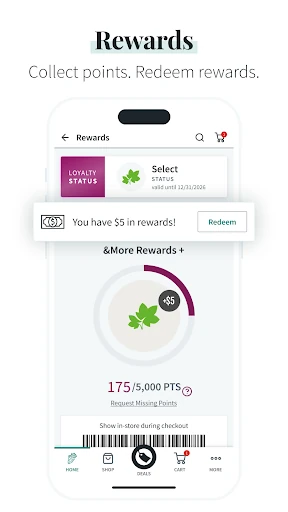
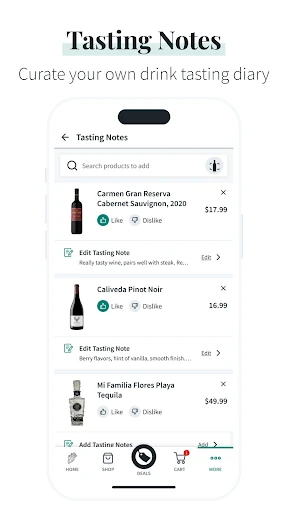
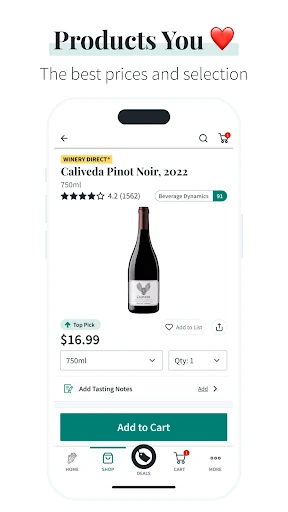
Analysis by Reviewed APKs
Total Wine & More is a shopping app for browsing wine, spirits, beer, and other products, then arranging store pickup or delivery where available. I see it as most useful for people who already shop with Total Wine and want to check products, deals, or order status without making a separate trip just to browse. Its mix of shopping tools and store events is practical, though it is tied to one retailer.
A More Planned Store Run
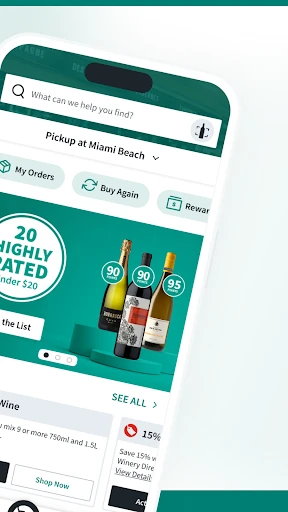
When I’m planning a get-together, I’d rather check the options before walking into a large store. Total Wine & More lets me search its selection, look up a nearby store, and place an order for pickup. That makes it easier to turn a vague shopping list into a specific plan, especially when I already know what I’m looking for and want to spend less time browsing aisles.
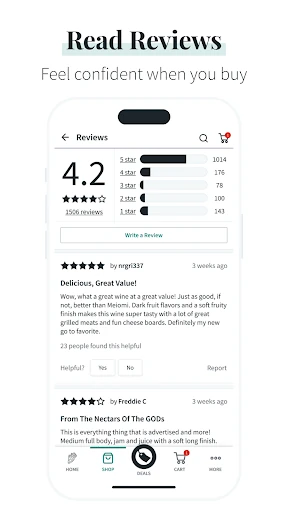
The barcode scanner is useful for a different kind of errand: I can scan a product and see information, ratings, and reviews. If I’m standing in the store comparing bottles, that gives me a way to look up something unfamiliar before deciding. I also like that order tracking and status updates are part of the experience, so the app can help before and after the shopping trip.
A Retailer, Not a Guide
The obvious alternative is visiting a Total Wine store or browsing its website. The app brings product search, ordering, deals, and order tracking into a format that suits quick checks on a phone. It is especially relevant if I already shop at the chain and want to reorder something from my purchase history or see what is available through a local store.
This is not a general-purpose drink encyclopedia or a comparison tool for every retailer. Its focus is shopping through Total Wine & More, with availability and services tied to the places where the company operates. The app also includes cocktail recipes and store events, but the central job remains finding and buying products. If I’m just looking for broad education without shopping, its retail focus may feel limiting.
Small Habits That Help
I’d use the purchase history as a shortcut rather than starting every shop from scratch. When a familiar item is running low, quick reordering can save a few steps, and checking the deals page before placing an order may help me notice current promotions. These are modest conveniences, but they fit naturally into a repeat routine: check, reorder, then choose pickup or delivery if those options suit the order.
For an unfamiliar product, scanning the barcode is a sensible in-store habit. I can check the available product information and customer feedback while I’m looking at the item, rather than trying to remember its name later. If I’m making a day of a store visit, I’d also look for local events or classes in the app. Those features make it more useful between shopping trips, not just at checkout.
More From Our News Desk

Zoom Meetings, Google Meet, or Teams: Which Is Easiest to Join?

How I Build a Free Streaming Lineup With Tubi

Why Crunchyroll Is the Default Anime App for So Many Fans

YouTube TV: A Practical Guide to Cutting Cable

Rummikub and the Small Comfort of Phone Games

TeamViewer Remote Control or AnyDesk for Helping Family?
Who Will Find It Useful
I’d recommend Total Wine & More to regular customers who want a pocket-sized way to browse products, check deals, repeat a past purchase, or arrange pickup. It also suits someone who likes to make a shopping list from home and confirm an order’s status later. The barcode lookup and product ratings can help when choosing among unfamiliar options, while store events and cocktail recipes add a little more to explore.
It may not be a good fit for someone who shops at other retailers or lives somewhere the company’s services do not cover. The app is built around purchasing, so people seeking a standalone reference library or broad beverage education may want something more focused on learning. Delivery and pickup availability can depend on location, so I’d check the local store options before building a routine around either service.
Total Wine & More is developed by Total Wine & More and is listed in Google Play’s Food & Drink category. It has over one million installs and a 4.6-star rating from about 21,000 ratings. The app is free to download, contains ads, and is rated Mature 17+. The listed minimum requirement is Android 7.0.
The current listed version is 10.1.1. The app was released on January 8, 2018, and its latest update is dated February 9, 2026. Google Play lists no in-app purchases. The latest update notes performance improvements and bug fixes. Store services and product availability depend on the locations where Total Wine operates.
A Practical Companion for Store Shopping
Getting Started
My first impression is that this app is meant to get me from browsing to a useful next step. I can search the selection, find a local store, and place an order rather than treating the app as a catalog with no connection to shopping. That focus is easy to understand: it serves customers who know the retailer or are already considering a visit.
I’d begin by finding the store I’m most likely to use, then search for a product or browse the current deals. The app also offers order tracking, so it has a role after checkout. There is no need to learn a complicated workflow before trying the main functions; the practical question is whether the nearby store supports the service I want.
The Everyday Shopping Flow
On an ordinary shopping day, product search is the feature I’d reach for first. I can look through the selection, check a product’s information, and choose a store or order option. In-store pickup is presented as a way to save time, while delivery is another option where available. Having those choices in one place makes the app more useful than a simple store locator.
After placing an order, confirmation notifications and status updates help me keep track of it. If I’m buying something I’ve had before, the purchase history offers a shortcut to reordering. That combination covers a useful stretch of the routine: deciding what to get, arranging how to receive it, and checking what is happening afterward.
Useful Extras Beyond Orders
The barcode scanner is one of the more practical touches because it connects the app to an item I’m already looking at. Scanning can bring up product information, ratings, and reviews, which is handy when a label is unfamiliar or I want another point of reference. It gives the app a job inside the store as well as at home.
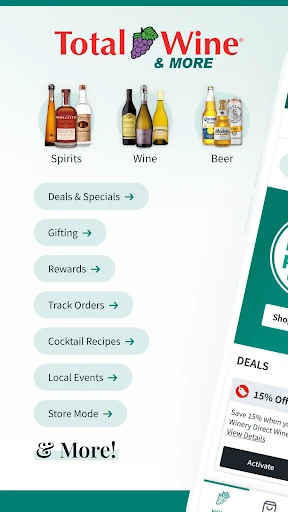
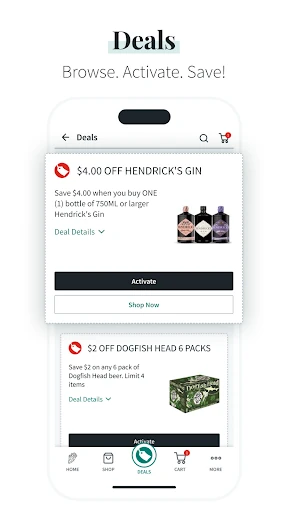
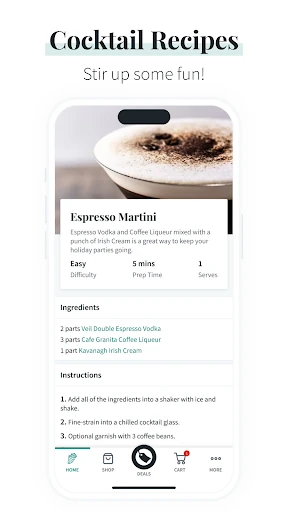
I also appreciate that the app includes a deals page for limited-time specials and promotions. The events and classes section can help me find activities at a local store, and cocktail recipes give me something to browse outside a purchase. These additions broaden the app’s usefulness without changing its main identity as a retailer’s shopping tool.
A Repeatable Shopping Routine
A simple routine would be to check the deals page before a planned shop, search for the products I need, and use the local store information to decide whether pickup makes sense. If I’m unsure about an item once I arrive, I can scan its barcode for product details and customer feedback. This keeps the app involved at the moments when it can save time or answer a practical question.
For regular purchases, I’d revisit the purchase history and use quick reordering rather than searching again. Then I’d watch for the order confirmation and status updates. If I’m planning ahead for a visit, checking local events or classes could also be worthwhile. These small steps make the app feel less like a one-off checkout tool and more like a companion to familiar shopping habits.
Limits to Keep in Mind
The biggest limitation is the app’s retailer-specific focus. Its search and ordering are for Total Wine & More, so it will not help much if I want to compare every nearby shop or buy from another retailer. The experience also depends on location: the company says app functions such as ordering are available in states where it has stores, and some services are offered only at select locations.
The selection and convenience features may be appealing, but they do not make every product or fulfillment option available everywhere. I would check what the local store supports before relying on pickup or delivery for a particular plan. Ads are another practical consideration, since the app contains them. For someone who shops at the chain, these are manageable trade-offs; for everyone else, the focus may be too narrow.
Total Wine & More makes the most sense as a practical shopping companion: search products, check deals, scan an item, reorder favorites, and keep tabs on an order. I like that it also includes store events and recipes, but those extras do not obscure its main purpose.
I’d recommend it to Android users who shop at Total Wine and want to plan orders or make store visits more efficient. If the retailer is not part of your routine, or its local services are unavailable, much of the app’s value falls away.
Total Wine & More Frequently Asked Questions
What is the Total Wine & More app used for?
Total Wine & More is used to search the retailer’s selection of wine, spirits, beer, and more, find a local store, and place orders. It also offers barcode scanning for product information, ratings, and reviews, plus deals, order tracking, quick reordering, store events, and cocktail recipes.
What devices can run Total Wine & More?
The app is available for Android through Google Play. Its listed minimum requirement is Android 7.0. Check the Google Play store page for current device compatibility and any changes to the requirement.
How much does Total Wine & More cost?
The app is free to download, and Google Play lists no in-app purchases. It contains ads. Product orders are separate from the app download, and available services or products can vary by store and location.
Can I get delivery or pickup with Total Wine & More?
The app describes in-store pickup and same-day delivery, along with order tracking. Availability depends on location and store service, and curbside pickup is offered at select stores. Check the app or store page for options where you shop.
Who is Total Wine & More best suited to?
It is best suited to people who shop at Total Wine & More and want to browse products, arrange orders, or revisit past purchases. It may be less useful if you shop elsewhere or want a general beverage reference rather than a retailer-focused shopping app.
Pros
- Combines product search, ordering, and order tracking in one retailer-focused app.
- Barcode scanning can surface product information, ratings, and reviews in store.
- Purchase history and quick reordering make repeat shopping more convenient.
- Deals, store events, and cocktail recipes add useful browsing options.
Cons
- Its shopping features are focused on Total Wine & More rather than other retailers.
- Pickup, delivery, and product availability depend on location and store.
- The app contains ads.
- Category
- Food & Drink
- Version
- 10.1.1











