Thisissand
- 1.62K
- 4.5
- Installs
- —
- Price
- Free
Screenshots
Analysis by Reviewed APKs
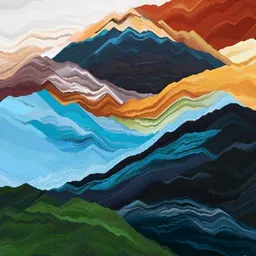
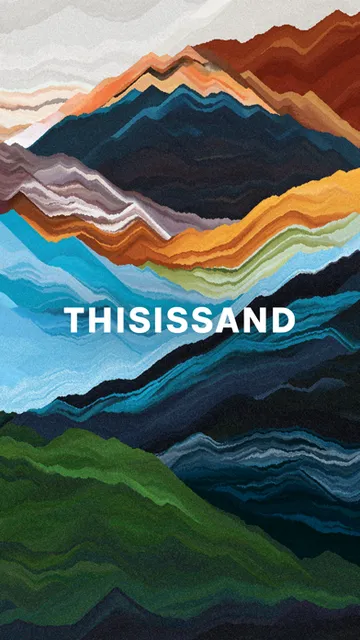
Thisissand turns a phone or tablet into a small canvas for layered sand pictures. I found its appeal less in making polished artwork than in watching colors settle into patterns, one slow stream at a time. It suits people who want a low-pressure creative activity or a calming break, though anyone looking for a full-featured drawing studio will want more tools than this offers.
A quiet moment with sand
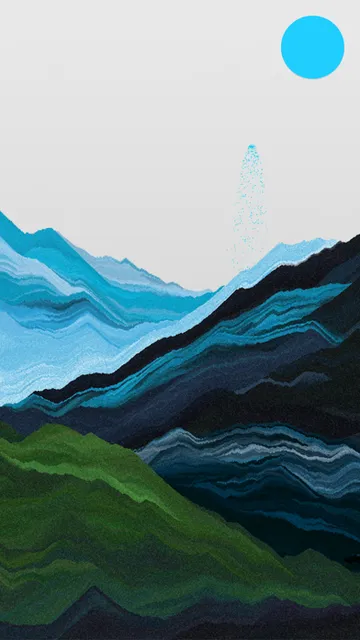
When I first opened Thisissand, I treated it like a quick pause between other things. I chose a color and let sand flow across the screen, building up a simple striped landscape while I listened to it pile into layers. There was no need to plan a picture or get every line right. The pleasure is in seeing the layers accumulate and deciding, moment by moment, where the next stream should fall.
That makes it easy to fit into an ordinary evening or a short wait. I can make a few bands of color, watch the shape take form, and stop when it feels finished. The app describes the process as relaxing, and I can see why the steady visual rhythm lends itself to unwinding. Sharing a completed picture is there if I want it, but the basic activity works as a small solo creative break.
A different kind of canvas
Compared with a conventional drawing app, Thisissand is deliberately narrow. Its central idea is pouring colored sand into layers, not sketching precise lines or assembling a complex image with lots of editing tools. That constraint is part of its charm: I spend less time choosing brushes and correcting details, and more time watching the composition change as sand gathers along the bottom of the screen.
I would choose it for playful experimentation or a quiet sensory-style activity, rather than for illustration work that needs fine control. It also offers a way to share a finished creation and take part in a community, but it is not presented as a general-purpose social network. If I want to draw a detailed portrait or make a polished poster, a broader art app is a better match.
Small habits, better layers
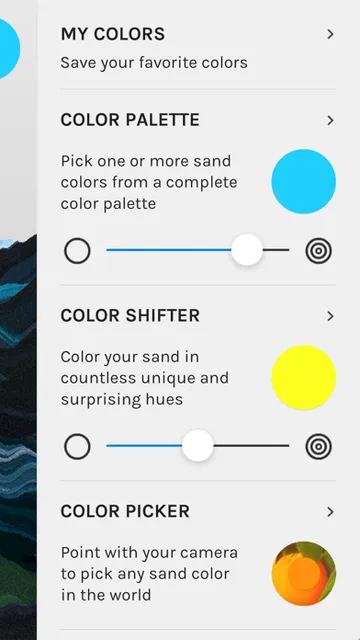
A simple habit that helped me was deciding on a loose color direction before I started pouring. The Color Palette lets me pick a single shade or vary between several, and its intensity slider affects how quickly the colors change. I could keep the colors restrained for a more orderly stack, or use the randomize button when I wanted an unexpected combination without stopping to deliberate.
Saving colors in My Colors is useful when I find a combination I want to reuse. The app says saved shades can be reached by long-pressing the color button on the canvas, which makes that small collection part of the drawing routine. I would also try a low color-change intensity at first when experimenting with Color Picker; the description specifically suggests that as a way to keep the result manageable.
More From Our News Desk

Zoom Meetings, Google Meet, or Teams: Which Is Easiest to Join?

How I Build a Free Streaming Lineup With Tubi

Why Crunchyroll Is the Default Anime App for So Many Fans

YouTube TV: A Practical Guide to Cutting Cable

Rummikub and the Small Comfort of Phone Games

TeamViewer Remote Control or AnyDesk for Helping Family?
Who will enjoy the slow pace
I would recommend Thisissand to people who enjoy making something without needing a finished product to justify the time. It is a good fit for casual creators, curious kids and adults, or anyone who likes building pictures through color and repetition. The optional sign-up and Toolkit purchase do not define the basic experience, so it can remain a simple activity rather than a commitment to a larger creative project.
It may not suit someone who expects detailed drawing controls, a large set of conventional editing tools, or a structured lesson path. The sand-pouring format is the point, and it asks you to enjoy the process as much as the final image. If that sounds more meditative than engaging, or if you mainly need a practical design tool, I would look elsewhere.
On the Apple App Store, Thisissand is a free app from Beige Elephant Oy in the Entertainment category. It has a 4.5 rating from 1,617 ratings, and its age rating is 9+. The app first appeared on December 18, 2012, and its listed version is 2.4.5. Those details give a useful snapshot of the app's store presence without saying much about how its simple creative activity feels in use.
Thisissand requires iOS 8.0 or later. The store record gives August 25, 2019, as its last update date. It is available for Apple mobile devices, rather than being an Android or desktop app. I would check the current App Store information for device compatibility and any store details that may have changed, especially before installing it on an older device.
Why the Sand-Pouring Rhythm Works
Opening the canvas
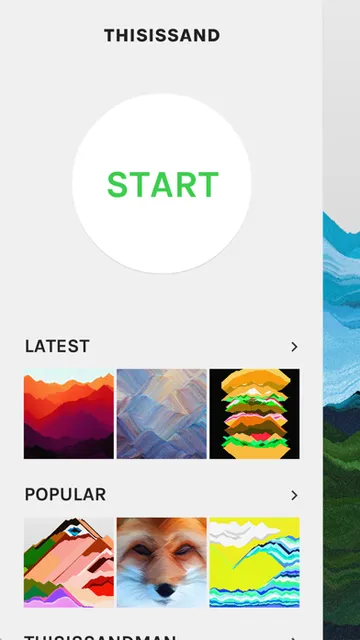
My first impression was that the app makes its main idea clear quickly: choose a color and let the sand fall. There is little ceremony before the creative part begins, which suits an activity that works best when I can simply try things. Instead of starting with a blank page and a daunting row of tools, I had a clear visual material to play with from the outset.
The app offers sign-up, but it does not require it. That is a welcome detail for a casual session, when I might only want to make a small picture and move on. I could treat the canvas as a place to experiment rather than a project that needs an account, a plan, or a polished outcome.
The everyday flow
The central experience is a repeated cycle: choose a color, guide the stream, and see the sand settle into layers at the bottom of the screen. I liked that the result develops gradually. A small adjustment to where I pour can change the silhouette, so even a basic color choice can lead to a picture that feels personal rather than like a preset.
The pace is calm, but it is not completely hands-off. I still make decisions about color and placement, and the image changes as I add more sand. That balance kept me engaged without turning a short break into a demanding drawing session. The sound of the sand piling is part of the experience, giving the slow visual build a little more presence.
Color tools with character
The Color Palette is the straightforward starting point: select a specific shade, choose several colors to alternate between, adjust the change intensity, or use randomize for a surprise. I found that range useful because it supports both deliberate choices and happy accidents. The color-change control is especially helpful when I want variation without having every new section shift dramatically.
The optional Toolkit adds specialized ways to work with color. Color Shifter changes the sand color continuously, with an intensity setting for gentler or more dramatic shifts. Color Picker samples colors through the device camera, while Photo Sand draws colors from an image chosen from the camera roll. My Colors saves favorites for quick access. These options add variety without being necessary to enjoy the core activity.
A small evening ritual
A routine I can imagine keeping is opening the canvas for a few minutes after dinner, choosing two or three colors, and building a loose pattern without trying to represent anything specific. On another day, I might start with a photo and see what happens when its colors become sand. That gives the activity a little direction while leaving plenty of room for improvisation.
If a color combination works, saving it in My Colors means I do not have to reconstruct it next time. I would use Color Shifter when I want the picture to evolve more unpredictably, and stay with a solid palette when I want clearer bands. Those small choices are enough to make sessions feel distinct without requiring a complicated workflow.
Keep expectations simple
Thisissand is built around one distinctive form of making pictures, so its narrow focus is also its main limitation. The description does not position it as a detailed editor or a replacement for a drawing program. If I wanted to refine tiny shapes or work through a structured art project, I would reach for a different kind of app instead of wishing this canvas had a broader toolset.
Some of the more specialized color options are part of an optional Toolkit purchase, though the app says they are not required to enjoy it. Camera-based Color Picker also takes practice, since pointing the camera and drawing at the same time can be tricky. I would approach those extras as experiments rather than essential steps in every session.
Thisissand works best when I let it stay simple. It gives me a tactile-feeling way to build colorful layered pictures, with a pace that suits short, unhurried sessions. The color tools add room to experiment, while the optional Toolkit keeps the basic idea accessible without making every feature part of the starting routine.
I recommend it to anyone curious about a calm, playful alternative to ordinary drawing. It is less suitable for detailed illustration or people who need lots of editing control. If watching a picture take shape one layer at a time sounds satisfying, Thisissand is an appealing little creative break.
Thisissand Frequently Asked Questions
What is Thisissand used for?
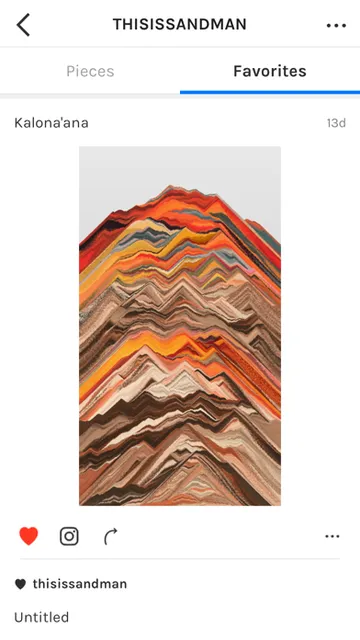
Thisissand is used to make pictures by pouring colored sand into layers on the screen. You can select colors, build up a composition gradually, and share a finished creation. Its emphasis is on an open-ended, slow creative process rather than detailed drawing or conventional image editing.
Which devices can run Thisissand?
Thisissand is an iOS app available through the Apple App Store. The listed requirement is iOS 8.0 or later. I would check the App Store page for current device compatibility before installing, since support for a particular device can depend on its software and the store's current requirements.
Does Thisissand cost money?
Thisissand is free to download and play. The app description also says it offers an optional Toolkit purchase for special color features, while making clear that the Toolkit is not necessary for enjoying the app. Check the Apple App Store page for current purchase details, since store information can vary.
Can I use Thisissand without signing up?
Yes. The app offers sign-up but does not require it, so you can use the sand-art experience without creating an account. You can make pictures with the color tools, and the app also supports sharing creations. The exact sharing options and any store details are worth checking in the App Store.
Who is Thisissand best for?
Thisissand is a good fit for casual creators who enjoy experimenting with color and watching a picture build up gradually. It can also suit people looking for a relaxed creative activity. It is less appropriate if you need detailed illustration controls or a broad set of conventional image-editing tools.
Pros
- A distinctive sand-layering approach makes casual creative sessions feel different from ordinary drawing.
- Color Palette supports specific shades, changing combinations, intensity adjustments, and random color choices.
- Sign-up is optional, and the app says the Toolkit is not required to enjoy it.
- Camera and photo-based color options offer extra ways to experiment with palettes.
Cons
- The focused sand-pouring format is not a substitute for detailed drawing or image editing.
- Some specialized color tools are offered through an optional Toolkit purchase.
- Using Color Picker while aiming the camera and drawing takes practice.
- Category
- Entertainment
- Version
- 2.4.5











