Teleparty - Watch Party
- 872
- 2.8
- Installs
- —
- Price
- Free

Screenshots

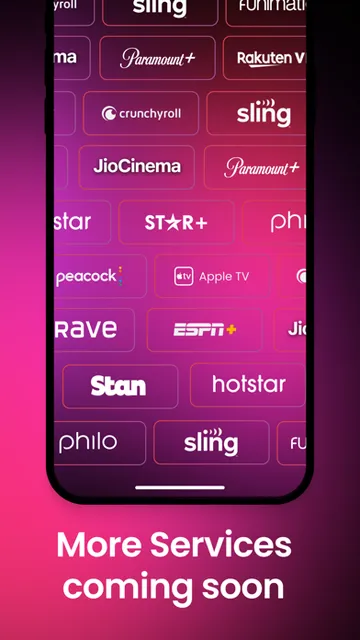
Analysis by Reviewed APKs
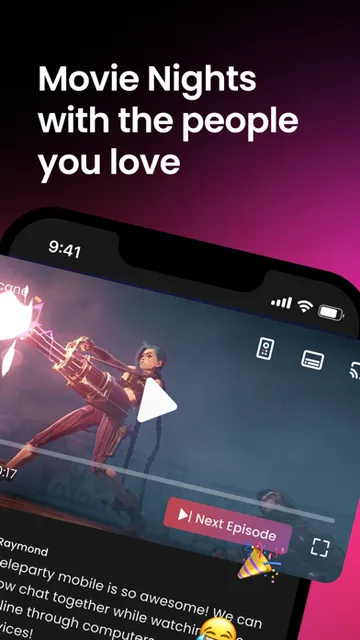
Teleparty - Watch Party is for people who want to watch TV or movies with friends who are somewhere else. It synchronizes video playback and adds group chat, turning a solo streaming session into a shared one. I like the simplicity of that idea: it gives a movie night some company without requiring everyone to sit in the same room. It is a focused option, rather than a general-purpose streaming app.
A movie night from afar
When I think about Teleparty’s best use, it’s a low-key movie night with a friend who lives too far away for a casual visit. We can choose something to watch, start a shared session, and keep the conversation going in the group chat while the video plays in sync. That feels more companionable than texting reactions after the fact, and it gives a familiar show a little of the feeling of watching together.
The appeal is especially clear when two people have different schedules or live in different places. Instead of trying to pause at exactly the same moment or sending messages that arrive several scenes late, synchronized playback helps keep everyone on the same part of the show. I’d use it for a planned episode or a relaxed weekend film, when chatting is part of the fun rather than a distraction from watching.
A companion, not a streamer
Teleparty sits alongside the streaming services people already use; it is not presented as a place to browse and watch a library of its own. Its job is to coordinate playback and provide group chat for a remote viewing session. That makes it a different kind of tool from a streaming app, and a more focused choice than a general video call if the main event is watching together.
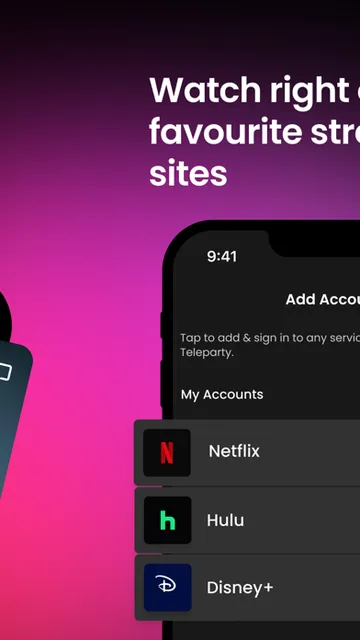
That focus is also a limit. I wouldn’t choose Teleparty to discover new films, replace a streaming subscription, or host a broad online hangout where video calls are the point. The description says it works with favorite streaming sites and clarifies that Teleparty is not affiliated with any streaming service. So I’d treat it as a shared-viewing companion, with the viewing content coming from elsewhere.
Make the session smoother
A little planning makes a watch party easier. I’d agree on what to watch before starting, pick a time that works for everyone, and keep the group chat for quick reactions or questions. That way, the conversation can add to the episode without turning every scene into a running commentary. It’s a small habit, but it helps a shared session feel more like hanging out and less like coordinating logistics.
For recurring movie nights, I’d also keep the format simple: settle on a film or a couple of episodes, invite the people who actually want to watch, and leave room for conversation afterward. Teleparty’s Premium option offers unlimited watch parties on its channels and chat customization, which may matter to frequent hosts. For an occasional session, I’d first see whether the basic experience meets my needs.
More From Our News Desk

Zoom Meetings, Google Meet, or Teams: Which Is Easiest to Join?

How I Build a Free Streaming Lineup With Tubi

Why Crunchyroll Is the Default Anime App for So Many Fans

YouTube TV: A Practical Guide to Cutting Cable

Rummikub and the Small Comfort of Phone Games

TeamViewer Remote Control or AnyDesk for Helping Family?
Who might enjoy Teleparty
I’d recommend Teleparty to friends, couples, and families who already watch TV or movies remotely and want playback to stay in step. The group chat makes it appealing to people who enjoy commenting as they watch, while the synchronized video addresses the common problem of everyone drifting to a different point in the episode. It’s a practical fit for regular long-distance movie nights, as long as the group is comfortable using a companion app.
It may be less appealing if you usually watch alone, prefer a quiet viewing experience, or want one app that supplies both the content and the conversation. The App Store rating is 2.8 from 872 ratings, so I’d take a moment to read current reviews before relying on it for an important group plan. And if you rarely host, the paid Premium option may not be worth considering unless its added features suit your routine.
Teleparty - Watch Party is an Entertainment app from WP Interactive Media, Inc. It is available on the Apple App Store for iOS, and its minimum requirement is iOS 17.6. The App Store reports a 2.8 rating from 872 ratings. The app is free to download, and its content rating is 17+. It was released on June 26, 2025.
The current version is 1.3.9, and the most recent update date provided is September 8, 2026. Teleparty Premium is described as a subscription: $6.95 monthly or $49.95 yearly, with the yearly option also described as $4.16 per month. Premium includes unlimited watch parties on its channels and chat customization. The available information does not specify an install count or whether the app contains ads.
How Teleparty Fits Movie Night
First impressions and setup
The first thing I notice about Teleparty’s idea is how clearly it solves one problem: watching the same thing at the same time from separate places. There’s no need to mistake it for a streaming catalogue or a social network. Its stated purpose is to synchronize video playback and add group chat, which gives me a straightforward sense of what to expect from a session.
I’d approach setup with the group’s viewing plan in mind. Decide what to watch and when, then use Teleparty to bring the shared session together. The available description does not spell out every setup screen or step, so I wouldn’t assume a particular invitation flow. The useful part is the basic promise: coordinate playback and chat while watching through a streaming service.
The everyday viewing experience
In everyday use, the draw is the pairing of synchronized playback with chat. A friend can react while a scene is happening, rather than sending a message after the episode has moved on. For a comedy, that might mean sharing a quick laugh; for a tense show, it could mean keeping the conversation for the break. The chat is an extra layer around the viewing, not a replacement for it.
I’d keep expectations grounded: Teleparty helps make remote viewing feel shared, but it doesn’t remove the usual need to agree on a time and a title. The group still needs to be ready to watch, and the experience is most useful when everyone wants the same program. For people who already enjoy watching together, those small coordination steps are likely part of the routine anyway.
The shared-session features
The two central features are easy to understand: video playback stays synchronized, and a group chat gives viewers a place to talk. Together, they address both halves of a remote watch party. Matching playback keeps the group aligned, while chat makes it possible to share reactions without switching the whole activity into a video call.
Premium adds a more specific set of options for people who host often. The description says it allows unlimited watch parties on Teleparty’s channels and lets users customize chat. Those are hosting and chat features rather than a new source of shows or films. I’d weigh them according to how frequently I organize sessions and how much I care about tailoring the conversation.
A simple weekly routine
A dependable routine could be as simple as choosing a weekly evening, agreeing on a show in advance, and using Teleparty to watch the next episode together. That avoids spending the first half of the session deciding what everyone wants. The shared chat leaves room for jokes and reactions as the episode unfolds, while synchronized playback means the group can stay on the same scene.
For a one-off movie night, I’d use the same approach without turning it into a project: pick a film, settle on a start time, and let the conversation happen naturally. If the group becomes regular, the Premium subscription’s unlimited parties and chat customization may be relevant. If not, the free download gives people a way to try the app before deciding whether a paid plan fits.
Limits to keep in mind
Teleparty is a companion for viewing, not a streaming service, and the developer says it is not affiliated with any streaming service. That distinction matters: the app’s purpose is to synchronize playback and add chat, not supply the programs themselves. I’d plan around the streaming sites and content my group already uses rather than expecting Teleparty to provide a catalogue.
The app also has a 17+ content rating, and it requires iOS 17.6 or later. Its App Store rating is 2.8 from 872 ratings, a modest score that makes it sensible to check recent user feedback before planning a special event around it. Premium costs extra, so frequent hosts should compare its added party and chat options with how often they actually use them.
Teleparty - Watch Party has a useful, narrow purpose: make remote TV and movie sessions feel more together through synchronized playback and group chat. I can see it working well for friends or partners who already have a regular show to share. It won’t replace a streaming service, and its value depends on having other people ready to watch.
I’d recommend giving it a try if shared viewing is already part of your social routine and your iPhone or iPad meets the iOS requirement. Occasional viewers can start with the free app, while frequent hosts can consider whether Premium’s extra party and chat options justify its subscription cost. I’d also check the latest App Store feedback before making it the centerpiece of a big plan.
Teleparty Frequently Asked Questions
What is Teleparty - Watch Party used for?
Teleparty is used to watch TV and movies remotely with friends. It synchronizes video playback and adds group chat, so people in different places can follow the same program and talk while watching. It is a companion for shared viewing, not a streaming service that supplies its own catalogue.
Which devices can run Teleparty - Watch Party?
Teleparty - Watch Party is available on the Apple App Store for iOS. The minimum operating system requirement is iOS 17.6. Check the App Store details on your device for current compatibility information, since availability and requirements can vary over time.
What does Teleparty - Watch Party cost?
The app is free to download. Teleparty Premium is described as a subscription costing $6.95 per month or $49.95 per year. Premium includes unlimited watch parties on its channels and chat customization. Subscription details can change, so check the App Store before purchasing.
Does Teleparty - Watch Party provide movies?
No. Teleparty is described as a way to synchronize video playback and chat while watching through streaming sites. The developer says Teleparty is not affiliated with any streaming service. Your group should plan to use the streaming services and programs it already has access to.
Who is Teleparty - Watch Party best for?
It may suit friends, couples, and families who want to watch TV or movies together from different places and enjoy chatting as they go. It may be less useful for people who watch alone or want an app that also provides the content. The 17+ content rating is worth keeping in mind.
Pros
- Synchronizes video playback for remote TV and movie sessions.
- Built-in group chat lets viewers react while watching.
- Free to download, with Premium options for frequent hosts.
- A focused alternative to coordinating playback by message.
Cons
- Does not provide its own streaming catalogue.
- Premium requires a monthly or yearly subscription.
- The App Store rating is 2.8 from 872 ratings.
- Category
- Entertainment
- Version
- 1.3.9











