Telemundo: Series y TV en vivo
- 72.75K
- 4.7
- Installs
- 5.00M
- Price
- Free
Screenshots
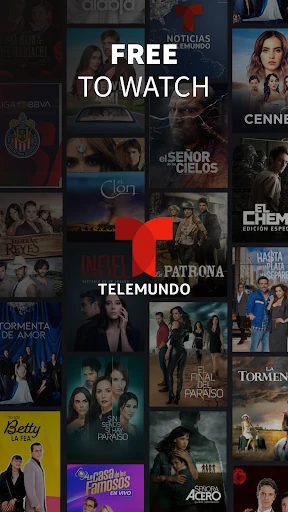
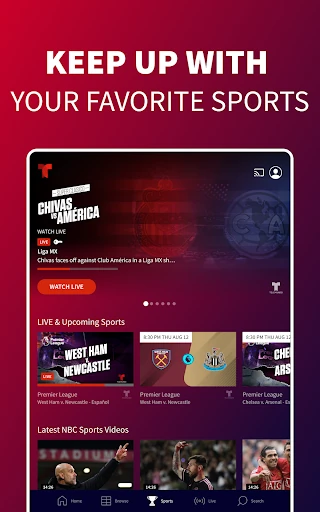
Analysis by Reviewed APKs
Telemundo: Series y TV en vivo is for watching Spanish-language series, novelas, and television from Telemundo and other NBCUniversal networks. I found it best suited to viewers who want familiar shows and full episodes in one place, with live TV available through a TV provider. Its mix of free viewing and provider-gated access is useful, though it helps to know which kind of content you want before settling in.
A Familiar Evening Catch-Up
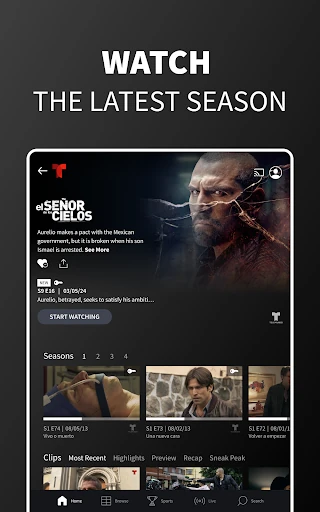
When I first opened Telemundo, I pictured using it after dinner to catch up on a novela or pick up a series I had missed. The app offers full episodes and a selection of older favorites, so it can work for both keeping up with current shows and revisiting a story I already know. Some episodes are available without signing in, which makes a quick browse feel straightforward.
The distinction becomes important when I want the newest TV episodes or live programming. The app says recent episodes arrive the day after they air, while live TV and some premium viewing require signing in with a TV provider. I would check what is available for the particular show before planning a full evening around it; the free selection and provider-access catalog are not the same thing.
Streaming, Not General TV
Compared with opening a cable box or relying on a channel guide, Telemundo puts Spanish-language on-demand viewing and network programming on an Android device. It also supports Chromecast, so I can begin on my phone and send an episode to a TV. The catalog includes Telemundo series, novelas, and programs, alongside on-demand content from other NBCUniversal networks.
That focus is also a boundary. I would not treat Telemundo as a general-purpose streaming service with every kind of show, or assume live channels are open to everyone without a provider account. Its value is clearest for people seeking Spanish-language programming and specific network titles. The app is limited to the US and its territories, so it is not a fit for viewing from everywhere.
Small Habits That Help
I would start by favoriting the shows I actually follow. Favorites provide a quicker way back to those titles and their latest episodes, rather than making me browse the full catalog each time I open the app. If I watch across devices, creating an NBCUniversal profile can sync saved shows and viewing progress across the company’s family of apps.
For a short viewing break, I would make use of the saved place in an episode and resume later instead of trying to remember where I stopped. It is also worth checking whether a title is available without signing in before choosing it. For live viewing or the full provider-access catalog, having the TV provider login ready avoids an interruption at the point I want to watch.
More From Our News Desk

Zoom Meetings, Google Meet, or Teams: Which Is Easiest to Join?

How I Build a Free Streaming Lineup With Tubi

Why Crunchyroll Is the Default Anime App for So Many Fans

YouTube TV: A Practical Guide to Cutting Cable

Rummikub and the Small Comfort of Phone Games

TeamViewer Remote Control or AnyDesk for Helping Family?
Who Will Get the Most From It
I would recommend Telemundo to viewers who regularly watch Spanish-language novelas, dramas, series, or TV programs and want an app focused on that kind of catalog. It makes sense for someone who wants to sample available episodes without immediately signing in, then use a provider account for live TV or additional access. Chromecast support and the option to save favorites also suit a routine that moves between phone and television.
It may be less appealing if you want a broad, all-purpose streaming library, live channels without a TV provider, or access outside the US and its territories. Ads are part of the app, so viewers who strongly prefer an ad-free experience should keep that in mind. I would also be cautious about assuming every title is freely available; access depends on the content and, for some viewing, provider sign-in.
Telemundo: Series y TV en vivo is published by NBCUniversal Media, LLC. On Google Play, it has over 5 million installs and a 4.7-star rating from about 72,750 ratings. The app is free to download, contains ads, and has no in-app purchases. Its content rating is Teen, and the listed minimum Android requirement is Android 7.0.
The listed version is 9.25.3. Google Play gives September 10, 2013 as the release date and January 29, 2026 as the most recent update date. The app’s viewing is limited to the US and its territories over mobile networks or Wi-Fi, and data charges may apply. Recent changes mention bug fixes, performance improvements, and minor design updates.
How Telemundo Fits Into a Viewing Routine
Opening and Getting Oriented
My first impression was that this app has a clear job: help viewers find Spanish-language shows and episodes, rather than serve as a broad entertainment hub. The catalog includes series, novelas, and programs, with both current and older titles. I could see the appeal for someone who already knows what they want to watch and wants a convenient way to get to it.
You can begin watching some available episodes without signing in. For live TV, the latest episodes aired on TV, and premium content, the app calls for a free TV provider login. There is also an NBCUniversal profile option, which can be created with a Facebook, Google, or email account for extra benefits such as syncing saved shows across the company’s apps.
I would sort out which sign-in route I need before starting a specific show. A profile and a TV provider account serve different purposes: the profile helps with saved shows and viewing progress, while provider access opens live TV and more content. That distinction is easy to overlook if I simply tap a title and expect every episode to play.
The Day-to-Day Experience
For everyday viewing, the app’s strongest use is keeping a few series within easy reach. I can mark shows as favorites, return to them later, and resume an episode from where I left off. That is more convenient than searching from scratch every time, especially when I am fitting an episode into a short break rather than watching a whole evening’s worth.
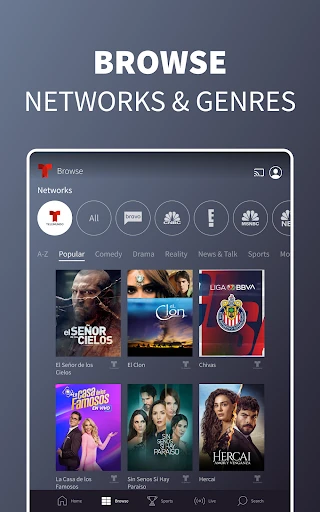
The service also brings in on-demand programming from several NBCUniversal networks, including NBC, E!, Bravo, USA, SYFY, Oxygen, MSNBC, CNBC, Universal Kids, Universo, and Telemundo. The description says viewers can browse by network and genre, with pages for individual networks. That breadth is useful, though the app still centers on this network family rather than every channel or streaming catalog.
One practical consideration is connectivity: the app supports mobile data and Wi-Fi, and data charges may apply. I would use Wi-Fi for longer viewing sessions when convenient. The app’s stated US-and-territories limit also matters for travel; it is designed for viewing in that region, not as a worldwide TV service.
Features That Stand Out
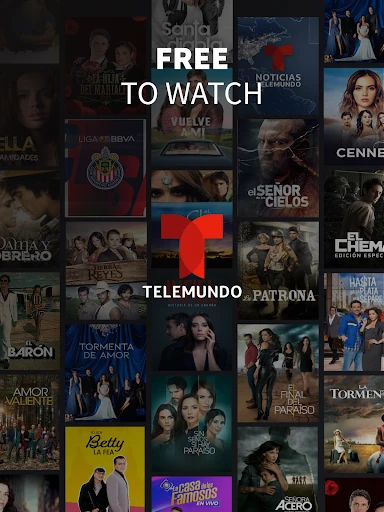
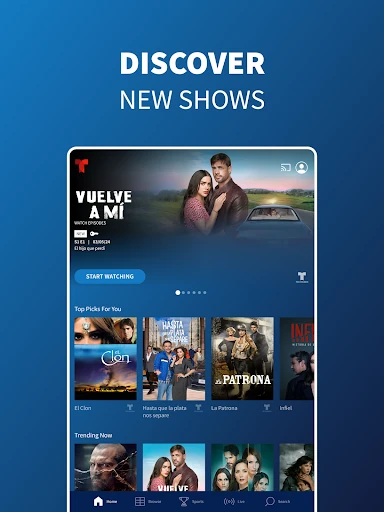
The combination of current episodes and classic novelas gives the app more than a catch-up role. Viewers can look for recent Telemundo episodes, older telenovelas, Turkish series in Spanish, and other network programs. The catalog description covers genres including romance, comedy, drama, and biographical series, so there are several kinds of stories to browse without changing apps.
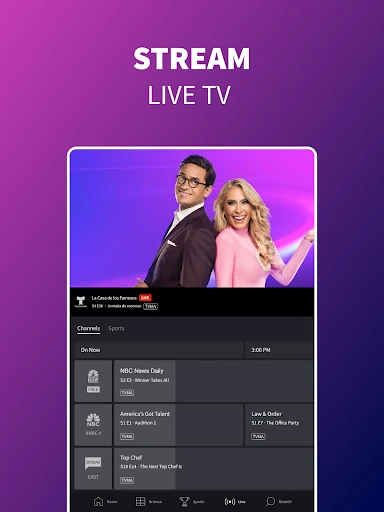
Live streaming is a meaningful addition, but it is tied to signing in with a TV provider. With that access, the app describes live programming available around the clock and access to the full video-on-demand catalog. Without it, some episodes are still available, but I would not assume that the whole catalog or live stream is open.
Chromecast compatibility is handy when a phone is the easiest place to find an episode but a television is the better screen for watching it. The app also saves viewing progress and lets users favorite shows. Those are modest features, but they address the small friction points that come up when a show spans more than one sitting.
A Simple Viewing Routine
A routine I would use is to open the app when I have a few minutes, check the shows I have favorited, and choose an episode that is available to me. If I am not finished, the saved position makes it easier to return later. For a longer session, Chromecast provides a way to move the viewing from the phone to a compatible television.
If I want live programming or a particular recent episode, I would sign in with my TV provider before planning around it. For watching across devices, I would create an NBCUniversal profile and use its saved-show and resume benefits. The profile also comes with three credits to unlock premium content before signing in with a TV subscription, according to the app description.
This approach keeps the app’s access rules from becoming a surprise halfway through a viewing session. I would browse first when I am only exploring, then make sure the title I want is available under my sign-in status. It is a small habit, but a useful one when some viewing is open and other parts depend on a provider account.
Limits to Keep in Mind
The biggest limitation is that access varies by content type. Some episodes can be watched without an account, while live TV, the latest aired episodes, and premium content call for a TV provider login. The app also contains ads. That mix may be perfectly workable for casual viewing, but it is worth knowing before treating the app as an unrestricted free replacement for a TV subscription.
The regional restriction is another practical boundary: use is limited to the US and its territories. Mobile data is supported, but data charges may apply, so long sessions can have a different cost depending on a viewer’s plan. The Android requirement is 7.0 or later, which also rules out devices running older versions.
Finally, the app is most useful when its programming matches what I actually want to watch. It has Spanish-language series and shows, network content, and live TV with provider access; it is not positioned as an all-purpose destination for every genre or service. Ads and the sign-in split are the main trade-offs I would weigh before making it part of a regular routine.
Telemundo: Series y TV en vivo is a practical option for viewers who want Spanish-language novelas, series, and network programs in one app. Favorites, saved progress, and Chromecast support make repeat viewing easier, while free episodes offer a way to explore. Live and some premium access still depend on a TV provider, and ads are part of the experience.
I would recommend it to Telemundo viewers in the US and its territories, especially those who already have provider access or are happy sampling available episodes. If you want a wider catalog, an ad-free app, or provider-free live TV, this is a more specific tool than you may be looking for.
Telemundo Frequently Asked Questions
What is Telemundo: Series y TV en vivo used for?
Telemundo: Series y TV en vivo is for watching Spanish-language series, novelas, and TV programs. It offers full episodes, some viewing without signing in, and live TV and additional content with a TV provider login. Its catalog also includes on-demand programs from other NBCUniversal networks, along with features such as favorites and saved viewing progress.
Which devices can run Telemundo: Series y TV en vivo?
The Google Play version is for Android devices and requires Android 7.0 or later. The app description also says it works with Chromecast, so compatible viewing can be sent from the app to a television. Use is limited to the US and its territories; supported access and device details may vary, so check the Google Play store for current information.
Does Telemundo: Series y TV en vivo cost money?
The app is free to download and has no in-app purchases listed. It contains ads, and not every type of viewing is open without an account: live TV, the latest episodes aired on TV, and premium content require signing in with a TV provider. What is available to watch can vary, so it is worth checking the app’s Google Play store details.
What Android version does Telemundo require?
Telemundo: Series y TV en vivo requires Android 7.0 according to its Google Play information. The app is intended for use in the US and its territories over Wi-Fi or mobile networks, and data charges may apply. Requirements can change with updates, so check the Google Play store if you need to confirm compatibility for a particular device.
Is Telemundo: Series y TV en vivo right for me?
It is a good match if you want Spanish-language novelas, series, and network shows, and are comfortable with ads and some provider-gated viewing. A TV provider account is needed for live TV and certain other content. It may not suit someone seeking a broad all-purpose catalog or viewing outside the US and its territories.
Pros
- Combines Spanish-language series, novelas, and programs in one focused app.
- Some episodes are available to watch without signing in.
- Favorites and saved progress make it easier to return to a show.
- Chromecast support lets viewers send episodes from the app to a TV.
Cons
- Live TV and some content require a TV provider account.
- The app contains ads, and its viewing is limited to the US and its territories.
- Mobile data use may incur charges during longer viewing sessions.
- Category
- Entertainment
- Version
- 9.25.3