SYFY
- 12.09K
- 4.2
- Installs
- 1.00M
- Price
- Free

Screenshots

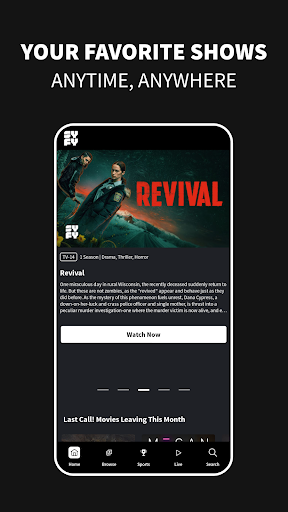
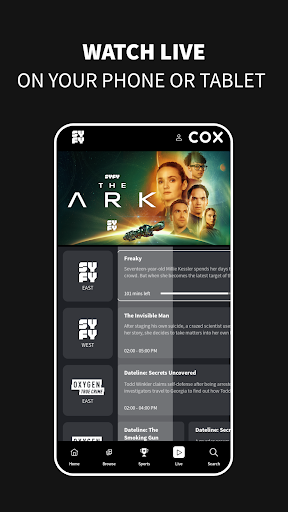
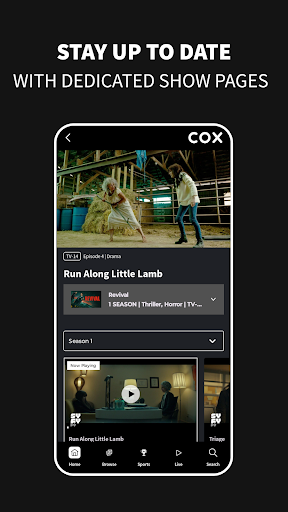
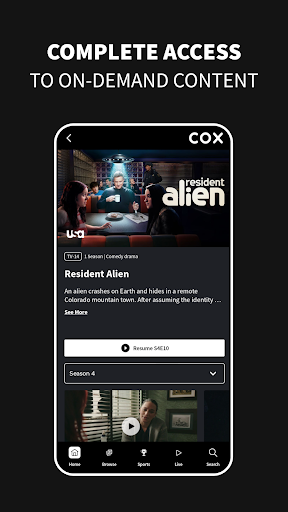

Analysis by Reviewed APKs
SYFY is a streaming companion for viewers who want to catch up on recent episodes, watch live television, or find movies and older seasons from SYFY and related networks. I see it working best for people who already have a participating TV subscription and want more flexibility than the television in their living room provides. Its mix of live and on-demand viewing is useful, though provider access and US availability shape the experience.
A Catch-Up Night
When I want to catch up with a show after a busy day, the SYFY app gives me a way to watch recent episodes on a phone or other Android device instead of waiting until I am back in front of the TV. New episodes are available the day after they air, so it suits a routine where I miss a broadcast but still want to stay current. I would sign in with my TV provider first.
The same setup can turn a spare half hour into a quick browse through movies or past-season content. I can look beyond one current series and explore material from other networks in the Versant family, too. That breadth is handy when I am undecided about what to watch, but it is still a TV-provider-centered service: access to the full on-demand and live catalog depends on signing in with a subscription.
More Than a Channel App
The obvious alternative is watching through a television service at home, where a live channel and its schedule are already part of the routine. SYFY’s app brings live streaming and on-demand episodes together in a portable format, and adds programming from other Versant networks. That makes it more useful than a single-show catch-up tool for someone with the right subscription, especially when the TV is occupied or I am away from it.
I would not treat it as a general streaming replacement or as a way to watch everything without a TV subscription. The description says to sign in with a cable, satellite, or digital provider for the full catalog, and streaming is limited to the US and its territories. If I only want a broad library independent of my TV provider, this app is not aimed at that need.
Browse With a Little Intent
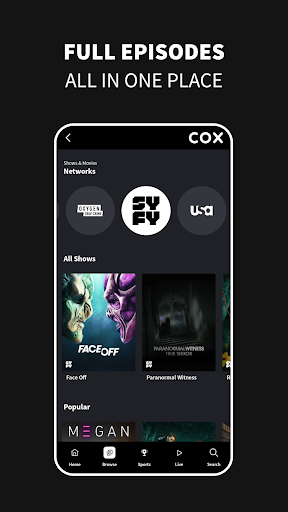
I get more from a multi-network catalog when I start with a simple question: am I looking for a particular show, a live channel, or something from a specific kind of programming? SYFY lets viewers filter shows by network and genre, and each network has a dedicated page highlighting series. Those options can make browsing feel less like wandering through a large catalog and more like narrowing down a few reasonable choices.
A practical habit is to check in after a new episode airs, rather than expecting it to be available immediately. The app’s description places new episodes the day after television broadcast. For live viewing, signing in with my TV provider is the key step, and the live stream and schedule are described as available around the clock. On mobile data, I would also keep in mind that video uses data and charges may apply.
More From Our News Desk

Zoom Meetings, Google Meet, or Teams: Which Is Easiest to Join?

How I Build a Free Streaming Lineup With Tubi

Why Crunchyroll Is the Default Anime App for So Many Fans

YouTube TV: A Practical Guide to Cutting Cable

Rummikub and the Small Comfort of Phone Games

TeamViewer Remote Control or AnyDesk for Helping Family?
Who Will Get the Most From It
I would recommend SYFY to viewers who already pay for a participating cable, satellite, or digital TV subscription and want to watch its programming on an Android device. It is especially appealing if catching up on recent episodes matters, but you also enjoy browsing older seasons, movies, or live television. The additional Versant network content gives subscribers more to explore than SYFY programming alone.
It may be a poor fit if you do not have a TV provider login, live outside the US and its territories, or mainly want a standalone streaming service. The app is free to download, but that does not remove the provider sign-in requirement for the full catalog. Viewers who are sensitive to advertising should also note that the app contains ads.
SYFY is an entertainment app from Versant Media, LLC. On Google Play, it has over one million installs and a 4.2-star rating from about 12,000 ratings. It is free to download and contains ads, with no in-app purchases reported in the provided app details. Its content rating is Teen. The app’s programming is available to stream in the US and US territories.
The provided app details give version 11.0.19, a release date of July 26, 2016, and a last update date of August 4, 2026. They do not give a minimum Android version. Full access to live and on-demand content requires signing in with a TV subscription; supported provider examples include DirecTV, Spectrum, Xfinity, Dish, and AT&T. Video can use Wi-Fi or mobile data, and data charges may apply.
How SYFY Fits Into My Viewing Routine
Getting Started
My first impression is that this is a companion to a television subscription, not a service designed around creating a separate streaming account. The first useful step is signing in with a cable, satellite, or digital TV provider. The description says the app supports most providers and gives several familiar examples, including Xfinity and DirecTV. Once that access is in place, both live and on-demand viewing are part of the offer.
That requirement is worth understanding before settling in for a show. The app may be free to install, but the full catalog is tied to provider access. I would check that my TV subscription is supported and have its sign-in details ready. The description also limits full-episode and live-TV viewing to the United States and its territories, an important detail for anyone planning to watch while traveling abroad.
Everyday Viewing
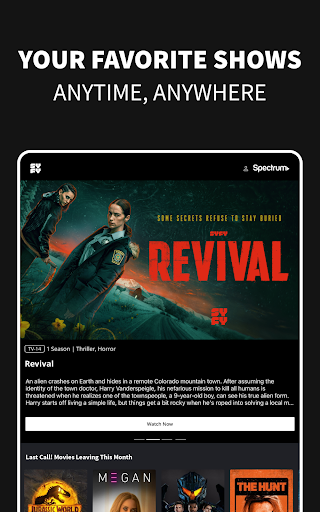
The day-to-day appeal is having several kinds of viewing in one place: recent episodes, live channels, movies, and past-season content. If I miss an episode that aired on television, the stated next-day availability gives me a straightforward reason to open the app later. When I would rather watch something as it airs, the live stream and schedule are described as available 24/7 after signing in with a provider.
That flexibility is most useful in small gaps in the day: catching an episode when someone else has the television, or checking out a live channel while away from home. Video is available over Wi-Fi and mobile networks, including 3G, 4G, and LTE, according to the app description. I would choose Wi-Fi when convenient, since mobile video can use data and charges may apply.
A Wider Network Mix
One feature that stands out is the range beyond SYFY itself. The app describes on-demand programming from Versant networks including USA, E!, Oxygen, MSNOW, CNBC, and Golf Channel, as well as live streams of Versant networks. It also calls out sports such as the Premier League, WNBA, A10 hoops, PGA and LPGA Tours, and NASCAR. That mix can make the app useful even when I am not looking for a science-fiction series.
The network pages and browsing filters offer a sensible way to approach that variety. I can browse by network or genre instead of treating every program as part of one undifferentiated list. The description also names familiar dramas such as Law & Order: SVU and the Chicago series among its recent and throwback favorites. The catalog’s breadth is a real draw for provider subscribers who watch across genres.
A Simple Weekly Routine
A low-effort way to use SYFY is to make it part of a regular catch-up routine. After a new episode airs, I can return the following day, sign in if needed, and look for the recent episode. If nothing new is on my list, I can switch to a network page or filter by genre to find an older show or movie. That keeps the app useful without making browsing a project.
For a live event or channel, I would use the live option and schedule when I know what I want to watch. For casual viewing, I would browse first and keep my expectations realistic about access: the provider subscription unlocks the full catalog, and location matters. This kind of routine makes the app feel like an extension of my existing TV service rather than another library to manage.
Limits to Keep in Mind
The biggest limitation is the provider requirement. The app description says a TV subscription is needed to access the entire video-on-demand and live catalog, so downloading it alone does not guarantee access to everything. The US and US-territory restriction is another firm boundary: viewers outside those areas cannot watch full episodes or live TV. The description says access returns when traveling viewers come back to the US.
Ads are another practical consideration, since the app contains them. Mobile streaming also calls for some attention to data use, especially if Wi-Fi is not available. Finally, this is an entertainment app rated Teen, not a general-purpose video service for every household or viewing preference. I would weigh those constraints against how often I use the included networks before making it part of my routine.
SYFY makes the most sense as a flexible screen for programming already connected to a TV subscription. I like the combination of next-day episodes, live viewing, past seasons, movies, and other Versant network content. The provider sign-in and US-only streaming rules are significant, but they are clear conditions rather than small details to discover after planning a viewing session.
If you have a supported TV provider and want to watch its programming on an Android device, I think SYFY is worth trying. It is less compelling if you want a standalone service, watch outside the US, or prefer an ad-free experience. For the right subscriber, it offers a practical way to catch up and browse beyond the living-room TV.
SYFY Frequently Asked Questions
What is the SYFY app used for?
SYFY is used to catch up on recent episodes, watch live television, and stream movies and past-season content. It also offers programming from other Versant networks, with options to browse by network and genre. To access the full on-demand and live catalog, the app says viewers need to sign in with a cable, satellite, or digital TV subscription.
Which devices can run the SYFY app?
The provided app details describe SYFY as an Android app available through Google Play. The programming can be streamed over Wi-Fi or mobile networks, including 3G, 4G, and LTE. For other platforms or particular device models, availability can vary, so it is worth checking the relevant store before planning to watch.
What Android version does SYFY require?
The minimum Android version is not included in the app details provided here. Requirements can change as the app is updated and may differ by device, so check the SYFY page on Google Play for the current compatibility information before installing. The app’s listed version is 11.0.19.
Does the SYFY app cost money?
The app is free to download, and the provided details report no in-app purchases. It does contain ads. Watching the full live and on-demand catalog requires a TV subscription and provider sign-in, so the free download does not by itself provide that subscription access. Check Google Play and your TV provider for current details.
Is SYFY a good fit for every viewer?
It is a better fit for people with a participating TV subscription who want to watch SYFY and related network content on an Android device. It may not suit viewers without provider access or those outside the US and its territories, where full episodes and live TV are unavailable. The app is rated Teen and contains ads.
Pros
- Combines next-day episodes, live TV, movies, and past-season content.
- Includes on-demand programming from several Versant networks.
- Browsing can be filtered by network and genre.
- Supports Wi-Fi and several mobile network types for video.
Cons
- Full live and on-demand access requires a TV provider sign-in.
- Full episodes and live TV are limited to the US and its territories.
- The app contains ads, and mobile streaming may use data.
- Category
- Entertainment
- Version
- 11.0.19