Receipt Scanner: Easy Expense
- 20.02K
- 4.8
- Installs
- 1.00M
- Price
- Free

Screenshots
Analysis by Reviewed APKs
Receipt Scanner: Easy Expense is a business expense tracker built around capturing receipts and turning them into organized expense records. I can see it suiting freelancers, contractors, and small-business owners who would rather scan a receipt at the end of a workday than sort a paper pile later. Its mix of receipt capture, reports, mileage tracking, and offline use makes it practical, though the free scan allowance is worth keeping in mind.
A Receipt After Every Job
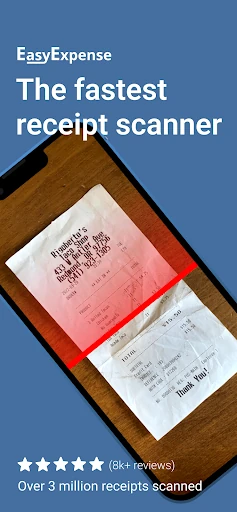
Picture wrapping up a client visit, buying a few supplies on the way back, and dropping the receipt into your bag instead of dealing with it immediately. That is the kind of small task Receipt Scanner: Easy Expense is designed to simplify. I can take a photo or upload a receipt, then let the scanner crop it and extract key information for an expense record. The aim is to make capture feel like a quick part of the workday.
When I think about using it regularly, the payoff is less about one clever scan and more about avoiding a backlog. Expenses can be labeled with a vendor and category, then grouped into reports. Later, summaries can be exported as CSV files or emailed. That gives a self-employed person a way to keep routine purchases together as they happen, rather than trying to reconstruct a quarter from a wallet full of faded paper.
A Focused Expense Tool
Compared with a notes app or a folder of receipt photos, Easy Expense is focused on turning purchases into trackable expenses. The scanner, expense categories, reports, and export options all serve that job. It also includes mileage tracking and features for billable expense reports. I would consider it when the main need is keeping business receipts and related records organized, rather than simply storing pictures for occasional reference.
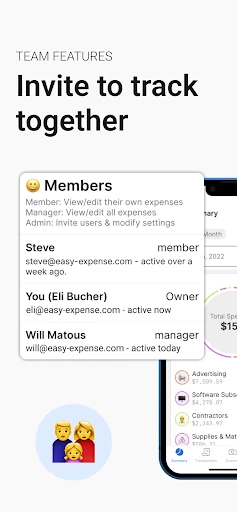
It is not presented as a general personal budgeting app or a full accounting system. The emphasis is on expense capture, reports, and business workflows, including team features among the premium options. If someone needs a broader financial setup, they should compare the tools they rely on with what this app actually offers. Its narrower focus can be a plus for an independent worker, but it will not automatically replace every business process.
Make Capture a Habit
The easiest workflow is to scan while the receipt is still in hand. After a work purchase, I would take a photo or upload the receipt, check the extracted details, and file the expense under the appropriate vendor and category. The app provides tools to rotate, crop, and fix perspective, which can help when a receipt is not sitting perfectly flat. Building this tiny step into the purchase routine should make later reporting less of a catch-up exercise.
I would also keep projects or expense reports organized as I go, instead of waiting until a deadline. The app can group expenses into reports and create summaries for groupings, while CSV export gives the records a practical handoff format. For regular work travel, its mileage tracker is another reason to open the app consistently. These habits depend on entering information with some care; a scanner can reduce typing, but it does not remove the need to review records.
More From Our News Desk

Zoom Meetings, Google Meet, or Teams: Which Is Easiest to Join?

How I Build a Free Streaming Lineup With Tubi

Why Crunchyroll Is the Default Anime App for So Many Fans

YouTube TV: A Practical Guide to Cutting Cable

Rummikub and the Small Comfort of Phone Games

TeamViewer Remote Control or AnyDesk for Helping Family?
Who May Find It Useful
I would recommend Receipt Scanner: Easy Expense to self-employed contractors, consultants, and other people who handle work purchases on the move. It combines receipt capture with categorization, expense reports, CSV export, mileage tracking, and offline operation. Someone who wants one place to gather routine business expenses may appreciate that range, especially if they often need to sort purchases by project or prepare records to share.
It may be less appealing if you only need to save a handful of receipt photos, or if you expect unlimited scanning without considering the app's free monthly allowance. People seeking a broad budgeting or accounting package should check whether its expense-focused tools cover their other needs. Team use and multiple businesses are among the premium features, so those workflows may call for a closer look at the available in-app options before settling into the app.
Receipt Scanner: Easy Expense is a Business app from Easy Expense Tracker. On Google Play, it has a 4.8 rating from about 20,000 ratings and over 1 million installs. It is free to install and contains no ads. The app is rated Everyone. The minimum Android version is not included in the available app facts, so check Google Play for device compatibility.
The app is version 5.87.0 and was released on January 19, 2020. Its most recent update date is November 3, 2026. In-app purchases are available, with listed items ranging from $0.99 to $144.99 each. The description says expense tracking, up to 10 receipt scans per month, and data storage are free; premium features include email scanning, team tools, multiple businesses, and other options.
How Receipt Capture Fits the Workday
A Straightforward Start
When I first opened an expense app like this, the most important question would be whether receipt capture feels like a chore. Easy Expense puts scanning at the center of its purpose: users can take a receipt photo or upload one, and the scanner is meant to crop it and extract important details. That makes the intended first step easy to understand, even if the extracted information still deserves a quick check.
The app also gives users manual image tools for rotating, cropping, and correcting perspective. I like that these are relevant fixes rather than decorative extras: receipts get photographed in a hurry, under ordinary lighting, and on whatever surface is nearby. The practical setup is to capture the receipt, make any needed image adjustments, and then organize the resulting expense. The description emphasizes quick entry rather than a complicated bookkeeping setup.
The Daily Expense Loop
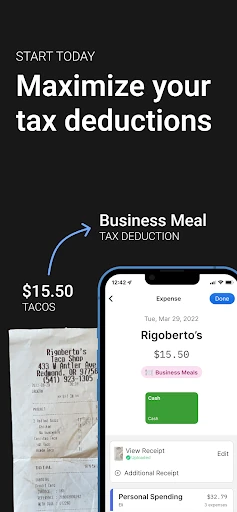
Day to day, the basic loop is capture, categorize, and file. A receipt can be converted into an expense, labeled with a vendor and category, and placed into an expense report or project grouping. This arrangement is useful when one person buys supplies for different jobs and wants to separate those records later. It is a more purposeful system than letting snapshots collect in a camera roll.
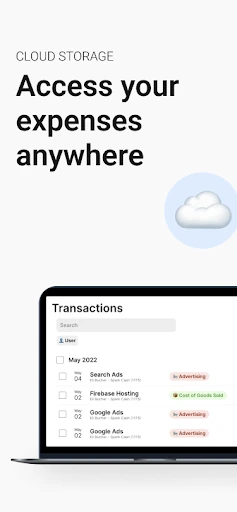
The app is described as working fully offline, with automatic cloud sync tied to an account. That combination supports recording expenses when connectivity is inconvenient and syncing records through the account. I would still treat the scan as the beginning of the record, not proof that every extracted field is correct. Taking a moment to review what the scanner has recognized is a sensible part of keeping the expense list tidy.
Reports and Useful Extras
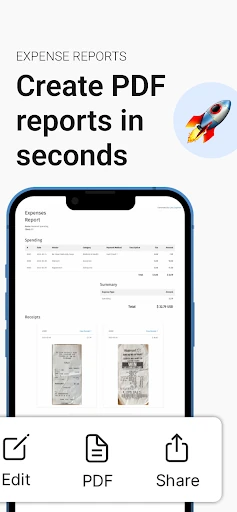
Reports are one of the more useful parts of the package once expenses have accumulated. The app can group expenses into multiple reports, create summaries, and export quarterly or annual records in CSV format. The description also says expenses can be emailed for tax purposes and turned into billable expense reports. Those options give the receipt data somewhere to go beyond the app itself, which matters when it is time to share or review a set of purchases.
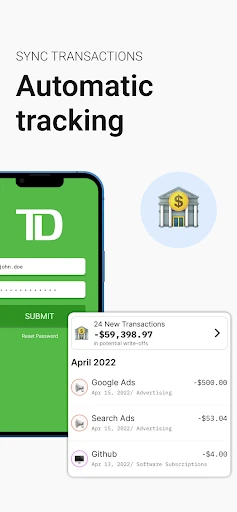
Mileage tracking adds a different kind of work record, while the description says the app can calculate deductions from mileage. Its expense analysis and summaries are intended to make grouped spending easier to review. Premium options include email scanning, bank and credit card deduction scanning, team features, premium support, and multiple businesses. That makes the app broader than a receipt camera, but the core remains recording and organizing expenses.
A Low-Friction Routine
For a consultant with several small purchases in a week, I would make receipt capture part of packing up after each job. Scan or upload the paper, check the extracted details, assign the vendor and category, and put the expense with the right project or report. It is a short routine that can prevent the familiar end-of-month hunt through a desk drawer, glove compartment, or email inbox.
At a weekly review, I would look through the expense groupings and make sure anything intended for billing is in the right report. If mileage is part of the work routine, logging it consistently is more useful than trying to remember trips later. When a quarter or year needs a summary, the CSV export and email options provide a route to share records. The app supports this workflow; careful entries still matter.
Limits to Keep in Mind
The free plan described in the app information includes 10 receipt scans per month, so people who regularly process more receipts should consider whether that allowance fits their routine. Premium features are available through in-app purchases, and listed purchase prices span a wide range. I would check the options in Google Play before building a workflow around a paid feature, especially for teams or multiple businesses.
Automatic extraction can save entry time, but it is not a reason to skip reviewing a receipt record. The app offers image correction tools, which acknowledge that capture conditions can vary. Its focus is also specifically on expenses and receipts, so it may not cover everything someone expects from a broader business or personal finance tool. The app can organize records; users still need a reliable habit for capturing and checking them.
Receipt Scanner: Easy Expense makes the most sense as a practical home for work receipts and expense records, especially for people who are often away from a desk. Receipt capture, project groupings, reports, mileage tracking, offline use, and CSV export form a useful set of tools. The main trade-offs are the monthly free scan limit and the need to review scanned information.
I would try it if I were a freelancer or contractor who wanted a steadier way to collect business expenses as they happen. It is less compelling for someone with only occasional receipts or who needs a much broader financial system. Before relying on premium workflows, I would compare the in-app purchase options with the features I actually need.
Receipt Scanner Frequently Asked Questions
What is Receipt Scanner: Easy Expense used for?
Receipt Scanner: Easy Expense is used to capture receipts and organize business expenses. It can scan or accept uploaded receipt images, extract key information, and group expenses by vendor, category, project, or report. The app also offers mileage tracking, expense summaries, billable reports, and CSV export for sharing records.
Which devices support Receipt Scanner: Easy Expense?
Receipt Scanner: Easy Expense is an Android app available through Google Play. It can work offline, and the description says account data syncs to the cloud. Check the Google Play store page for the current Android version and device compatibility, since requirements may vary.
What Android version does Receipt Scanner: Easy Expense require?
The Android minimum requirement can vary by app version and device, so check the Google Play store page for the current requirement before installing Receipt Scanner: Easy Expense. The app is currently version 5.87.0, according to the available app facts.
Does Receipt Scanner: Easy Expense cost money?
Receipt Scanner: Easy Expense is free to install, contains no ads, and offers in-app purchases. Its description says free use includes expense tracking, data storage, and 10 receipt scans per month. Premium features are also available; listed in-app items range from $0.99 to $144.99 each, and options may vary in the store.
Is Receipt Scanner: Easy Expense suitable for freelancers?
It may suit freelancers, contractors, and consultants who want to capture work receipts, sort expenses, track mileage, and prepare reports or CSV exports. Team features and support for multiple businesses are among the premium options. If you need a broader accounting or budgeting tool, compare its expense-focused features with your requirements first.
Pros
- Scans or uploads receipts and extracts information for expense records.
- Groups expenses into reports and supports CSV exports.
- Works offline and includes automatic account syncing.
- Includes mileage tracking alongside receipt and expense tools.
Cons
- Free receipt scanning is limited to 10 scans per month.
- Premium features require in-app purchases, with a wide listed price range.
- Scanned information still benefits from a careful review.
- Category
- Business
- Version
- 5.87.0











