Proton Mail: Encrypted Email
- 96.15K
- 4.5
- Installs
- 10.00M
- Price
- Free
Screenshots
Analysis by Reviewed APKs
Proton Mail is an email app built around encrypted messages, inbox privacy, and practical tools for keeping everyday mail organized. I’d recommend it to people who want an alternative to mainstream email services without giving up useful basics like folders, spam filtering, and offline reading. Its privacy focus is clear, though some extras and higher storage limits sit behind paid plans. Overall, it’s a thoughtful choice for a more private inbox.
A More Private Inbox
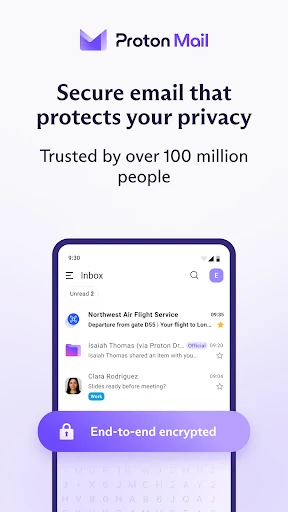
Picture checking email during a busy morning: a message from a colleague, a delivery update, and a newsletter all arrive together. Proton Mail gives you familiar ways to sort that pile, including folders, labels, swipe gestures, spam filtering, and private categories that automatically group important messages. The difference is its emphasis on keeping inbox contents private, with encryption and protections against trackers and phishing built into the service.
When I think about the app’s most useful everyday role, it is not just sending a secret message now and then. It is having a regular email address for routine communication while keeping privacy protections in the background. Messages between Proton users are end-to-end encrypted, and password-protected emails let you send encrypted messages to people who use other email services. That makes the app relevant to daily correspondence as well as more sensitive exchanges.
Email, Not a Privacy Suite
Compared with a standard inbox, Proton Mail puts encryption and privacy controls closer to the center of the experience. It still covers familiar email tasks: organizing messages, filtering spam, switching between accounts, and reading or writing offline. If you already use Gmail, the service describes ways to connect a Gmail address or move email into a Proton inbox, so trying it does not have to mean immediately abandoning an existing address.
It is still an email app, not a general-purpose secure messaging service or a tool for managing every kind of online account. Its privacy features can help protect email, but they do not change what a recipient does with a message after receiving it. People who mainly want a huge free storage allowance or custom domains may also find the paid plans more relevant than the basic account.
Small Habits, Better Flow
A few simple habits can make an inbox easier to live with. I’d use folders and labels to separate ongoing projects from personal mail, then rely on swipe gestures for quick sorting during short breaks. Private categories can help keep important messages in focus, while the built-in spam filter and phishing alerts provide another layer of sorting before I spend time opening every unfamiliar message.
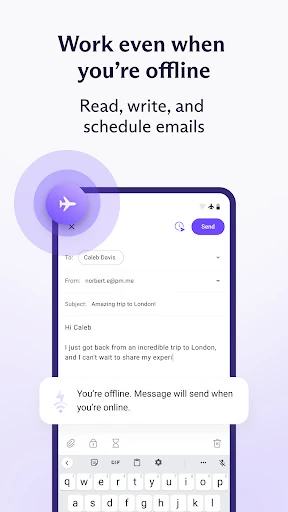
Offline access is useful when a commute or a patchy connection interrupts the day. Proton Mail supports reading, writing, and organizing email offline, with changes syncing once the connection returns. For sign-ups where I would rather not share my main address, hide-my-email aliases can forward messages to the inbox. The description says these aliases are created on the web, so that step is best treated as an occasional setup task.
More From Our News Desk

Zoom Meetings, Google Meet, or Teams: Which Is Easiest to Join?

How I Build a Free Streaming Lineup With Tubi

Why Crunchyroll Is the Default Anime App for So Many Fans

YouTube TV: A Practical Guide to Cutting Cable

Rummikub and the Small Comfort of Phone Games

TeamViewer Remote Control or AnyDesk for Helping Family?
Who May Like Proton Mail
I’d suggest Proton Mail to anyone who wants a privacy-focused email account for ordinary life: personal correspondence, online services, and messages that deserve extra care. It should also appeal to people who like keeping an inbox tidy with folders and labels, or who want an offline option for reading and drafting. Multiple Proton accounts can be switched within one app, which is handy if you keep separate addresses for different parts of life.
It may be less compelling for someone whose only priority is maximizing free storage or who has no interest in switching from a familiar email setup. Some features, including higher storage and custom domains, are associated with Mail Plus or other paid plans. I’d also keep expectations practical: encryption is a meaningful privacy feature, but it does not replace good judgment about what to send or who should receive it.
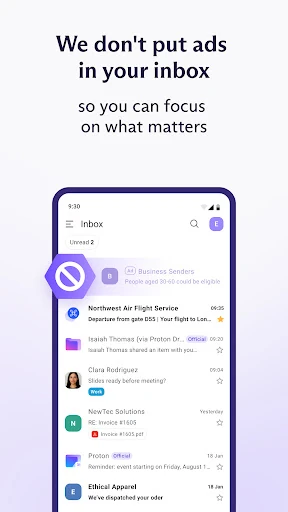
Proton Mail is developed by Proton AG and is available on Android through Google Play. It has more than 10 million installs and a 4.5-star rating from about 96,000 ratings. The app is free to download and use, with in-app purchases priced from $4.99 to $119.88 per item. It contains no ads, and its content rating is Everyone.
The supplied app details identify version 7.11.11, a release date of March 16, 2016, and a last update date of October 21, 2026. A minimum Android version is not included in the available details, so it is worth checking Google Play for device compatibility. The description says free accounts can have up to 1 GB of email storage, while Mail Plus offers up to 15 GB.
How Proton Mail Fits Everyday Email
A Privacy-First Start
When I first considered Proton Mail, the appeal was easy to understand: it offers a free Proton email address and puts encryption at the center of the service. The app is designed for people who want private email without making everyday tasks feel like a separate technical project. Its stated support for folders, labels, spam filtering, and offline access gives the privacy pitch some useful day-to-day context.
Getting started can be as simple as creating a Proton address, with choices including @proton.me and @protonmail.com. People moving from another inbox can use Easy Switch to move email without manual exporting or importing. The service also describes connecting Gmail so a Gmail address can be used alongside a Proton address, which may help ease a gradual change rather than requiring an abrupt break.
The Daily Inbox
The core experience remains email: receive messages, sort them, and reply when it suits you. Proton Mail adds privacy-oriented handling around that routine, including encryption for stored inbox contents and end-to-end encryption between Proton users. For messages to someone outside Proton, the app supports password-protected email. That distinction is useful to keep in mind because the recipient’s email service may be different from yours.
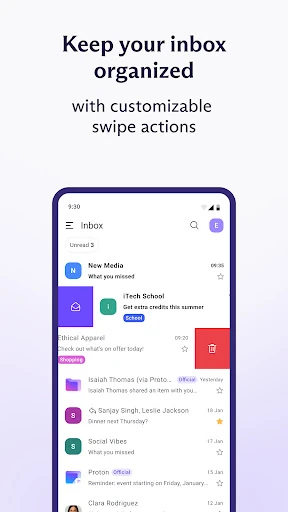
I like that organization is handled with familiar tools rather than requiring a complicated filing system. Folders and labels can support whatever level of neatness you prefer, and swipe gestures are intended to make quick sorting easier. Automatic private categories offer another way to focus on important mail. Together, these features make the app feel aimed at regular inbox maintenance, not just occasional high-security correspondence.
Privacy Tools That Stand Out
The strongest distinction is the encryption model. Proton says messages between its users can only be read by the sender and recipient, and that it cannot read or scan those messages. The app uses OpenPGP encryption, and its code is open source and independently audited. Those are substantial details for people comparing email services, though they do not mean every email sent to every destination has the same encryption arrangement.
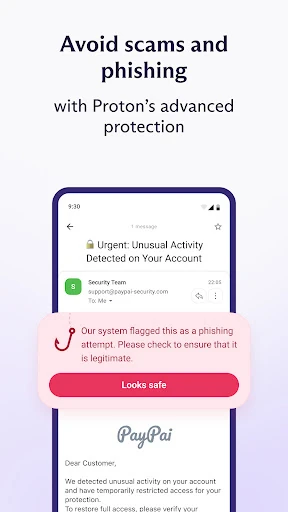
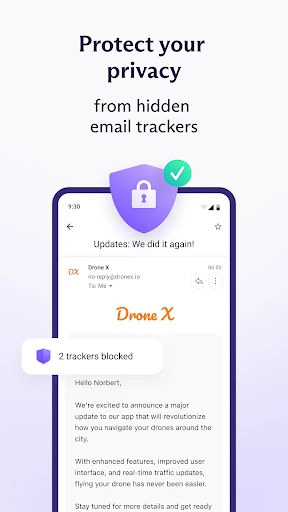
Other protections address common inbox annoyances. Proton Mail includes spam filtering, phishing alerts, and email tracker blocking, giving users tools to deal with unwanted or questionable messages. Hide-my-email aliases provide another privacy option for sign-ups: they forward to the inbox and can be disabled or deleted. The description says users can create up to 10 free aliases on the web, making them a useful complement to the main address.
A Practical Email Routine
A workable routine might start with checking the inbox in the morning, using categories to find important mail, and placing longer-running conversations into folders or labels. During a short break, swipe gestures can help clear or sort individual messages. This kind of light organization is more sustainable than trying to build an elaborate filing system, especially if the inbox is mostly made up of ordinary personal and work correspondence.
For travel or time away from reliable internet, offline mode supports reading, writing, and organizing messages. Once the device is back online, the changes sync. I’d also consider using an alias when signing up for a service that does not need my primary email address. That creates a little separation between an online registration and my main inbox, without making everyday replies harder to manage.
Limits to Keep in Mind
The free account has up to 1 GB of email storage, while Mail Plus raises that figure to up to 15 GB. Paid plans also offer more addresses and custom domains, so people with larger mail archives or specific address needs should compare the available plan details before settling in. The app itself is free, but some users may eventually want features associated with an upgrade.
Privacy tools are useful, but they are not a reason to assume every message is private in the same way. End-to-end encryption is described for messages between Proton users, while password-protected messages are the option for recipients outside the service. Proton Mail also cannot control how a recipient handles a message after reading it. Those are practical boundaries, not reasons to dismiss the app, and they help set sensible expectations.
Proton Mail makes a strong case for treating privacy as part of ordinary email rather than an occasional special setting. It combines encryption with useful inbox tools, offline access, and ways to reduce exposure of your main address. The free account is a reasonable place to start, although storage and other extras may eventually make a paid plan worth considering.
I’d recommend giving Proton Mail a try if you want a more private inbox and are willing to adapt to a new email address or setup. It is especially appealing for people who value encryption and practical organization in the same app. If your main concern is maximum free storage, compare the plan limits first.
Proton Mail Frequently Asked Questions
What is Proton Mail used for?
Proton Mail is an email app for sending, receiving, and organizing messages with a focus on privacy. It includes encrypted email, spam filtering, phishing alerts, tracker blocking, folders, labels, offline access, and multiple-account support. Messages between Proton users are end-to-end encrypted, and password-protected emails can be sent to people using other email services.
Which devices can run Proton Mail?
Proton Mail is available on Android through Google Play. The supplied details do not give a minimum Android version, so check the Google Play page for compatibility with your device. Proton also describes web-based features, including creating hide-my-email aliases, but this app review focuses on its Android version.
Does Proton Mail cost money?
The app is free to download, and free accounts can have up to 1 GB of email storage. In-app purchases are available, with listed prices ranging from $4.99 to $119.88 per item. Mail Plus offers up to 15 GB of storage, and paid plans can include more addresses and custom domains; check Google Play for current plan details.
What Android version does Proton Mail require?
The minimum Android version is not included in the supplied app details. Requirements can vary as the app is updated and by device, so check Proton Mail’s Google Play page before installing. The available details identify version 7.11.11, but that does not establish the minimum Android version needed to run it.
Is Proton Mail suitable for everyday email?
Yes. Proton Mail includes everyday inbox features such as folders, labels, spam filtering, offline reading and writing, and support for multiple Proton accounts. It is a good fit for people who also value encryption and privacy protections. It may be less appealing if your priority is a large free storage allowance or you do not want to switch email services.
Pros
- End-to-end encryption for messages sent between Proton Mail users.
- Useful everyday tools include folders, labels, spam filters, and offline mode.
- Tracker blocking, phishing alerts, and hide-my-email aliases add privacy options.
- Free accounts include up to 1 GB of email storage.
Cons
- Free storage is limited compared with the Mail Plus allowance.
- Hide-my-email aliases are created on the web rather than described as an in-app feature.
- Encryption arrangements differ when emailing people outside Proton.
- Category
- Communication
- Version
- 7.11.11











