Pro Guitar Tuner
- 145.26K
- 4.2
- Installs
- 10.00M
- Price
- Free
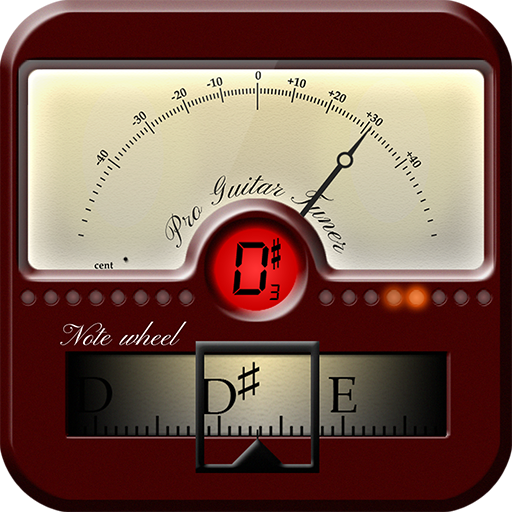
Screenshots

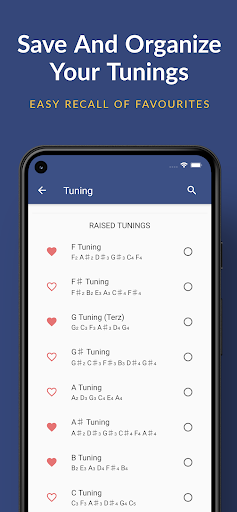
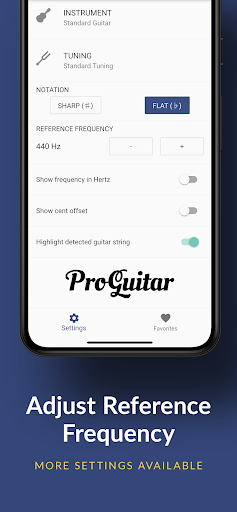
Analysis by Reviewed APKs
Pro Guitar Tuner is a microphone-based tuning app for guitar and other stringed instruments, with a chromatic tuner, alternate tunings, and reference samples for tuning by ear. I see it as a practical choice for players who want a tuner close at hand without carrying a separate device. Its broad instrument support is useful, though ads and in-app purchases are part of the free-app experience.
A quick tune before playing
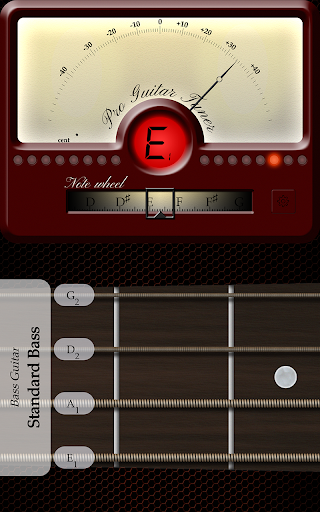
Picture a familiar moment: I pick up my guitar after a busy day, settle in for a short practice, and notice that one string sounds off. Pro Guitar Tuner is built for that kind of interruption. It listens through the phone’s microphone and analyzes the sound in real time, so I can work through the strings without first finding a separate clip-on tuner or other tuning device.
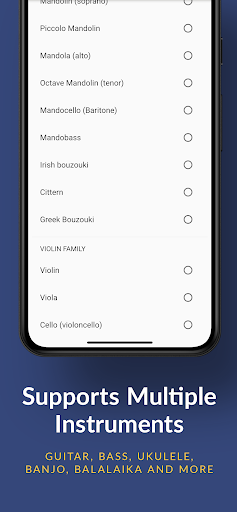
The chromatic approach makes the app useful beyond a single standard guitar setup. It can listen to the note being played and is described as supporting guitar, bass, ukulele, mandolin, and other stringed instruments. That makes it a handy option if my evening practice moves between instruments, or if someone else in the room asks for a quick tune before joining in.
A tuner, not a practice room
Compared with a dedicated physical tuner, this app puts the listening tool on a device I may already have nearby. It also offers more than a basic single-instrument preset: there is a library of tunings, plus reference samples for people who prefer to tune by ear. Those options give it some flexibility without changing its central job, which is helping me tune strings.
I would not treat it as a lesson app, a recording studio, or a substitute for learning how to play. The description focuses on tuning and reference sounds, not instruction or songwriting tools. A physical tuner may still suit someone who wants a separate piece of gear, while this app makes more sense when convenience and support for several stringed instruments matter most.
Small habits that help
I get the most from a tuner by making it part of the same small routine every time: tune before I start, check again if a string seems out, then get on with playing. A quiet moment helps me hear what the microphone is picking up. Since the app works through a device microphone or an external microphone, I can also consider the available mic setup when the room is busy.
The tuning library is worth exploring when I want a sound beyond my usual setup, rather than changing settings at random in the middle of a song. I can select a tuning to try, then work through the instrument with the tuner. The real-instrument samples offer another route: play a reference note and compare by ear, which is useful when I want to involve listening as well as the app’s analysis.
More From Our News Desk

Zoom Meetings, Google Meet, or Teams: Which Is Easiest to Join?

How I Build a Free Streaming Lineup With Tubi

Why Crunchyroll Is the Default Anime App for So Many Fans

YouTube TV: A Practical Guide to Cutting Cable

Rummikub and the Small Comfort of Phone Games

TeamViewer Remote Control or AnyDesk for Helping Family?
Who may find it useful
I’d recommend Pro Guitar Tuner to guitar players who want an easy-to-carry tuning option and to people who switch among guitar, bass, ukulele, or mandolin. It should also appeal to players curious about alternate tunings, since the app includes a library for exploring them. The combination of real-time microphone analysis and reference samples gives both visual-style tuning and an ear-led approach a place in the same app.
It may be less appealing to someone who wants a completely separate hardware tuner or who expects a broader music-making toolkit. Ads and optional in-app purchases are worth keeping in mind if I prefer an uninterrupted, no-purchase app experience. The core idea is straightforward, but the best fit is a player who wants a tuner on an Android device and is comfortable with the app’s free-with-purchases model.
Pro Guitar Tuner is developed by ProGuitar and is an Android app in the Entertainment category. Google Play shows more than 10 million installs and a 4.2-star rating from about 145,000 ratings. It is rated Everyone. The available version is 7.0.6, and the app was originally released on April 29, 2015.
The app is free to install, contains ads, and offers in-app purchases. Individual in-app products are priced from $0.99 to $79.99. Google Play gives October 19, 2026 as the last update date. Android requirements can depend on the device and app version, so it is sensible to check the current store details before installing.
A closer look at tuning on your phone
Getting started
My first impression is that the app has a clear, practical purpose: it turns an Android device into a tuner by listening through its microphone. That makes the basic idea easy to understand even before I have settled into a regular routine. Rather than needing a separate tuning accessory close by, I can use a device I already carry to check a string before playing.
The description says the tuner can use the device microphone or an external microphone. That flexibility is useful to know when planning where to use it, although it does not change the simple starting point: make sound with the instrument and let the app analyze it in real time. The listed Android version is 7.0.6, while minimum system requirements may be worth checking for a particular device.
The everyday tuning experience
Day to day, the app’s central strength is its directness. I play a string, let the microphone pick up the sound, and use the chromatic tuner as a guide. That is a useful pattern for a quick check before practice or when a note starts sounding wrong mid-session. It keeps the app focused on a small task rather than asking me to build a whole practice workflow around it.
Because it analyzes sound in real time, the experience depends on giving it a sound to hear. I would choose a moment when the instrument is easy to distinguish from surrounding noise, especially if other people are talking or playing nearby. The app can also work with an external microphone, offering another supported way to capture the instrument when the built-in mic is not the preferred option.
More than standard guitar
The wider instrument support is one of the details that makes Pro Guitar Tuner more versatile than a tuner aimed only at one familiar guitar setup. The description names guitar, ukulele, mandolin, and bass, along with other stringed instruments. That can make one app useful in a household or practice space where instruments change from one session to the next.
I also like that it combines two ways of approaching tuning. The chromatic tuner analyzes what I play, while high-quality samples of real instruments provide reference sounds for tuning by ear. Neither approach needs to replace the other. I can use the analysis for a quick check and turn to the samples when I want to listen more closely to a target sound.
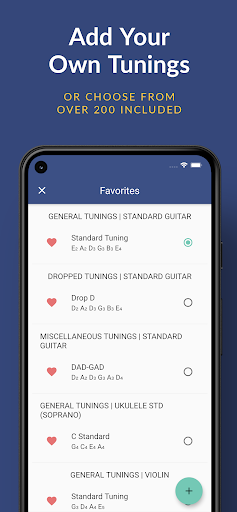
The tuning library adds another reason to return to the app after the first setup. It is intended to help players explore different tunings and the character they bring to a guitar. That makes the app useful not just when something sounds off, but also when I want to try a different tuning before settling into a practice session.
A routine for practice
A practical routine might begin with a quick tuning check before I start playing. I can work through the instrument with the microphone tuner, then use a reference sample if I want to compare notes by ear. That sequence is easy to repeat and does not require me to turn the rest of my practice into an app-based activity.
On a day when I want a change, I can look to the tuning library and try a different option rather than defaulting to my usual setup. I’d make that choice before starting a song or practice block, so I have time to adjust and listen. If I am moving between guitar and another supported instrument, the chromatic approach gives me a familiar way to check each one.
The app also makes sense as a small shared tool. If a friend brings a ukulele or mandolin to a casual session, its stated support for those instruments may save a search for a different tuner. I would still keep the room quiet enough for the microphone to hear clearly, but the phone-based format is convenient when several instruments are involved.
Limits to keep in mind
A phone microphone is convenient, but the app’s main method relies on hearing the instrument through a microphone. In a loud room, that can be less convenient than using a separate tuner designed to attach directly to an instrument. The app does support an external microphone, but the experience will still depend on the sound reaching the tuner clearly.
The app is focused on tuning, so players looking for lessons, recording, or a wider set of music tools should look elsewhere for those needs. Its tuning library and reference samples add useful depth, but they remain part of a tuner rather than turning it into a full practice suite. That distinction helps set expectations before installing it.
The free version includes ads, and optional in-app purchases are available, with listed items ranging from $0.99 to $79.99. That spread is broad enough to make checking the current purchase details worthwhile if I am considering paying for anything. For a straightforward tuning need, I would first see whether the free experience suits my routine.
Pro Guitar Tuner earns its place as a convenient phone-based tuner, especially for players who use more than one kind of stringed instrument or want to explore alternate tunings. The real-time microphone analysis is the main draw, while reference samples make tuning by ear an option too. Its scope stays focused, which is a benefit if tuning is all I need.
I’d try it if I wanted a tuner close at hand and was comfortable with ads and optional purchases in a free app. If I prefer hardware or need tools beyond tuning, it may not be the right fit. For everyday checks and a little tuning variety, Pro Guitar Tuner is a sensible Android option.
Pro Guitar Tuner Frequently Asked Questions
What is Pro Guitar Tuner used for?
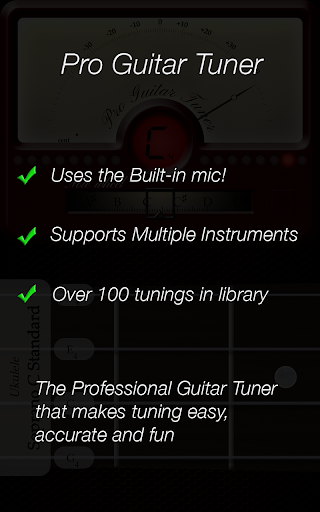
Pro Guitar Tuner helps tune stringed instruments by analyzing sound through a device microphone or an external microphone. It includes a chromatic tuner, supports guitar, bass, ukulele, mandolin, and other stringed instruments, and offers reference samples for tuning by ear. A library of tunings is also included for exploring alternatives to a familiar guitar setup.
Which devices can run Pro Guitar Tuner?
Pro Guitar Tuner is an Android app available through Google Play. It uses a device microphone or an external microphone to hear the instrument. The minimum Android version can vary with device and app requirements, so check the current Google Play details for compatibility with a particular phone or tablet.
Does Pro Guitar Tuner cost money?
The app is free to install, but it contains ads and offers in-app purchases. Google Play lists individual in-app products from $0.99 to $79.99. The available purchase options and prices can vary, so check the current store listing if you want details before buying anything.
Can I use Pro Guitar Tuner for instruments besides guitar?
Yes. The app description names bass, ukulele, and mandolin as well as guitar, and says it can tune other stringed instruments. Its chromatic tuner analyzes the sound in real time. The app also provides a library of tunings and samples of real instruments for players who prefer to tune by ear.
Who is Pro Guitar Tuner best suited for?
It is a good fit for Android users who want a convenient tuner for guitar or other supported stringed instruments, or who want to explore different tunings. It may be less suitable for someone seeking lessons, recording tools, or a separate hardware tuner. Ads and optional in-app purchases are part of the app experience.
Pros
- Chromatic tuning analyzes sound in real time through a device or external microphone.
- Supports guitar, bass, ukulele, mandolin, and other stringed instruments.
- Includes reference samples for tuning by ear and a library of tunings.
- Free to install and widely used, with over 10 million Google Play installs.
Cons
- The microphone-based approach can be less convenient in noisy rooms.
- The free app contains ads and offers a wide range of in-app purchase prices.
- Its focus is tuning rather than lessons, recording, or broader music tools.
- Category
- Entertainment
- Version
- 7.0.6











