Plex: Find Movies & TV Shows
- 488.16K
- 3.5
- Installs
- 100.00M
- Price
- Free

Screenshots
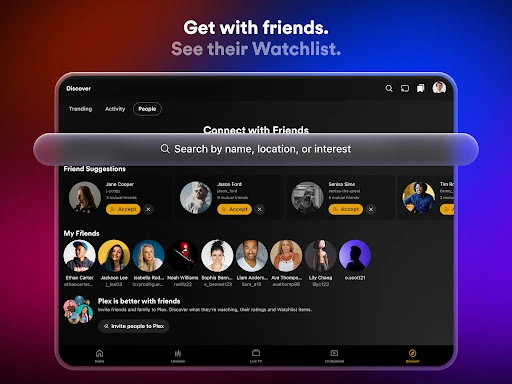
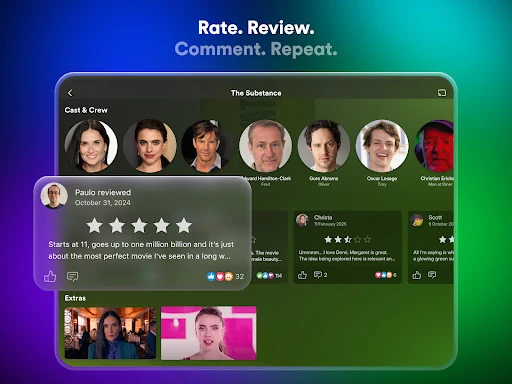
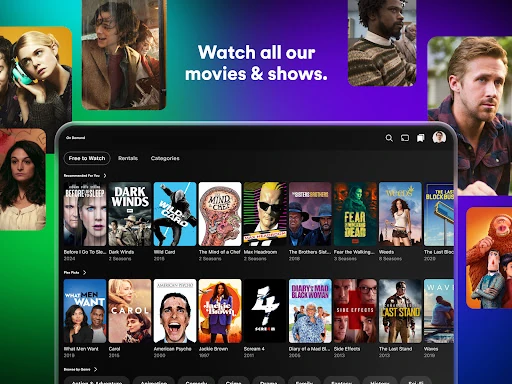
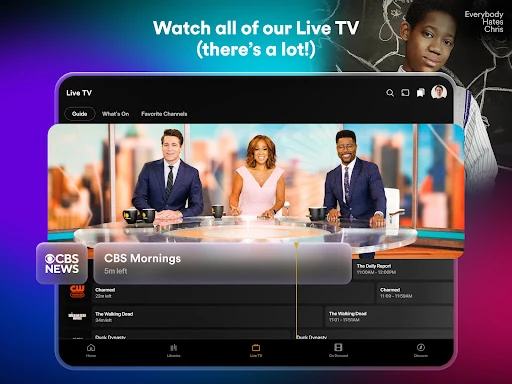
Analysis by Reviewed APKs
Plex: Find Movies & TV Shows is a discovery and streaming app for people who want a simpler way to decide what to watch. It brings free movies, shows, live TV, streaming-service browsing, and personal media into one place. I like its mix of practical search and social recommendations: it can help narrow down a crowded evening of choices, though its many different uses may take a little exploring.
A quicker way to choose
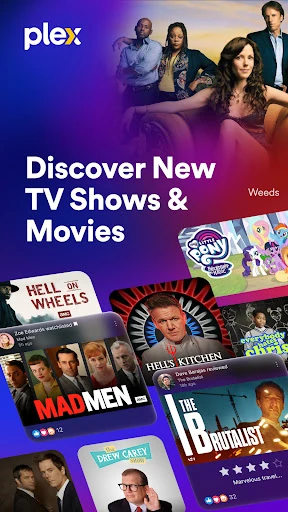
When I first opened Plex, I imagined using it on one of those evenings when everyone has already asked, “What should we watch?” and nobody has an answer. The app is built for that familiar moment: browse movies and shows, check what is trending, and see recommendations and reviews from people you trust. Rather than starting with a specific title, I could start with a mood or a bit of curiosity and see what caught my eye.
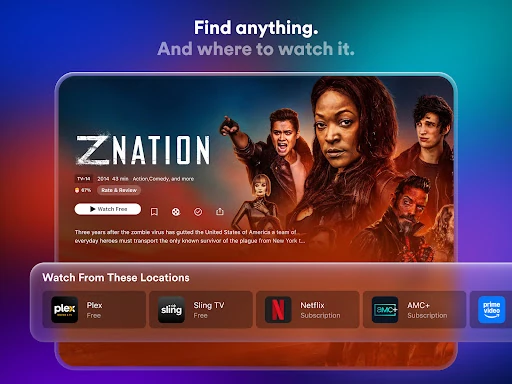
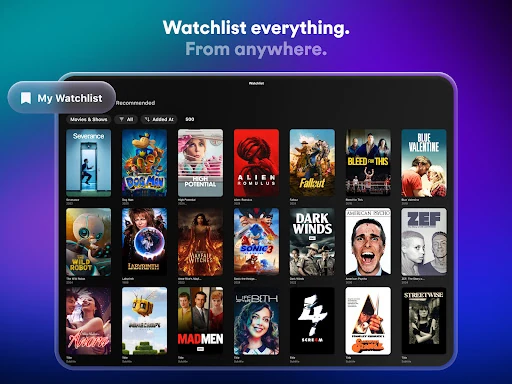
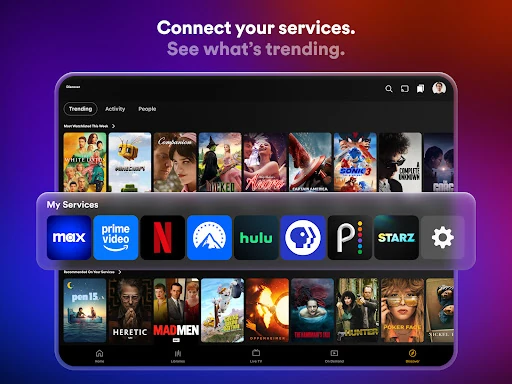
The practical appeal is that discovering something and finding where to watch it are part of the same general experience. Plex says you can connect streaming services and browse them from one place, while also offering free on-demand movies, shows, and live TV. I would use the watchlist for the titles that sound good but not tonight. That turns a casual browse into a small queue I can return to when decision time comes around again.
More than a streaming app
Plex sits between a streaming guide, a free entertainment service, and a social discovery app. If I already know exactly what I want and subscribe to the service that has it, opening that service directly may be the shortest route. Plex makes more sense when I want to compare possibilities across connected services, discover free options, or keep a watchlist that gathers titles from different places.
It is not simply a replacement for every paid streaming subscription, nor is it only a player for a personal movie collection. Its free catalog and live channels are one part of the picture; personal media streaming is another, and that requires Plex Media Server. People looking for a single, tightly focused service may find the broader mix less straightforward. I see Plex as a useful hub for browsing and organizing, rather than a promise that every title is included.
Small habits that help
A little housekeeping makes the discovery side more useful. I would add interesting titles to the Plex watchlist as I come across them instead of expecting to remember them later. If I have connected my streaming services, I can use Plex as a starting point for browsing across them. The app also lets people customize preferences and build a home screen around what they like, so taking time to shape those choices can make repeat visits feel more relevant.
I would also separate browsing from watching. A quick scan of trending titles or recommendations can happen while waiting for dinner, with a shortlist saved for later. For personal media, the habit is different: keep the Plex Media Server installed and running, and make sure it meets the stated version requirement before trying to stream files to other devices. These small steps help Plex work as either a discovery tool or a window into a personal library.
Reads About Plex
More From Our News Desk

Zoom Meetings, Google Meet, or Teams: Which Is Easiest to Join?

How I Build a Free Streaming Lineup With Tubi

Why Crunchyroll Is the Default Anime App for So Many Fans

YouTube TV: A Practical Guide to Cutting Cable

Rummikub and the Small Comfort of Phone Games

TeamViewer Remote Control or AnyDesk for Helping Family?
Who will get the most from Plex
I would recommend Plex to movie and TV fans who regularly bounce between services and spend too much time deciding what to start. It also suits people who enjoy recommendations from friends, want to keep a shared interest in titles organized, or are curious about free on-demand entertainment and live channels. The app’s range is appealing if you like having discovery, watchlists, social features, and streaming options gathered in one place.
It may be less appealing if you prefer a minimal app dedicated to one paid catalog, or if you do not want to connect services and sort through a broad mix of options. Anyone hoping to stream their personal media needs the separate Plex Media Server set up and running. I would treat Plex as an optional organizing layer, not an obligation: it is most worthwhile when its mix of discovery and library features matches how you already watch.
Plex: Find Movies & TV Shows is made by Plex, Inc. On Google Play it has over 100 million installs and a 3.5-star rating from about 488,000 ratings. The app is free to download, contains ads, and offers in-app purchases. Google Play gives an in-app product price range of $0.99 to $949.99 per item.
Google Play rates Plex Teen. The current version shown in the supplied app details is 2026.20.0. Plex was released on February 16, 2011, and the listed last update date is October 13, 2026. The minimum Android version is not included in the supplied details, so check the Google Play page for device compatibility.
A hands-on look at Plex
A broad first impression
Plex presents itself as a place to find something to watch, rather than a service limited to one kind of catalog. That breadth is the first thing I notice conceptually: free movies and shows, live TV, connected streaming services, social recommendations, and personal media all sit under the same app name. It gives curious viewers plenty of directions to explore, although it also means Plex is not as instantly simple as an app with just one job.
I would begin by deciding which parts matter to me. Someone interested mainly in recommendations can focus on browsing and the watchlist; someone who wants personal media has the extra step of setting up Plex Media Server. The app also supports customizing preferences and building a home screen around viewing interests. Starting with a clear goal helps make the range feel useful instead of like a long menu of unrelated possibilities.
Browsing from day to day
The everyday discovery loop is easy to picture: look through what is trending, notice a title, read ratings or reviews, then save it for later or find a place to watch. Plex describes recommendations from real people and friends, alongside ratings and movie reviews. That gives browsing a more conversational angle than simply scanning a list of titles, particularly for viewers who enjoy hearing what other people think before committing to a film.
Connecting streaming services can make Plex a more convenient launch point for choosing what to watch. The description names services such as Netflix, Max, Paramount+, and Prime Video as examples. I would still think of it as a way to browse across services, not as a way to combine their subscriptions or make their separate catalogs free. The useful distinction is that Plex can help surface options; access to a particular title depends on where it is available.
Free viewing and social tools
Plex also offers free on-demand movies and shows, along with live TV. Its description says the free on-demand collection includes more than 50,000 movies and shows, and that there are over 600 live TV channels. The channel mix includes live sports, news, and kids’ shows. Those options give someone a reason to open Plex even without a particular title in mind, though the app’s wider discovery role remains central.
The social side includes sharing reviews, creating lists, and joining discussions about movies and shows. I can see this being handy when a group wants to keep track of recommendations or remember what people suggested. It is a different approach from relying only on a recommendation algorithm: Plex emphasizes input from people. That will appeal most to users who enjoy comparing opinions, while viewers who prefer private, solo browsing can simply focus on finding titles.
A routine for different evenings
For an ordinary weeknight, I would use Plex in two passes. During a spare moment, I would browse a few recommendations and trending titles, saving anything that sounds promising to the watchlist. Later, when I have time to watch, I would revisit that shortlist and check the connected services or Plex’s free viewing options. It is a small routine, but it addresses the familiar problem of spending more time choosing than watching.
A weekend routine could look different. I might browse the live TV channels when I want something to put on without choosing a specific film, or explore the free on-demand catalog when I am open to a new pick. If I maintain personal media, Plex can also be part of that routine, provided Plex Media Server is installed and running. The different paths make the app flexible, though users do not need to use every feature to get value from it.
Keep the boundaries clear
The main practical limitation is that Plex’s different roles come with different expectations. Browsing connected services does not mean every title is available to watch for free in Plex. The app offers its own free catalog and live channels, while titles from other services are tied to those services. It is worth keeping that distinction in mind so a promising search result does not feel like a promise of included access.
Personal media also has a specific setup requirement: streaming it to other devices requires Plex Media Server version 1.41.2 or higher, installed and running. The description says DRM-protected content, ISO disc images, and video_ts folders are not supported. That matters for people expecting Plex to handle every file type or operate as a standalone personal-library player. Ads and in-app purchases are also part of the app’s store details, which may matter to viewers who prefer a completely uninterrupted experience.
Plex is at its best when I treat it as a flexible entertainment hub: a place to discover titles, keep a watchlist, explore free viewing, and browse connected services. The social tools and personal-media option add useful depth, while the breadth can make the app feel like more than a simple streaming player.
I would recommend giving Plex a try if choosing what to watch is a regular chore or if you want one place to organize several viewing interests. It is less suited to people who want a single, stripped-down catalog or expect every title to be included at no cost. A little setup and a clear sense of what you want from it go a long way.
Plex Frequently Asked Questions
What is Plex: Find Movies & TV Shows used for?
Plex helps people discover movies and shows, browse connected streaming services, and save titles to a watchlist. It also offers free on-demand movies and shows, live TV, social tools such as reviews and lists, and streaming for personal media through Plex Media Server. Which parts are most useful depends on whether you want discovery, free viewing, or access to your own library.
Can I use Plex on Android, and what does it require?
Plex: Find Movies & TV Shows is available on Google Play for Android. The minimum Android version can vary by device and app release, so check the Google Play page for the current requirement before installing. Streaming personal media to other devices also requires Plex Media Server version 1.41.2 or higher installed and running.
Is Plex free, or does it have in-app purchases?
Plex is free to download and contains ads. It also offers in-app purchases; Google Play gives a listed range of $0.99 to $949.99 per item. The app description includes free on-demand movies and shows and free live TV, while browsing other streaming services does not mean their subscriptions or titles are included. Check Google Play for current purchase details.
Can Plex stream my own movies and shows?
Yes, Plex can stream personal media using Plex Media Server, which must be installed and running. The supplied app description says the server needs to be version 1.41.2 or higher for streaming to other devices. It also says DRM-protected content, ISO disc images, and video_ts folders are not supported, so check Plex’s current information if your library includes those formats.
Who is Plex best suited for?
Plex is a good fit for people who enjoy discovering movies and shows, comparing options across connected services, or keeping a watchlist and recommendations together. It may be less suitable if you want one simple paid catalog or expect every title to be free. The app is rated Teen on Google Play; check the store page for current details and suitability.
Pros
- Combines discovery, watchlists, free viewing, live TV, and connected-service browsing.
- Offers recommendations, reviews, lists, and discussions for people who enjoy social discovery.
- Can stream personal media when Plex Media Server is set up and running.
Cons
- Its many roles may feel less straightforward than a single-purpose streaming app.
- Connected-service browsing does not make those services’ subscriptions or titles free.
- Personal media streaming requires a separate Plex Media Server setup.
- Category
- Entertainment
- Version
- 2026.20.0











