Philo: Shows, Movies, Live TV.
- 32.14K
- 4.4
- Installs
- 5.00M
- Price
- Free

Screenshots

Analysis by Reviewed APKs
Philo: Shows, Movies, Live TV. brings live television and on-demand entertainment together in one streaming app, with free channels available to try and paid subscriptions for more networks and features. I found its appeal clearest for viewers who miss familiar cable channels but want to watch across phones, tablets, computers, and TVs. It is a convenient entertainment hub, though its usefulness depends on whether its channel mix suits you.
A Flexible Evening Watch
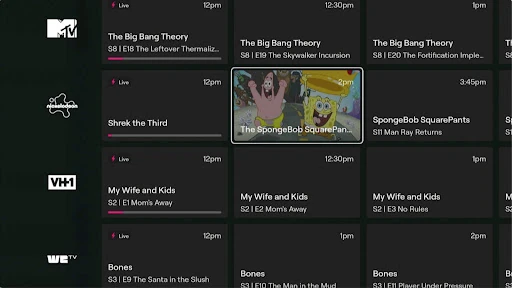
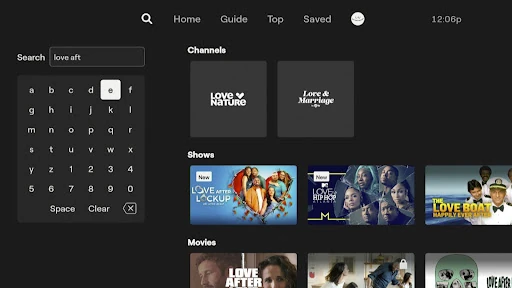
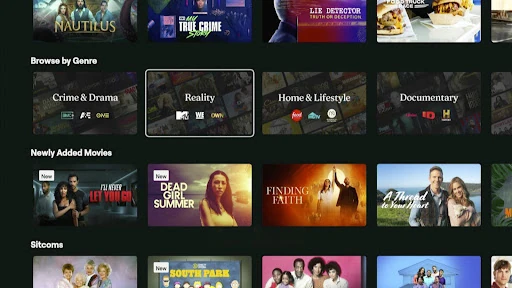
When I want something on without committing to a particular movie, Philo gives me two useful starting points: browse live channels or look through shows and movies on demand. The free channels make it possible to try the basic experience without signing up or entering a credit card. If I have a specific favorite in mind, search offers a more direct route than scrolling through whatever happens to be airing.
The app also helps when my viewing plans are less predictable. A paid subscription includes an unlimited DVR for saving currently or recently aired content, so I can keep a show for later rather than build my evening around its schedule. I can skip ads in saved recordings, and those recordings can be watched for up to a year. That makes Philo feel more useful as a flexible TV library than a strictly live channel guide.
A Cable Alternative, Not Everything
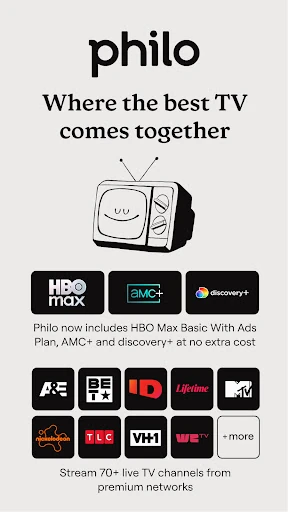
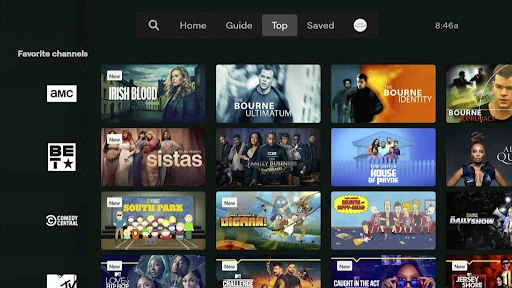
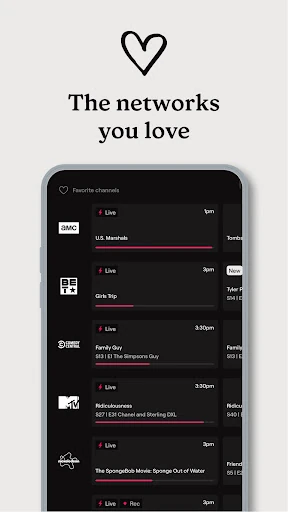
Philo makes sense as an alternative to keeping a traditional television setup just for familiar entertainment networks. Its paid lineup includes more than 70 networks, with examples such as AMC, BET, Discovery, Food Network, Hallmark, HGTV, History Channel, Lifetime, MTV, and Nickelodeon. It also brings together on-demand libraries and access to services including discovery+ and HBO Max Basic with Ads, depending on the subscription described in the app.
I would not treat it as a universal replacement for every kind of television viewing. Its pitch is centered on entertainment channels, shows, and movies, rather than promising every channel or every viewing need. The practical question is whether the networks and libraries you care about are included. If you mainly want a particular type of programming that is not part of Philo’s described offering, another service may be a better fit.
Small Habits That Help
I get more from a streaming library when I save titles as I come across them instead of trying to remember their names later. Philo’s DVR supports that habit: save currently or recently aired shows and movies, then return when there is time. Since saved recordings can remain available for up to a year, the feature is suited to building a personal queue rather than catching up only within a short window.
Profiles are another useful bit of housekeeping, especially when several people share an account. Philo supports up to 10 custom profiles, with each person getting a separate sign-in, saved-show library, watch history, and recommendations. I would set those up early so one person’s viewing does not crowd another’s suggestions. The homepage, curated collections, trending selections, and search are also handy ways to alternate between browsing and finding a known favorite.
More From Our News Desk

Zoom Meetings, Google Meet, or Teams: Which Is Easiest to Join?

How I Build a Free Streaming Lineup With Tubi

Why Crunchyroll Is the Default Anime App for So Many Fans

YouTube TV: A Practical Guide to Cutting Cable

Rummikub and the Small Comfort of Phone Games

TeamViewer Remote Control or AnyDesk for Helping Family?
Who Will Enjoy Philo
I’d recommend Philo to people who like familiar entertainment networks and want live TV alongside an on-demand library. It is particularly appealing if you watch across more than one kind of device or prefer saving shows for later instead of planning around broadcast times. The free channels offer a low-commitment way to explore the app before deciding whether the paid subscription and its broader selection match your habits.
It may be less satisfying for viewers whose must-have programming is outside Philo’s described channel and library selection. People who want a service focused on only one show, or who rarely watch television, may not get much value from a subscription. Shared households may appreciate separate profiles and simultaneous streaming, but should still check whether the available networks and subscription details suit everyone who will use it.
Philo: Shows, Movies, Live TV. is an Entertainment app from Philo, Inc. On Google Play it has more than 5 million installs and a 4.4-star rating from about 32,000 ratings. The app is free to install, while in-app purchases are offered. Google Play lists in-app product prices from $29.00 to $38.00 per item, and the app contains ads.
Google Play gives the app a Teen content rating and lists Android 7.0 as the minimum requirement. The current version is 9.20.0-934307-google. It was released on December 19, 2018, and its latest update was February 2, 2026. Those details describe the app; subscription availability and the exact options presented can be checked in Google Play.
How Philo Fits Into Everyday Viewing
A Straightforward First Look
When I first opened Philo, the range of ways to watch stood out more than any single feature. The app is built around live channels, on-demand entertainment, and saved shows, so it can serve both a quick browse and a planned watch later. Free channels give curious viewers a way to start exploring without signing up or providing a credit card.
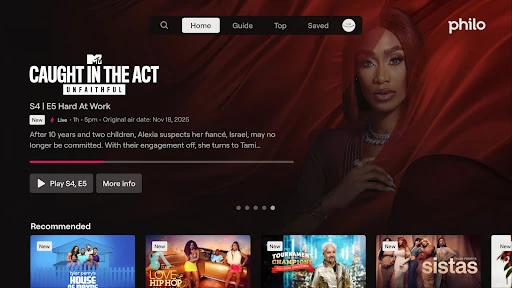
The choice between browsing and searching is practical. If I know what I want, a search bar can get me to a favorite faster; if I am undecided, the homepage offers new and trending content and curated collections. That balance makes the app approachable for casual viewing, while still giving regular users ways to return to saved programs.
The Day-to-Day Experience
Philo’s day-to-day appeal is having live and on-demand options in one place. I can look through more than 70 paid networks, including familiar names across reality, home, food, drama, and children’s programming, or browse its movies and shows library. The app also describes access to AMC+ and to discovery+ and HBO Max Basic with Ads as part of its subscription offering.
Device flexibility matters when viewing moves around the house. Philo says it works on desktop, tablet, mobile, and TV, and supports watching on up to three devices at once. That makes it easier for a household to use the same service in different rooms or on the go. I’d still check that the programs I care about are included before making it my main TV option.
Saving and Personalizing
The DVR is one of the features that most changes how I would use Philo. Paid subscribers can save currently or recently aired content with unlimited DVR storage and watch those recordings for up to a year. The ability to skip ads in saved recordings makes the library more appealing for catching up at my own pace, rather than treating live schedules as appointments.
Profiles make the service feel better suited to a shared account. Up to 10 custom profiles can have their own sign-in credentials, saved-show library, watch history, and recommendations. That separation is useful in a home where people watch very different things. It also helps keep a personal queue from becoming a mixed list of everybody’s latest picks.
A Useful Weekly Routine
A simple routine would be to browse the homepage when I have a few spare minutes, save anything that catches my eye, and watch it later from my library. Search handles the other situation: remembering a particular show and wanting to get to it without browsing a full selection. Curated collections and trending choices can help when I have no plan but still want a starting point.
For a household, I would pair that routine with individual profiles. Each person can keep their own saved shows and watch history, which makes it easier to pick up a personal queue later. The service’s support for up to three simultaneous streams adds flexibility for different schedules. These tools are most useful when people actually use their profiles consistently rather than sharing one viewing history.
Keep the Trade-Offs in Mind
The main limitation is that Philo’s selection has to line up with what you watch. A large collection and recognizable networks are helpful, but size alone does not guarantee that a particular must-watch title is available. I would check the channels and included libraries against my own favorites before relying on it as a replacement for another service or a cable package.
There is also a distinction between trying the free offering and subscribing for the wider feature set. The app describes free channels without a signup or credit card, while paid access brings its broader network lineup and unlimited DVR. Ads are part of the app experience, and HBO Max Basic with Ads is specifically named. I would review the current subscription choices and terms in Google Play before deciding.
Philo is a practical option for viewers who want entertainment-focused live TV, on-demand shows and movies, and a DVR that can make viewing less tied to a schedule. I especially like the combination of separate profiles, cross-device access, and a free way to explore some channels before committing.
I’d suggest trying the free channels first, then checking the paid lineup against the programs your household actually watches. If those networks fit, Philo can make a comfortable everyday streaming hub. If your favorites are missing, a broad library and useful DVR will not make up the difference.
Philo Frequently Asked Questions
What is Philo: Shows, Movies, Live TV. used for?
Philo is used to watch live television channels and on-demand shows and movies. Its app also offers free channels to try, while a paid subscription provides access to a broader selection of networks and an unlimited DVR. The app includes browsing, curated collections, search, and custom profiles for keeping viewing histories and saved shows separate.
Which devices can I use with Philo?
Philo describes support for desktop computers, tablets, mobile devices, and TVs. It also says that up to three devices can stream at once. The app is available on Android, and its Google Play minimum requirement is Android 7.0. Check the relevant device store or service information for current compatibility details.
What Android version does Philo require?
The Google Play requirements list Android 7.0 as the minimum version for Philo: Shows, Movies, Live TV. If your device runs an older version, check the app’s Google Play page for current compatibility information. Device support can change as app updates are released.
Is Philo free, or does it have in-app purchases?
Philo is free to install and offers free channels that can be watched without signing up or entering a credit card. Paid subscription options and in-app purchases are also available. Google Play lists in-app product prices from $29.00 to $38.00 per item; check the store for current subscription choices and pricing.
Is Philo a good fit for my household?
Philo may suit households that enjoy its entertainment networks, want live and on-demand viewing, and value separate profiles or watching on several devices. It may be less suitable if your favorite programming is not in its selection or you rarely watch TV. Trying the free channels and checking the included lineup can help you judge the fit.
Pros
- Free channels provide a way to explore the app without signing up or entering a credit card.
- Unlimited DVR lets paid subscribers save shows and movies for up to a year.
- Custom profiles keep saved shows, watch histories, and recommendations separate.
- Supports viewing across mobile, tablet, desktop, and TV devices.
Cons
- The channel and library selection may not include every viewer’s must-watch programs.
- The broader network lineup and unlimited DVR require a paid subscription.
- The app contains ads, and HBO Max Basic is described as an ads-supported plan.
- Category
- Entertainment
- Version
- 9.20.0-934307-google











