Paylocity
- 306.10K
- 4.7
- Installs
- 5.00M
- Price
- Free

Screenshots
Analysis by Reviewed APKs
Paylocity is a work app for employees and supervisors whose employers use Paylocity for HR, payroll, scheduling, and related tasks. It brings everyday work details—like pay information, timekeeping, schedules, and messages—into one mobile experience. I like the breadth of what it covers, especially for people who need to check work matters between shifts. Its usefulness, though, depends on what an employer has enabled.
A quick workday check-in
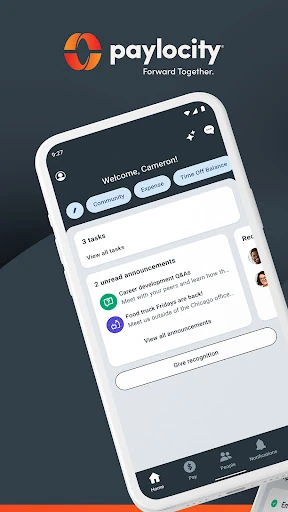
Picture checking your schedule before leaving home, then clocking in when you arrive and looking at a paycheck later in the week. Paylocity is built to bring those workday tasks together rather than make you switch between separate HR and payroll tools. The home screen is personalized, and the app can also surface messages and tasks, so it can serve as a handy starting point for routine work admin.
I can see the value most clearly in small moments: checking a timesheet after a shift, reviewing a time-off request, or updating personal information without waiting to sit down at a computer. Push notifications can flag events such as an approval or a newly available check. That makes the app feel more like a work companion for quick updates than a place you need to spend a long session.
One workplace, not every workplace
Compared with a separate payroll app, scheduling tool, and employee directory, Paylocity aims to gather several workplace functions in one place. That can be convenient if your employer already runs on Paylocity and has enabled the features you need. It is not a general-purpose job search or personal budgeting app, and it cannot replace the systems your employer uses for work that is not handled through Paylocity.
The employer connection is the key distinction. You need to work for a Paylocity client and have authorized credentials; the company’s security roles also affect which functions appear. So two coworkers may not have identical access, and the app may be less useful if your workplace uses only a narrow set of its tools. I’d treat it as an extension of your employer’s setup, not a standalone service.
Make routine checks count
A simple habit is to check the app at natural points in the week: before a shift for the schedule, after work for a timesheet, and around payday for current or historical pay information. If your employer uses time-off requests or expense reporting, checking for messages and approvals can help keep those tasks from lingering. Push notifications can also bring certain updates to your attention without a manual check.
It helps to learn which parts your employer actually uses, rather than expecting every listed capability to be available. Employees can review schedules, clock in or out, and manage some personal details where enabled; supervisors may have options for approvals or schedule editing. Keeping the app as a quick reference for the tasks you already handle through work gives it a clearer role than trying to explore every feature at once.
More From Our News Desk

Zoom Meetings, Google Meet, or Teams: Which Is Easiest to Join?

How I Build a Free Streaming Lineup With Tubi

Why Crunchyroll Is the Default Anime App for So Many Fans

YouTube TV: A Practical Guide to Cutting Cable

Rummikub and the Small Comfort of Phone Games

TeamViewer Remote Control or AnyDesk for Helping Family?
Who will find it useful
I’d recommend Paylocity to employees whose workplace uses the platform and who want a mobile way to check pay details, schedules, time records, messages, or assigned tasks. It should also be useful to supervisors who need to review timecards, handle time-off requests, or work with schedules and shifts. For those users, putting several routine work needs in one app can reduce the effort of keeping up.
It may not suit someone whose employer does not use Paylocity, since an authorized employer account is required. It is also not a universal replacement for every workplace system: access and available functions depend on company settings and security roles. If you only need a single occasional HR task, the app’s broader set of tools may matter less than whether your employer has made that task available.
Paylocity is a free Business app developed by Paylocity. Google Play shows more than 5 million installs and a 4.7-star rating from about 306,000 ratings. The app is rated Everyone. It is offered without a purchase price, in-app purchases, or ads, according to its store details.
The listed app version is 26.9.11. Paylocity was released on July 12, 2013, and its listed last update is October 27, 2026. The available details do not specify a minimum Android version, so check the Google Play listing on your device for current compatibility information.
How Paylocity Fits Into Work
Getting started
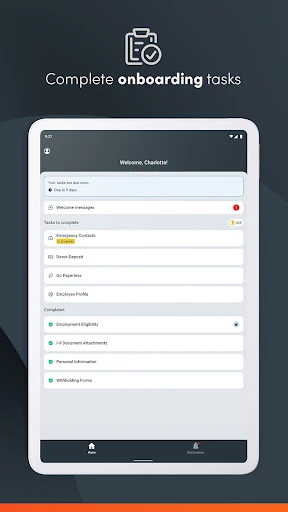
My first impression is that Paylocity is designed around access to an existing workplace account, not a self-guided service for people signing up on their own. The employer needs to be a Paylocity client, and the employee needs authorized credentials. That requirement sets expectations early: what you can do depends on your organization’s configuration, not simply on installing the app.
Once you have access, the personalized home screen is meant to bring useful work information and tasks together. The app supports a single login for its services, and biometric functions are available for quicker secure access. I’d start by checking which common items—such as pay information, schedules, and messages—are relevant to your role, then use those as the basis for a simple routine.
Everyday work details
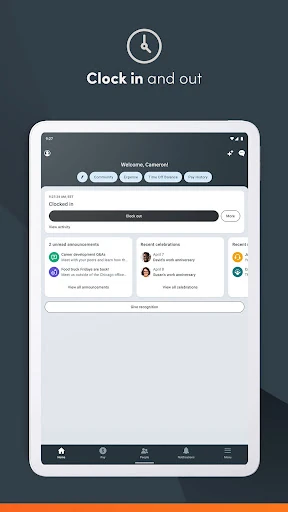
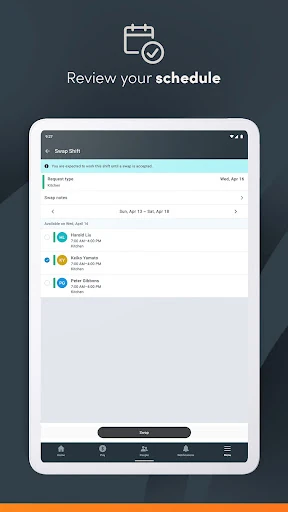
The practical center of the app is its mix of employee self-service and time-related tools. Depending on company access, you can view current and past pay information, review schedules and timesheets, clock in or out, update personal details, and access messages. That combination makes sense for people who need to handle a few work checks while away from a desk.
Notifications are useful when a work item changes, with examples including time-off approvals, checks becoming available, and chats. I would not expect every update to arrive for every user, because access and functionality vary by employer. Still, having relevant prompts alongside the ability to check information directly gives the app two ways to support everyday follow-up.
More than payroll
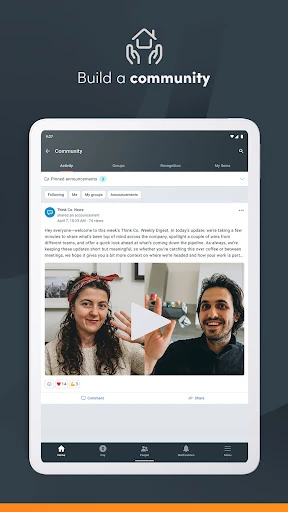
Paylocity reaches beyond pay and timekeeping. The app includes access to Community, a social collaboration hub for company updates and connecting with peers, as well as a company directory and interactive organizational chart. Those tools give it a workplace communication angle, rather than making it only a place to look up a paycheck.
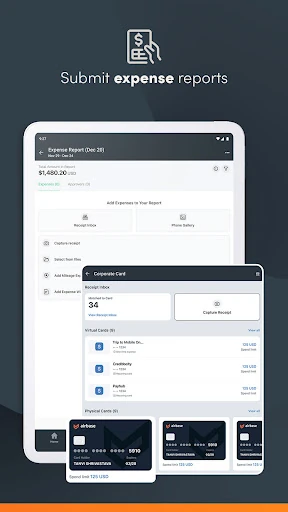
Expense tools add another practical layer. Employees can submit receipts, reconcile expenses, and track company card use, while supervisors can review and approve expense reports. The app also describes access to a portion of earned wages before payday. These features are relevant only where an employer has enabled them, but they show how the platform can cover several kinds of work admin.
A useful weekly rhythm
A workable routine might begin with a schedule check before the week starts, followed by a quick look at messages or time-off updates when notifications arrive. After a shift, reviewing a timesheet can help you stay aware of what has been recorded. Around payday, you can check current or historical pay information without making that the app’s only purpose.
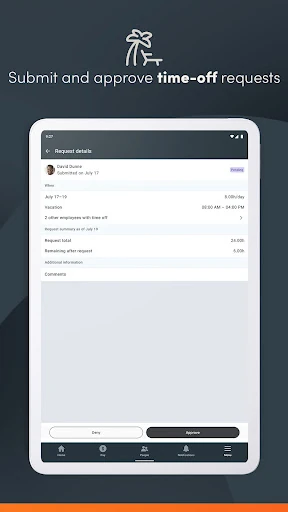
If expenses are part of your role, keeping receipt submission and card activity in the same general routine may make those tasks easier to remember. Supervisors can use the app for timecards, expense reports, time-off requests, and schedules where their permissions allow it. The best rhythm is a light one: use Paylocity when a work task calls for it, rather than treating it as another feed to check constantly.
Limits to keep in mind
The biggest limitation is the dependence on employer participation and permissions. Paylocity requires an employer that is a client, and the company decides which roles have access to the mobile app and its functions. That means a feature described as part of the platform may not be available to every employee. It is worth checking with your workplace if a particular task does not appear.
The app also covers work matters, so its value will be tied to how much of your organization’s routine runs through Paylocity. Someone seeking a standalone payroll product or a broad personal finance tool will not find that here. Security measures described for the app include encrypted activity, session timeouts, and account lockout after excessive failed logins, but users still need their authorized credentials to get started.
Paylocity makes a practical case for itself by bringing payroll, timekeeping, scheduling, workplace communication, and some expense tasks into one mobile app. I like that it can support both everyday employee checks and supervisor follow-up without presenting itself as a universal tool for everyone.
If your employer uses Paylocity and has enabled the functions you need, I’d give it a try as a convenient companion for routine work admin. If your workplace does not use it, or only a small part of its toolkit applies to you, there is little reason to make it part of your day.
Paylocity Mobile Frequently Asked Questions
What is the Paylocity app used for?
Paylocity gives authorized employees and supervisors mobile access to workplace information and tasks. Depending on employer settings, that can include pay details, schedules, timesheets, clocking in and out, personal information, messages, time-off requests, expenses, and company updates. It is intended to work with an employer’s Paylocity setup, rather than as an independent payroll service.
What devices can run the Paylocity app?
Paylocity is available for Android through Google Play. The Android version required can vary with app updates and device compatibility, so check the Google Play listing for the current requirement before installing. The app also requires an employer that uses Paylocity and an authorized account, so having a compatible device alone does not provide access.
What Android version does Paylocity require?
The Android requirement can vary as the app is updated, and the current minimum is worth checking on Google Play for your device. Paylocity’s features also depend on your employer’s settings and your security role. If you can install the app but cannot access a particular function, your organization may not have enabled it for your account.
Does Paylocity cost money or include purchases?
Paylocity is listed as free on Google Play, with no in-app purchases or ads in its store details. Access still depends on your employer being a Paylocity client and providing authorized credentials. If store terms or availability change, check the Google Play listing for the current details before downloading.
Is Paylocity suitable for every employee?
It is suitable for employees and supervisors whose organizations use Paylocity and provide access to the mobile app. The available tools differ by employer and security role, so not everyone will see the same functions. If your company does not use Paylocity, or you need a standalone personal payroll app, this is unlikely to be the right fit.
Pros
- Brings pay, schedules, timekeeping, messages, and other work tasks together.
- Supports both employee self-service and supervisor approvals where enabled.
- Push notifications can flag selected work updates and approvals.
- Includes company directory, organizational chart, and collaboration access.
Cons
- Requires an employer that uses Paylocity and authorized credentials.
- Available features depend on employer settings and individual security roles.
- The app’s usefulness is limited for people outside a participating workplace.
- Category
- Business
- Version
- 26.9.11











