Buffalo Wild Wings Ordering
- 221.07K
- 4.7
- Installs
- 5.00M
- Price
- Free

Screenshots
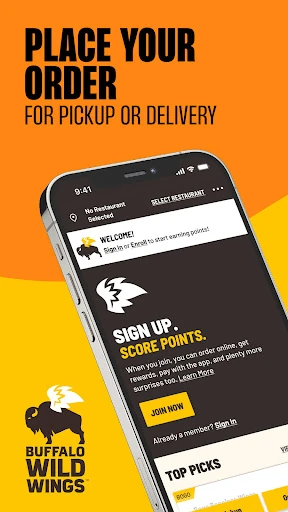
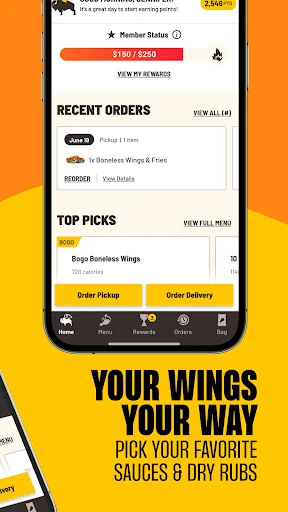
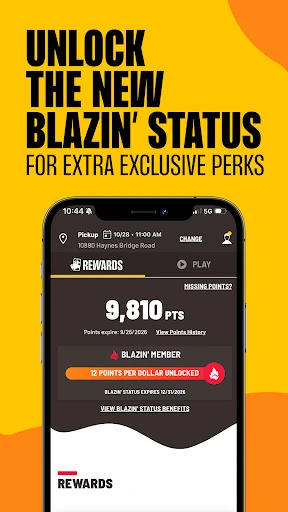
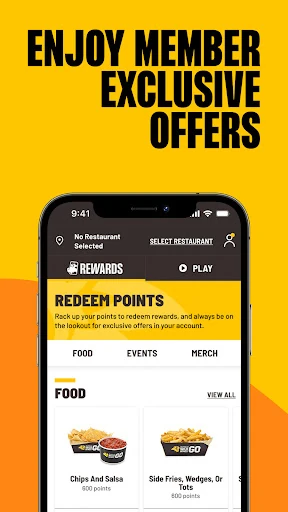
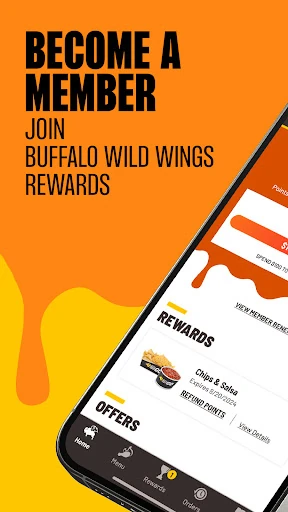
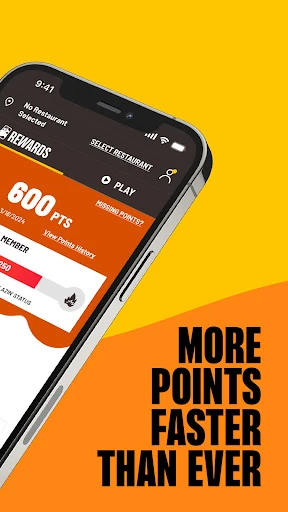
Analysis by Reviewed APKs
Buffalo Wild Wings Ordering is for placing pickup or delivery orders, customizing favorites, and keeping track of Buffalo Wild Wings Rewards. I found it most useful for the simple, familiar job of sorting out a meal before I arrive, rather than as a general restaurant-discovery app. It also puts points, offers, and games alongside ordering, which suits regular customers who like having those extras in one place.
A meal without the wait
When I want wings on the way home, the app gives me a straightforward place to handle the order ahead of time. I can choose pickup or delivery where available, customize favorites, and send in an order without first arriving at the restaurant. That makes it a practical fit for a weeknight dinner or a planned get-together when I already know Buffalo Wild Wings is what everyone wants.
I also like that the ordering job is connected to the rewards account. Rather than treating the meal and points as separate errands, the app lets me track rewards activity and offers in the same setting where I order. For a returning customer, that makes the app feel less like a one-off checkout tool and more like a handy companion for occasional meals, group orders, or a familiar favorite.
For fans of one chain
Compared with a broad restaurant-delivery app, Buffalo Wild Wings Ordering is more focused: it is built around ordering from Buffalo Wild Wings, finding a nearby location, and using the brand’s rewards features. That narrower scope is useful if I already have a particular restaurant in mind. I can customize and reorder favorites, and I can check my points or redeem rewards without switching between separate ordering and loyalty apps.
That focus is also the main boundary. I would not open it to compare restaurants across town or to plan a meal from a range of chains. Delivery is available only where offered, so the app’s usefulness depends partly on whether a suitable location serves my area. If I am undecided about what kind of food I want, a general food-ordering service is likely a better starting point.
Small habits, better flow
The easiest way to make the app feel useful is to save time on repeat decisions. Once I have a meal I like, the option to customize and reorder favorites can help me get back to it when I am hungry and short on time. I would still check the details before submitting, especially if I am changing the order, but having a familiar starting point makes repeat visits less of a chore.
I would also make a quick habit of checking rewards activity and available offers when I am already placing an order. The app supports tracking points, redeeming offers, and exchanging points for rewards, so those details can fit naturally into checkout planning. If I am at a location, the check-in trivia and other games are extras to explore when I have a few spare minutes, not steps I need for ordering.
More From Our News Desk

Zoom Meetings, Google Meet, or Teams: Which Is Easiest to Join?

How I Build a Free Streaming Lineup With Tubi

Why Crunchyroll Is the Default Anime App for So Many Fans

YouTube TV: A Practical Guide to Cutting Cable

Rummikub and the Small Comfort of Phone Games

TeamViewer Remote Control or AnyDesk for Helping Family?
Who will get the most from it
I would recommend Buffalo Wild Wings Ordering to people who already visit the chain and want to arrange pickup or delivery from their phone. It is especially handy for customers who repeat orders, like customizing familiar choices, or want to keep an eye on rewards and offers. The location finder adds another practical use when I am away from my usual area and want to locate a nearby Buffalo Wild Wings.
It may be less appealing if you rarely eat at Buffalo Wild Wings or want one app to compare many restaurants. The rewards, promotions, and games are tied to this particular brand, so their value depends on whether you actually use the restaurant. I would also keep local delivery availability in mind: the app offers delivery where available, but pickup may be the more relevant option in some areas.
Buffalo Wild Wings Ordering is published by Buffalo Wild Wings, Inc. On Google Play it has over 5 million installs and a 4.7-star rating from around 221,000 ratings. The app is free to download, and its Google Play details say it contains no ads and offers no in-app purchases. Its content rating is Everyone, making the store’s age classification straightforward.
The version listed in the supplied app details is 2026.20.7. It was released on September 14, 2015, and the listed last update date is October 24, 2026. I would check Google Play for the current Android requirements and the latest release details before installing, since device compatibility and app information can change.
How ordering fits into the routine
A simple first impression
When I first opened an app with this specific purpose, I wanted the basic choices to be clear: order for pickup or delivery, get to familiar food, and find a location. Buffalo Wild Wings Ordering’s described features cover those core jobs without asking me to treat it as a general dining guide. The scope is easy to understand, which is helpful when I am opening it because dinner plans are already underway.
Rewards are part of the setup too. The app lets customers sign up for Buffalo Wild Wings Rewards and then track points and rewards activity. That gives a returning customer a reason to keep the app installed beyond a single order. I would think of rewards as an optional layer, though; the central reason to use the app remains placing an order with the chain.
The everyday order
The most practical day-to-day loop is familiar: choose pickup or delivery where available, customize a favorite, and order ahead. I can see that working well when I am arranging food before leaving work or coordinating dinner with friends. Reordering favorites is useful for repeat customers who have already settled on what they like, while customization keeps the app from being limited to a fixed, one-size-fits-all order.
I appreciate that location finding belongs to the same app. If I am visiting another neighborhood, finding the nearest Buffalo Wild Wings is more relevant than digging through a separate search just to begin planning. The app is still centered on the restaurant’s own service, so I would not expect it to help me compare menus from competing chains or organize a wider food run.
Rewards and playful extras
The rewards features are the clearest addition beyond ordering. Customers can sign up, follow points and rewards activity, redeem offers, and exchange points for rewards. That gives regular visits a visible loyalty component. I would check the current rewards details in the app when deciding whether an offer suits a particular order, rather than assuming every promotion applies to every situation.
Games and promotions add a lighter side. The app describes exclusive games and promotions, plus a check-in option for trivia. I like the idea of having those extras available for someone already engaged with the brand, but they are not essential to getting food. If I am ordering in a hurry, I can focus on the meal and leave the games for another time.
A useful weekly routine
For a low-effort routine, I would open the app when I have already decided on Buffalo Wild Wings, then check the location and choose pickup or delivery depending on what is available. I would start from a favorite if I am repeating a usual order, make any needed changes, and review rewards activity or offers before completing the order. That sequence keeps the app’s extras relevant without turning dinner into a project.
For a group meal, I would use the same approach earlier rather than waiting until everyone is hungry. The app supports customizing favorites and ordering ahead, which can make it easier to settle the food plan before pickup or delivery becomes urgent. The location finder is useful if the group is meeting somewhere unfamiliar. I would still keep the app’s single-chain focus in mind when choosing where to order.
Keep the scope in mind
The biggest limitation is also the app’s defining choice: it serves Buffalo Wild Wings rather than the wider restaurant scene. That is no problem when I know what I want, but it is less helpful when I am browsing for inspiration or comparing places. Delivery availability also varies by location, so someone who expects delivery everywhere may need to choose pickup instead.
The extras may not matter to every customer. Rewards, points, promotions, and trivia are useful only if I want to engage with the brand’s loyalty and game features. Someone who just wants a one-time order can concentrate on pickup or delivery and ignore them. I would also check Google Play for Android compatibility and current app details, since those can change over time.
Buffalo Wild Wings Ordering does its best work as a focused ordering and loyalty app for people who already like the chain. Pickup or delivery, customized favorites, location finding, points, and rewards cover the practical basics, while games and trivia remain optional extras. It is a useful tool for repeat customers, not a substitute for a broad restaurant-finding service.
I would try it if Buffalo Wild Wings is already part of my meal rotation and I want ordering and rewards together. If I rarely eat there or want to compare many restaurants, I would look elsewhere for my main food-ordering app. For the right customer, its focused approach is a sensible convenience.
Buffalo Wild Wings Frequently Asked Questions
What is Buffalo Wild Wings Ordering used for?
Buffalo Wild Wings Ordering is used to order food for pickup or delivery where available. It also supports customizing and reordering favorites, finding a nearby location, joining Buffalo Wild Wings Rewards, tracking points, redeeming offers, and accessing games and check-in trivia.
Which devices can run Buffalo Wild Wings Ordering?
The supplied store details describe Buffalo Wild Wings Ordering as an Android app on Google Play. The minimum Android version is worth checking on its Google Play page, since compatibility details can vary with updates and devices. The app’s store page is the best place to confirm whether a particular phone can install it.
Does Buffalo Wild Wings Ordering cost money?
The app is free to download on Google Play. The supplied details say it has no in-app purchases and contains no ads. Food orders themselves are separate from the app download, and current ordering or offer details can vary, so check the app or its store page for the terms that apply.
Can I use Buffalo Wild Wings Ordering for delivery?
Yes. The app supports orders for pickup or delivery, with delivery available where offered. It also lets customers find a nearby Buffalo Wild Wings. Because local service options can differ, check the app for the choices available at the location you plan to use.
Who is Buffalo Wild Wings Ordering best for?
It is best suited to people who already order from Buffalo Wild Wings and want to customize or repeat favorites while keeping rewards activity in view. It may not suit someone looking to compare a wide range of restaurants, since its ordering and loyalty features are focused on this chain.
Pros
- Combines pickup and available delivery ordering with rewards activity in one app.
- Supports customizing and reordering favorites for repeat customers.
- Includes a location finder, offers, games, and check-in trivia.
Cons
- Focused on Buffalo Wild Wings rather than comparing multiple restaurant chains.
- Delivery is available only in locations where the service is offered.
- Rewards and game features may add little for occasional customers.
- Category
- Food & Drink
- Version
- 2026.20.7











