myMetro®
- 550.38K
- 4.7
- Installs
- 100.00M
- Price
- Free
Screenshots
Analysis by Reviewed APKs
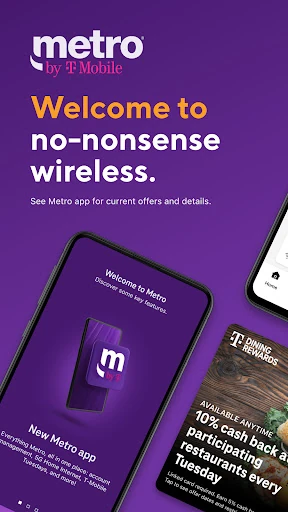
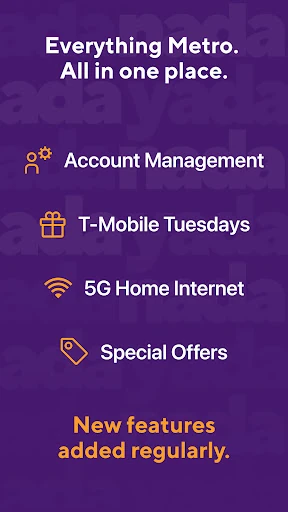
myMetro® is Metro by T-Mobile’s account and service app, bringing bill payment, Autopay sign-up, support resources, deals, and 5G Home Internet management together in one place. I see it as a practical companion for existing Metro customers rather than a general-purpose phone tool. Its appeal is straightforward: handle common account chores without having to hunt around, though it is most useful when you already use Metro services.
A Bill-Paying Routine
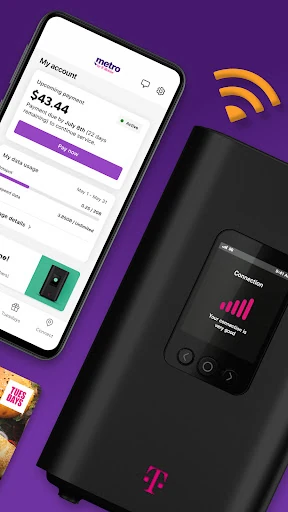
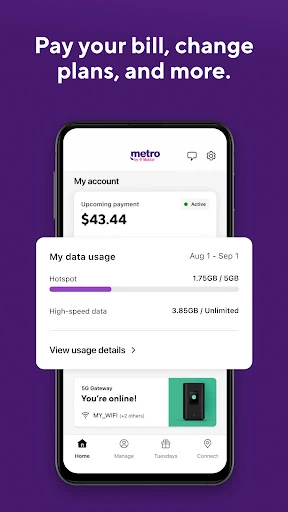
When I think about where myMetro fits into an ordinary day, bill time is the clearest example. Instead of treating a payment as a separate task that requires a call or a visit, I can use the app to pay my bill and look into signing up for Autopay. That gives the app a useful role in a small monthly routine: open it, take care of the account chore, and get on with the day.
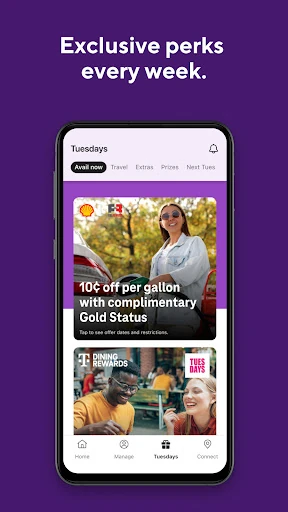
The app’s other listed jobs fit around that same routine. I can turn to it for support and customer resources when I have a question, or use it to manage a 5G Home Internet service alongside my Metro account. T-Mobile Tuesdays deals add a reason to check in between payments. It is not a dramatic transformation of phone service; it is a way to gather several customer tasks in one app.
An Account Tool, Not a Transit Guide
The name might sound like a public transit companion, but myMetro is for Metro by T-Mobile customers. Its focus is account management, bill payment, Autopay sign-up, support, deals, and 5G Home Internet. That distinction matters if you are searching for train schedules, route planning, or station maps: those are not the job this app describes. I would compare it with a carrier’s customer-service app, not a city travel planner.
That narrower purpose is also a strength. Someone who wants a single place for everyday Metro account tasks may find it more convenient than switching between unrelated channels to handle each chore. On the other hand, it has little reason to be part of a routine if you do not use Metro by T-Mobile. It is designed around that provider’s services, rather than serving as a general wireless account manager.
Make It a Small Habit
I would get the most from myMetro by tying it to tasks I already remember. A monthly bill reminder is a natural cue to open the app, pay the bill, and consider whether Autopay sign-up suits my routine. Keeping those actions together makes the app easier to remember than a tool I open only when something goes wrong. Support and customer resources are there for the moments when a question interrupts that routine.
A second useful habit is checking in when I have a reason, rather than browsing without a purpose. I might look for T-Mobile Tuesdays deals, or open the app when I need to manage my 5G Home Internet service. That keeps the experience focused on what the app actually offers. I would not expect it to replace general phone settings or provide tools unrelated to Metro service.
More From Our News Desk

Zoom Meetings, Google Meet, or Teams: Which Is Easiest to Join?

How I Build a Free Streaming Lineup With Tubi

Why Crunchyroll Is the Default Anime App for So Many Fans

YouTube TV: A Practical Guide to Cutting Cable

Rummikub and the Small Comfort of Phone Games

TeamViewer Remote Control or AnyDesk for Helping Family?
Who Will Find It Useful
I would recommend myMetro to people who already use Metro by T-Mobile and want an app for account chores. Paying bills, signing up for Autopay, finding support resources, checking deals, and managing 5G Home Internet are concrete reasons to keep it around. If those tasks come up in your household, having them grouped in a dedicated app can make the monthly service routine feel more manageable.
It may not suit someone looking for a broad phone utility or a public transit app, and it has limited purpose for people who are not Metro customers. I also would not choose it expecting features beyond the account, support, deals, and internet management described. For the right customer, its appeal is practical convenience; for everyone else, the provider-specific focus is a real limitation.
myMetro® is developed by Metro by T-Mobile and is listed in the Communication category on Google Play. The store reports over 100 million installs and a 4.7-star rating from around 550,000 ratings. It is free to download, and the supplied store facts say it contains ads. The content rating is Everyone, so the basic store details make it easy to assess before installing.
The supplied Android requirement is Android 11, and the current version in the provided facts is 11.4.0. The app was released on March 3, 2014, and its listed last update is January 25, 2026. The store information says there are no in-app purchases. Those details give a useful snapshot, though app versions and device requirements can change as updates arrive.
A Closer Look at Everyday Account Tasks
First Open and Setup
When I first open myMetro, I judge it by how clearly it points toward the jobs I came to do. The app is presented as a home for Metro account tasks, support, deals, and 5G Home Internet management. That gives me a simple mental map before I start: this is the place to deal with Metro service, not a general-purpose organizer or a transit app.
Because its purpose is tied to Metro service, the natural starting point is deciding which of those tasks matters to me. Maybe I am there to pay a bill, explore Autopay sign-up, or find customer resources. I would rather approach it with one of those small goals in mind than expect a long onboarding experience or features that are not part of its stated role.
The Day-to-Day Experience
The practical value of myMetro is in bringing several recurring customer needs into one app. Bill payment is an obvious task to return for, while support and customer resources make it useful when a question comes up. I like the idea of one familiar destination for these errands, especially when the alternative is remembering which channel to use for each separate account need.
Not every customer will open it every day, and that is fine. Its useful moments are likely to come in bursts: a bill needs attention, a support question appears, or I want to check the app’s deals. That makes it less of a constant companion and more of a service drawer I can reach for when needed. The value is convenience over time, not endless daily interaction.
More Than Bill Payment
The app covers more than a single payment task. It also lets customers sign up for Autopay, find support and customer resources, and get T-Mobile Tuesdays deals. I appreciate that these uses fit together around being a Metro customer. Instead of framing the app as only a payment shortcut, it gives people a few different reasons to return during the month.
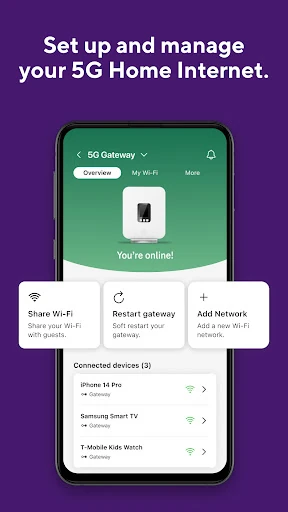
The 5G Home Internet management option is another useful part of that mix for customers who use the service. It extends the app beyond phone-account chores without changing its basic identity as a Metro service companion. I would treat these as practical account features, not assume that the app includes broader internet diagnostics or tools that are not described.
A Simple Monthly Check-In
A realistic routine could start with a reminder near bill time. I would open myMetro, take care of payment, and consider Autopay sign-up if I wanted to make future bills part of a more regular process. If something about the account needed attention, I could look for support and customer resources in the same app instead of putting off the question.
At another point in the month, I might check T-Mobile Tuesdays deals or use the app to manage 5G Home Internet. The key is to give each visit a purpose. This kind of routine does not depend on features beyond the app’s stated scope; it simply makes the available account and service tasks easier to remember and group together.
Keep the Scope in Mind
The main limitation is also the clearest expectation to set: myMetro is centered on Metro by T-Mobile. If I do not use the provider’s service, its account tools and deals have little relevance to me. It is not a universal carrier dashboard, nor does its name mean it offers public transportation maps or route planning. Knowing that upfront avoids installing it for the wrong reason.
The store facts also say the app contains ads, which is worth keeping in mind if I prefer a completely ad-free experience. Beyond that, I would check the current Google Play information for the latest version and device requirements before installing, since those details can change. For a Metro customer, the app’s focused set of tasks may be enough; it is not trying to serve every mobile need.
myMetro makes the most sense as a practical companion for Metro by T-Mobile customers. It brings bill payment, Autopay sign-up, support resources, T-Mobile Tuesdays deals, and 5G Home Internet management into one provider-focused app. I like that the use case is easy to understand, even if it is not the sort of app everyone needs to open each day.
If you already use Metro and want a convenient place for account tasks, I would give it a try. If you are looking for transit directions, a general phone utility, or tools for another carrier, this is not the right fit. Its strengths are everyday service management and a clear focus; its limits follow from that same focus.
myMetro Frequently Asked Questions
What is myMetro® used for?
myMetro® is an app for Metro by T-Mobile customers. It can be used to manage an account and 5G Home Internet, pay bills, sign up for Autopay, find support and customer resources, and get T-Mobile Tuesdays deals. It is not described as a public transit app or a general route planner.
Which devices can run myMetro®?
The supplied platform information is Android, and the listed minimum requirement is Android 11. The app is available through Google Play. Device compatibility can depend on the current app version and store requirements, so it is worth checking the Google Play details for your device before installing.
How much does myMetro® cost?
The supplied facts say myMetro® is free to download, with no in-app purchases. They also indicate that the app contains ads. Store details can change over time, so check Google Play for the current information before downloading or using the app.
Does myMetro® work with other carriers?
The app is presented as the customer app for Metro by T-Mobile, with tools for Metro accounts and services. It is not described as a way to manage accounts from other carriers. If you use a different provider, this app may not be useful for your service needs.
Who should use myMetro®?
It is best suited to Metro by T-Mobile customers who want to pay bills, explore Autopay sign-up, find support, check T-Mobile Tuesdays deals, or manage 5G Home Internet. It may not suit people who do not use Metro or who want a general-purpose app. Current compatibility and store details are worth checking on Google Play.
Pros
- Brings bill payment, Autopay sign-up, support, and deals together for Metro customers.
- Includes 5G Home Internet management alongside other Metro account tasks.
- Free to download, with no in-app purchases in the supplied store facts.
- Offers a focused place to handle recurring service chores.
Cons
- Its account tools are centered on Metro by T-Mobile customers.
- Contains ads according to the supplied Google Play facts.
- Not a public transit app despite what its name might suggest.
- Category
- Communication
- Version
- 11.4.0











