My Total Wireless: Account App
- 32.59K
- 4.3
- Installs
- 1.00M
- Price
- Free
Screenshots

Analysis by Reviewed APKs
My Total Wireless: Account App is a self-service companion for people who use Total Wireless and want to check their plan, data use, payments, devices, and rewards from a phone. I found its purpose refreshingly practical: it keeps routine account tasks close at hand rather than trying to replace a full customer-service experience. It makes the most sense if Total Wireless is already your carrier, or you are considering switching.
A Quick Account Check
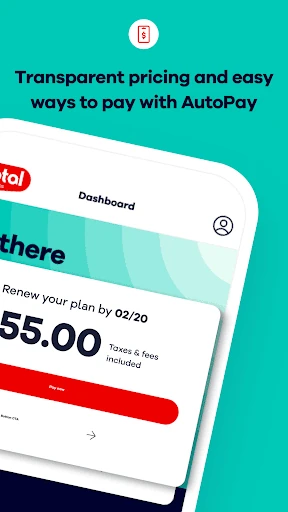
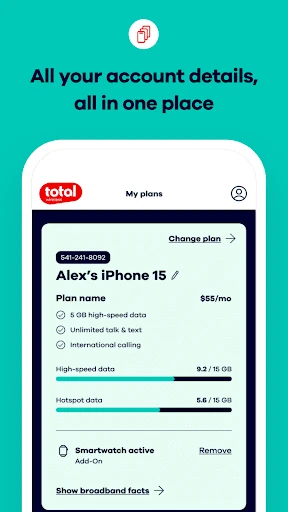
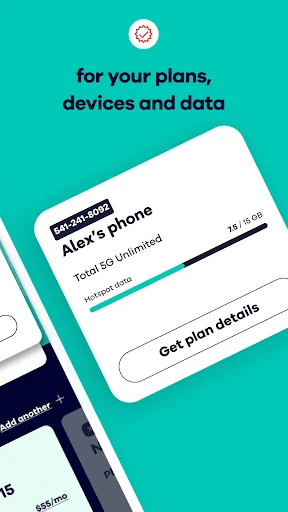
When I first opened My Total Wireless, I pictured using it during the small pauses when I would otherwise hunt for a service reminder or try to recall how much data I had used. The app brings together account details such as current plans, past and future payments, rewards, devices, and data usage. That makes it a handy place to check the basics before a renewal or when I am reviewing my phone service.
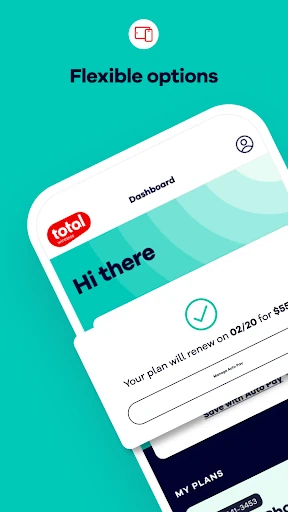
A realistic routine is to open the app before a plan payment is due, confirm the current plan, and review the account’s payment information. If I am curious about data use, I can check that too, even on an unlimited plan. The point is not to watch every megabyte; it is to have a quick reference when making a decision about service or simply making sure the account still reflects what I expect.
Account Tool, Not Carrier Guide
Compared with checking an account through a browser or keeping track of renewal details in memory, a dedicated account app puts the relevant service information in one mobile place. It is aimed at managing Total Wireless service: plans, devices, data use, payments, rewards, and account funds. For an existing customer who wants these details close by, that narrower focus is a plus rather than a limitation.
This is not a general phone utility, a mobile network diagnostic tool, or a comparison service for every carrier. Its tools relate to a Total Wireless account, and the service itself is the center of the experience. If I wanted broad advice about choosing among providers, or help with an unrelated handset issue, I would look elsewhere. The app is most useful once the task is specifically to manage this carrier relationship.
Make Checks a Habit
The app is easier to appreciate when I use it at natural checkpoints instead of opening it without a reason. I would check the plan and payment details around renewal time, glance at usage when a month feels unusually busy, and revisit rewards when I am already reviewing the account. These small checks help keep service information visible without turning phone management into a daily project.
It also helps to know what I want to check before signing in. For a quick account visit, I would focus on one item, such as data use or a future payment, then leave the rest for another time. If I am planning a change, I would review the current plan first and then explore the app’s plan-management options. That simple order makes the app feel like a useful reference rather than another inbox to monitor.
More From Our News Desk

Zoom Meetings, Google Meet, or Teams: Which Is Easiest to Join?

How I Build a Free Streaming Lineup With Tubi

Why Crunchyroll Is the Default Anime App for So Many Fans

YouTube TV: A Practical Guide to Cutting Cable

Rummikub and the Small Comfort of Phone Games

TeamViewer Remote Control or AnyDesk for Helping Family?
Who Will Find It Useful
I would recommend My Total Wireless to current customers who prefer checking account details on a phone. It brings together several practical bits of service information, including plans, data use, payments, rewards, and devices. People who keep an eye on renewal timing or like to review usage occasionally should find that kind of at-a-glance account access useful.
It may be less relevant if you do not use Total Wireless or prefer handling every account task on a computer. It is also not a broad carrier-shopping guide or a replacement for every kind of support interaction. People considering a switch may find the activation and plan information relevant, but the app’s everyday value is strongest once Total Wireless is the service they want to manage.
My Total Wireless: Account App is published by Total Wireless. On Google Play, it has over 1 million installs and a 4.3-star rating from about 32,600 ratings. The app is free to download, and the provided store facts show no in-app purchases or ads. Its content rating is Everyone.
The listed Android requirement is Android 7.0 or later. The current version is R29.1.0, and the app was last updated January 30, 2026. Its release date was November 9, 2016. These details offer a quick sense of the app’s availability and maintenance history, while the Google Play page is the place to check for changes to device compatibility or store information.
Everyday Service, One Account
A Straightforward First Look
When I first opened the app, its role was easy to understand: this is a mobile account companion for Total Wireless service. The promised account overview covers plans, payments, rewards, device management, and data use. That gives a new user a clear reason to sign in, whether the immediate goal is a quick usage check or a look at what is coming up next.
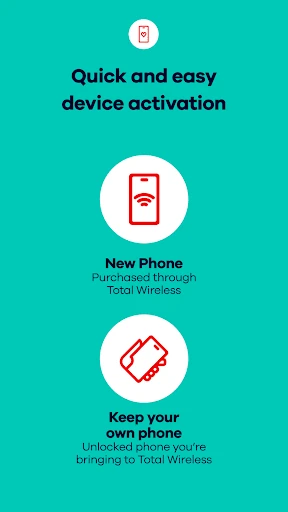
The description also calls out an improved activation experience for people getting started. That makes the app relevant beyond established customers, although its main strength remains ongoing account management. I would approach setup with my account details ready and treat the app as a service dashboard, not as a general-purpose phone setup tool.
Useful Between Renewals
Day to day, the app’s appeal is having account information available when I need to make a small service decision. I can review the current plan, monitor data use, and keep track of past or future payments. Those checks are especially convenient when I am away from a computer and want to confirm account details without turning the task into a longer visit.
Unlimited data does not make usage tracking pointless. A quick look can still help me understand how I use the service and whether the current plan feels like a good fit. The app also lets customers make plan updates, so checking the account before deciding whether to change anything is a sensible use of the dashboard.
Plans, Rewards, Wallet
The most distinctive parts are the combination of plan management and rewards tracking. The app gives customers a place to follow rewards, while the description outlines upgrade bonuses subject to conditions. Those terms matter: rewards depend on qualifying service and enrollment requirements, so I would read the applicable conditions rather than assume a benefit applies automatically.
The Total Wireless Wallet is another practical account feature. It lets customers add funds for purchases of service plans, devices, and accessories. Alongside device management and data monitoring, that makes the app broader than a simple payment reminder. It is still focused on the carrier’s own account and offerings, which is exactly what I would expect from a provider’s service app.
A Simple Monthly Routine
A useful routine would be to check the app around the time I review household subscriptions or phone bills. I would confirm the plan, look at payment timing, and check usage if my month included more streaming or travel than usual. If rewards are relevant to my account, I would review their status then as well, so the details stay connected to the service decisions I am already making.
When considering a plan change, I would begin by reviewing the existing plan and device details, then use the app’s plan-management tools to explore an update. If I am new to the service, activation is another reason to open it. In either case, brief, purposeful visits seem more useful than checking constantly.
Keep the Scope in Mind
The app’s usefulness depends on having a Total Wireless account or being interested in starting one. It does not serve as a neutral guide to all carriers, and its account tools naturally focus on Total Wireless plans and services. That is not a flaw for its intended audience, but it does mean someone looking for general mobile advice should not expect to find it here.
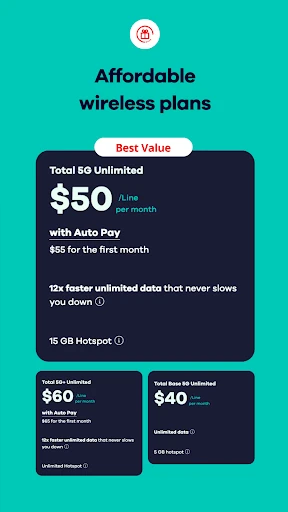
Some advertised plan offers and reward benefits have conditions, and network availability depends on factors such as having a compatible 5G device and being in a 5G service area. I would treat promotional details as something to check carefully before acting. The app can help manage the account, but the terms still matter when weighing a plan or reward.
My Total Wireless: Account App is a practical companion for keeping an eye on a Total Wireless account. Its mix of plan, payment, usage, device, wallet, and rewards tools makes routine service checks easier to handle from a phone. I like that it stays focused on the tasks customers are likely to revisit.
I would recommend it to Total Wireless customers who want a mobile way to review and manage service details. If you use another carrier or want a general phone-management tool, it will have limited appeal. For the audience it serves, it is a sensible place to start when an account question comes up.
My Total Wireless Frequently Asked Questions
What is My Total Wireless: Account App used for?
My Total Wireless: Account App is for managing a Total Wireless account. It lets customers keep track of plans, data use, devices, past and future payments, rewards, and account funds. It also supports plan updates and includes an activation experience for people getting started with the service.
Which devices can run My Total Wireless: Account App?
The app is available for Android, and the stated minimum requirement is Android 7.0. Check the Google Play page for current compatibility with a particular device, since supported requirements can change. The available facts describe the Android app and do not establish availability on other platforms.
Does My Total Wireless: Account App cost anything?
The app is free to download. The provided store information says it does not contain ads or in-app purchases. Service plans and other carrier offerings are separate from the app itself, so check the Google Play page and Total Wireless account information for current details that may vary.
Can I use My Total Wireless: Account App to track data?
Yes. The app is described as a way to monitor data usage, including for customers on unlimited plans. It also provides access to current plan information, payments, devices, and rewards. How useful those account details are will depend on your Total Wireless service and the tasks you want to manage.
Who should use My Total Wireless: Account App?
It is best suited to people who have Total Wireless service and want account details close at hand on an Android phone. It may also interest someone getting started with the service. People using another carrier or seeking a general carrier comparison tool are less likely to find it useful.
Pros
- Keeps plans, payments, rewards, devices, and data usage together in a mobile account view.
- Supports plan updates and includes an activation experience for new customers.
- Includes a wallet for adding funds toward service plans, devices, and accessories.
- Free to download, with no ads or in-app purchases in the provided store facts.
Cons
- Its account-management tools are designed specifically for Total Wireless customers.
- Some reward and promotional benefits depend on eligibility and stated terms.
- 5G service requires a compatible device and coverage in a 5G service area.
- Category
- Communication
- Version
- R29.1.0











