My Tello
- 3.59K
- 3.9
- Installs
- 100.00K
- Price
- Free
Screenshots

Analysis by Reviewed APKs
My Tello is an account and calling app for people who use Tello mobile service. It brings balance checks, plan changes, usage history, recharges and WiFi calling together in one place. I see its appeal most clearly for customers who want to manage prepaid service from their phone, especially when traveling. It is practical and focused, though its usefulness depends on already being a Tello customer.
A quick account check
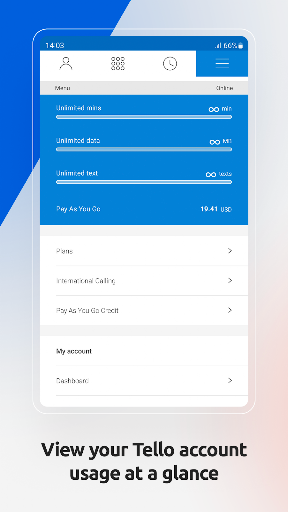
Picture checking your phone before heading out and wondering whether you have enough prepaid credit for a call. My Tello is built for that small, ordinary question: open the app, sign in with your Tello number and website password, and check the balance for your plans or Pay As You Go account. It also gives you a place to review rates for destinations, which can be useful before making an international call.
I can also see the app fitting into a travel routine. When I am away from home, I would want to confirm my account balance and use WiFi calling rather than guess what service is available. My Tello says customers can call over WiFi in the US or abroad using the same balance and phone number. That makes the account tools more than a billing dashboard: they support the practical job of staying reachable.
For Tello, not everyone
My Tello is different from a general-purpose phone dialer or a carrier-neutral account tracker. Its features are tied to Tello products and credentials, and its calling option is described for Tello customers. If you already use Tello, having plan controls, balances, bills and usage history together can save a trip to a website. If you use another mobile provider, there is little reason to expect this app to manage that service.
It is also not a tool for comparing every carrier or choosing a phone plan across the whole market. New Tello customers need to order a phone or bring their own device through Tello before using the service. The app handles account tasks once you are in that ecosystem; it is not presented as a general calling service for people without a Tello account. That narrow focus is a strength for existing customers and a clear boundary for everyone else.
Make account checks routine
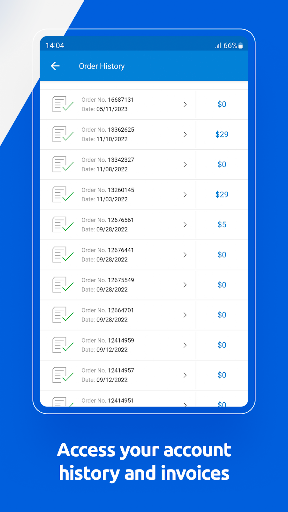
A useful habit would be checking balance and usage history before a trip or after a stretch of frequent calls. That gives you a better sense of what is left and whether a plan adjustment or recharge is worth considering. My Tello also lets customers view bills, so I would use it as a convenient place to look back at account activity instead of relying on memory.
The app supports recharging and setting up Auto Recharge, which can help customers avoid running out of credit. I would review those options deliberately rather than treat them as something to toggle without thinking. Plan changes are available too, including ordering a plan or upgrading or downgrading an existing one. Keeping these tasks in one place makes a quick monthly account check feel more manageable.
More From Our News Desk

Zoom Meetings, Google Meet, or Teams: Which Is Easiest to Join?

How I Build a Free Streaming Lineup With Tubi

Why Crunchyroll Is the Default Anime App for So Many Fans

YouTube TV: A Practical Guide to Cutting Cable

Rummikub and the Small Comfort of Phone Games

TeamViewer Remote Control or AnyDesk for Helping Family?
Who will find it useful
I would recommend My Tello to current Tello customers who regularly check prepaid balance, adjust plans or make calls over WiFi. It is especially relevant if you travel and want to use the same Tello number and balance while connected to WiFi. People who like having bills, usage history and customer service access near their account controls may also appreciate the straightforward, service-specific approach.
It may not suit someone who is still shopping among providers, since the app is designed around an existing Tello account rather than broad plan comparisons. It is also not likely to add much for a Tello customer who never manages their account on a phone and has no need for WiFi calling. The app’s value is practical rather than universal: it helps most when its account tools match your regular mobile-service chores.
My Tello is developed by Tello LLC and is available on Google Play for Android. The app is free to download, with no in-app purchases or ads. Google Play shows a 3.9 out of 5 rating from about 3,600 ratings and over 100,000 installs. Its content rating is Everyone. Those figures give a quick sense of its store presence, while the app’s main audience remains Tello customers.
The listed version is 3.23.2. My Tello was released on October 13, 2015, and its listed last update is October 19, 2026. No minimum Android version is provided in the supplied app details, so check Google Play for the current device requirements before installing. The app’s description says customers log in with their Tello phone number and Tello.com password.
A closer look at everyday account management
Getting into your account
When I first opened the description, the setup sounded refreshingly direct: download the app, then log in with a Tello phone number and the password used on Tello.com. That makes the app feel like a mobile extension of an existing account rather than a separate service to learn from scratch. It is aimed at getting customers to their account details and calling tools without adding much ceremony.
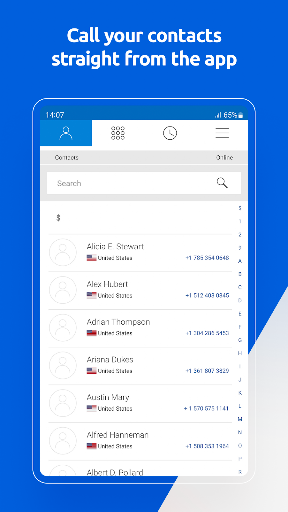
One practical detail is that the app can access phone contacts, and the description says it can run on multiple devices at once. Those options suggest it can fit into more than one everyday setup, such as keeping the account accessible on another device. I would still expect the core experience to make the most sense after the Tello account is active, since the app’s tools depend on that service.
Everyday account tasks
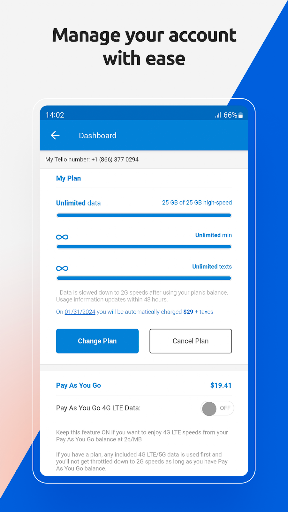
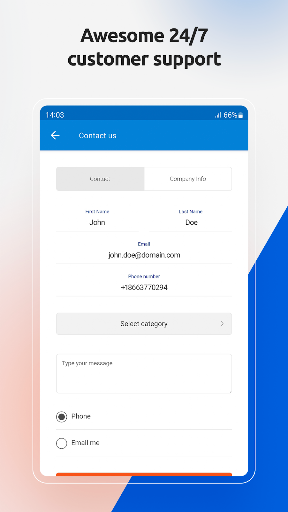
The central experience is account management at a glance. Customers can check balances for plans and Pay As You Go, view bills and usage history, and contact customer service directly from the app. I like that these are the sorts of tasks people tend to need between larger account decisions. The app is not asking users to turn mobile service into a hobby; it gathers routine checks in one place.
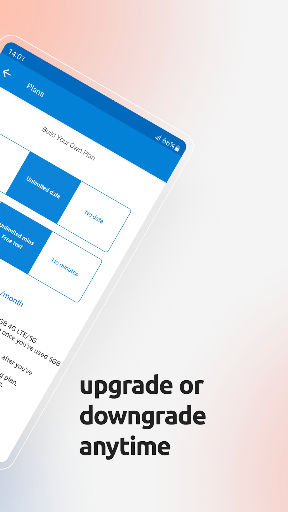
Plan controls add a little more depth than a read-only account screen. Customers can order a plan or upgrade or downgrade an existing one, and they can recharge their account. There is also an Auto Recharge option. These are useful tools for staying on top of prepaid service, though I would treat any recharge or plan change as a deliberate account decision rather than a background convenience.
WiFi calling and rates
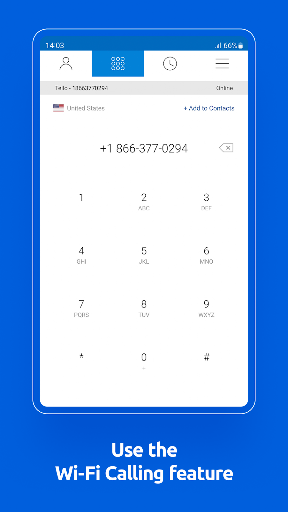
The standout feature is the connection between account management and calling over WiFi. The app is described as a way to start calls in the US and abroad over WiFi, using the same balance and phone number. For someone traveling or spending time where a WiFi connection is available, that is a concrete use beyond checking an account. It gives the app a role in staying connected as well as managing service.
The ability to check rates for destinations is another useful detail, particularly for customers considering international calls. Rather than assume a call will cost a certain amount, a user can look up the destination rate first. The description also says customers can use the service while in the US or abroad when connected to WiFi. I would keep that WiFi condition in mind when planning how to place a call.
A simple monthly check-in
A low-effort routine could be opening My Tello once a month to look at balance, usage history and bills. If a trip is coming up, I would check rates for destinations I expect to call and make sure I understand the account balance before relying on WiFi calling. This turns the app into a small preparation step, not something that needs attention every day.
If the account needs more credit or a different plan, the app offers recharge and plan-management options. Auto Recharge is available for customers who want to avoid running out of credit, but I would first decide whether that setup suits my own usage. The ability to contact customer service from the app is a useful fallback when a balance or plan question is not clear from the account information.
Keep its scope in mind
My Tello depends on being part of the Tello service, so its usefulness is limited for people who have not joined or who use a different provider. New customers need to order a phone or bring their own device through Tello. That makes this a companion app for an account, not a standalone way to get a phone number or compare mobile plans.
WiFi calling also has a practical condition: the description frames it around a WiFi connection. It is worth thinking about that before treating it as a substitute for every kind of mobile connectivity while traveling. The app provides balance, rates and account tools, but the supplied information does not give a minimum Android version. Check Google Play for device requirements and the latest details before installing.
My Tello has a clear job and mostly stays in its lane. For existing customers, it brings together the account checks and plan actions that otherwise can become scattered chores, with WiFi calling and destination rates adding a useful travel angle. It is not a universal phone-management app, but it does not need to be one to be handy for its intended audience.
I would try it if I were a Tello customer who checks prepaid credit, changes plans or wants to call over WiFi while away. If you are not using Tello, this is easy to skip. For the right person, the value is simple: familiar account tasks and calling access gathered in one mobile app.
My Tello Frequently Asked Questions
What is My Tello used for?
My Tello is for managing a Tello mobile account. Customers can check balances, view bills and usage history, check destination rates, order or change a plan, recharge, and contact customer service. The description also says customers can call over WiFi in the US or abroad using their Tello balance and phone number.
Which phones and devices support My Tello?
My Tello is an Android app available through Google Play. Its description says it can run on multiple devices at once, but the supplied details do not give a minimum Android version or a full compatibility list. Check Google Play for current device requirements before installing.
What Android version does My Tello require?
The minimum Android version is not provided in the app details here, and requirements can vary as the app is updated. Check the My Tello page on Google Play for the current compatibility information for your device.
Does My Tello cost money or include purchases?
My Tello is free to download and has no in-app purchases or ads according to its supplied app details. Tello account plans and Pay As You Go service are separate from the download, so check Google Play and Tello’s service information for current details that may affect your account.
Is My Tello useful if I am not a Tello customer?
The app is designed for Tello customers and uses a Tello phone number and Tello.com password for sign-in. New customers need to order a phone or bring their own device through Tello before using the service. If you use another provider, My Tello is unlikely to help manage your mobile account.
Pros
- Combines balances, bills, usage history, plan changes and recharges in one account app.
- Supports WiFi calling in the US and abroad for Tello customers.
- Lets customers check rates for destinations before making international calls.
- Includes direct access to customer service from the app.
Cons
- Its account tools are useful only within the Tello service.
- WiFi calling depends on having a WiFi connection.
- The supplied details do not state a minimum Android version.
- Category
- Communication
- Version
- 3.23.2











