MGM+
- 36.27K
- 4.6
- Installs
- 1.00M
- Price
- Free

Screenshots


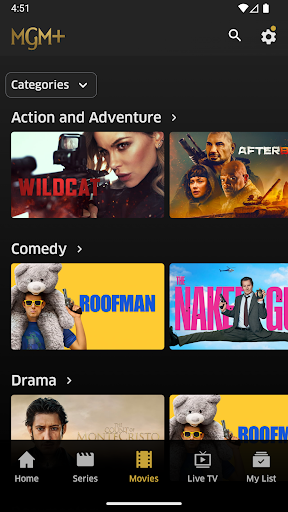
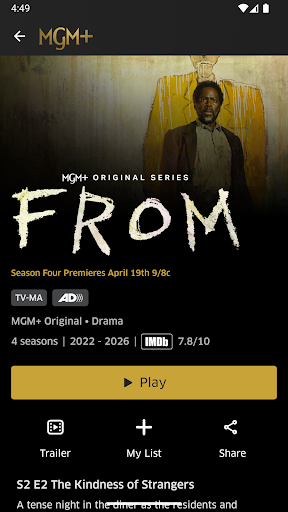
Analysis by Reviewed APKs
MGM+ is a subscription streaming app for watching movies, series and live channels on demand. I’d look at it if I wanted a dedicated home for MGM+ originals and a mix of films, rather than another general-purpose video service. In my view, its appeal is straightforward: it combines a curated library with useful basics like offline downloads and a watchlist, though the subscription is the key commitment.
A quiet night in
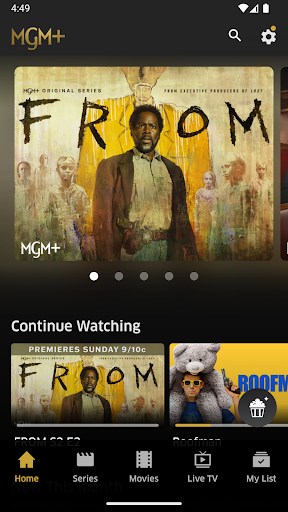
When I first thought about using MGM+, the most natural scenario was a regular evening at home: pick a series, watch an episode, and return to it later without having to remember where I left off. The app’s Continue Watching feature is made for that sort of stop-and-start routine. I could also browse movies when I wanted a complete story in one sitting, or choose a live channel when I felt like letting something run.
The service offers on-demand movies and series alongside 24/7 live channels, so the experience can suit either deliberate choosing or more casual viewing. I’d use My List to save a title that caught my eye while browsing, then come back to it when I had time. That small step is useful when I’m tired and don’t want to spend the first twenty minutes of a night scrolling through options.
A focused streaming choice
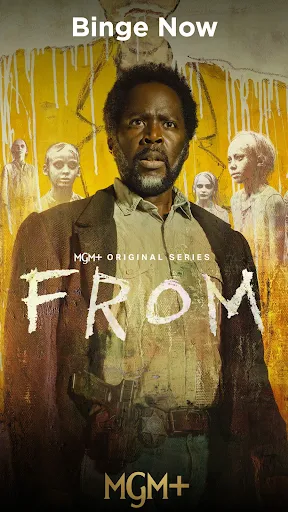
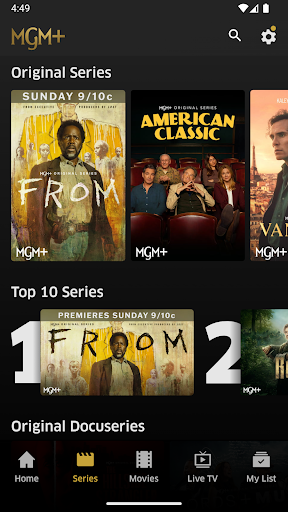
MGM+ makes the most sense as a focused subscription for viewers who want its particular combination of original series, films and live channels. The named originals include Godfather of Harlem, FROM and Billy the Kid, while the movie examples include Challengers and IF. I wouldn’t treat it as a replacement for every other entertainment app; it’s better thought of as another library to choose from when its titles suit my mood.
It is also not a general-purpose television or social app. The central job is streaming MGM+ content, not browsing a broad mix of user-uploaded videos or managing other household media. Access is limited to the US and certain US territories, and some restrictions apply. That makes it a less obvious fit for someone outside those areas, or for anyone who wants one subscription to cover every studio and service.
Small habits that help
I’d get more out of MGM+ by treating My List as a short queue instead of trying to remember every title I’ve noticed. Adding a few films and series during a browse gives me a practical starting point later. Continue Watching then handles the unfinished episode or movie, which is particularly helpful when viewing happens in brief stretches around dinner, chores or a busy week.
Downloads are another useful part of a routine. Before a trip or a stretch when my connection may be inconvenient, I could download selected content in the mobile app and watch offline. Since downloads are for select titles, I’d check that the specific show or film is available before relying on it. Live channels offer a different option when I want to switch on something without making a careful on-demand choice.
More From Our News Desk

Zoom Meetings, Google Meet, or Teams: Which Is Easiest to Join?

How I Build a Free Streaming Lineup With Tubi

Why Crunchyroll Is the Default Anime App for So Many Fans

YouTube TV: A Practical Guide to Cutting Cable

Rummikub and the Small Comfort of Phone Games

TeamViewer Remote Control or AnyDesk for Helping Family?
Who may enjoy MGM+
I’d recommend MGM+ to viewers who already have a reason to seek out its originals or movie selection and like having on-demand viewing, live channels and offline downloads together. It also suits people who tend to watch in installments: Continue Watching makes returning to a half-finished title easier, while My List gives a little structure to the next-watch decision.
It may not suit someone looking for a free streaming library, since access is subscription-based, or someone who expects one service to include everything they watch. The US and certain US territories are the supported areas described for access, so location matters too. If I mostly watch titles from other services, I’d compare the current MGM+ catalogue with my habits before adding another recurring subscription.
MGM+ is an Entertainment app from MGMPlus Entertainment LLC. On Google Play, it has over 1 million installs and a 4.6-star rating from around 36,000 ratings. Its content rating is Teen. The app is free to install, but streaming requires a subscription; Google Play reports in-app purchases ranging from $5.99 to $61.99 per item.
The subscription information describes a monthly option at $7.99, with an introductory seven-day free trial for new and eligible returning customers, plus an annual option at $61.99. Offers and renewal terms apply, and the subscription renews unless canceled or auto-renew is turned off. The app was released on February 7, 2019, and last updated on October 19, 2026. Its version varies with device.
How MGM+ Fits Into My Viewing Routine
Getting started
My first impression of MGM+ is that its purpose is easy to grasp: it is a place to stream movies and series, with live channels as another way to watch. The initial decision is less about learning a complicated tool and more about whether the service’s catalogue interests me enough to subscribe. I’d browse the available titles with that question in mind before building a watchlist.
The subscription offer includes a monthly plan and an annual option, with an introductory seven-day trial for new and eligible returning customers. I’d pay attention to the renewal terms when starting an offer, since the subscription automatically renews unless canceled or auto-renew is turned off. That is practical setup information, not a reason to avoid the app, but it is worth keeping in view from the beginning.
The everyday experience
Day to day, the strongest practical detail is continuity. Continue Watching lets me pick up a show or movie I have already started, rather than relying on memory to find it again. My List supports the other side of the routine: saving things I might want to watch later. Those features matter most when viewing is spread across several short sessions instead of one long weekend binge.
The service also offers a choice between on-demand titles and 24/7 live channels. I like that distinction because my viewing mood changes: sometimes I know exactly what I want, and sometimes I’d rather put on a channel without deciding on a particular film. The app is built around watching its available content, though, so its day-to-day value depends on whether that selection keeps matching what I want.
Features with a purpose
Offline downloads are the feature I’d plan around most carefully. They can help on a commute or a trip when I don’t want to depend on an internet connection, but downloads are available for select content. I’d check the title I want before leaving rather than assume the whole catalogue can be saved. Within that limit, downloading a chosen episode or film is a useful extension of mobile viewing.
The combination of originals and movies gives the catalogue a clear identity. Godfather of Harlem, FROM and Billy the Kid are examples of original series, while Challengers and IF are among the named films. I wouldn’t assume every title is available in HD: the service notes that select titles may not be. The range is the draw, while individual availability and presentation can vary by title.
A simple weekly rhythm
A routine I can imagine is browsing once at the start of the week, saving a couple of appealing titles to My List, and then choosing from that shortlist on quieter evenings. If I begin a series, Continue Watching makes it easier to return after a few days away. This avoids turning every viewing session into another round of browsing and gives the app a modest but useful role in my routine.
For travel, I’d add one extra step: check whether the titles I want are eligible for downloads, then save them in advance in the mobile app. At home, I might choose a live channel when I don’t have a specific plan. These are small habits rather than complicated workflows, which suits a streaming service. The value comes from using the tools to make choosing and resuming less of a chore.
Limits to keep in mind
The biggest consideration is the ongoing subscription. MGM+ is free to install, but the streaming service itself is subscription-based, with monthly and annual options described. A trial is introductory and eligibility-limited, and subscriptions renew automatically unless canceled or auto-renew is switched off. I’d make the decision based on whether I expect to watch enough of the catalogue, not just on the presence of a trial.
There are also boundaries around access and the catalogue. MGM+ is accessible in the US and certain US territories, and some restrictions apply. Select titles may not be available in HD, and offline downloads apply only to select content. Those details don’t make the app difficult to understand, but they do mean I’d check location, title availability and plan terms against what I actually need.
MGM+ is a practical streaming option with a clear identity: movies, series, originals and live channels, supported by watchlist, resume and offline-viewing features. I like that its useful tools address everyday viewing rather than adding complexity. The main question is whether the catalogue is a strong enough match for me to justify a subscription.
I’d try MGM+ if its named series and films already appeal to me, or if I want a more focused addition to my streaming routine. I’d skip it if I’m mainly looking for free viewing or a single service with every title. Before subscribing, I’d check the current offer, renewal terms and availability in my area.
MGM+ Frequently Asked Questions
What is MGM+ used for?
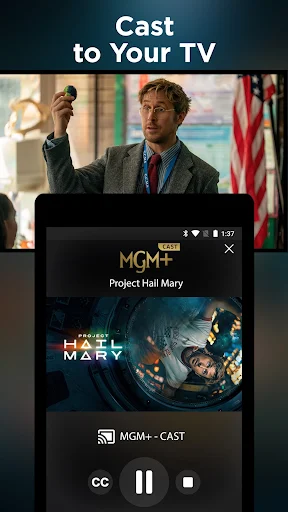
MGM+ is a streaming app for watching movies, series and 24/7 live channels. It also offers Continue Watching to resume titles, My List for saving favourites, and mobile downloads for select content. The service includes MGM+ original series as well as films. Access is described for the US and certain US territories.
Which devices can I use MGM+ on?
The supplied app information describes MGM+ as a mobile app and mentions downloads with its mobile apps. The platform here is Android, available through Google Play. Device support and compatibility can vary, so I’d check the Google Play store page for the current details for a particular device.
What Android version does MGM+ require?
The Android version requirement can vary by device and app release, so I’d check MGM+ on Google Play for the current minimum requirement before installing. The app’s version is listed as varying with device, which is another reason to use the store page for compatibility details.
Does MGM+ cost money?
MGM+ is free to install, but streaming requires a subscription. The described options include a $7.99 monthly plan and a $61.99 annual plan, plus an introductory seven-day trial for new and eligible returning customers. Subscription offers and terms may vary, so check the Google Play store page before subscribing.
Who is MGM+ best suited for?
I’d consider MGM+ if I want its original series, movies, live channels and mobile viewing features in one subscription. It may be less suitable if I want a free streaming service or a library that replaces all other services. The service is accessible in the US and certain US territories, so location is also worth checking.
Pros
- Combines on-demand movies and series with 24/7 live channels.
- Continue Watching and My List support easy, low-effort viewing routines.
- Select titles can be downloaded for offline viewing in mobile apps.
- Includes original series alongside a selection of movies.
Cons
- Streaming requires a subscription after any eligible introductory trial.
- Offline downloads are limited to select titles.
- Access is limited to the US and certain US territories.
- Category
- Entertainment











