KFC
- 12.00K
- 4.2
- Installs
- 1.00M
- Price
- Free
Screenshots
Analysis by Reviewed APKs
KFC is a food-ordering app for people who want to browse the menu, find a restaurant, and arrange Click & Collect or delivery without starting from scratch at the counter. I found its appeal straightforward: it brings ordering, restaurant information, and app-only offers together in one place. It suits occasional KFC customers as well as regulars, though it is focused on one chain rather than helping you compare restaurants.
A quicker way to order
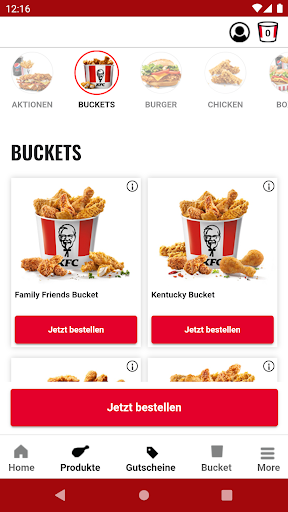
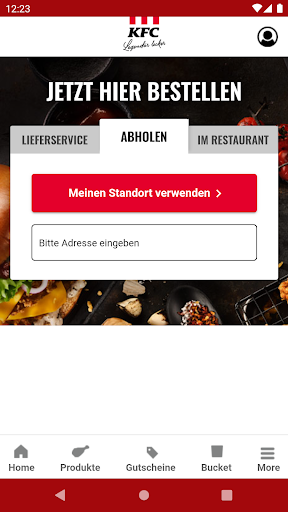
Picture getting home after a long day and realizing dinner still needs sorting. With KFC, I can open the product overview, look through the available food, and choose between delivery and Click & Collect. That makes the app useful when I already know I want KFC and would rather place the order on my phone than figure things out after arriving. The basic job is clear: browse, choose an ordering route, and get dinner moving.
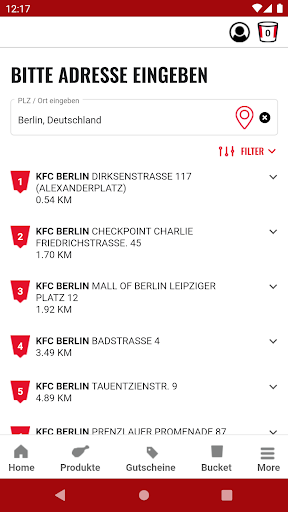
I also found the restaurant finder handy when I wanted to check where a nearby KFC might fit into an errand or trip. The app gathers that alongside its ordering options and general KFC information, so I do not have to treat finding a location as a separate task. App-only offers give regular customers another reason to check in before ordering. The experience is practical rather than elaborate, which works well when all I need is a meal.
A chain-specific tool
The natural comparison is ordering through a restaurant’s website or using a broader food-ordering service. KFC’s own app is most useful when KFC is already the destination: I can browse its product overview, find a restaurant, and see its Click & Collect and delivery options in the same place. The exclusive app offers may also be appealing if I check in before placing an order. Its focus is the point, not a weakness for every user.
That focus also sets a limit. This is not a general restaurant guide or a way to compare menus from several chains; it is built around KFC. I would not open it when I am undecided about what kind of food I want or when I need a wider range of local choices. And while the app helps arrange an order, it is not a substitute for knowing which KFC locations or services work for my particular plans.
Small habits that help
A useful habit is to check the app before setting out, rather than waiting until I am already near a restaurant. I can look at the product overview, check the restaurant finder, and decide whether delivery or Click & Collect makes more sense for that occasion. That simple pause helps me use the app for planning as well as ordering. It also gives me a chance to see whether an app offer catches my eye before I settle on a meal.
I would also make the restaurant finder part of any trip where location matters. Checking it alongside the ordering option keeps the basic decisions together: where to go and how to get the food. For a repeat customer, revisiting the app offers is another low-effort routine. The app does not need a complicated workflow to be useful; a quick menu-and-location check is enough to make ordering feel more organized.
More From Our News Desk

Zoom Meetings, Google Meet, or Teams: Which Is Easiest to Join?

How I Build a Free Streaming Lineup With Tubi

Why Crunchyroll Is the Default Anime App for So Many Fans

YouTube TV: A Practical Guide to Cutting Cable

Rummikub and the Small Comfort of Phone Games

TeamViewer Remote Control or AnyDesk for Helping Family?
Who will find it useful
I would recommend KFC to people who already enjoy the chain and want a direct way to look over its products, find a restaurant, and order for delivery or Click & Collect. It is especially convenient for someone who tends to make the same kind of meal decision on the way home or while planning a quick stop. The app’s exclusive offers may be a welcome extra for customers who remember to check them before ordering.
It may not suit someone who wants to compare many restaurants, browse a broad range of cuisines, or use one app for every meal. The KFC focus is clear, so the value depends on whether the chain is already on your list. I would also look elsewhere if the main goal is a detailed restaurant-discovery experience rather than finding KFC information and placing a KFC order.
KFC is developed by KFC Germany and is listed in the Food & Drink category. On Google Play it has over 1 million installs and a 4.2-star rating from around 12,000 ratings. The app is free to install, and its store information says it has no in-app purchases and contains no ads. Its content rating is Everyone.
The current version in the supplied app information is 8.10.8, with the last update dated August 31, 2026. No release date or minimum Android version is provided in the supplied facts, so I have left those out. The app’s core listed services are Click & Collect and delivery, alongside a product overview, restaurant finder, and app-only offers.
What Ordering Feels Like in Practice
A direct first impression
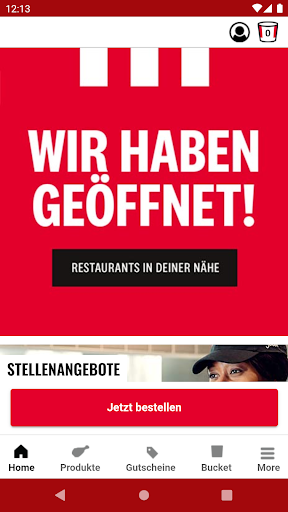
When I first opened KFC, the purpose was easy to understand: this is a place to browse KFC products, find a restaurant, and start an order. I did not have to work out whether it was a general food guide or a restaurant directory. The app puts its main kinds of information under one KFC-specific roof, which makes the experience feel direct for someone who has already decided what they are in the mood for.
Getting oriented is more about choosing what I need than learning a complicated system. If I am deciding what to order, I can begin with the product overview. If location is the sticking point, the restaurant finder is the relevant next step. The app also presents Click & Collect and delivery as ordering options. That clear division makes it easier to approach in short visits, such as checking the menu while I am planning a meal.
The everyday ordering loop
Day to day, I see the app working best as a short loop: check the food, consider the available ordering route, and use the restaurant finder when location matters. It is a handy setup for the moment when I want KFC but do not want to begin by searching around. I can use the product overview to get my bearings before deciding whether delivery or collecting an order is the better fit.
What I appreciate is that the app’s purpose remains consistent. It is not trying to be a social feed or a sprawling food marketplace; its value comes from putting KFC information and ordering options together. That makes it easy to return to when the craving is specific. The trade-off is equally simple: if I change my mind and want a different restaurant, I need another place to explore.
Offers and useful basics
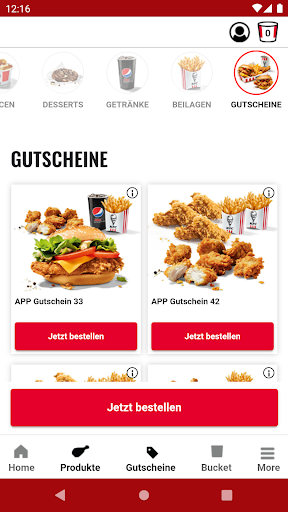
The app-only offers are the feature that gives me a reason to check the app even before I have settled on an order. They may make a visit more appealing for someone who already eats at KFC, and they sit naturally alongside the product overview and ordering options. I would treat them as a useful extra rather than the whole reason to install the app; the main convenience is having the basic KFC tasks gathered together.
The restaurant finder is another practical standout. Finding a location is often part of deciding whether to collect food or arrange delivery, so having that function in the same app makes sense. The product overview and general KFC information round out the experience. These features are not complicated, but they support the kinds of small decisions that come up before an order: what to look at, where to go, and which listed ordering option to use.
A simple meal routine
For a low-effort routine, I would check the app while deciding what to eat rather than waiting until I am ready to leave. I can browse the product overview, see whether there is an app offer worth considering, and use the restaurant finder if I need to check a location. Then I can choose between Click & Collect and delivery. Keeping those checks together makes the app useful for planning, not just for the final order.
On a day when I am already out, I would reverse the order: use the restaurant finder first, then look at the product overview and decide whether Click & Collect or delivery fits my plans. That is a small distinction, but it keeps the app relevant to different situations without needing a new routine for each one. I like that the core steps stay familiar whether I am at home or thinking ahead during an errand.
Keep the focus in mind
The main limitation is also the app’s defining choice: it is for KFC. That is convenient when I know the chain is what I want, but it does not help me weigh KFC against other restaurants or discover a broad selection of nearby food. Anyone expecting a multi-restaurant ordering service may find the scope narrow. I would think of it as a direct route to KFC rather than a universal meal-planning tool.
The app’s usefulness also depends on whether its ordering options and restaurant information suit the particular occasion. I would check the details in the app before making plans around a location or choosing a way to receive an order. That is a normal bit of care for restaurant ordering, not a reason to avoid the app. For a straightforward KFC visit, the focused set of functions is easier to understand than a more general-purpose platform.
KFC does a sensible job of bringing its product overview, restaurant finder, app-only offers, and delivery or Click & Collect options together. I found the idea most appealing for ordinary moments when I already know what I want and would like to plan the order without extra searching. Its focused approach keeps the experience easy to understand, even if it naturally limits the app’s usefulness outside the chain.
I would recommend it to KFC customers who want a convenient place to browse and arrange an order, especially if they will make use of the restaurant finder or check offers. If you are looking for a broad restaurant comparison tool, this is not the right fit. For a direct, chain-specific ordering companion, though, it covers the main practical jobs.
KFC Frequently Asked Questions
What is the KFC app used for?
KFC is for browsing the chain’s product overview, finding a restaurant, and arranging an order through Click & Collect or delivery. It also provides general KFC information and app-only offers. I would use it when KFC is already the restaurant I have in mind, rather than as a way to compare multiple food chains or explore a wide range of cuisines.
Which devices can run the KFC app?
The app is listed for Android on Google Play. The supplied information does not give a minimum Android version, so check the Google Play store entry for the current device requirements before installing. The app’s listed functions include the product overview, restaurant finder, app-only offers, and ordering through Click & Collect or delivery.
What Android version does KFC require?
The minimum Android version is not included in the available app information. Requirements can vary as the app is updated and can depend on a device, so I would check the KFC Google Play store entry for the latest compatibility details. The current version provided here is 8.10.8.
Does the KFC app cost money?
KFC is free to install on Google Play. The supplied store facts say it has no in-app purchases and contains no ads. If you want to check whether any ordering-related costs or offer details apply to a particular order, review the information shown in the app or store before proceeding, as those details may vary.
Is the KFC app a good fit for me?
It is a good fit if you already visit KFC and want a direct way to browse products, find a restaurant, check app-only offers, and choose delivery or Click & Collect. It may not suit you if you want to compare several restaurants or use one app for many chains. Its usefulness depends on whether KFC fits your meal plans.
Pros
- Combines KFC product browsing, restaurant finding, and ordering options in one app.
- Offers both Click & Collect and delivery as listed ways to order.
- App-only offers give regular KFC customers another reason to check in.
- Free to install, with no in-app purchases or ads listed.
Cons
- Focused on KFC, so it is not a multi-restaurant discovery or comparison tool.
- Its value depends on already wanting food from the KFC chain.
- The supplied information does not specify a minimum Android version.
- Category
- Food & Drink
- Version
- 8.10.8











