JustWatch - Streaming Guide
- 91.57K
- 4.4
- Installs
- 10.00M
- Price
- Free

Screenshots


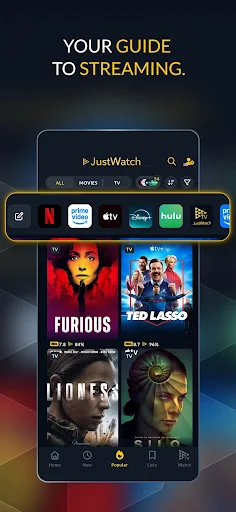
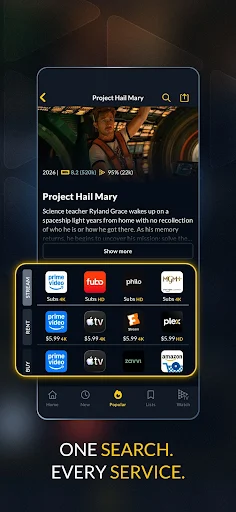
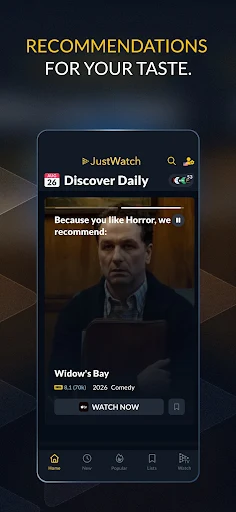
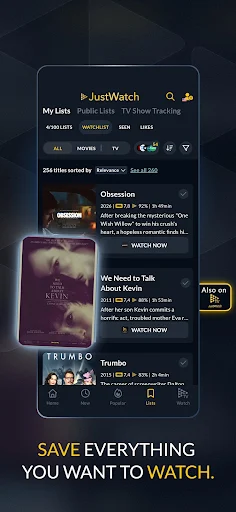

Analysis by Reviewed APKs
JustWatch - Streaming Guide helps me find where movies and TV shows are available across streaming services, including subscription, free, rental, and purchase options. It suits anyone who spends too long searching separate apps before settling on something to watch. I like it as a practical discovery tool rather than another streaming service to manage, with the added option of watching a selection of free, ad-supported titles through JustWatch TV.
The Movie Night Search
When I first opened JustWatch, I pictured the familiar Friday-night routine: someone suggests a film, everyone checks a different streaming app, and ten minutes disappear before the movie even starts. JustWatch gives that search a single starting point. I can look up a title and see where it is offered, including whether it is available by subscription, free with ads, for rent, or for purchase.
For a less certain choice, I can browse popular titles or the daily timeline of new releases and recently added shows. Filters for services, genre, release year, and age rating help narrow the options. I found that especially useful when I wanted something on a service I already had, rather than discovering a promising title only to find it required another subscription.
A Guide, Not a Streamer
The obvious alternative is searching each streaming service individually. That can work when I know exactly where a show lives, but it becomes tedious when I am browsing or comparing rental and subscription options. JustWatch brings provider offers together in one guide, and its search includes films and TV shows with details such as trailers, synopses, casts, and ratings.
It is still a guide, not a replacement for every streaming app. Its main job is helping me find options and decide what to watch; watching a title may send me to a provider. JustWatch TV adds a selection of free, ad-supported titles, but the app is not a universal library of every show or a promise that every provider carries the same catalog in every country.
Small Habits That Help
I get more from the app when I set my favorite services and use them as filters before browsing. That simple step makes the results feel more relevant to what I can actually watch. If I am in a particular mood, I can narrow things by genre or release year instead of scrolling through a broad list and hoping something catches my eye.
The watchlist is useful for the titles I hear about during the week but do not want to hunt down immediately. With a free account, it can sync across devices, and JustWatch can notify me when a saved title becomes available on my services. I also check the timeline for new arrivals and price-drop updates when I am open to renting or buying.
More From Our News Desk

Zoom Meetings, Google Meet, or Teams: Which Is Easiest to Join?

How I Build a Free Streaming Lineup With Tubi

Why Crunchyroll Is the Default Anime App for So Many Fans

YouTube TV: A Practical Guide to Cutting Cable

Rummikub and the Small Comfort of Phone Games

TeamViewer Remote Control or AnyDesk for Helping Family?
Who Will Find It Useful
I would recommend JustWatch to people who use several streaming services, regularly browse for something new, or want to compare subscription, free, rental, and purchase options in one place. It is particularly handy for households that share viewing decisions, since filters and a watchlist give everyone a clearer starting point than a string of separate app searches.
It may be less useful if you use only one service and already know exactly what you want to watch. The guide also depends on the services and titles available in your region, so I would treat its results as a discovery aid and check the provider before making a rental or purchase. JustWatch TV is another option for people comfortable with ad-supported viewing.
JustWatch - Streaming Guide is an Entertainment app from JustWatch GmbH. On Google Play it has over 10 million installs and a 4.4-star rating from about 92,000 ratings. It is free to download, contains no ads, and offers in-app purchases priced from $3.99 to $49.99 per item. The content rating is Teen.
The version varies with device. The app was released on July 20, 2015, and its last update is dated November 2, 2026. The Android version requirement can vary by device, so it is worth checking the Google Play details for compatibility before installing.
Making Streaming Searches Less Tedious
A Straightforward First Look
When I first opened JustWatch, the purpose was easy to understand: search for a title or browse for something to watch, then check which providers have it. That clarity matters because a guide only saves time if I can get to useful results without learning a complicated system. I could approach it with a specific movie in mind or begin with the popular and newly added selections.
The first setup step that makes a difference is choosing favorite services. Once I filter around the subscriptions I use, the app becomes more personal and less like a giant catalog. I also found it helpful to remember that availability depends on region and provider; the app shows offers, while the actual viewing experience may continue in the provider's service.
Everyday Browsing
The day-to-day experience is built around reducing the back-and-forth between streaming apps. I can search for a known title, compare its offers, or browse when I do not have a particular choice in mind. The search covers movies and TV shows, with information such as a synopsis, cast, trailer, ratings, and available video-on-demand offers to help me decide.
I especially appreciate being able to distinguish how a title is available. A subscription option is different from a rental, purchase, or free stream with ads, and seeing those routes together helps me make a more informed choice. JustWatch is most useful before I press play: it helps me decide where to go, rather than replacing the services where I already watch.
Discovery Beyond Search
The timeline gives me a reason to check in even when I am not searching for one specific movie. It presents daily lists of new releases and recently added content across favorite providers. The popular section offers another route into browsing, while genre, year, service, and age-rating filters help bring a large selection down to something more manageable.
Price-drop updates are a practical addition for anyone who sometimes rents or buys films instead of relying only on subscriptions. The watchlist is the feature I would use most consistently: I can save a title for later, sync the list across devices with a free account, and receive a notification when a saved title becomes available on my services.
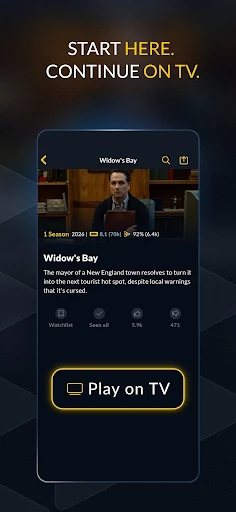
JustWatch TV adds a different kind of discovery. It offers a growing selection of movies and shows that can be streamed for free with ads, and JustWatch TV Plus provides an ad-free option. Availability for JustWatch TV is limited to specified countries, so this part of the experience depends on where I am.
A Useful Weekly Routine
My practical routine would be to add interesting recommendations to the watchlist as they come up, then look through the list when it is time to choose something. That keeps a casual suggestion from turning into a forgotten title and avoids repeating the same search across several services. With a free account, the list can follow me across devices.
For a planned movie night, I would filter by the services I already use and compare the available ways to watch. If nothing fits, I could broaden the search to free, rental, or purchase offers, or browse the timeline and popular picks. It is a small change in habit, but it turns an unfocused scroll into a more deliberate shortlist.
Keep the Boundaries in Mind
JustWatch can make discovery easier, but it cannot make every title available on every service. Provider catalogs and offers vary by region, and the app's guide covers many providers rather than every possible place to watch. I would check the destination service for final availability and details before committing to a rental or purchase.
The app is also less compelling for someone who watches on one service and rarely searches elsewhere. Its strongest value comes from comparing options, following new arrivals, and organizing a watchlist. JustWatch TV may broaden the experience, though it is an ad-supported selection rather than a substitute for a full subscription catalog.
JustWatch - Streaming Guide earns its place as a practical companion for the moment before watching. Its combination of provider search, filters, release browsing, price updates, and a cross-device watchlist makes choosing easier without pretending to replace streaming services themselves.
I would try it if I often lose time checking multiple apps or want a better way to track titles for later. If I already stick to one service and know what I want, I may not need a separate guide. For curious, multi-service viewers, it is a useful place to start.
JustWatch Frequently Asked Questions
What is JustWatch - Streaming Guide used for?
JustWatch helps you find where movies and TV shows are available across streaming providers. It includes subscription, free, ad-supported, rental, and purchase offers, along with search, filters, popular titles, release updates, price-drop information, and a watchlist. JustWatch TV also offers a selection of free titles with ads in supported countries.
Which devices and platforms support JustWatch - Streaming Guide?
The supplied app details describe the Android version, available through Google Play. The watchlist can sync across devices with a free account, but the exact range of supported devices and other platforms can vary. Check the store details for the version and device compatibility that apply to you.
What Android version does JustWatch - Streaming Guide require?
The Android version requirement can vary with the device. Before installing, check the Google Play details for the current compatibility information for your phone or tablet. The app version itself is also described as varying with device.
Does JustWatch - Streaming Guide cost money?
The app is free to download and contains no ads. It offers in-app purchases priced from $3.99 to $49.99 per item. JustWatch TV includes free streaming with ads, while JustWatch TV Plus offers an ad-free option. Check Google Play for current purchase details.
Who should use JustWatch - Streaming Guide?
It is a good fit for people who browse across several streaming services, compare viewing options, or want to keep a list of titles for later. It may add less value if you use one service and already know what you want. Provider and JustWatch TV availability can vary by region.
Pros
- Compares subscription, free, rental, and purchase options across many providers.
- Useful filters make browsing by service, genre, year, or age rating easier.
- Watchlist syncs across devices with a free account and can send availability notifications.
- Daily release updates and price-drop information support both browsing and deal checking.
Cons
- Availability varies by region and provider, so some searches may not match your local catalog.
- The guide helps locate titles but does not replace the streaming services themselves.
- JustWatch TV is ad-supported, and its availability is limited to selected countries.
- Category
- Entertainment











