Jitsi Meet
- 53.21K
- 3.7
- Installs
- 10.00M
- Price
- Free

Screenshots

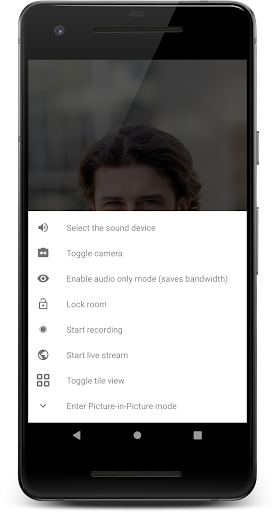
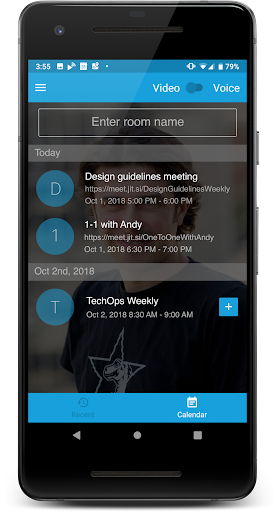
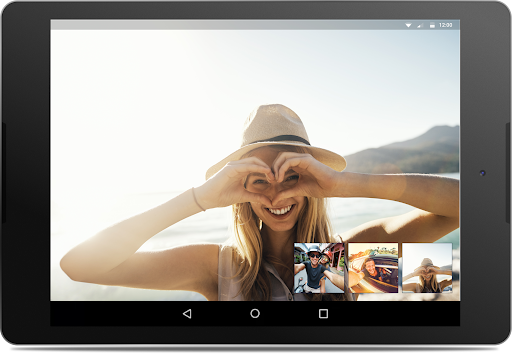
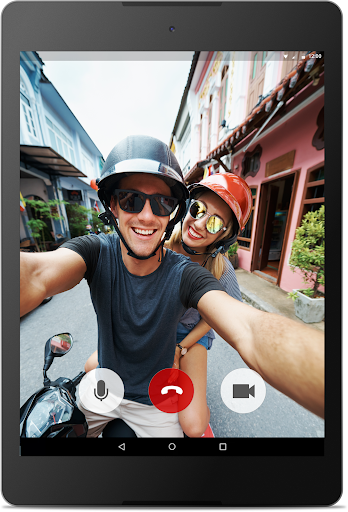
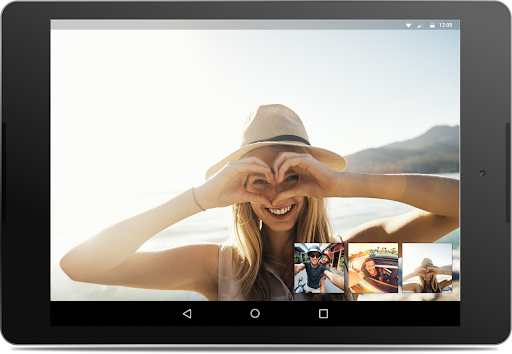
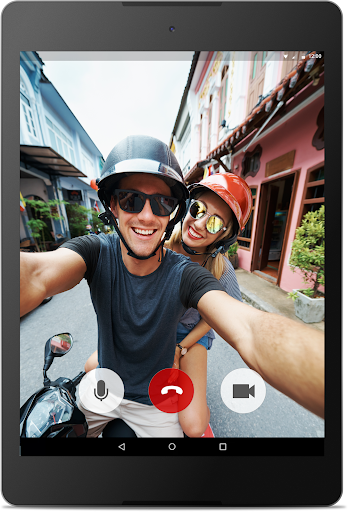
Analysis by Reviewed APKs
Jitsi Meet is a video-calling app for getting family, friends, or coworkers into the same online conversation without asking everyone to create an account. I like its straightforward approach: create a room, share its link, and let people join from the app or a browser. It suits casual catch-ups and simple team meetings, though the experience depends on the room’s server and available bandwidth.
A Link for the Catch-Up
When I picture using Jitsi Meet on an ordinary evening, it’s for a family catch-up where not everyone wants to install another app or remember a password. I can start a conference and share its room URL with the group. Relatives can join through a web browser, while I use the Android app. That keeps the invitation simple and makes it easier to include people with different devices or levels of technical patience.
For a work call, the same flow is useful when I need to bring a few colleagues together quickly rather than arrange a more involved meeting setup. If I want to limit entry, Jitsi Meet lets me protect a room with a password. That gives the host a straightforward access control option, while the shared link handles the practical job of getting everyone to the same conference.
A Lighter Meeting Option
Compared with a video service that expects every guest to install an app or register first, Jitsi Meet’s browser joining is a welcome alternative. That matters for one-off calls and family groups where people use a mix of devices. It is also different from messaging apps where a video call is just one part of a broader chat experience: Jitsi Meet is centered on getting a conference underway.
I would not treat it as a complete collaboration suite based on the features described. Its focus is video conferences, room links, and password protection, not document editing or a larger project-management workflow. It can suit a straightforward meeting, but teams that need those other tools should look elsewhere or use them alongside the call. The service also depends on server capacity and bandwidth rather than promising unlimited practical performance.
Make Room Links Easy
A small habit that helps is choosing a memorable room URL when that option is available. Jitsi Meet supports easy-to-remember conference addresses, which are more convenient to pass along than a string of random characters. I’d pick a name that is simple to type and share it directly with the people expected to join, instead of relying on everyone to find the room independently.
For a recurring group, I’d keep the invitation details together and decide whether the room needs a password before sending the link. That reduces last-minute back-and-forth and makes it clear how guests should enter. I’d also share the link early enough for browser-based guests to open it before the call begins. These are modest routines, but they suit an app whose main promise is keeping the path into a conference uncomplicated.
More From Our News Desk

Zoom Meetings, Google Meet, or Teams: Which Is Easiest to Join?

How I Build a Free Streaming Lineup With Tubi

Why Crunchyroll Is the Default Anime App for So Many Fans

YouTube TV: A Practical Guide to Cutting Cable

Rummikub and the Small Comfort of Phone Games

TeamViewer Remote Control or AnyDesk for Helping Family?
Who Might Like Jitsi Meet
I’d recommend Jitsi Meet to people who want a simple way to bring a group together by video, especially when some participants would rather join in a browser than install an app. Families, friends, and colleagues can all use the same basic room-and-link approach. It is also appealing if account creation is an unnecessary hurdle for the kind of occasional or informal calls you make.
It may be less suitable for someone shopping for a broad work platform with built-in document collaboration or a polished set of tools beyond video conferences. Large gatherings also need realistic expectations: the description says the practical limit depends on server power and bandwidth. If you mainly want a messaging app, rather than a dedicated place to start a meeting, Jitsi Meet may not be the best fit.
Jitsi Meet is a communication app from 8x8, Inc. On Google Play it has over 10 million installs and a 3.7-star rating from about 53,000 ratings. The app is free to download, with no in-app purchases and no ads. Its content rating is Everyone, making the store’s age classification suitable for a general audience.
The supplied release date is December 7, 2016, and the last update date is October 26, 2026. The current version varies with device. A minimum Android version is not specified in the available app facts, so check Google Play for compatibility with a particular device.
A Closer Look at the Call Flow
A Simple First Step
When I first opened the idea of Jitsi Meet, what stood out was how little ceremony its basic flow needs. The app is built around starting or joining a conference, not persuading every guest to make an account first. That is a practical difference for anyone who has tried to get a group onto a call while answering questions about sign-ups and downloads.
The browser option is part of that first impression, too. I can share a conference URL with someone who does not want to install anything, while keeping the Android app on my own device. A room password is available when I want to control access. Together, those choices make setup feel adaptable without turning the invitation into a complicated process.
The Everyday Call
Day to day, Jitsi Meet’s appeal is the short route from deciding to talk to actually having a conference. I can share a room link with friends, family, or coworkers and use the same basic setup across those kinds of conversations. There is no account requirement described, which removes one common point of friction for guests who only need to join this particular call.
The practical quality of a call is not just about the app, though. Jitsi Meet’s description says server power and bandwidth determine the usable scale, so a group’s connection and the service behind its room matter. I appreciate that distinction: no artificial participant limit does not mean every server can handle every gathering. For ordinary calls, it is a useful reminder to keep expectations grounded.
Room Access and Links
The most distinctive tools here are simple but useful. Rooms can be protected with a password, giving the host an option beyond merely circulating a link. That can help when a meeting is intended for a particular group. The app also supports memorable room URLs, which are easier to communicate than hard-to-recall combinations of letters and numbers.
Browser joining may be the feature that makes the biggest difference in mixed-device groups. Guests can open the conference in a web browser rather than being required to download the app. Jitsi Meet also describes its calls as encrypted by default. I’d keep that claim in its stated scope rather than assume it says more about privacy than the app’s description actually explains.
A Useful Weekly Routine
For a recurring family call, I’d start by choosing a memorable room address and sharing it in the group’s usual communication channel. If access should be limited, I’d set a password and include it with the invitation. This gives everyone one clear place to go and avoids turning the start of the call into a round of searching for the right meeting details.
Before the call, I’d check that the invitation makes sense to guests who are joining through a browser. For a team meeting, I’d send the same sort of concise link-and-password note ahead of time. Jitsi Meet’s basic setup does not need a complicated ceremony, and a repeatable invitation habit helps preserve that simplicity when the group meets again.
Keep the Limits in View
The clearest limitation is that practical capacity depends on server power and bandwidth. Jitsi Meet describes its participant count as having no artificial cap, but that is not the same as guaranteeing that any room can handle any group size. I’d use it with an understanding that network conditions and the server supporting the conference can affect what is feasible.
The app’s focused feature set is another consideration. The supplied description covers conferences, room passwords, browser access, encryption by default, and shareable URLs; it does not make Jitsi Meet a general-purpose collaboration workspace. If your routine depends on tools outside video calling, you may need a separate service for those tasks. The best fit is someone who values a direct route into a call.
Jitsi Meet makes a good case for keeping video calls uncomplicated: guests can join from a browser, accounts are not required, and rooms can have passwords. I like that the basic setup works for both personal and work conversations without making either use case the whole point.
I’d recommend it to people who want a practical meeting link and do not need a larger collaboration suite. Just keep server capacity and bandwidth in mind for bigger calls, and check Google Play for device compatibility before installing.
Jitsi Meet Frequently Asked Questions
What is Jitsi Meet used for?
Jitsi Meet is used to hold video conferences with family, friends, or colleagues. You can share a conference URL with guests, and they can join through the app or a web browser. Rooms can also be protected with a password. The service’s practical scale depends on server power and bandwidth.
Which devices and platforms support Jitsi Meet?
The app is available for Android, and the supplied description says guests can join conferences in a web browser without downloading the app. Check Google Play for current Android device compatibility. Browser availability and requirements may vary, so guests should check the joining experience for their device and browser.
What Android version does Jitsi Meet require?
The minimum Android version may vary by device or app release. Check the Jitsi Meet page on Google Play for the current compatibility details before installing. The app’s version is listed as varying with device, so the store is the best place to confirm what applies to a particular phone or tablet.
Does Jitsi Meet cost money?
Jitsi Meet is free to download on Google Play, and the available facts say it has no in-app purchases and no ads. Store details can change, so it is worth checking the current Google Play page before downloading if you want the latest information about cost.
Is Jitsi Meet a good fit for casual calls?
It can suit casual calls with family or friends, as well as straightforward meetings with colleagues. No account is required, and guests can join through a browser using a shared link. It may be less suitable if you need a broader collaboration suite or expect very large calls without regard to server capacity and bandwidth.
Pros
- Guests can join through a browser without installing the app.
- No account is required to use the conference service.
- Room passwords give hosts an access-control option.
- Memorable room URLs make invitations easier to share.
Cons
- Practical call size depends on server power and bandwidth.
- The described feature set focuses on conferencing rather than broader collaboration.
- Minimum Android compatibility should be checked on Google Play.
- Category
- Communication











