MP3 Downloader - Music Player
- 613.12K
- 4.3
- Installs
- 100.00M
- Price
- Free

Screenshots
Analysis by Reviewed APKs
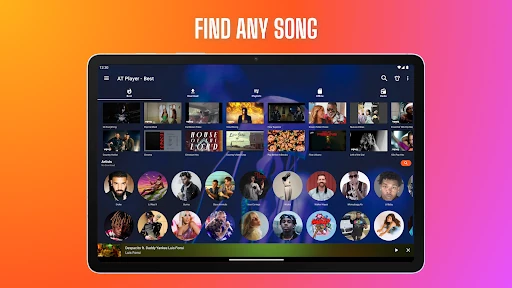
MP3 Downloader - Music Player brings together music search, streaming, offline listening from licensed sources, and a player for files already on your device. It suits people who want more than a basic local music library, especially listeners who like playlists, lyrics, radio, or playback controls in one app. My overall take is that it offers an unusually broad toolkit, but its YouTube limitations are important to understand before you install it.
A commute with options
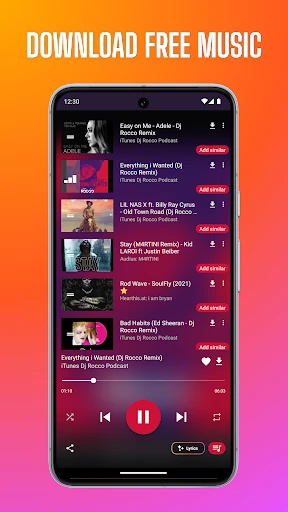
Picture getting ready for a commute and wanting one place to find something to listen to. With MP3 Downloader - Music Player, you can search for songs, artists, albums, playlists, and podcasts, or explore recommendations and charts. If you have music saved on your phone, the player also handles offline playback. That range is the app’s main everyday appeal: it can serve both a quick search and a listen-from-my-library routine.
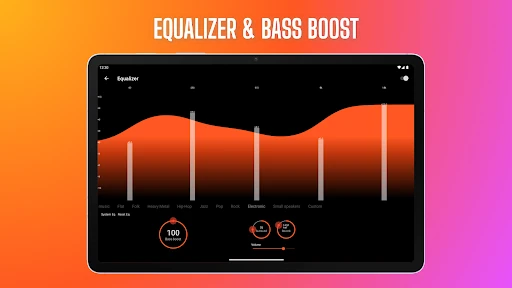
For a playlist you want to hear without a connection, the app describes downloads from licensed sources and offline playback. You can also make playlists, use lyrics, and adjust playback with an equalizer or bass boost. I’d treat these as different listening paths rather than assume every song found through search can be downloaded. In particular, YouTube music can be streamed, but YouTube content cannot be downloaded for offline listening.
More than a file player
A basic music player is usually focused on audio files already on your device. This app goes further by combining local playback with online music discovery, recommendations, FM radio, and podcasts. That makes it a better fit for someone who likes to switch between a familiar saved playlist and exploring something new, rather than someone who only needs a simple way to play a folder of tracks.
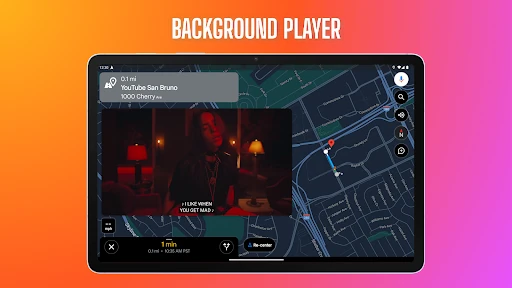
It is also not a way to turn YouTube videos into offline MP3s. The app specifically says YouTube content cannot be downloaded or cached for offline playback, and YouTube playback does not continue in the background or with the screen off. Those boundaries matter if your main goal is uninterrupted YouTube listening. For local files and supported offline sources, its broad player features are more relevant.
Small habits that help
I’d start by separating the app’s jobs in my mind: use search and recommendations to discover music, and use the offline player for files or downloads from licensed sources. That simple distinction makes it easier to know what will be available without a connection. If I find myself returning to a particular set of tracks, I’d save them into a playlist rather than rely on finding them again through search.
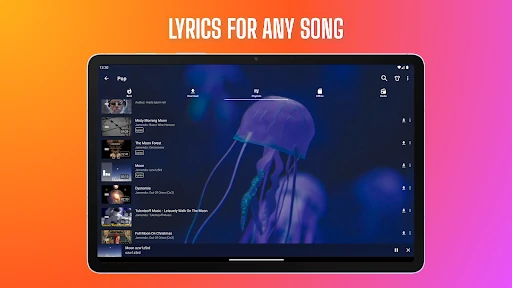
Playback tools can make a routine feel more personal without much setup. Lyrics are handy when I want to follow along, while variable speed can suit spoken audio or a closer listen to a track. The sleep timer is useful for a bedtime listening session, and headset or Bluetooth controls help when the phone is tucked away. Theme choices offer another way to tailor the experience.
More From Our News Desk

Zoom Meetings, Google Meet, or Teams: Which Is Easiest to Join?

How I Build a Free Streaming Lineup With Tubi

Why Crunchyroll Is the Default Anime App for So Many Fans

YouTube TV: A Practical Guide to Cutting Cable

Rummikub and the Small Comfort of Phone Games

TeamViewer Remote Control or AnyDesk for Helping Family?
Who may enjoy it
I’d recommend MP3 Downloader - Music Player to listeners who want a flexible music app rather than a bare-bones file player. It has plenty to explore, from playlists and lyrics to an equalizer, radio, podcasts, and music discovery. It may be especially appealing if you keep some audio offline and also enjoy browsing for new tracks or using different playback controls.
It may not suit someone who wants a clean, single-purpose player with few extras, or anyone choosing an app specifically to download YouTube music. YouTube streaming has clear limits here, including no background playback and no offline caching. Ads are present, and in-app purchases are offered, so listeners who strongly prefer an ad-free or subscription-free experience should consider those details before settling into the app.
MP3 Downloader - Music Player is a free Android app in the Music & Audio category, developed by Super Music Player Downloader. Google Play shows over 100 million installs and a 4.3-star rating from about 613,000 ratings. The app contains ads and offers in-app purchases. Its listed in-app product prices range from $0.99 to $99.99 per item.
Google Play gives the app a Teen content rating. Its release date is December 1, 2016, and the listed version is 20261030. The most recent update shown is October 29, 2026. The Android version requirement is not included in the provided app details, so check the Google Play entry on your device for compatibility information.
A closer look at listening
A broad first impression
The first thing I notice about the app’s scope is how many kinds of listening it tries to cover. It is not just an offline music player: the feature set includes online discovery, YouTube streaming, radio, podcasts, playlists, and tools for local audio. That all-in-one approach can be convenient, but it also means the app asks you to choose which parts matter to you.
I’d begin with the simplest task I actually need, such as playing a local track or searching for a familiar artist, then explore the additional tools later. There is no required account or subscription described, which lowers the commitment to trying it. The range of options may still feel like a lot if your usual routine is just pressing play on one saved playlist.
Everyday playback
For day-to-day listening, the app combines familiar controls such as shuffle and repeat with features like lyrics, bass boost, and variable speed. Its player supports a range of audio and video formats, including MP3, FLAC, and MP4. That breadth is useful if your library contains more than one kind of file, while playlists give you a way to group favorites or build a selection for a particular mood.
The difference between online and offline listening is worth keeping clear. You can listen to YouTube music in the app, but playback follows the stated screen-on restriction and cannot continue in the background. Offline playback is described for supported music and for the app’s licensed sources, not for YouTube content. Once that distinction is understood, the different ways to listen make more sense.
Tools beyond the basics
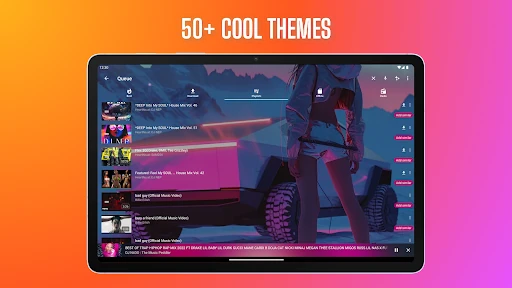
The standout extras are practical rather than exotic: an equalizer with presets, bass boost, lyrics, a sleep timer, and a ringtone cutter. More than 50 themes give you a choice of appearance, while a floating player is intended for multitasking. Pocket Mode is another small utility, designed to help prevent accidental touches while the phone is in a pocket.
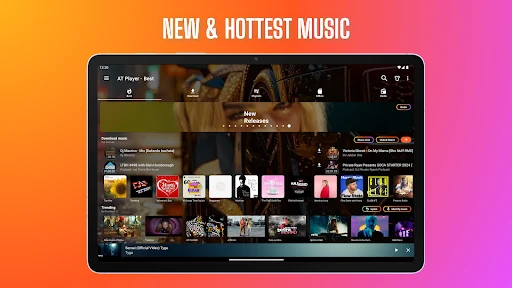
Music discovery has its own set of routes. You can search for artists and playlists, explore recommendations and charts, identify a song playing nearby, and import YouTube playlists. FM radio and podcasts add alternatives to a track-by-track search. I like the variety in principle, although people who only want to press play on a known album may never need most of these extras.
A practical listening routine
One sensible routine would be to use search or recommendations when you have a connection, then make playlists for the music you want to revisit. For offline listening, rely on audio available through licensed sources or files on your device, rather than expecting streamed YouTube content to become a download. That approach sets realistic expectations and makes the app’s different listening modes easier to navigate.
For an evening session, I’d choose a playlist, turn on lyrics if I want to follow the words, and set a sleep timer if I’m listening in bed. During another part of the day, Bluetooth controls or the floating player may be more useful. The point is not to use every feature at once; a couple of well-chosen tools can make this broad app feel more personal.
Limits to keep in mind
The most important limitation is the one suggested by the app’s name: it is not a YouTube downloader. The app says it cannot download or cache YouTube content, cannot play YouTube in the background, and does not play YouTube with the screen turned off. Anyone who installs it expecting those functions is likely to be disappointed, regardless of the other features available.
The large feature set can also be a trade-off. Radio, podcasts, themes, audio tools, and music search all expand the experience, but they make this less focused than a minimal player. Ads are included, and in-app purchases are available. If you value simplicity above discovery and customization, a straightforward local player may feel like a better match.
MP3 Downloader - Music Player is a capable choice for people who like having discovery, offline listening from licensed sources, and playback tools under one roof. Its breadth is its main strength, with useful extras such as lyrics, playlists, an equalizer, and a sleep timer. The key caveat is straightforward: YouTube streaming is not the same as downloading or background playback.
I’d suggest giving it a try if you want an adaptable music app and are comfortable with ads and a busy feature set. If your only goal is a simple file player—or specifically a YouTube-to-MP3 downloader—this is not the right fit. Knowing that distinction up front makes it easier to appreciate what the app does offer.
MP3 Downloader, YouTube Player Frequently Asked Questions
What is MP3 Downloader - Music Player used for?
MP3 Downloader - Music Player combines music search and discovery with playback for local audio, streaming, playlists, radio, and podcasts. It supports features such as lyrics, an equalizer, and offline listening from licensed sources. It does not download or cache YouTube content for offline playback, so it is not a YouTube music downloader.
Which devices support MP3 Downloader - Music Player?
MP3 Downloader - Music Player is an Android app available through Google Play. The provided app details do not specify a minimum Android version, and compatibility can depend on your device and current software. Check the Google Play entry from your phone for the requirements that apply to your device.
Is MP3 Downloader - Music Player free?
The app is free to install, but it contains ads and offers in-app purchases. Listed in-app product prices range from $0.99 to $99.99 per item. The exact purchase options you see may vary, so check the Google Play entry for current details before buying anything.
Can MP3 Downloader - Music Player download YouTube songs?
No. The app says it can stream YouTube music, but it does not download YouTube videos, cache YouTube content for offline use, or play YouTube in the background or with the screen off. Offline listening is described for supported music from licensed sources and for local files.
Who should use MP3 Downloader - Music Player?
It may suit listeners who want music discovery, playlists, local playback, radio, podcasts, and audio controls in one app. It may be less suitable if you want a very simple player or need YouTube downloads and background playback. Ads are included, and the broad collection of features may be more than some listeners need.
Pros
- Combines music discovery, local playback, radio, podcasts, playlists, and offline listening from licensed sources.
- Includes useful playback tools such as lyrics, an equalizer, bass boost, and a sleep timer.
- Supports many audio and video formats, including MP3, FLAC, and MP4.
- Offers themes, variable speed, playlist tools, and a floating player for added flexibility.
Cons
- YouTube content cannot be downloaded or cached for offline listening.
- YouTube playback does not continue in the background or with the screen off.
- Ads and a broad set of features may not suit listeners who prefer a simple player.
- Category
- Music & Audio
- Version
- 20261030