Music Player - MP3 Player
- 2.06M
- 3.6
- Installs
- 100.00M
- Price
- Free

Screenshots
Analysis by Reviewed APKs
Music Player - MP3 Player is an offline audio player for people who already keep music files on an Android device and want one place to browse and play them. It combines library views, playlists, sound adjustments, and a ringtone cutter rather than offering online streaming. I like its broad set of tools for a local collection, though the feature-rich approach may be more than someone wants from a simple player.
A commute with local music
When I want music for a commute without relying on a connection, Muzio’s offline focus makes sense: it plays audio files stored on the device, and its library can be browsed by albums, artists, playlists, genres, or folders. I can picture using the folder view to find an album I just added, then switching to an artist view later. Search by keyword gives me another route when I remember a title but not where it sits.
The everyday appeal is that it treats a personal collection as the starting point. I can line up a playlist for a walk, choose an album for a longer trip, or leave playback running while I do something else on the phone. A persistent notification appears while audio is playing because the app uses a foreground service to keep playback active in the background. It feels designed for listening to files I already have, not finding new music online.
A player, not a streaming service
Compared with a streaming app, Muzio is a different kind of tool. It does not offer online music downloads or streaming; it is for playing offline audio files. That distinction matters if I expect a large catalog, new-release discovery, or a radio station to fill the silence. Instead, the useful comparison is with a phone’s basic music player: Muzio adds more ways to organize and adjust a local collection.
The extra controls may suit someone who enjoys shaping a listening setup, but they are not essential for everyone. If I only need to tap a song and hear it, a more minimal player may feel less busy. Muzio also includes a built-in video player, but its central job remains audio playback. I would not choose it as a replacement for an online music subscription or as a source of music I do not already own.
Small habits that help
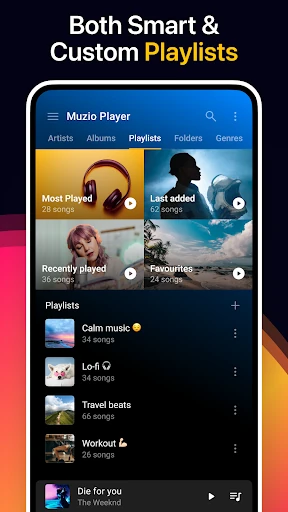
A little organization makes a local player easier to use. I would start by browsing folders to get familiar with how my files are grouped, then use artist, album, or genre views when I want a different angle. Custom playlists can separate moods or activities, while smart playlists offer another way to organize listening. The keyword search is handy when I am in a hurry and do not want to scroll through a long collection.
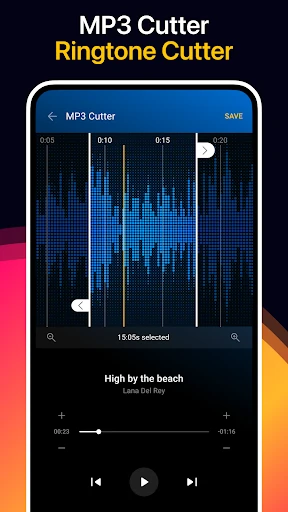
I would also treat the extra tools as occasional helpers rather than setup chores. A quick equalizer adjustment can tailor playback, and the sleep timer can be useful when I put on music at bedtime. If I make a ringtone from a track, the built-in cutter lets me select a section and save it for uses such as a ringtone, alarm, or notification. Backup and restore support is worth remembering when managing a collection.
More From Our News Desk

Zoom Meetings, Google Meet, or Teams: Which Is Easiest to Join?

How I Build a Free Streaming Lineup With Tubi

Why Crunchyroll Is the Default Anime App for So Many Fans

YouTube TV: A Practical Guide to Cutting Cable

Rummikub and the Small Comfort of Phone Games

TeamViewer Remote Control or AnyDesk for Helping Family?
Who will enjoy Muzio
I would recommend Music Player - MP3 Player to Android users with a collection of audio files who want more than a bare-bones play button. The variety of library views, playlist options, format support, and equalizer settings gives it room to fit different listening habits. It may be especially appealing if you like tinkering with sound, changing the look of an app, or making a short audio clip into a ringtone.
It may be a poor fit if your music life revolves around streaming catalogs, recommendations, or online discovery. Muzio is an offline player, not a service for finding or downloading tracks. Someone who prefers a very spare interface may also find its many tools unnecessary. For a straightforward local player with optional extras, though, the breadth is useful as long as you are comfortable managing music files on your device.
Music Player - MP3 Player is developed by Red Sky Labs and is listed in the Music & Audio category on Google Play. It has over 100 million installs and a 3.6-star rating from around 2.1 million ratings. The app is free to install, with ads and in-app purchases. Google Play gives it an Everyone content rating, and Android 7.0 or later is required.
The supplied app details give version 7.6.2, an original release date of April 14, 2016, and a last update date of January 26, 2026. In-app product prices range from $0.99 to $49.99 per item. Those figures offer a practical snapshot of the app’s availability and pricing; the Google Play page is the place to check current details before installing or purchasing.
A Closer Look at Everyday Listening
Opening the music library
When I first opened the idea of using Muzio, the main draw was its focus on music already on the phone. There is no need to treat it as a streaming destination: the library is built around offline files, with browsing by common categories and folders. That makes the app’s purpose easy to understand, even if the range of additional tools takes a little exploring.
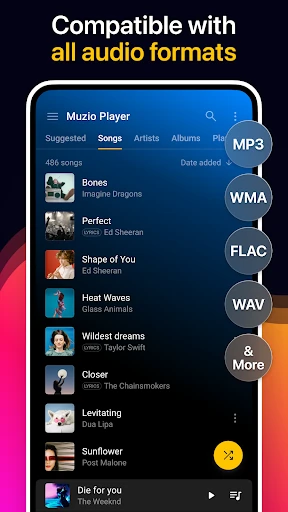
The format support is broad, including MP3, WMA, MIDI, WAV, FLAC, AAC, and APE. That variety should be welcome for anyone whose collection is not limited to a single format. Muzio also describes itself as taking little memory, but the practical point for me is that it is set up to work with a mix of local audio rather than requiring a particular online source.
Playback through the day
Day to day, the browsing choices are more useful than they might sound at first. I can approach the same collection by album when I want a complete record, by artist when I am in the mood for one performer, or by folder if I organize files that way. Playlists provide a more intentional queue, and keyword search can save time when I am trying to get to one specific song.
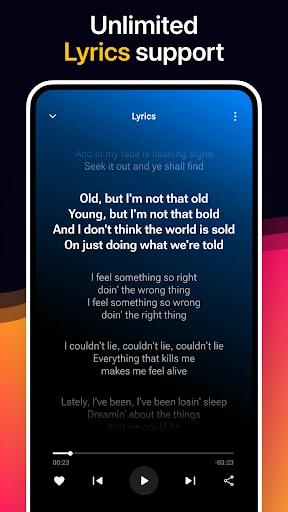
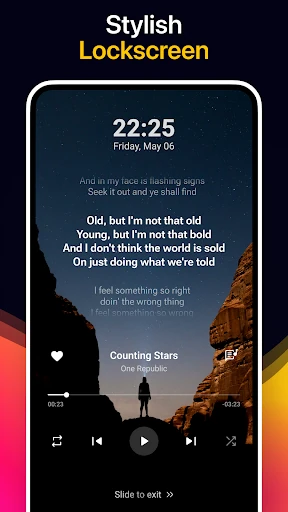
Playback can continue when the app is in the background, with a persistent notification displayed while audio is playing. That is a practical detail for listening while using other apps or locking the screen. The app also lists crossfade, lyrics, and a sleep timer among its features. Those additions help it cover more than basic file playback without changing its offline-first role.
Tools beyond play and pause
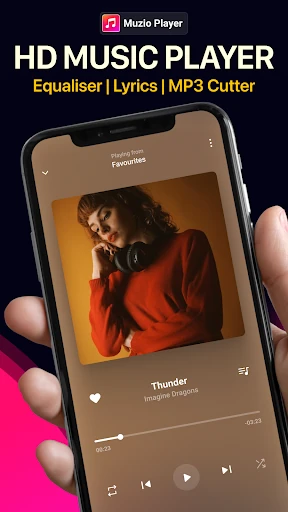
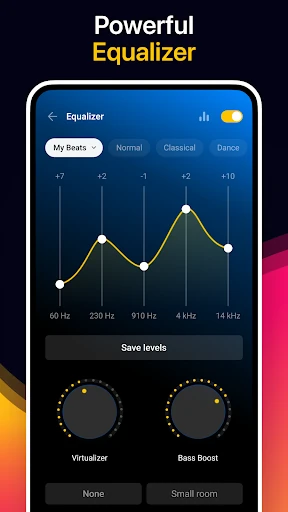
The equalizer is one of the more substantial extras. It offers five bands, ten free presets, bass boost, a virtualizer, and adjustable 3D reverb effects. I appreciate that this gives listeners more room to shape playback than a single volume control would. Still, most people can treat it as optional: the core job is playing files, and there is no need to adjust every setting before listening.
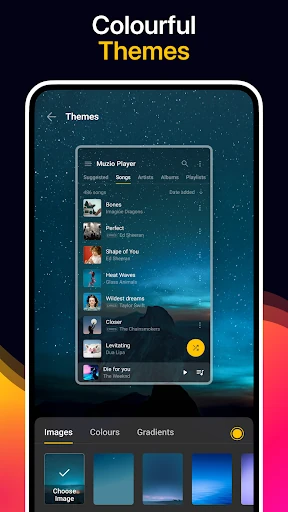
Personalization reaches beyond sound. Muzio offers more than 30 themes and lets users customize colors, themes, and images. It also includes a tag editor, widgets, and a built-in MP3 cutter for making a selected audio section into a ringtone, alarm, notification, or music file. These are distinct tools rather than one big feature, so the app can serve both casual listening and small library-management tasks.
A simple listening routine
A practical routine could start with a playlist for a regular activity, such as a workout or a long reading session. I would pick tracks from my local collection, use the equalizer only if I wanted a different sound, and set the sleep timer when listening late. The app’s support for audiobooks as well as music means a single player can cover more than one kind of audio file.
For a more personal setup, I might change the theme, add a widget, or use the tag editor to tidy track information. If I want a brief sound as an alert, I can use the cutter to choose a portion of a song and save it for that purpose. These are useful occasional steps, not requirements for enjoying a normal album or playlist.
Limits to keep in mind
The biggest limitation is also the app’s clearest boundary: Muzio does not stream music or provide online downloads. It is only useful for audio that is available locally, so someone starting with an empty collection will need another way to get files. That makes it a companion to a personal library, not a substitute for a subscription service with a searchable catalog.
The abundance of features can also be a mixed blessing. Themes, widgets, playlists, equalizer controls, a cutter, and library tools offer flexibility, but a listener who wants the simplest possible interface may not need them. Google Play shows ads and in-app purchases, too. I would keep those practical considerations in view rather than assuming every extra will matter to my own routine.
Music Player - MP3 Player makes a solid case for itself as a flexible home for offline audio. I like that it combines several library views with playlists and useful extras, while keeping local playback at the center. Its equalizer, ringtone cutter, and themes give curious listeners things to explore without making online streaming part of the pitch.
I would try it if I already keep music files on an Android phone and want more control than a minimal player offers. I would skip it if I mainly want new music on demand or prefer a stripped-down experience. For the right listener, it is a capable local player with a lot packed around the basics.
Music Player & MP3 Player Frequently Asked Questions
What is Music Player - MP3 Player used for?
Music Player - MP3 Player is an offline audio player for music files on an Android device. It can browse tracks by albums, artists, playlists, genres, and folders, and includes features such as an equalizer, sleep timer, and ringtone cutter. It does not provide online music streaming or downloads, so it is intended for listening to audio files you already have.
Which devices support Music Player - MP3 Player?
The app is listed for Android, and the supplied requirement is Android 7.0 or later. Its description also mentions Android Auto and widgets, but device compatibility can depend on your setup. Check the Google Play page for current availability and compatibility details for your device.
What Android version does Music Player - MP3 Player need?
The supplied minimum requirement is Android 7.0. If you are unsure whether your phone or tablet can install the current version, check the Google Play page on that device. Requirements and compatibility details can change, so the store is the best place to confirm before installing.
Is Music Player - MP3 Player free?
The app is free to install and contains ads and in-app purchases. The supplied in-app product prices range from $0.99 to $49.99 per item. Prices and purchase options can vary, so check Google Play for the current details before buying anything.
Who should use Music Player - MP3 Player?
It is best suited to Android users who already have music or other audio files and want tools for browsing, playlists, sound adjustment, or making ringtones. It may not suit someone looking for streaming, online downloads, or a very minimal player. The app’s features center on managing and playing offline audio.
Pros
- Plays a wide range of local audio formats, including FLAC, WAV, AAC, and MP3.
- Library browsing covers albums, artists, genres, playlists, and folders.
- Adds an equalizer, ringtone cutter, themes, widgets, and sleep timer.
- Background playback continues with a persistent notification while audio is playing.
Cons
- Does not stream music or offer online downloads.
- Ads and in-app purchases accompany the free install.
- Its many extra tools may feel unnecessary to listeners who want a basic player.
- Category
- Music & Audio
- Version
- 7.6.2