InnoCaption Live Call Captions
- 7.51K
- 4.4
- Installs
- 1.00M
- Price
- Free

Screenshots

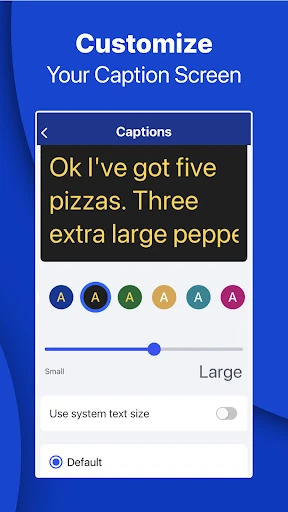
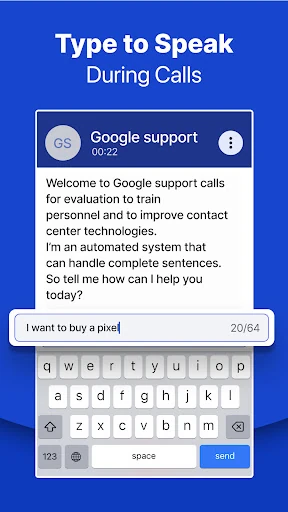
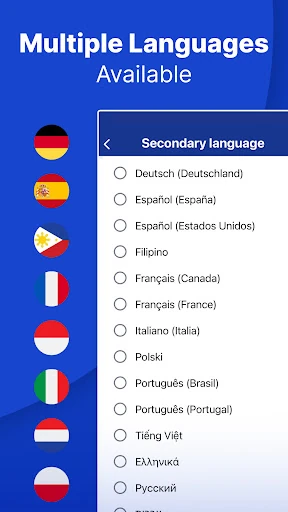
Analysis by Reviewed APKs
InnoCaption Live Call Captions adds live text to phone conversations for people who are deaf, hard of hearing, or have difficulty hearing calls. It offers a choice between AI captions and live stenographers, along with voicemail transcripts and support for compatible assistive listening devices. After looking through its everyday tools, I see a focused accessibility app that can make phone calls easier to follow, especially for people who prefer reading along.
A call you can follow
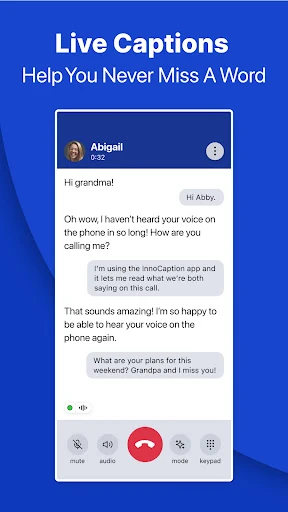
When I picture using InnoCaption on an ordinary day, it is during a call where catching a name, appointment time, or quick change of plan matters. The app provides captions while the conversation is happening, so a caller can read what the other person says instead of relying only on hearing the phone audio. That makes it useful for routine conversations as well as calls where details are easy to miss.
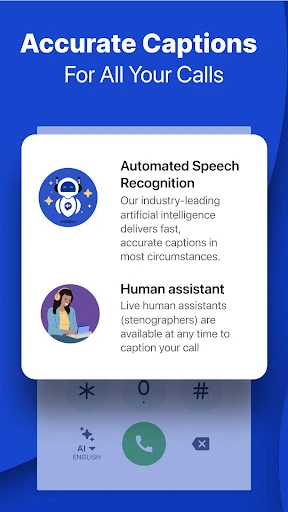
The choice of AI captions or a live stenographer is central to the experience. I like that the app is built around making the actual phone call more accessible, rather than asking users to move an entire conversation to a separate messaging service. Captions can also be saved for later reference, and visual voicemail turns messages into text. Those small follow-up tools make the service relevant beyond the minutes spent on a call.
A focused phone alternative
InnoCaption is not a general-purpose transcription recorder or a replacement for every kind of communication app. Its job is narrower: captioning phone calls and making voicemail easier to review. For someone who wants to speak and listen to a conventional phone caller while reading captions, that focus is a practical distinction from text chat or video relay services. The description also presents it as an alternative for people who prefer captions to using ASL.
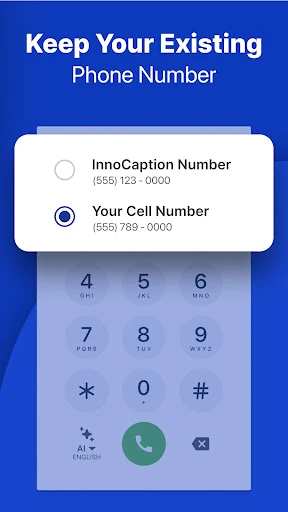
The app may suit people who want calls to work with their own number, since it supports setting up call forwarding, and it can stream calls to compatible Bluetooth hearing aids or cochlear implants. It also offers InnoCaption Web for calls on a computer. This is still a service with particular eligibility and connection needs, not a tool for transcribing any conversation in the room; cellular data or Wi-Fi is required.
Useful call habits
A helpful routine would be to sync contacts and make sure the call setup is ready before an important conversation. That can reduce fiddling when a call comes in and make it easier to dial familiar people. If a call includes details I may need later, saving its transcript gives me something to check afterward instead of trying to remember every name or number from the conversation.
For longer calls, caption alerts can help draw attention when the conversation resumes after a hold. I would also review voicemail transcripts as part of the usual missed-call check, then decide which messages need a callback. Users with a compatible hearing aid or cochlear implant can explore streaming calls to that device. Device compatibility can vary, so it is sensible to check the fit with the specific equipment.
More From Our News Desk

Zoom Meetings, Google Meet, or Teams: Which Is Easiest to Join?

How I Build a Free Streaming Lineup With Tubi

Why Crunchyroll Is the Default Anime App for So Many Fans

YouTube TV: A Practical Guide to Cutting Cable

Rummikub and the Small Comfort of Phone Games

TeamViewer Remote Control or AnyDesk for Helping Family?
Who may find it useful
I would recommend InnoCaption to people who are deaf, hard of hearing, or otherwise find phone conversations difficult to follow and want captions during calls. Its combination of live caption options, visual voicemail, saved transcripts, and assistive-device streaming addresses several parts of the phone routine. Seniors, veterans, and hearing aid or cochlear implant users are among the audiences named in the app description.
It may be a poor match for someone looking for a general transcription app, or for someone who rarely makes phone calls and has no use for call captions. It also depends on an internet connection, and some features rely on compatible devices or a particular call setup. People should review the service requirements and eligibility details before building it into an essential calling routine.
InnoCaption Live Call Captions is developed by Mezmo Corporation and is listed in Google Play under Communication. It has over one million installs and a 4.4-star rating from around 7,500 ratings. The app is free, with no in-app purchases or ads. Its content rating is Everyone.
The Google Play version is 4.6.0. The app was released on June 20, 2018, and its most recent update was October 28, 2026. A minimum Android version is not included in the supplied app facts, so check the Google Play page for device requirements before installing.
How InnoCaption Fits Into Calling
Starting with call access
My first impression is that InnoCaption is designed around a specific need, not a broad collection of communication tools. The main promise is clear from the name: captions for phone calls. Before relying on it, a user will need to work through the call setup that suits them, such as call forwarding if they want to use their own number, and choose between AI captions and live stenographers.
That setup matters because this is not just a caption display layered onto any call in any circumstance. InnoCaption requires cellular data or Wi-Fi, and the description notes that users can make and receive calls through the service. People who use a hearing aid or cochlear implant may also want to check how their specific device works with call streaming before settling on a routine.
Following calls day to day
The day-to-day value is straightforward: read the conversation as it unfolds. That can be useful when a caller gives information quickly, when a phone connection is less than ideal, or when hearing speech over a handset takes extra effort. Having text alongside the call gives users another way to keep track of what is being said without changing the conversation into a text exchange.
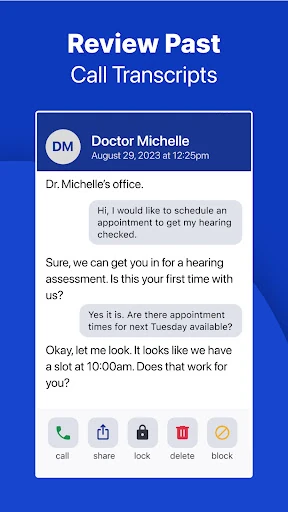
The service also covers the time around a call. Visual voicemail presents messages as text, and saved transcripts can be revisited later. I can see that helping after a busy afternoon of missed calls, when a person wants to scan what came in and decide what needs attention. Caption alerts for calls resuming after a long hold are another practical detail for conversations that involve waiting.
Features with a purpose
The option to use AI captions or a live stenographer stands out because it gives the captioning experience more than one mode. InnoCaption also describes support for several languages, including Spanish, French, Chinese, and Vietnamese. The app offers calling on a computer through InnoCaption Web, alongside its phone and tablet use, giving users another way to access captioned calls.
Compatibility with Bluetooth hearing aids, cochlear implants, and other assistive listening devices is a meaningful part of the package. The description names manufacturers including Oticon, Phonak, Starkey, MED-EL, Cochlear, Signia, and others, while also cautioning that compatibility can differ by device. Other listed tools include contact syncing, spam call alerts and blocking, and captions for emergency calls placed through the app.
A practical weekly routine
For someone who gets several calls a week, I would make InnoCaption part of a simple check-in routine: keep contacts synced, use the app for calls that benefit from captions, and read saved transcripts when a conversation included details worth reviewing. At the end of the day, checking visual voicemail could help separate messages that need a response from ones that can wait.
For an appointment call, for example, the caller can read along as the time and other details are discussed, then refer to the transcript afterward if needed. On a longer call, caption alerts may be useful when speech resumes after a hold. These tools support the routine, but they do not remove the need to verify important details directly with the caller.
Limits to keep in mind
InnoCaption is built for a defined group of users and for phone calls, rather than universal transcription. Its description says that federal law restricts use of IP captioned telephone service with captions turned on to registered users with hearing loss. That makes the eligibility information important to understand before using the service, rather than treating it like an ordinary captioning utility.
The app also relies on cellular data or Wi-Fi, and assistive-device compatibility can vary. Its emergency-call feature has important limitations: service may be interrupted by network or internet problems and other circumstances. I would not treat the app as a substitute for considering those constraints. For the same reason, people should check current requirements and service details in Google Play and the app’s own information.
InnoCaption makes a clear case for itself: it brings live captions, voicemail text, and transcript review to phone calls for people who need another way to follow speech. The choice of captioning modes and support for compatible listening devices add useful flexibility, while the focused scope keeps its purpose easy to understand.
I would recommend it to eligible users who want captioned calls as part of everyday phone use and are prepared to check device compatibility and connection needs. It is less suited to people seeking general transcription or a replacement for every communication method. For its intended audience, it is a practical tool worth considering.
InnoCaption Frequently Asked Questions
What is InnoCaption Live Call Captions used for?
InnoCaption provides live captions for phone calls for people who are deaf, hard of hearing, or have difficulty hearing calls. It offers AI captions or captions from live stenographers, plus visual voicemail and saved call transcripts. It is focused on phone communication rather than general-purpose transcription.
Which devices and platforms work with InnoCaption?
InnoCaption is available on Android, and its description also mentions use on a phone, tablet, and computer through InnoCaption Web. Calls can stream to compatible Bluetooth hearing aids, cochlear implants, or other assistive listening devices. Compatibility may vary by equipment, so check the store page and device details.
What Android version does InnoCaption require?
The minimum Android version can vary by app release and device. Check the current Google Play page for the requirement that applies to your phone or tablet before installing InnoCaption Live Call Captions.
Does InnoCaption cost money or include purchases?
InnoCaption is free to download on Google Play and has no in-app purchases or ads according to its app facts. The service description says it is federally funded and requires cellular data or Wi-Fi. Check Google Play for any current details that may affect availability.
Who is InnoCaption suitable for?
It is intended for registered users with hearing loss who want captions during phone calls, including people who are deaf or hard of hearing. It may suit users of compatible hearing aids or cochlear implants as well. It is not designed as a general transcription app, and service eligibility requirements apply.
Pros
- Offers a choice between AI captions and live stenographer captions during phone calls.
- Visual voicemail and saved transcripts make it easier to revisit missed or important details.
- Can stream calls to compatible hearing aids, cochlear implants, and other listening devices.
- Includes caption alerts for calls that resume after a long hold.
Cons
- Designed for eligible users with hearing loss rather than general-purpose transcription.
- Requires cellular data or Wi-Fi to use the captioning service.
- Compatibility with individual hearing aids and cochlear implants can vary.
- Category
- Communication
- Version
- 4.6.0











