Incognito Browser - Go Private
- 73.79K
- 4.8
- Installs
- 5.00M
- Price
- Free

Screenshots
Analysis by Reviewed APKs
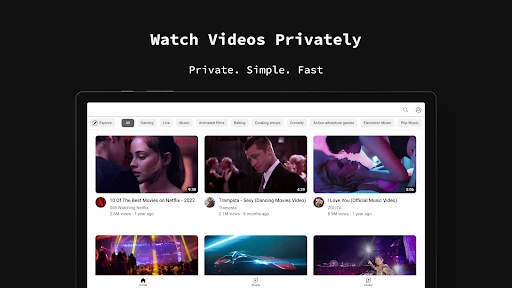
Incognito Browser - Go Private is an Android web browser built for sessions you would rather not keep in your regular browsing history. It combines automatic private browsing with an ad blocker, tabs, dark mode, downloads, and several search engines. After looking at how its features fit together, I see it as a practical option for occasional discreet browsing, though private mode alone should not be mistaken for complete online anonymity.
A Private Browsing Session
Imagine you are borrowing your phone to look up a gift, check a social media page, or browse a site you do not want mixed into your usual browser history. I would open Incognito Browser, search for what I need, and move between a few pages in its tabs. The app is designed to run in incognito mode automatically, so the session is meant to be cleared when I exit rather than saved as ordinary browsing history.
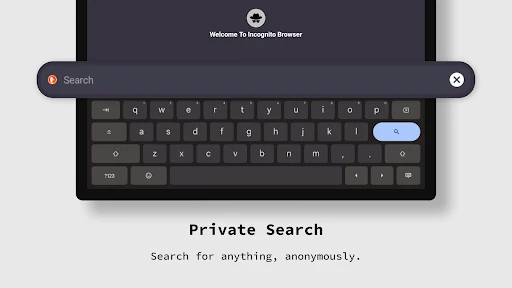
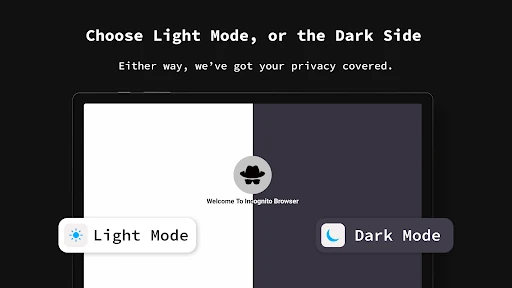
That setup suits quick, separate browsing errands. I can pick a search engine such as Google, DuckDuckGo, or Bing, then use the built-in ad blocker while reading. If I am browsing late, dark mode offers a darker interface. These are useful everyday touches, not a complicated privacy dashboard. The main appeal is having a browser that starts with a private-session approach instead of requiring me to remember to switch modes.
A Browser, Not a VPN
Compared with opening a private tab in a browser I already use, Incognito Browser makes the private-session idea its default and adds tools such as ad blocking, multiple search engines, and configurable browser settings. That can make it a convenient second browser for specific tasks. It also includes tabbed browsing, so I can keep several pages open during one session without folding the task into my regular browser routine.
It is still a web browser, not a general-purpose privacy service or a replacement for careful online habits. The description focuses on clearing browsing data when the app closes; it does not present the app as a way to make every website interaction anonymous. I would not treat incognito browsing as protection from every form of tracking, nor assume it changes what a website or network can see.
Make Sessions Easier
A small useful habit is to decide what a session is for before opening the app. I might use one session to compare a few pages, then close the browser when that errand is done. Since the app is designed to wipe browsing data on exit, closing it becomes part of the routine rather than leaving a collection of tabs to sort out later. That keeps the app's main purpose easy to understand.
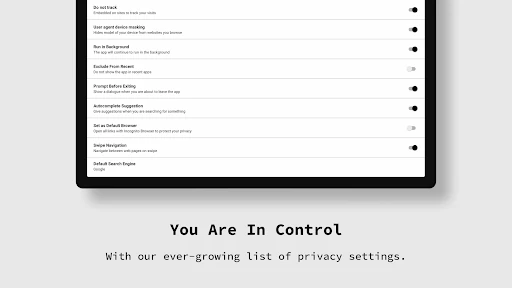
It is also worth setting preferences around the way you browse. Incognito Browser lets users adjust settings for items such as images, JavaScript, and cookies, and it supports more than one search engine. I would choose the options I actually need, rather than changing settings just because they are available. For a quick search, the defaults may be enough; for a specific site, a preference change can make the session more comfortable.
More From Our News Desk

Zoom Meetings, Google Meet, or Teams: Which Is Easiest to Join?

How I Build a Free Streaming Lineup With Tubi

Why Crunchyroll Is the Default Anime App for So Many Fans

YouTube TV: A Practical Guide to Cutting Cable

Rummikub and the Small Comfort of Phone Games

TeamViewer Remote Control or AnyDesk for Helping Family?
Who May Like It
I would recommend Incognito Browser to Android users who want a separate browser for short, private sessions and appreciate having an ad blocker and dark mode close at hand. It may be especially convenient if you sometimes check a site or account without wanting that browsing mixed into your everyday browser history. Tabs, several search engines, and adjustable browsing settings give it enough flexibility for more than a single search.
It may be a poor fit if you want one browser that preserves a detailed history or syncs your usual browsing habits across devices. The app's central idea is to clear session data on exit, which is helpful for some routines but inconvenient when you want to return to old pages. I would also avoid choosing it on the assumption that private browsing makes every part of internet use invisible.
Incognito Browser - Go Private is made by CoinCircle, Inc. On Google Play, it has over 5 million installs and a 4.8-star rating from around 74,000 ratings. The app is free to download, and the supplied store facts say it contains no ads and offers no in-app purchases. Its content rating is Everyone.
The app is listed for Android, but a minimum Android version is not provided in the supplied facts, so check Google Play for device compatibility. The current version shown is 717. It was released on September 6, 2017, and its last update was May 4, 2026.
Private Browsing in Everyday Use
A Simple First Impression
When I first opened the app, the clearest idea was its purpose: browse in an incognito session rather than build a record of pages to revisit. The description emphasizes a clean, minimal interface, and that makes sense for a browser intended to keep the focus on the page. It is not trying to turn a quick search into a larger account-management routine.
Getting started can be as straightforward as choosing a search engine and entering a site or query. Google, DuckDuckGo, and Bing are among the supported options. I would first check which one matches my normal search habits, then explore settings only if a page needs a particular choice for images, JavaScript, or cookies.
How It Feels Day to Day
The automatic incognito approach is the feature that shapes ordinary use. Instead of opening a regular browser and remembering to create a private tab, I can reach for an app whose sessions are intended to be private by default. The app says history, cookies, and sessions are wiped when it exits. That is a simple workflow for temporary browsing, as long as I remember that leaving a session open is different from closing the app.
Tabbed browsing helps when a task involves comparing several pages. I could open a few results, switch between them, and finish without moving back and forth through separate apps. The built-in ad blocker is another practical part of the daily experience, while dark mode gives the interface a darker appearance for nighttime use. Together, these features make it more than a bare private tab.
Useful Extras Beyond Incognito
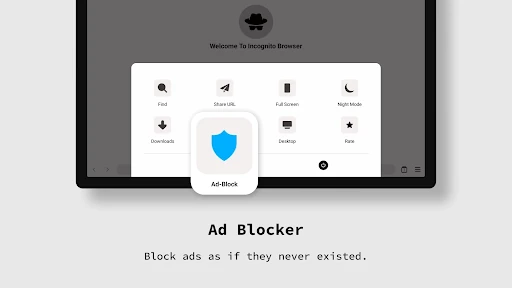
The ad blocker is a notable companion to private browsing. It is intended to reduce interruptions from ads while viewing content, so the browser can feel more focused during a quick read. Dark mode is similarly straightforward: it changes the browsing interface to a darker presentation. Neither feature changes the basic job of the app, but both can make a short session more comfortable.
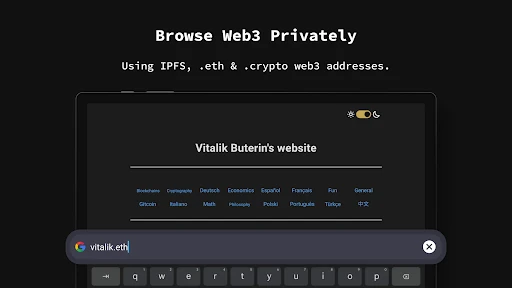
There are a few more specialized options too. The app supports IPFS and Web3 addresses such as .eth and .crypto, and it offers agent cloaking intended to hide browser and device identity and access desktop versions of sites on mobile. I would treat these as specific tools for users who need them, rather than the reason most people will open the browser every day.
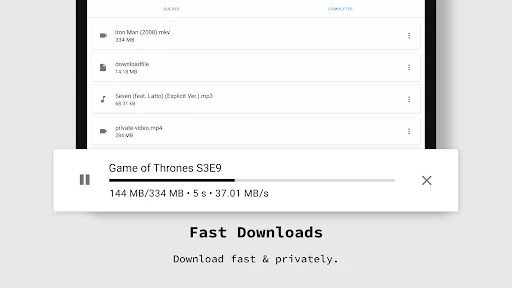
Fast downloads and adjustable settings round out the feature set. The settings include preferences for images, JavaScript, and cookies, while the app supports 13 languages. These options provide some room to tailor a session without changing the app into a full desktop-style browser. If I only need a basic search, I can ignore them; if a particular site behaves differently, they are worth exploring.
A Routine That Works
For a simple routine, I would open the app when I have a specific browsing task, search with my preferred engine, and use tabs only for pages that belong to that task. If I am reading at night, I can use dark mode; if I want to save a file, the browser includes downloads. When the task is finished, exiting the app is the natural endpoint because that is when its description says session data is cleared.
This approach works best when I treat each visit as temporary rather than expecting the browser to remember it for me. If I find a page I will need again, I should not rely on this app's history to bring it back later. Keeping the task small also makes the automatic cleanup easier to understand: browse, finish, and close the app when I am done.
Privacy Has Boundaries
The biggest limitation is also tied to the main feature. Clearing history, cookies, and sessions on exit can reduce what remains in the app after a session, but it should not be read as proof that all activity is invisible everywhere. The app is described as a private browser, yet users still need to think carefully about what they share on websites and what information those sites may collect.
The automatic cleanup can also be inconvenient if I want to pick up where I left off. A browser designed around wiping session data is not the obvious choice for maintaining a long-running set of pages or a searchable trail of past visits. Its extra features may be useful, but people who need a persistent browsing workspace may prefer the browser they already use for everyday, saved activity.
Incognito Browser - Go Private has a clear job and a useful collection of supporting tools. Automatic private sessions, an ad blocker, dark mode, tabs, and adjustable settings make it a capable choice for temporary Android browsing. I like that the app's main workflow is easy to explain: use it for a focused session, then exit when finished.
I would try it if I wanted a separate browser for occasional discreet searches or short web tasks. I would not choose it as my only browser if I depended on a lasting history, or assume that incognito mode makes all online activity anonymous. For its narrower purpose, it offers a practical mix of convenience and privacy-minded browsing.
Incognito Browser Frequently Asked Questions
What is Incognito Browser - Go Private used for?
Incognito Browser - Go Private is an Android web browser for private browsing sessions. Its description says browsing data, including history, cookies, and sessions, is wiped when the app exits. It also includes an ad blocker, dark mode, tabs, downloads, multiple search engines, and settings for items such as images, JavaScript, and cookies.
Which devices can run Incognito Browser - Go Private?
The app is listed for Android. The minimum Android version is not included in the supplied details, so check the Google Play store page to see whether your device meets the current requirements. The description also mentions 13 supported languages, including English, Spanish, and Portuguese.
Does Incognito Browser - Go Private cost money?
The supplied Google Play facts describe Incognito Browser - Go Private as free, with no in-app purchases and no ads. Store details can change over time, so the Google Play page is the best place to check the current download and purchase information before installing.
Does Incognito Browser - Go Private keep browsing history?
The app is designed to clear history, cookies, and sessions when you exit. That makes it suitable for temporary browsing, but it also means it is not aimed at preserving a trail of pages for later. Private browsing should not be treated as a promise that every website or network cannot see activity.
Who should use Incognito Browser - Go Private?
It may suit Android users who want a separate browser for short private sessions and value features such as an ad blocker, dark mode, and tabbed browsing. It may not suit people who want a persistent browsing history or a long-running set of saved pages. The app's main focus is temporary browsing that is cleared on exit.
Pros
- Automatic incognito browsing clears session data when the app exits.
- Includes an ad blocker, dark mode, tabs, and downloads.
- Supports multiple search engines and adjustable browsing preferences.
- Specialized support includes IPFS and Web3 addresses.
Cons
- Automatic cleanup is inconvenient if you want to revisit past pages.
- Private browsing should not be mistaken for complete online anonymity.
- The app is less suited to a persistent browsing workspace.
- Category
- Communication
- Version
- 717











