HCMToGo
- 11.46K
- 3.6
- Installs
- 1.00M
- Price
- Free
Screenshots
Analysis by Reviewed APKs
HCMToGo puts several everyday workplace tasks on a phone, including checking schedules, reviewing timesheets, requesting time off, and viewing pay stubs or benefits. I see it as a practical companion for employees whose company has configured mobile access, rather than a general-purpose work organizer. The main catch is that you need your employer’s company shortname and login details before you can get started.
A workday in your pocket
When I picture using HCMToGo during a regular workweek, it is less about spending time in an app and more about handling small HR errands when they come up. I might check a shift before leaving home, review my timesheet after a long day, or see how much vacation or sick time is available before discussing a day off. Those are the kinds of quick checks this app is built around.
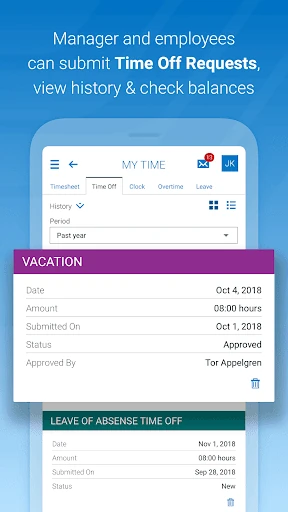
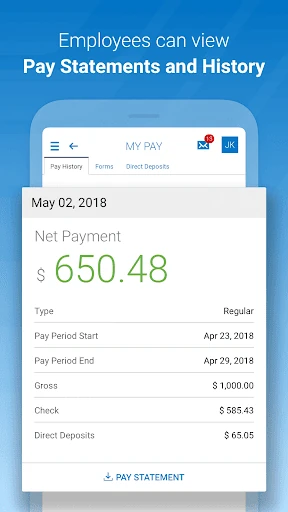
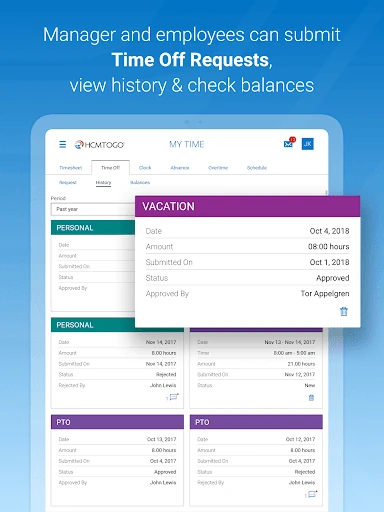
A time-off request is another natural use: I can submit one from the app and later view the request. If my employer has enabled the relevant options, I can also check benefits, view pay stubs, or manage direct deposits. The usefulness depends on how the organization has configured HCMToGo, but the basic idea is convenient access to routine employment information without needing to find a desktop.
A companion to employer systems
HCMToGo is best understood as a mobile front door to an employer’s human resources setup. It brings together work-related tasks such as timesheets, schedules, leave requests, benefits, and pay information. That makes it different from a personal calendar or a standalone time tracker: the app relies on the employee’s organization and its configured services rather than operating as an independent workplace tool.
That distinction also sets a boundary. It is not a general job-search app, and the supplied app information does not describe job recommendations, training games, or expense reporting. Access requires the employer to have HCMToGo configured for mobile use, and some workflows have specific setup requirements. If an organization has not enabled the app or the needed permissions, installing it alone will not provide access.
Small habits that help
I would use HCMToGo in short, purposeful visits rather than treating it as something to keep open all day. Checking the schedule at the start of a week, then reviewing it again before a shift, is a simple habit that can make the information easier to rely on. Timesheet checks fit naturally at the end of a work period, while a quick balance check can help when planning a leave request.
It also helps to get the login details sorted before the moment you need the app. Ask the company administrator for the company shortname, confirm the region, and use the company, username, and password provided for access. For timesheets, the supported profiles are Bulk Hours and Start/End (All Days), so it is worth checking with the employer if the available workflow does not match your usual time entry.
More From Our News Desk

Zoom Meetings, Google Meet, or Teams: Which Is Easiest to Join?

How I Build a Free Streaming Lineup With Tubi

Why Crunchyroll Is the Default Anime App for So Many Fans

YouTube TV: A Practical Guide to Cutting Cable

Rummikub and the Small Comfort of Phone Games

TeamViewer Remote Control or AnyDesk for Helping Family?
Who will find it useful
I would recommend HCMToGo to employees whose workplace already uses it and who want to check work information from a phone. It can be handy for someone who has changing shifts, submits time-off requests, checks a timesheet, or wants to view pay and benefits without making each task a separate office visit. Managers may also use relevant approval workflows when their organization has enabled them.
It may not suit someone whose employer has not configured mobile access, or anyone looking for an all-purpose productivity app that works independently of a company system. Setup depends on organization-specific details and permissions, and the supported timesheet profiles are limited to two types. Before counting on it for a particular task, I would confirm that the employer has enabled that feature for the account.
HCMToGo is a free Android app from Workforce Ready. On Google Play, it has over 1 million installs and a 3.6-star rating from about 11,500 ratings. The content rating is Everyone. The supplied app information gives version 1.107.7, with an original release date of March 27, 2018, and a last update date of October 13, 2026.
There is no listed purchase price beyond the free download, and the supplied facts say the app has no in-app purchases and contains no ads. HCMToGo is a business app for employer-connected HR tasks, rather than a standalone service. The Android version requirement is not included in the supplied facts, so check the Google Play store details for the requirement that applies to your device.
Making Routine HR Tasks Easier
Getting set up
My first impression is that HCMToGo makes its employer connection clear from the start. This is not an app where I can create a personal account and explore everything on my own. A company shortname is required, and the organization needs to have configured the app for mobile use. That makes the first step less about browsing and more about getting the right access information from work.
The sign-in process asks for the region and company shortname, followed by company, username, and password. If those details are unfamiliar, the company administrator is the right person to ask. Employees also need the relevant security permissions. I would sort that out before relying on the app for an upcoming shift or a leave request, since the app itself cannot replace employer-side setup.
Daily use
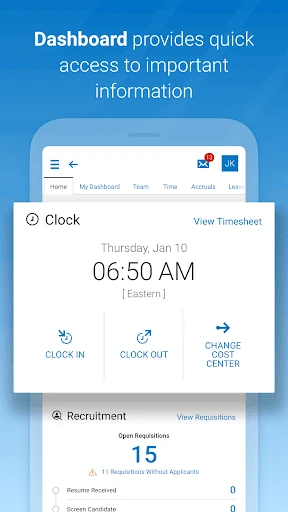
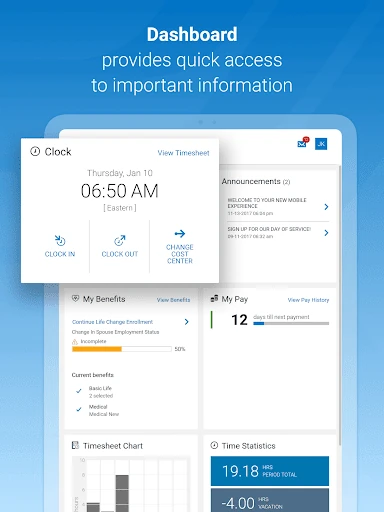
Once access is in place, the everyday appeal is having several employment tasks available in one mobile app. I can imagine checking a schedule while getting ready for work, then returning later to review a timesheet or look at a time-off balance. These are small interactions, but they are precisely the kinds of tasks that are convenient to handle without waiting until I am at a computer.
HCMToGo’s usefulness is tied to what the employer has enabled, so the experience may differ from one workplace to another. A schedule check may be relevant to one employee, while another may mainly use the app for pay stubs or benefits. I would treat it as a handy access point for supported company services, not assume every feature will appear for every account.
Features with purpose
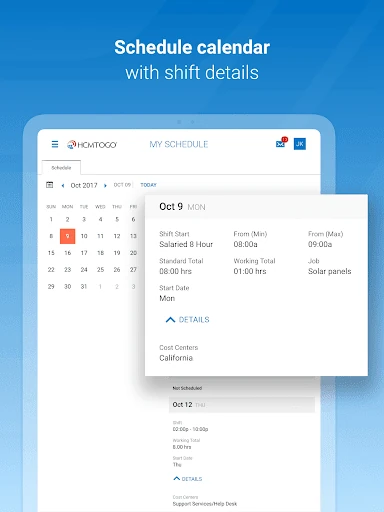
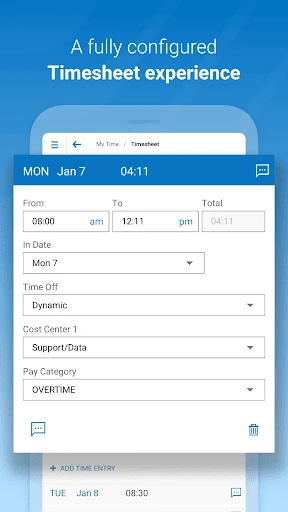
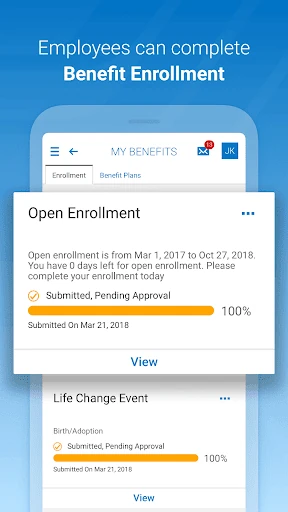
The feature set focuses on the practical parts of employment. Users can check or edit timesheets, submit and view time-off requests, and review vacation or sick balances. The app can also show schedules, benefits, and pay stubs, and it supports direct-deposit management. For employees who have the right company setup, that combination covers a useful range of routine HR checks.
Shift swapping is another possible option, but it depends on whether the employer has enabled it. Approval workflows matter for processing To Do items, and timesheet support is limited to Bulk Hours and Start/End (All Days) profiles. Those details are worth keeping in mind: HCMToGo offers a defined set of workplace functions, not a promise that every employer’s policies or processes will be available in the same way.
A simple weekly routine
A sensible routine would be to check the schedule at the beginning of the week, then look again if a shift is approaching or changes are possible. After working, I would review the timesheet while the hours are still fresh in mind. If the employer uses approval workflows, any relevant items can be handled through the company’s configured process rather than left until the next time I log in.
For planning time away, I would check the available vacation or sick balance before submitting a request, then return to the app to view its status. Pay stubs and benefits are useful for occasional reference rather than constant checking. Keeping these visits tied to real tasks makes the app feel like a practical utility instead of another stream of notifications competing for attention.
Limits to keep in mind
The biggest limitation is organizational dependence. The employer must configure HCMToGo for mobile use, provide the company shortname, and grant the needed access. If an employee cannot sign in or cannot see a particular option, the cause may be company setup or permissions. That makes this app less immediately accessible than a consumer service where anyone can register and begin using the core features.
There are also specific technical and workflow boundaries in the supplied information. Only Bulk Hours and Start/End (All Days) timesheet profiles are supported, and companies need approval workflows to process To Do items. Basic Authentication with SSO is not currently supported. These are details administrators and employees should check against their organization’s setup before depending on a particular workflow.
HCMToGo has a straightforward role: it gives employees mobile access to selected HR and work information their employer has configured. I like the practical mix of schedules, timesheets, leave, balances, benefits, and pay details. The experience is most compelling when I need a quick answer or want to handle a small work task away from a desktop.
I would recommend it to employees whose organization already supports the app and can provide the login details and permissions. If your workplace has not set it up, or your timesheet workflow falls outside the supported profiles, the app may not do much for you. Check with your administrator first; once access is ready, it can be a useful everyday companion.
HCMToGo Frequently Asked Questions
What is HCMToGo used for?
HCMToGo provides mobile access to employer-configured work and HR tasks. Depending on what the organization enables, employees can check or edit timesheets, view schedules and leave balances, submit time-off requests, review benefits and pay stubs, and manage direct deposits. Some employers may also enable shift swapping. The available options depend on company setup and permissions.
Which devices can run HCMToGo?
HCMToGo is an Android app available through Google Play. The supplied information does not give a minimum Android version, and device compatibility can vary. Check the Google Play store details for the requirement that applies to your phone or tablet. You will also need your employer’s company shortname and account details to sign in.
What Android version does HCMToGo require?
The minimum Android version is not included in the supplied app facts, so I would check HCMToGo’s Google Play store details for the current device requirement. Even with a compatible Android device, access depends on your employer configuring the app for mobile use and providing the company shortname, region, and login information.
Does HCMToGo cost money?
HCMToGo is listed as free to download, with no in-app purchases and no ads in the supplied facts. Store details can change, so it is worth checking Google Play for current information. Free installation does not by itself provide access: your employer needs to have the app configured, and you need the appropriate company sign-in details.
Is HCMToGo a good fit for every employee?
It is a good fit for employees whose organization uses HCMToGo and has enabled the features they need, such as schedule checks, timesheets, leave requests, or pay information. It may not suit employees whose workplace has not set up mobile access or whose timesheet profile is outside the supported Bulk Hours and Start/End (All Days) types.
Pros
- Brings schedules, timesheets, leave requests, and balances together in one mobile app.
- Can provide access to benefits, pay stubs, and direct-deposit management.
- Useful for quick work-related checks away from a desktop.
Cons
- Requires employer setup, permissions, and a company shortname before sign-in.
- Timesheet support is limited to Bulk Hours and Start/End (All Days) profiles.
- Available features depend on the employer’s configuration and approval workflows.
- Category
- Business
- Version
- 1.107.7











