Google News - Daily Headlines
- 1.97M
- 4
- Installs
- 1.00B
- Price
- Free
Screenshots
Analysis by Reviewed APKs
Google News - Daily Headlines brings local, national, and world reporting into a personalized news feed. I’d recommend it to readers who want one place to check the day’s headlines and then follow a story across different outlets. Its strongest idea is pairing a quick briefing with deeper coverage when I have time to read more. It’s a useful starting point, though not a substitute for choosing and reading individual publications.
A quick morning catch-up
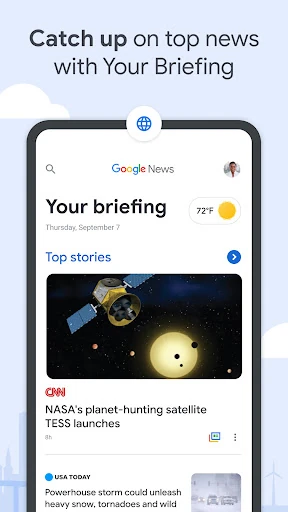
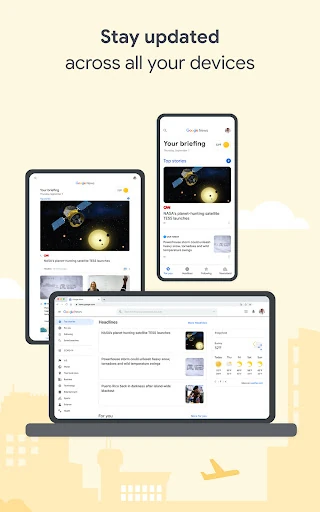
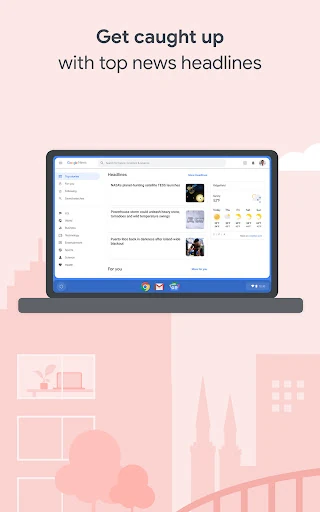
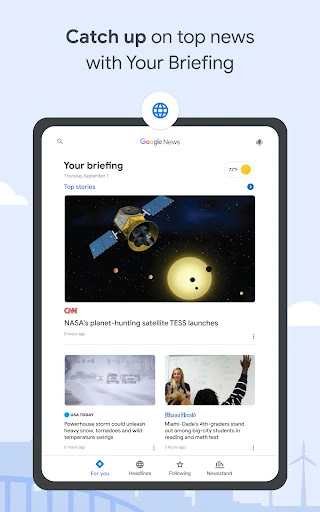
When I first opened Google News, I thought of the familiar morning routine: a few minutes with coffee, checking what happened overnight, then moving on with the day. Your Briefing is built for that quick scan, bringing together top local, national, and world headlines alongside news tailored to my interests. Rather than start by choosing a publication, I can begin with a roundup of what the app considers relevant.
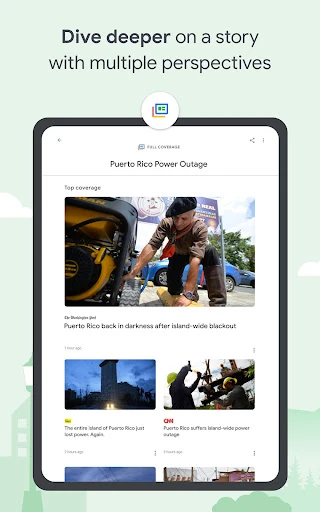
That overview is handy when I want a broad sense of the news without searching several sites one by one. If a headline catches my attention, Full Coverage offers a way to explore how different outlets are reporting the same story. I like that the app supports both a quick check-in and a more deliberate read; the same visit can stay brief or turn into a deeper look.
An aggregator, not a newsroom
Google News works as a personalized news aggregator: it organizes coverage from news outlets rather than presenting itself as one publication with a single editorial voice. That makes it a practical alternative to opening several news apps just to compare headlines. The Full Coverage view is especially useful when I want to see different perspectives gathered around one story instead of relying on a single article.
That breadth also means the app is not the same thing as subscribing to, or spending time with, one particular newspaper or broadcaster. Readers who want a consistent publication’s voice may prefer going directly to that source. I also wouldn’t treat a personalized feed as a complete picture of the news. It is a convenient discovery and reading hub, but the articles and perspectives come from the outlets it brings together.
Shape the feed gradually
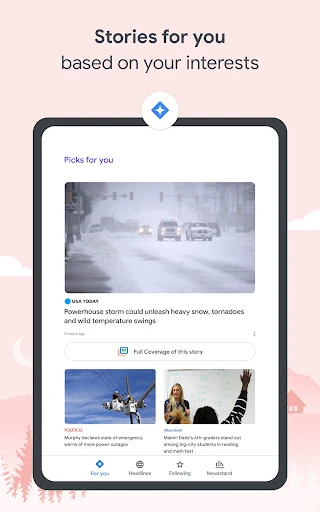
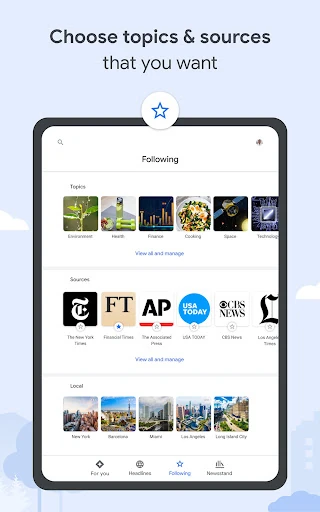
A little attention to the feed can make Google News more useful over time. In Stories for You, I can follow topics and sources that matter to me, so the selection reflects more than a generic headline roundup. I’d start with a few genuine interests rather than trying to tune everything at once; that keeps the feed relevant without turning setup into a project.
Local coverage can benefit from the same kind of small adjustment. The app lets me choose multiple locations, which is useful if I care about both my current community and another place I think of as home. When I know I’ll be offline later, I can download articles over Wi-Fi to read then. Those modest habits make the app easier to fit around a commute, a trip, or a busy day.
More From Our News Desk

Zoom Meetings, Google Meet, or Teams: Which Is Easiest to Join?

How I Build a Free Streaming Lineup With Tubi

Why Crunchyroll Is the Default Anime App for So Many Fans

YouTube TV: A Practical Guide to Cutting Cable

Rummikub and the Small Comfort of Phone Games

TeamViewer Remote Control or AnyDesk for Helping Family?
Who may enjoy the roundup
I’d recommend Google News to people who want a flexible daily overview, especially readers who follow a mix of local concerns and broader headlines. It suits someone who likes scanning first and deciding what deserves attention afterward. The personalized feed and Full Coverage are a good match for curious readers who want both familiar topics and a way to explore how multiple outlets cover a developing story.
It may be less appealing if you want every headline to come from one chosen publication, or if you prefer to manage your reading entirely through individual news sites. Personalization is convenient, but it means the feed is shaped around selected interests rather than serving as a neutral, exhaustive index of everything happening. I’d treat it as a starting point and open the original coverage when a story matters to me.
Google News - Daily Headlines is a News & Magazines app from Google LLC. On Google Play, it has over a billion installs and a 4.0-star rating from around 2.0 million ratings. The app is free to download and contains ads. Its content rating is Teen, and the displayed version is listed as varying with device.
The app’s release date is June 27, 2012, and its last update is dated October 22, 2026. The supplied app details do not give a minimum Android version, so check Google Play for device compatibility before installing. Google News also describes access to its desktop website, allowing readers to keep up with news beyond the mobile app.
A flexible home for daily headlines
A familiar first stop
When I first opened Google News, the appeal was easy to understand: it gathers headlines into one place and gives me a way to move from a broad briefing toward stories tied to my interests. Your Briefing is the clearest entry point, with local, national, and world news brought together for a quick check. It feels aimed at readers who want a useful overview before deciding what to read in full.
Getting the feed to feel personal is less about making a perfect setup on day one and more about telling the app what I care about. Stories for You supports following topics and sources, while local coverage can include multiple locations. I’d make those choices in small steps as I notice what I want more of. That keeps the experience approachable instead of making customization feel like homework.
From skim to story
The day-to-day rhythm is straightforward: glance at the headlines when time is short, then open a story when something deserves attention. Your Briefing updates throughout the day, so it can serve as a recurring check-in rather than a one-time morning digest. For readers who like to keep up in short bursts, that structure is more convenient than beginning every visit with a fresh search.
What I appreciate is having a next step when a headline raises questions. Full Coverage gathers reporting about a story from different outlets and mediums, giving me a way to see how its coverage is unfolding. It doesn’t mean I have to read everything. I can use the roundup to find another perspective, then decide whether I want to continue or return to the rest of the day’s news.
Coverage in several directions
The app’s standout feature is how it combines a personalized selection with a broader view of individual stories. Stories for You reflects followed interests and sources, while Full Coverage organizes multiple reports around a topic. Those serve different purposes: one helps shape what I encounter in the feed, and the other helps me explore coverage once a particular story has my attention.
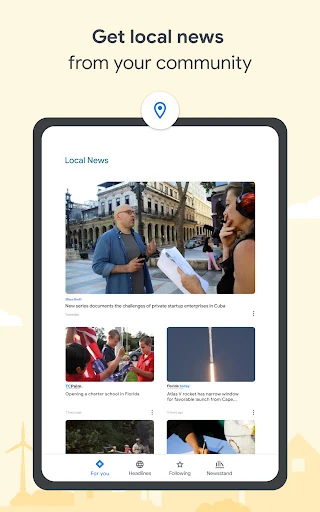
Local News adds another useful angle. Being able to choose multiple locations makes the feature relevant to more than one community, rather than limiting it to a single idea of home. I can see why that would help someone who splits time between places or simply wants to stay aware of another area. These features give the app more range than a plain list of headlines.
A practical reading routine
For a simple routine, I’d use Your Briefing for a quick morning scan, then follow a topic or source when I find myself wanting more coverage of it. Later in the day, I can return to the headlines and use Full Coverage for a story that has changed or become more important. That pattern makes room for both a fast overview and a more considered read without requiring a long session.
Offline reading is another small workflow worth planning ahead. Google News says articles can be downloaded over Wi-Fi for later, which is useful when I expect a weak connection or want to save data. The app can also reduce image size and download less data when the connection is poor or data use matters. I’d prepare before heading out rather than count on a strong signal everywhere.
Keep its boundaries in mind
Personalization is useful, but it also means the feed reflects the interests and sources I choose to follow. I wouldn’t rely on one tailored selection to represent every important story or viewpoint. When a topic matters, checking the Full Coverage view and opening reporting from different outlets is a sensible way to make better use of the app’s range.
Google News also won’t replace the experience of following a specific publication directly. An aggregator is best when I want discovery, a convenient roundup, and a route into multiple reports; a dedicated news source may be better when I want its particular style and editorial priorities. The app contains ads, too, so readers who prefer an entirely ad-free experience should keep that practical detail in mind.
Google News - Daily Headlines is a capable everyday news hub, with a useful mix of quick briefings, local coverage, personalization, and story-level perspective. I like that it can serve a hurried glance or a longer reading session without demanding the same routine every time.
I’d recommend it to readers who want a flexible place to discover and follow news from multiple outlets. If you prefer one publication’s voice or a feed that is not personalized, it may not be your ideal fit. For everyone else, it’s a sensible starting point for staying informed.
Google News Frequently Asked Questions
What is Google News - Daily Headlines used for?
Google News - Daily Headlines is a personalized news aggregator for discovering local, national, and world headlines. It offers a briefing that updates throughout the day, a feed shaped by followed topics and sources, and Full Coverage for exploring reporting from different outlets about a story. Articles can also be downloaded over Wi-Fi for reading offline.
Which devices can run Google News?
Google News is available as an Android app on Google Play. Its description also says readers can pair the mobile app with the Google News desktop website to access news on a laptop or desktop. Device compatibility can vary, so check the Google Play page for current Android requirements and supported devices.
What Android version does Google News require?
The minimum Android version can vary with the device and current app release. Check the Google Play page on the device you plan to use for the latest compatibility details. Google News is described as working across different phones and levels of connection, including ways to reduce data use when connectivity is weak.
Does Google News cost money?
Google News is free to download and contains ads. The app details give no in-app purchase pricing, and offers in-app purchases are not indicated. Store details can change, so it is worth checking Google Play for the current cost and any purchase information before installing.
Who is Google News best suited to?
Google News is a good fit for readers who want a quick daily overview and the option to explore reporting from multiple outlets. Following topics, sources, and multiple locations can help tailor the experience. It may be less suitable if you want to read only one publication or prefer a feed that is not personalized.
Pros
- Combines local, national, and world headlines in an updating daily briefing.
- Full Coverage helps explore different outlets’ reporting on a story.
- Supports followed topics, sources, and multiple local locations.
- Articles can be downloaded over Wi-Fi for offline reading.
Cons
- Personalized feeds may not reflect every story or perspective.
- Contains ads, which may bother readers seeking an ad-free experience.
- Does not replace following a particular publication directly.
- Category
- News & Magazines