NewsBreak: Local News & Alerts
- 641.52K
- 4.6
- Installs
- 50.00M
- Price
- Free

Screenshots

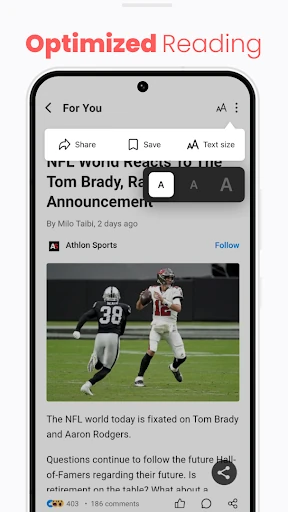
Analysis by Reviewed APKs
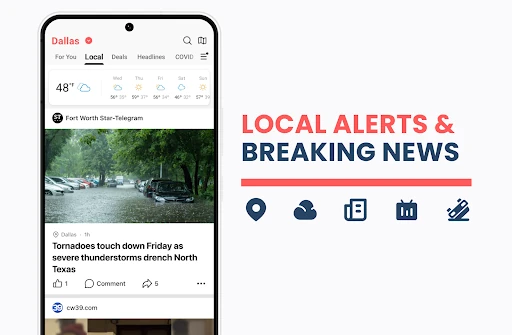
NewsBreak: Local News & Alerts is a news reader built around what is happening nearby, with national and international stories, weather alerts, traffic updates, and topic-based coverage in the mix. I see it suiting people who want a quick neighborhood check-in alongside broader headlines. Its local focus gives it a useful angle, though the range of content means it can feel busier than a simple local bulletin.
A neighborhood check-in
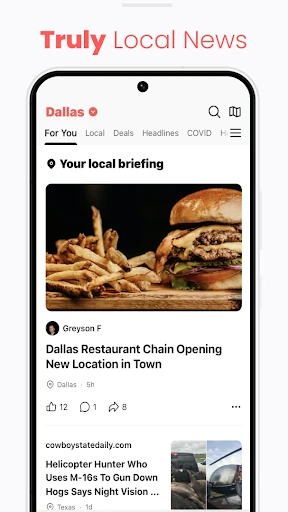
When I want to know what might affect the day ahead, local headlines are often more useful than another round of national news. NewsBreak is designed for that quick check: its daily briefing can bring together local stories, weather alerts, traffic updates, and nearby events. I can imagine opening it over breakfast to see whether there is a community story or a practical update worth knowing before heading out.
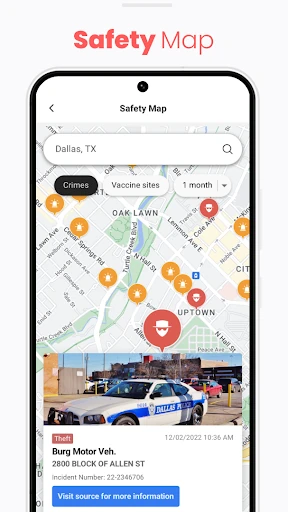
The appeal is the mix of immediate and everyday information. A weather alert may matter before a commute, while a local event or neighborhood story can be interesting without being urgent. NewsBreak also includes a safety map with neighborhood crime information, so there are several reasons to check in. It is a broad local-news companion, rather than an app devoted to just one type of update.
More than a local bulletin
Compared with a newspaper app focused on one publisher, NewsBreak presents itself as an aggregator, drawing on stories from a range of sources and combining local coverage with national and international headlines. That can be handy when I want one place to browse rather than hopping between publications. The personalized feed and topic controls also give it a different feel from a fixed front page or a single local station's news stream.
The trade-off is scope. Someone who only wants a bare-bones weather forecast, a dedicated traffic tool, or a single publication's reporting may find this app broader than necessary. NewsBreak includes sports, business, technology, and other topics alongside community coverage, plus social features such as comments and reactions. I would treat it as a general news reader with a local center of gravity, not as a specialist utility.
Make the feed yours
A useful habit is to spend a little time shaping the feed around the stories I actually want to see. NewsBreak supports following topics and blocking ones I would rather avoid, and it describes its feed as personalized to likes and dislikes. That should make a daily browse feel more relevant over time than simply scrolling through whatever happens to be trending.
I would also separate a quick scan from a longer reading session. The briefing, weather reports, and traffic updates suit a short check, while national headlines and in-depth stories are better saved for when I have time. Alerts can be customized to interests, so choosing them thoughtfully may help keep the phone from becoming a constant stream of news. The goal is a useful routine, not an endless scroll.
More From Our News Desk

Zoom Meetings, Google Meet, or Teams: Which Is Easiest to Join?

How I Build a Free Streaming Lineup With Tubi

Why Crunchyroll Is the Default Anime App for So Many Fans

YouTube TV: A Practical Guide to Cutting Cable

Rummikub and the Small Comfort of Phone Games

TeamViewer Remote Control or AnyDesk for Helping Family?
Who may enjoy NewsBreak
I would recommend NewsBreak to readers who want local stories to sit beside national headlines, and who like having weather alerts, traffic information, and nearby events in the same news experience. It may be especially appealing if your usual news routine overlooks community coverage. People who enjoy browsing several topics, adjusting a personalized feed, or joining conversations around stories will find more to explore here than a simple headline list.
It may be less appealing if you prefer a quiet, narrowly focused reader with only one source or one subject. NewsBreak covers a wide range of news and includes ads, while comments and other community features add another layer beyond reading articles. If you mainly need a forecast or traffic update, a dedicated service may be a more direct fit. I would choose this for broad browsing with local relevance, rather than for a single-purpose task.
NewsBreak: Local News & Alerts is developed by Particle Media Inc. On Google Play, it has over 50 million installs and a 4.6-star rating from about 642,000 ratings. It is in the News & Magazines category and has a Teen content rating. The app was released on June 17, 2016.
The app is free to download and contains ads. It offers in-app purchases, with listed items ranging from $0.10 to $59.99 each. The current version is 26.43.1, and its last update was October 27, 2026. The Android version requirement is not included in the available app details.
How NewsBreak Fits a Daily Routine
A broad first impression
When I first open a news app, I want to understand quickly whether it is built for headlines, local updates, or both. NewsBreak makes its local emphasis clear, but it also reaches into national and international coverage. That combination gives it a wider starting point than a community-only feed. The stated focus is keeping up with stories that affect a neighborhood as well as larger events.
The app describes a daily briefing that can bring local highlights, weather, traffic, and nearby events together. That is a practical framework for getting oriented without deciding which publication to open first. I would begin by looking at the local coverage and topics that matter most to me, then adjust the feed and alerts so the experience better reflects my interests.
The everyday reading loop
Day to day, NewsBreak is designed to support both quick checks and deeper reading. I can picture scanning a local headline or weather update while waiting for coffee, then returning later to read a longer national story. The app also describes live local news streams and coverage from local channels, newspapers, events, and activities, adding more ways to follow what is happening around an area.
That flexibility is helpful, but it also makes a little self-direction worthwhile. A feed that mixes community reporting, trending news, and broader topics can become a long browsing session if I follow every thread. I would use the briefing as a starting point, then choose a few stories rather than treating every headline as equally important. The app is a place to browse, not a substitute for deciding what deserves attention.
Features with local reach
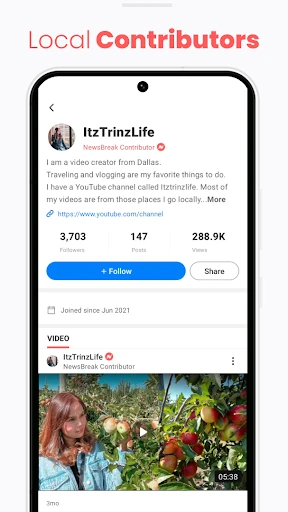
The most distinctive idea is the combination of local news with practical neighborhood context. NewsBreak describes weather and traffic updates, nearby events, a local safety map, and stories from local writers and content creators. Those pieces make the app feel more connected to daily life than a feed made entirely of national headlines. They also give readers several different reasons to check in during the week.
There is still room for broader interests. The described coverage includes sports, business, technology, health, real estate, science, finance, entertainment, and market news. Users can follow topics or block ones they do not want, and they can react to stories, share them, comment, and reply. I like that the product presents both a reading experience and a community layer, even if some readers will prefer to stick to articles.
A simple weekly rhythm
For a practical routine, I would start the morning with the local briefing and check whether a weather or traffic update could affect the day. If there is a nearby event or community story, I could open it then; larger national or international stories can wait for a quieter moment. This keeps the app useful for immediate context without letting every headline compete for the same few minutes.
Over time, I would refine the topics I follow and block subjects that repeatedly distract me. Customized news alerts can help surface updates that fit those preferences, while the broader feed remains available when I want to browse. I would keep alerts intentional and use the app's different sections according to the moment: a quick practical check in the morning, and more leisurely reading later.
Keep the scope in mind
NewsBreak's breadth is also its main limitation for someone with a very specific need. It brings together local and larger news, but it is not described as a dedicated weather-only or traffic-only tool. Readers who want one publisher's perspective may also prefer that publisher's own app. The range of subjects and social features can make the experience feel like a general-purpose feed rather than a focused local newspaper.
The app contains ads and offers in-app purchases, details worth considering if I prefer a completely uncluttered reading experience. Its personalized selection also means that feed choices matter: following too many topics could make a quick check less quick. I would approach it as a flexible starting point for local and general news, and use other specialist sources when a particular task calls for them.
NewsBreak: Local News & Alerts has a clear strength: it puts community coverage and practical local updates alongside the national stories many readers already follow. The combination of briefings, topic controls, alerts, and community features gives it more range than a simple headline reader, though that breadth takes some steering.
I would try it if local news is missing from my current routine and I want a single place to browse nearby and broader coverage. If I wanted only a forecast, a traffic tool, or one publisher's reporting, I would look for something more focused. For everyday news browsing with a neighborhood angle, NewsBreak is a reasonable option.
NewsBreak Frequently Asked Questions
What is NewsBreak: Local News & Alerts used for?
NewsBreak is a news reader for local, national, and international coverage. Its described features include a daily briefing, local weather and traffic updates, nearby events, customized news alerts, and a safety map with neighborhood crime information. It also offers topic-based coverage and community interactions such as comments and replies.
Which devices can run NewsBreak: Local News & Alerts?
NewsBreak: Local News & Alerts is listed for Android on Google Play. The available app details do not specify an Android version requirement, so check the Google Play store listing on your device for current compatibility information. Store availability and requirements can vary by device and region.
Does NewsBreak: Local News & Alerts cost money?
NewsBreak is free to download and contains ads. It also offers in-app purchases, with listed items ranging from $0.10 to $59.99 each. The purchase options and prices may vary, so check the Google Play store listing for the current details before buying anything.
Can NewsBreak: Local News & Alerts send local alerts?
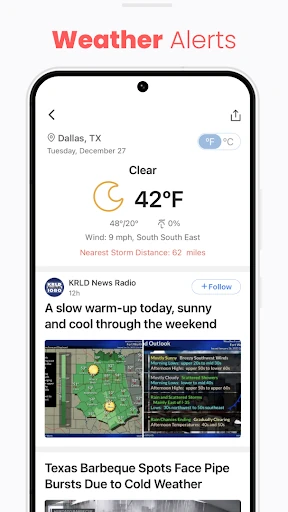
Yes. The app describes daily news alerts and updates, including customized alerts based on interests, as well as local weather alerts. It also covers traffic updates and nearby events. The exact alerts you see can depend on your area and the topics you choose to follow.
Is NewsBreak: Local News & Alerts a good fit for me?
It may suit readers who want local stories alongside broader headlines, weather and traffic updates, and community coverage. It is less suited to someone seeking only one subject or a single publisher's reporting. Because it includes ads and several types of content, readers who want a very narrow, quiet news experience may prefer a more focused app.
Pros
- Combines local stories with national and international headlines in one news reader.
- Includes practical local coverage such as weather alerts, traffic updates, and nearby events.
- Lets readers follow or block topics and customize news alerts.
- Offers community interactions, including reactions, comments, and replies.
Cons
- Its broad mix of topics may feel busy for readers seeking a narrow news feed.
- Ads are part of the free app experience.
- Readers looking for one publisher or a dedicated utility may prefer a more focused app.
- Category
- News & Magazines
- Version
- 26.43.1