Substack
- 209.16K
- 4.8
- Installs
- 5.00M
- Price
- Free
Screenshots
Analysis by Reviewed APKs
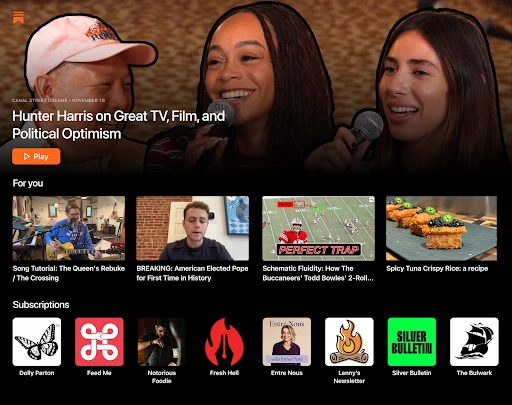
Substack brings writing, videos, podcasts, and creator communities together in one Android app. I found it best suited to readers who want to follow particular writers and podcasters, but also like the chance to discover new voices across topics such as food, sports, politics, and comedy. Its mix of formats makes browsing feel lively, though it works best when you choose what you want to follow rather than treating it as a general news reference.
A Reading Break That Travels
When I first opened Substack, I pictured using it in the small gaps of a normal day: checking a few posts over breakfast, then listening to an article or podcast while doing a simple chore. The app brings creator posts, short videos, clips, and read-aloud articles into one place, so I can browse or listen depending on what the moment allows. It feels especially useful when I already have a few writers or shows in mind.
A practical way to start is to claim a handle, explore the feed, and follow creators whose work catches your attention. From there, the app gives you a place to return to their writing, video, and audio, rather than making each visit begin with a fresh search. I like that free subscriptions are an option, so trying a creator’s work does not have to mean deciding right away whether to pay.
A Creator-Focused Alternative
Substack is a better fit for following individual creators than for replacing a conventional, all-purpose news service. Its appeal is the direct connection between a reader and the people making the work, with writing alongside podcasts, video, livestreams, and group chats. If I want a broad overview of breaking events or a structured reference library, this is not the role I would expect it to fill.
Compared with listening or video apps centered on a single format, Substack gives me more ways to encounter the same creator’s work. That variety is convenient, but it also means the experience depends on which people I choose to follow and what they publish. I would approach it as a home for independent perspectives and creator communities, not as a neutral filter that settles disagreements or verifies every viewpoint.
Follow With a Light Routine
I get more from Substack when I treat following as a small, deliberate habit. I can start with creators I already enjoy, then use the feed to sample other voices without feeling obliged to subscribe to everything. Free subscriptions offer a low-commitment way to keep up, while upgrading is an option for work a creator makes available that way. That distinction helps me avoid turning a casual browse into a pile of automatic commitments.
It also helps to match the format to my attention. I can read a post when I have a few quiet minutes, use read-aloud articles when my hands are busy, or save a short video or podcast for a suitable break. When a creator hosts a livestream or group chat, I can join in real time. I would keep these visits intentional, since an open-ended feed can easily take longer than planned.
More From Our News Desk

Zoom Meetings, Google Meet, or Teams: Which Is Easiest to Join?

How I Build a Free Streaming Lineup With Tubi

Why Crunchyroll Is the Default Anime App for So Many Fans

YouTube TV: A Practical Guide to Cutting Cable

Rummikub and the Small Comfort of Phone Games

TeamViewer Remote Control or AnyDesk for Helping Family?
Who Will Enjoy Substack
I would recommend Substack to readers who enjoy discovering independent writers, artists, and podcasters, then following their work over time. It is also a good match for people who switch between reading and listening, or who value the possibility of live interaction with creators. The range of subjects means there is room to explore different interests, while free subscriptions make it easier to try a creator before considering an upgrade.
It may not suit someone who wants a tightly organized, comprehensive news service or prefers to consume only one kind of media. The app’s value is tied to the creators in your feed, so the first few visits may involve some browsing before it feels personal. And if creator livestreams, group chats, or independent commentary are not appealing, much of what makes Substack distinctive may not matter to you.
Substack is developed by Substack Inc. On Google Play, it has more than 5 million installs and a 4.8-star rating from about 209,000 ratings. The app is free to download, is marked as containing no ads, and has a Teen content rating. Google Play gives its Android requirement as 7.0 or later.
The current version is 2.84.2. Substack was released on October 3, 2022, and its most recent listed update was February 6, 2026. The app’s description says readers can subscribe for free or upgrade to access creators’ work. Google Play records no in-app purchases for the app.
How Substack Fits Into My Reading Day
A Simple First Visit
My first impression was that Substack is built around finding people to follow, rather than setting up a complicated personal media system. The suggested starting point is straightforward: claim a handle, explore the feed, and see which creators interest you. I could begin by sampling posts and clips, then decide which names I wanted to see again. That makes the first visit feel exploratory instead of demanding.
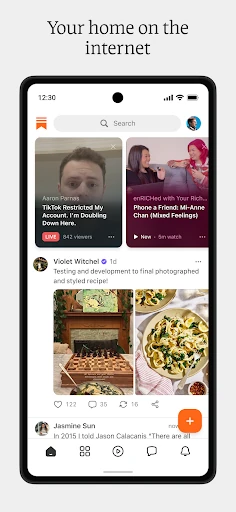
The app’s description emphasizes several kinds of material from the outset: notes, videos, and clips, with writing and podcasts also part of the broader experience. I like that this gives me more than one way to judge whether a creator is a fit. A short clip may catch my attention, while a longer article or audio piece can show whether I want to follow their work.
The Everyday Experience
Day to day, I would use Substack as a place to check in with creators whose work I already value. A quick feed visit can be enough to spot a new note or video, while a longer window gives me time for an article or podcast. That range makes the app adaptable to my schedule. I do not have to be in reading mode every time I open it.
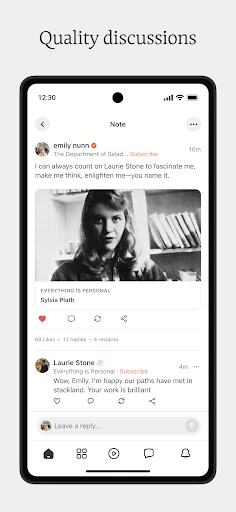
The feed is also where the app’s discovery side comes into play. Substack covers subjects ranging from food and sports to politics, fashion, comedy, and finance, so it can lead me beyond one narrow interest. I would still follow selectively. A broad topic menu is useful for exploration, but the voices I choose determine whether the experience feels focused or scattered.
More Than Written Posts
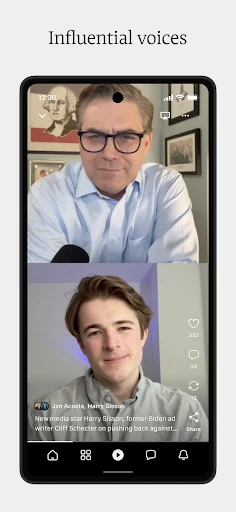
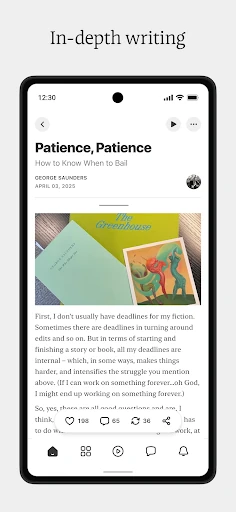
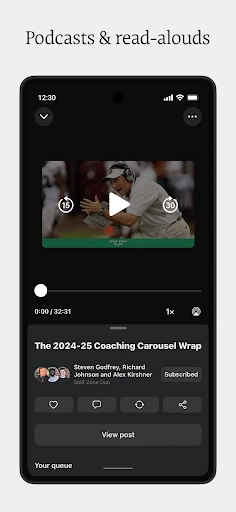
The most distinctive part of Substack is its combination of formats with creator access. I can encounter writing, short-form video, video episodes, podcasts, and articles that can be read aloud. The description also highlights ad-free videos and podcasts. For me, the practical benefit is having options: a piece of work can fit into a quiet reading break or a moment when listening is more convenient.
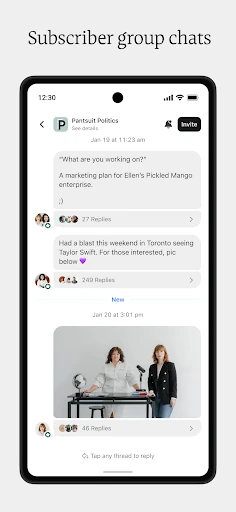
Live features give the experience another dimension. Creators can host livestreams and live group chats, including private chats for supporters, so the app is not limited to publishing material for later. I would not expect every creator to use every format, but the range lets those who do offer a more immediate way to connect with their audience.
A Low-Fuss Weekly Habit
A routine I can imagine sticking with is a short check of the feed a few times a week, followed by a longer session when a specific writer or podcast has something I want to spend time with. I would keep my free subscriptions focused on creators I genuinely want to hear from. If one of them offers work I value enough to upgrade for, I can make that choice separately rather than treating every follow as a purchase.
For a busy day, I would choose a format before opening the app: a short video during a break, a read-aloud article while doing a low-attention task, or a podcast when I can listen without distraction. Livestreams and group chats are better suited to a time when I can participate. That little bit of planning keeps a varied app from becoming an unplanned scroll.
Keep Its Limits in View
Substack’s open range of independent viewpoints is part of its appeal, but it also means readers need to make their own choices about sources. The app offers a way to discover and follow creators; it is not presented as a system for independently checking claims or comparing every side of a story. I would use it to hear perspectives I care about, while keeping that purpose distinct from looking for a complete news overview.
The experience also depends on the people I follow and the formats they use. If my chosen creators post infrequently, or if I only want one kind of content, the app may feel less varied than it first appears. Some work can be accessed through free subscriptions, while creators may offer upgrades. I would check the details for a creator before assuming what is available or what it costs.
Substack works best for me as a flexible place to follow creators, not as a one-stop replacement for every reading, listening, or news habit. Its combination of posts, audio, video, and live community features gives me several ways to stay connected, and free subscriptions make it easy to start exploring.
I recommend giving it a try if you enjoy independent voices and want their work gathered in one app. If you need a tightly curated news service or have little interest in creator communities, its main strengths may not be enough to make it part of your routine.
Substack Frequently Asked Questions
What is the Substack app used for?
Substack is for discovering and following creators, including writers, artists, and podcasters. You can browse a feed with notes, videos, and clips, and the app also supports writing, podcasts, read-aloud articles, livestreams, and live group chats. Readers can subscribe for free or upgrade to access work a creator offers that way.
Which devices can run the Substack app?
Substack is available as an Android app on Google Play. The listed minimum requirement is Android 7.0. I would check the Google Play store page for current compatibility details for a particular phone or tablet, since device and software support can vary.
What Android version does Substack require?
The listed minimum is Android 7.0, so a device running that version or later meets the stated requirement. Compatibility can depend on the specific device and current app release, so it is worth checking the Google Play page from the device you plan to use.
Does Substack cost money to use?
The app is free to download, and its description says readers can subscribe to creators for free or upgrade for access to original work. Google Play records no in-app purchases for the app. The cost and availability of any creator offering may vary, so check the relevant details in the store or within the creator’s offering.
Who is Substack a good fit for?
Substack is a good fit for people who want to follow particular writers, artists, or podcasters and enjoy formats beyond written posts, including video, audio, and live interaction. It may be less appealing if you want a comprehensive, tightly curated news service or do not want to browse creator-led content.
Pros
- Combines writing, podcasts, videos, and live creator experiences in one app.
- Free subscriptions make it easy to start following creators.
- Read-aloud articles offer a listening option for busy moments.
- Wide range of topics supports discovery beyond a single interest.
Cons
- The feed’s usefulness depends on which creators you choose to follow.
- Independent viewpoints are not the same as a complete news overview.
- Some creator work may require an upgrade to access.
- Category
- News & Magazines
- Version
- 2.84.2