Fios TV Mobile
- 54.25K
- 4.2
- Installs
- 1.00M
- Price
- Free

Screenshots


Analysis by Reviewed APKs
Fios TV Mobile is a companion app for watching live channels, on-demand programs, and DVR recordings with a Fios TV subscription. It suits people who already pay for Fios and want some of their TV lineup on a phone when they are away from the television. I like the breadth of its viewing options, though the subscription requirement makes it a poor fit for anyone looking for a standalone streaming service.
TV For A Busy Evening
Picture a familiar evening: dinner is running late, the living room TV is occupied, and a live game or news broadcast is already underway. Fios TV Mobile gives a Fios subscriber another way to tune in, with live channels available on a mobile device. I like that the app can serve a real, small need like this without requiring me to plan a separate streaming subscription around one program.
The same idea works when I want to browse before settling in. I can search for entertainment and filter options by genre, ratings, or favorite channels, rather than scrolling through a channel lineup with no direction. For a show I recorded earlier, the personal library brings DVR recordings together with other saved or purchased content. That makes the app feel connected to an existing TV routine, not just like a remote channel guide.
A Companion, Not A Replacement
The most natural comparison is with a cable provider’s TV app or a general streaming service. Fios TV Mobile is firmly in the first camp: it extends a Fios TV subscription to a mobile screen, including live channels, on-demand titles, and eligible DVR viewing. That is useful if I already rely on Fios and want more flexibility. Its value depends on the TV service behind it, rather than on the app being a complete entertainment package by itself.
I would not choose it as a substitute for subscribing to a streaming service independently, or as a way to watch without Fios TV. Access to channels and DVR streaming also depends on the subscription and equipment conditions described by Verizon. If I mostly watch a handful of on-demand shows and do not care about live TV or my existing DVR, a separate service may be a simpler match. This app makes most sense as an add-on to a Fios household.
Small Habits That Help
I’d start by marking the channels I watch most often as favorites and using the search filters when I have something specific in mind. That is a modest habit, but it can make a large channel selection feel less like a maze. Recommendations offer another starting point when I am browsing without a particular show in mind. The combination is practical: use favorites for familiar viewing and recommendations for the occasional change of pace.
Before a trip or a stretch away from Wi-Fi, I’d look at which content can be downloaded for offline viewing. I’d also check whether the program I want is in my library or available on demand, rather than assuming every channel or title can be saved. At home, the TV-control functions can complement the mobile viewing options, especially for managing DVR activity. Those checks help set realistic expectations around where and how a program will play.
More From Our News Desk

Zoom Meetings, Google Meet, or Teams: Which Is Easiest to Join?

How I Build a Free Streaming Lineup With Tubi

Why Crunchyroll Is the Default Anime App for So Many Fans

YouTube TV: A Practical Guide to Cutting Cable

Rummikub and the Small Comfort of Phone Games

TeamViewer Remote Control or AnyDesk for Helping Family?
Who Will Get The Most From It
I’d recommend Fios TV Mobile to current Fios TV subscribers who want to keep live television, on-demand titles, or DVR recordings within reach on a mobile device. It is especially appealing if the household already uses Fios and there are moments when the main television is unavailable or I am away from home. People who enjoy browsing channels and keeping up with live sports or news may find the mix particularly useful.
It is less suited to someone who wants a free-standing streaming library, has no Fios TV subscription, or expects every channel and recording to work in every situation. Some capabilities depend on the subscriber’s Fios package, equipment, and connection. I would also be cautious about relying on mobile streaming without checking data conditions first. If the goal is simply a few selected shows on demand, this may be more service than needed.
Fios TV Mobile is an Entertainment app from Verizon Services Corp. On Google Play it has over one million installs and a 4.2-star rating from about 54,000 ratings. The app is free to download, but viewing requires a Fios TV subscription; the app is included with that subscription. Google Play marks it as containing ads, and its content rating is Teen.
The current version shown is 9.0.11168. The app was released on April 19, 2018, and its most recent update is dated October 5, 2026. A minimum Android version is not stated in the available app information, so I’d check Google Play on the device I plan to use. Compatible-device requirements and access to particular content can also depend on the Fios TV service.
How Fios TV Fits A Mobile Routine
A Familiar Starting Point
When I first open a TV companion app, I want to know whether it connects to the service I already use and what kind of viewing it covers. Fios TV Mobile has a clear job: bring live television and a range of other Fios viewing options to a mobile device. It is not presented as an independent library that anyone can browse without a Fios TV subscription.
That service connection is both its advantage and its first practical checkpoint. A Fios subscriber can use it to reach channels, on-demand content, and a personal library, but the available experience depends on the subscription. Verizon says Fios Internet is required for in-home use. I’d check the service and device conditions before planning a night around watching a particular channel away from the TV.
The Day-To-Day Viewing
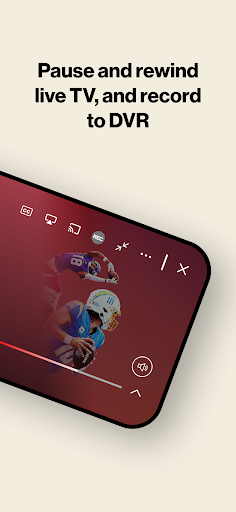
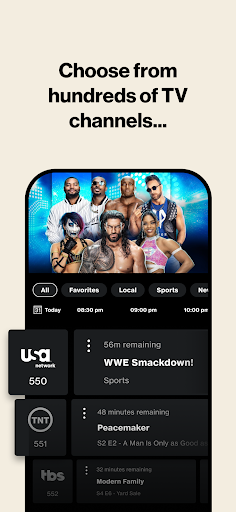
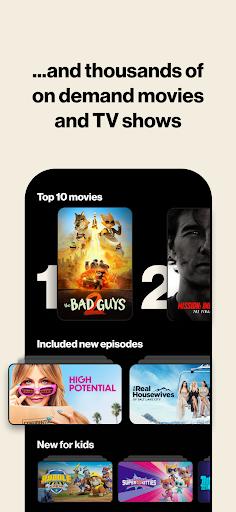
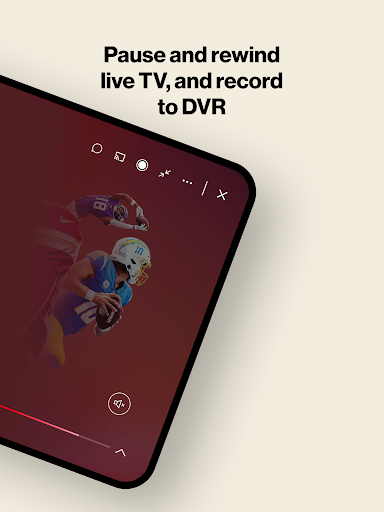
The central appeal is having several kinds of TV viewing in one place. I can turn to live channels when I want something happening now, look for a movie or show on demand when I have more time, or review DVR recordings when I missed a broadcast. That range makes the app more flexible than a single-purpose remote, while keeping the experience tied to the household’s Fios TV service.
Search and filtering are useful when the lineup feels broad. Filtering by genre, ratings, or favorite channels gives me a few ways to narrow the choices, and recommendations can help when I am not sure what to watch. These tools are most helpful as shortcuts into a large collection; they do not change the fact that what I can access depends on the Fios package and content restrictions.
More Than Live Channels
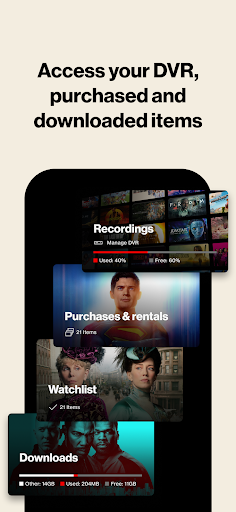
The personal library is one of the app’s more useful touches because it gathers DVR recordings, on-demand purchases, downloads, and bookmarks. If I have already saved or selected something through my Fios setup, having those items accessible from the mobile app can make it easier to pick up a program away from the living room. It gives the app a role beyond simply streaming whichever channel happens to be on.
Offline downloads add another option for content that is eligible to save. Verizon also describes data-free streaming for Verizon Wireless customers, with conditions and a California exception. That offer has specific service requirements, and certain app activity can still use data. I would treat it as a conditional convenience, not assume that every action or every viewing situation is data-free.
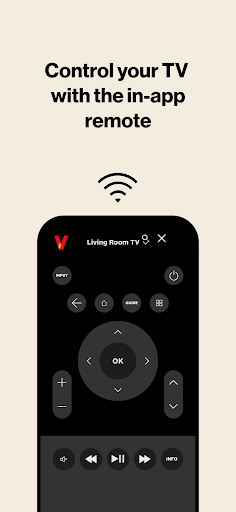
The app can also control a TV to play content, manage a DVR, and watch recordings. Remote-control functionality requires a Fios router and an HD set-top box. Those links to the home setup make the app more than a portable player, but they also underline that the experience is designed for customers with compatible Fios equipment.
A Practical Viewing Routine
A sensible routine would begin at home: browse the channels and library, save favorites, and note which programs I want to catch later. If a title is available to download, I could prepare it before heading out. Once away, I could use the app for live viewing or choose from the eligible saved content. This kind of small preparation is more dependable than opening the app on the move and assuming every title is ready.
For a household with shared TV time, the mobile app can offer another screen for viewing and a way to keep track of DVR content. Verizon sets a limit of five combined live-TV and DVR streams per media server, and full channel access and DVR streaming require specified Multi-Room DVR service. Those details matter if several people expect to watch at once; it is worth checking the account’s setup rather than treating access as unlimited.
Limits To Keep In Mind
The biggest limitation is straightforward: Fios TV Mobile is useful only in the context of a Fios TV subscription. The app itself is free, but it is not a free route to the channels or recordings. Full access can depend on the subscription and compatible equipment, and Verizon notes that content restrictions may apply. Anyone considering it should think of it as a companion to an existing service.
Mobile viewing also involves connection and data considerations. Fios Internet is required for in-home use, while the data-free mobile offer has eligibility conditions and is unavailable in California. Verizon notes that non-streaming activity and certain transitions can incur data charges. Offline downloads can help for eligible content, but they do not mean every program is downloadable or that the app replaces a stable connection in all situations.
Finally, the app’s broad set of functions may be more than a casual viewer needs. If I only want a small selection of on-demand entertainment, the channel browsing and DVR links may add little value. Conversely, a Fios customer who regularly watches live TV or records programs has more reason to explore the full set of options. Checking the specific service and device requirements is a useful last step.
Fios TV Mobile is a capable extension of a Fios TV setup, bringing live channels, on-demand viewing, DVR access, search, and downloads into a mobile routine. Its strongest point is convenience for people who already use the service. Its main drawback is the same dependency: it is not a standalone streaming option, and access varies with the Fios plan and equipment.
I’d recommend it to Fios TV subscribers who want another way to watch and manage their TV content, especially when the main screen is occupied or they are away from home. If you do not have Fios TV, or want entertainment without a provider subscription, I’d look elsewhere. For existing customers, it is worth trying with realistic expectations about access and data.
Fios TV Mobile Frequently Asked Questions
What is Fios TV Mobile used for?
Fios TV Mobile lets Fios TV subscribers watch live channels and on-demand movies or shows on a mobile device. It can also provide access to a personal library of DVR recordings, purchases, downloads, and bookmarks. Search, filters, recommendations, and TV-control functions add ways to find or manage content, subject to the Fios service and equipment.
Which devices and platforms support Fios TV Mobile?
The app is described for use on a compatible mobile device, and the available store information is for Android. Verizon also specifies equipment requirements for some functions, including a Fios router and HD set-top box for remote control. Device compatibility can vary, so check the Google Play store page and your Fios service details before relying on a particular device.
What Android version does Fios TV Mobile require?
The minimum Android version can vary as the app is updated and is worth checking on Google Play for the device you plan to use. A compatible device is required. Some features also depend on your Fios TV subscription, internet connection, and home equipment, so meeting the app’s device requirements alone may not provide access to every channel or function.
Is Fios TV Mobile free, and does it have in-app purchases?
The app is free to download and is included with a Fios TV subscription, which is required to watch its TV content. Google Play identifies the app as containing ads. Subscription costs and terms are separate from the app download and may vary; check the store and your Fios account information for current details.
Is Fios TV Mobile a good fit for someone without Fios?
Probably not. Fios TV Mobile is designed as a companion to a Fios TV subscription, rather than as a stand-alone streaming service. It is a better fit for subscribers who want mobile access to live channels, on-demand content, or DVR recordings. People without Fios TV should compare services that offer access independently.
Pros
- Brings live channels, on-demand content, and DVR recordings together for Fios TV subscribers.
- Search filters and favorite channels help narrow a broad selection.
- Eligible downloads offer an offline option for some content.
- TV-control and DVR functions connect mobile viewing to a compatible home setup.
Cons
- Requires a Fios TV subscription, so it is not a stand-alone streaming service.
- Full channel and DVR access depend on service level and compatible equipment.
- Data-free streaming has eligibility conditions and is unavailable in California.
- Category
- Entertainment
- Version
- 9.0.11168











