eHub
- 19.67K
- 4.1
- Installs
- 1.00M
- Price
- Free

Screenshots
Analysis by Reviewed APKs
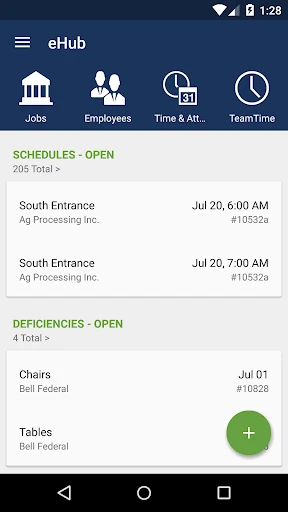
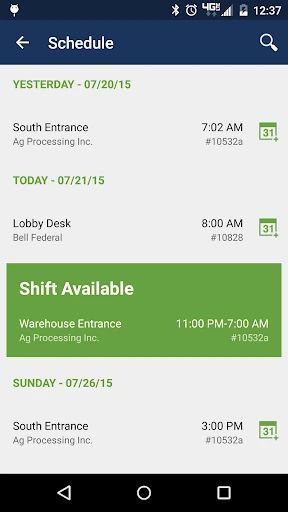
eHub is a work self-service app for employees, supervisors, and customers connected to participating building service and security contractors. It brings job details, schedules, timekeeping, work tickets, and other work-related information together on a phone. I see its value in reducing the small back-and-forths that can interrupt a shift, though what you can do depends on your employer or contractor’s setup.
A Shift in Your Pocket
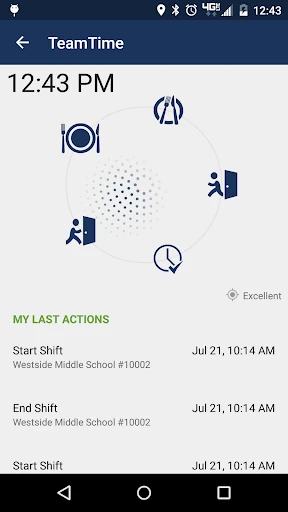
Picture arriving at a job site and needing to check the day’s schedule, confirm your time information, or find details about the work. eHub is meant to put those practical tasks within reach rather than leave them to a call or a separate paper process. Employees can also clock in and out, review job information, and handle work tickets, depending on the access their employer provides.
The app’s usefulness becomes clearer when a shift changes. An employee can check schedules and timekeeping information, look for a replacement, or submit a work request from the same work-focused tool. A supervisor may have access to schedule and people-related tasks, while a customer can view job information or request additional coverage. It is a specific workplace companion, not a general-purpose organizer.
Built for Contract Work
Compared with a basic calendar, messaging app, or time clock, eHub covers a wider slice of service-work administration: job details, schedules, time and attendance, work tickets, inspections, and requests. That breadth matters for building service and security operations, where employees and customers may need to coordinate around the same sites. It can put several connected work tasks in one place instead of treating each as a separate errand.
That focus is also a boundary. eHub is not a universal job-search tool or a personal productivity app, and access is limited to employees, supervisors, and customers of TEAM Software clients that have licensed it. You will not get the same experience simply by installing it without an organizational relationship. If your workplace does not use eHub, its specialized features are unlikely to help with everyday personal planning.
Make Small Checks Count
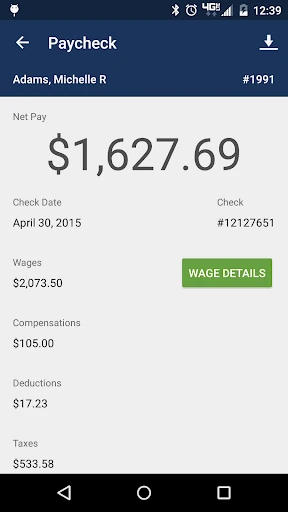
I’d get the most from eHub by using it for quick checks at natural points in a shift: before heading to a site, when reviewing a schedule, and after completing a ticket or inspection. Those moments make the app’s job-focused information easier to act on. Employees with the right access can also use it to review pay stubs or benefit balances without turning a small question into a separate workplace follow-up.
It helps to keep the app’s two audiences in mind. An employee might check timekeeping and schedules, while a customer might look at invoices, request status, or inspection results. I would treat eHub as a place to review and complete the work tasks your organization has enabled, rather than assume every account includes every feature. Access is granted by the employer or contractor, so the available workflow can differ.
More From Our News Desk

Zoom Meetings, Google Meet, or Teams: Which Is Easiest to Join?

How I Build a Free Streaming Lineup With Tubi

Why Crunchyroll Is the Default Anime App for So Many Fans

YouTube TV: A Practical Guide to Cutting Cable

Rummikub and the Small Comfort of Phone Games

TeamViewer Remote Control or AnyDesk for Helping Family?
Who Will Find It Useful
I’d recommend eHub to employees and supervisors in building service or security work whose organization already uses TEAM Software and has licensed the app. If you regularly need job-site information, schedules, timekeeping, work tickets, or pay and benefit details, having those tools on a phone can make routine checks more convenient. Customers of participating contractors may also find it useful for invoices, service requests, schedules, and inspection follow-up.
It may not suit someone looking for a standalone app to manage personal tasks, or a worker whose employer has not enabled eHub access. The feature set is tied to organizational permissions, so two people installing the same app may have different tools available. I’d also think of it as a practical work utility rather than a broad collaboration or entertainment app; its value depends on whether its specific workplace workflows match your role.
eHub is developed by TEAM Software and is listed in the Business category on Google Play. It has more than 1 million installs and a 4.1-star rating from around 19,700 ratings. The app is free to download, with no in-app purchases or ads. Its content rating is Everyone, and the listed minimum requirement is Android 7.0.
The current listed version is 4.62.0-1-g40d586d. eHub was released on October 24, 2011, and was last updated on July 3, 2025, with the latest change described as bug fixes. These figures give a useful snapshot of the Android app, while access to its employee and customer tools still depends on the relevant employer or contractor.
A Practical Tool for the Workday
A Role-Based Start
When I first considered eHub, the main thing I’d want to establish is whether my employer or contractor uses it and what access they have assigned. This is not an app where installing it alone unlocks a complete set of tools. The employer grants permission for employee self-service features, and customer access is determined by the eHub contractor.
That role-based setup makes sense for a work system, but it shapes the first impression. The app’s potential is tied to your organization’s configuration, not just the app itself. Once access is available, the range of work information it can hold is substantial: schedules and job details sit alongside timekeeping, work tickets, requests, and other role-specific items.
Useful Between Tasks
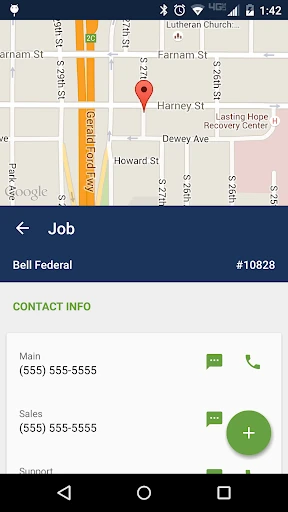
Day to day, eHub is best understood as a place to check or act on work information in the flow of a shift. Employees can view job details and locations, see time and attendance information, and clock in or out of jobs. The app also supports work tickets and work requests. Those are concrete tasks that can come up while moving between sites or handling service work.
The customer side has a different rhythm. A customer can view job and schedule information, electronic invoices, and time and attendance details, then submit requests and follow their status. That separation between employee and customer use keeps the app focused on workplace relationships rather than trying to be one generic tool for everyone.
More Than a Time Clock
Timekeeping is only one part of eHub. Employees with access can review pay stubs, W-2s, and hourly benefit balances such as PTO or sick time, as well as update contact information. Supervisors and employees may also have schedule and compliance information, with permissions shaping who can view or modify details.
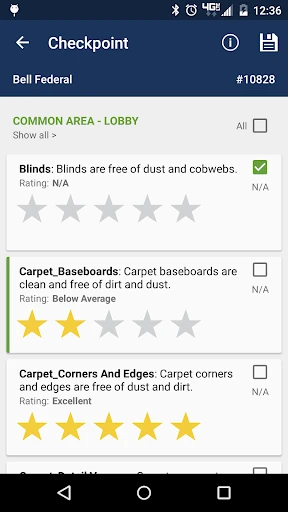
Work tickets and inspections add another useful layer. Employees can access, sign, and complete work tickets, submit work requests, and complete surveys or inspections. Customers can request additional work or coverage, view request status, and sign off on inspections and tickets. These features make eHub relevant to both the work being done and the service being tracked.
A Simple Shift Routine
A practical routine might start with checking a schedule and job location before heading out. During the shift, an employee can use the relevant timekeeping tools and review the information attached to a job. If a ticket or inspection is part of the work, eHub can support completing or signing it, provided that feature is available to the account.
At the end of a task, a quick look at requests or attendance information can help keep work details current. Customers have their own version of this routine: check scheduled work, submit a request when needed, and revisit its status or inspection results later. I like that these examples come from the app’s actual service-work focus rather than an abstract promise to organize everything.
Keep Access in Mind
The biggest limitation is not a missing general-purpose feature; it is that eHub only makes sense within a participating organization. TEAM Software clients must license it, and employers or contractors control which self-service features a person can use. That means the same app may serve an employee, a supervisor, and a customer differently, and some tools may not be available to every user.
Its business focus also narrows its appeal. Someone hoping for a personal calendar, broad project-management system, or general messaging app should look elsewhere. eHub’s communication tools are described as targeted, but its core purpose remains employee and customer self-service in building service and security work. Before relying on it for a particular task, it is worth checking what your organization has enabled.
eHub has a clear job: give eligible employees, supervisors, and customers mobile access to the work information and service tasks their organization supports. Schedules, timekeeping, job details, requests, and tickets are a practical combination for the industries it serves. Its strongest point is that it brings these specific workflows into one work-focused app.
I’d recommend giving it a try if your employer or contractor already uses eHub and has granted you access. If you are looking for a standalone workplace or personal productivity app, it is not the right fit. The experience depends on your role and permissions, but for participating organizations, it can make routine work checks easier to handle.
eHub Frequently Asked Questions
What is eHub used for?
eHub is an employee and customer self-service app for building service and security industries. Depending on access, employees can use it for schedules, job details, timekeeping, work tickets, and personal work information. Customers can view job and billing details, request work or coverage, and follow request or inspection information.
Which phones and platforms support eHub?
The app covered in this review is the Android version available on Google Play. It requires Android 7.0 or later. Access to the app’s employee or customer tools depends on the participating TEAM Software client, employer, or contractor, so check with your organization about whether it supports your role.
Does eHub cost money or include purchases?
eHub is free to download on Google Play, and it has no in-app purchases or ads. Its work features are intended for employees, supervisors, and customers connected to TEAM Software clients that have licensed eHub. Your organization determines access to the relevant self-service features.
Can any employee use eHub?
No. eHub is for employees and supervisors of participating clients, as well as customers whose contractor uses the service. Employers grant access to employee self-service features, and contractors determine customer access. The tools available can vary by role and organization, so check with your employer or contractor.
Is eHub a good fit for personal organization?
Probably not. eHub is designed for work and customer self-service in building service and security, not general personal planning. I’d consider it if your organization uses it and you need its job, schedule, timekeeping, ticket, or service-request tools. Its usefulness depends on your workplace and assigned permissions.
Pros
- Combines job details, schedules, timekeeping, and work-ticket tools for participating organizations.
- Supports both employee and customer self-service workflows.
- Free to download, with no ads or in-app purchases.
- Includes access to pay and benefit details for eligible employees.
Cons
- Requires an employer or contractor that has licensed eHub.
- Available tools depend on role and organizational permissions.
- Its industry-specific focus limits its use for personal planning.
- Category
- Business
- Version
- 4.62.0-1-g40d586d











