EchoLink
- 7.30K
- 4
- Installs
- 500.00K
- Price
- Free
Screenshots
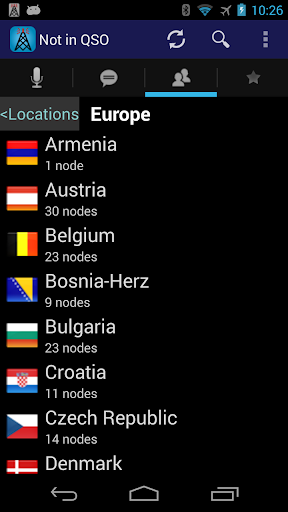
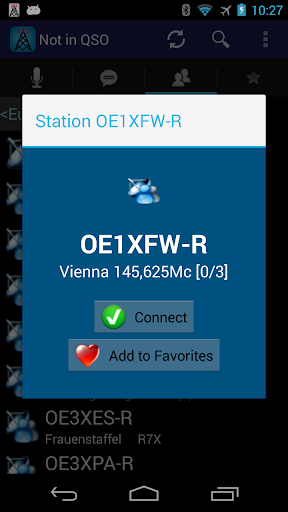
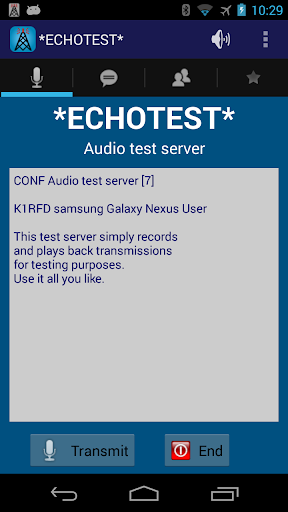
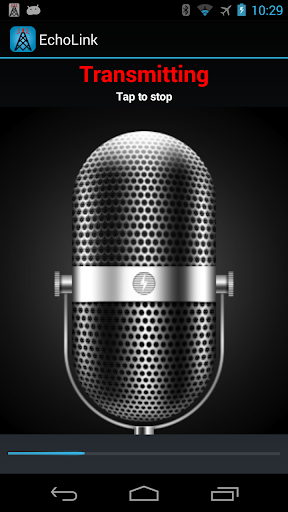
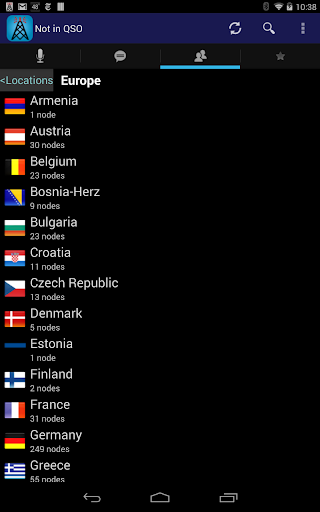
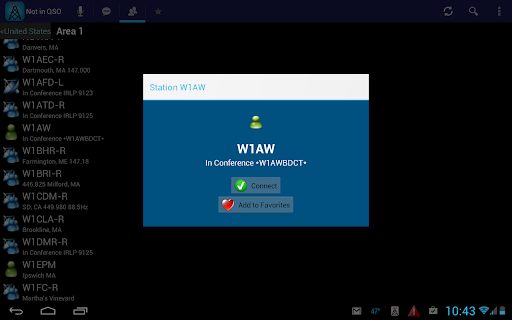
Analysis by Reviewed APKs
EchoLink gives licensed amateur radio operators a way to access the EchoLink network from an Android phone or tablet, using Wi-Fi or cellular data. I see it as a practical companion for operators who want to connect while away from their usual radio setup, rather than a general-purpose chat app. Its focus is narrow, but that focus makes sense if amateur radio is already part of your routine.
A radio connection on the go
Imagine having a few minutes between errands and wanting to check in with the EchoLink network without being beside your usual equipment. EchoLink is built for that kind of moment: it provides access from an Android phone or tablet over Wi-Fi or a cellular connection. I like the idea of carrying a familiar point of access in my pocket, especially when travel or a change of routine puts me away from home.
When I first considered how I would use it, the key detail was that this is for licensed amateur radio operators, not anyone looking for casual voice chat. The app requires an EchoLink password. New users who are licensed operators can choose one at startup, while existing users who have forgotten theirs can request a reminder through the EchoLink validation site. That makes account access part of getting started, not an optional extra.
A companion, not a chat app
EchoLink makes the most sense alongside the amateur radio hobby. Its job is to provide mobile access to the EchoLink system, and the description specifically mentions using Wi-Fi or cellular data. That gives it a different purpose from general messaging or social apps: the connection is tied to a radio network and licensed operation. If that is already your world, mobile access can be useful; if it is not, the app is unlikely to have much to offer.
I would also separate it from the idea of a full replacement for every part of a radio setup. The app's stated role is access to the EchoLink network from an Android device. It does not claim to be a general communications suite, nor does the supplied information describe messaging, file sharing, or a collection of unrelated tools. I would approach it as a focused way to connect, rather than expect it to cover every radio or communication need.
Make access part of the routine
A little preparation can make the first use less fiddly. I would confirm that I have the password I use for EchoLink before heading out, and make sure I can get online through Wi-Fi or cellular data. If I were new to EchoLink but already licensed, I would be ready to choose a password at startup. Those small steps help keep a quick check-in from turning into an account-recovery detour.
For regular use, I would treat the phone as another access point rather than assume it should replace my established habits. It can be handy when I am away from home, and Wi-Fi or cellular service gives me options depending on where I am. If the password slips my mind, the listed validation route is a practical reminder to keep in mind. The app's narrow scope makes a simple routine easier to understand.
More From Our News Desk

Zoom Meetings, Google Meet, or Teams: Which Is Easiest to Join?

How I Build a Free Streaming Lineup With Tubi

Why Crunchyroll Is the Default Anime App for So Many Fans

YouTube TV: A Practical Guide to Cutting Cable

Rummikub and the Small Comfort of Phone Games

TeamViewer Remote Control or AnyDesk for Helping Family?
Who will get the most from it
I would recommend EchoLink to licensed amateur radio operators who already use, or want access to, the EchoLink system and sometimes need that access on an Android phone or tablet. The clearest fit is someone who travels, moves around during the day, or simply wants an alternative to being at a particular computer or radio setup. The Wi-Fi and cellular options make mobile use the central appeal.
It is not a good match for someone looking for an everyday messenger, a social network, or a way to communicate without the amateur-radio context. The app is specifically for licensed operators, and it requires an EchoLink password. If you are not involved in amateur radio, the focused purpose may feel limiting. For operators who are, the modest learning curve of arranging account access may be a reasonable trade for portability.
EchoLink is a free Android communication app from Synergenics, LLC. Google Play shows over 500,000 installs and a 4.0-star rating from around 7,300 ratings. It is intended for licensed amateur radio operators and is rated Everyone. The supplied version is 1.8.10. The app's stated purpose is access to the EchoLink network from an Android phone or tablet.
The app is free, with no in-app purchases and no ads according to the supplied app facts. It was released on August 24, 2010, and its most recent update in the supplied details is dated August 7, 2026. The description says it can connect over Wi-Fi or cellular data and requires an EchoLink password. A minimum Android version is not included in the supplied facts.
Mobile Access With a Clear Purpose
Getting started
My first impression is that EchoLink has a very specific job. It is not asking me to build a profile for a broad social service or learn a complicated set of unrelated tools. The central promise is access to the EchoLink system on an Android phone or tablet. That clarity is helpful, though it also means the app's usefulness depends on already understanding why you want to reach that network.
The main setup detail to handle is the password. A licensed operator who has not used EchoLink before can choose a password at startup. Someone who already has one but cannot remember it can request a reminder through the EchoLink validation site. I would sort that out before relying on the app during a short window away from home.
The connection options are straightforward in concept: Wi-Fi or cellular data, including 3G, 4G, or LTE as described. I would pick whichever connection is available and reliable in the moment. The app is for licensed operators, so newcomers to the hobby should understand that requirement before treating setup as a simple download-and-go process.
Using it day to day
Day to day, EchoLink is best understood as a mobile route into an existing system. I can picture opening it while traveling or during a break, when I am not sitting beside my usual equipment. That kind of flexibility is more valuable than a long feature list: the app puts access on a device I may already carry, with internet connectivity as the bridge.
The choice between Wi-Fi and cellular data makes the app adaptable to different settings. At home or in a place with a trusted Wi-Fi connection, that may be the natural route. Away from one, cellular data offers another option. I would still treat connection quality as a practical consideration, since the description names network access as the means of reaching EchoLink.
What I appreciate about the concept is that it can fit around an operator's existing routine instead of demanding a new one. A phone can come along on ordinary outings, and the app's purpose remains easy to remember. It is access to EchoLink, not a promise to handle every communication task that might arise during the day.
The useful details
The standout feature is portability. EchoLink gives Android users access to the EchoLink network from a phone or tablet, rather than limiting access to a fixed location. For operators whose day takes them away from home, that is a meaningful convenience. It is also a restrained feature set in the material provided, which helps keep expectations grounded in the app's main role.
The other useful detail is the choice of connection type. Wi-Fi and cellular data are both supported routes, with the description naming 3G, 4G, and LTE among cellular options. In practical terms, that means I can think about access based on where I am, rather than needing one specific kind of network connection every time.
Password handling is also clearly addressed. New users who are licensed operators can choose a password at startup, and existing users who have forgotten theirs can request a reminder through the validation site. That is a small but helpful bit of guidance, especially for someone who only opens the app occasionally and may not have the login details at hand.
A simple travel routine
For a travel day, I would check my EchoLink password before leaving and make sure the phone has a usable internet connection. Then, when I had a suitable moment, I could use the app to access the system from the device already in my pocket. This is a modest routine, but it addresses the two obvious practical dependencies: account access and connectivity.
On a day spent moving between places, I would use Wi-Fi when it is available and cellular data when that is the better option. I would not assume either connection is equally suitable everywhere; the app's stated access depends on being able to get online. Thinking ahead about those conditions helps set realistic expectations for a quick mobile session.
If I used EchoLink infrequently, I would keep the password reminder route in mind rather than waiting until I was away from my usual setup to look for it. The app does not need an elaborate workflow to make sense. A saved place in my normal radio routine, plus a quick check of credentials and connectivity, is enough to make its mobile role clear.
Keep expectations grounded
The most important limitation is also the clearest: EchoLink is for licensed amateur radio operators. It is not designed as a general-purpose communication app for friends or family, and someone outside the hobby may find little reason to use it. That is not a flaw so much as a boundary around who the app serves.
Access also depends on an EchoLink password and an internet connection. If I have forgotten the password, I may need to use the reminder process before I can get going. If I do not have Wi-Fi or cellular data available, mobile access is not going to be useful at that moment. Those are ordinary requirements, but worth considering when planning to rely on the app away from home.
Finally, the supplied information describes a focused network-access app rather than a broad collection of extras. I would not expect messaging, file sharing, or unrelated communication functions based on the description. Operators who want mobile access to EchoLink may find that focus refreshing; anyone expecting a feature-packed all-purpose radio companion should check the current Google Play details before deciding.
EchoLink is a practical, narrowly focused option for licensed amateur radio operators who want access to the EchoLink system from an Android phone or tablet. Wi-Fi and cellular support make the mobile angle clear, while the password requirement is simple to plan around. It does not try to be a general chat app, and that is part of understanding its appeal.
I would recommend it to operators who already know they want EchoLink access away from their usual setup. If you are not a licensed amateur radio operator or are looking for everyday messaging, this is not the right fit. For its intended audience, the app offers a straightforward way to carry network access into more places.
EchoLink Frequently Asked Questions
What is EchoLink used for?
EchoLink provides access to the EchoLink network from an Android phone or tablet. It is intended for licensed amateur radio operators, who can connect over Wi-Fi or cellular data. The app requires an EchoLink password, so it is best understood as a mobile access point for operators rather than a general messaging or social app.
Which devices can run EchoLink?
The supplied description says EchoLink is available for Android phones and tablets. The minimum Android version can vary with app updates and device support, so check the current Google Play entry to see whether your particular device meets the requirements. The app's described connection options include Wi-Fi and cellular data.
Does EchoLink cost anything?
EchoLink is free to download according to the supplied app facts, with no in-app purchases and no ads. Store details can change over time, so it is worth checking the Google Play entry before installing if you want the latest cost information. You will also need an EchoLink password to access the system.
Does EchoLink require an Android version?
EchoLink is an Android app for phones and tablets, but a minimum Android version is not given in the supplied details. Compatibility can depend on the current release and your device, so check the Google Play entry for the requirement that applies when you install it. The app's stated purpose is access to the EchoLink network.
Who should use EchoLink?
EchoLink is intended for licensed amateur radio operators who want to access its network from an Android device. It may suit operators who travel or spend time away from their usual setup. It is not aimed at people seeking a general-purpose chat app, and an EchoLink password is required to use the system.
Pros
- Provides EchoLink network access from an Android phone or tablet.
- Supports Wi-Fi and cellular data for mobile connections.
- Password setup and reminder steps are explained clearly.
- Free to use, with no ads or in-app purchases.
Cons
- Designed specifically for licensed amateur radio operators.
- Requires an EchoLink password and an internet connection.
- Its focused purpose may not suit users seeking general messaging.
- Category
- Communication
- Version
- 1.8.10











