DramaWave - Dramas & Reels
- 863.38K
- 4.6
- Installs
- 100.00M
- Price
- Free

Screenshots
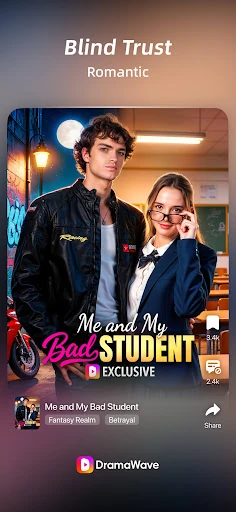
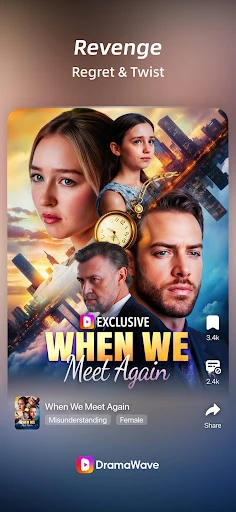
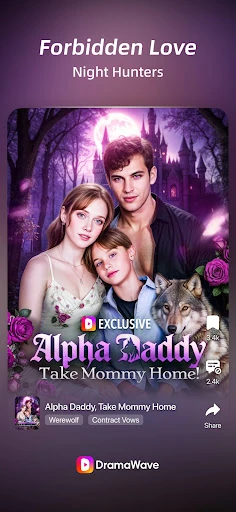
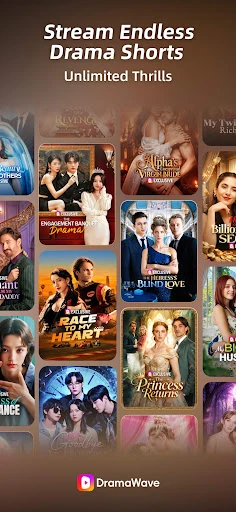

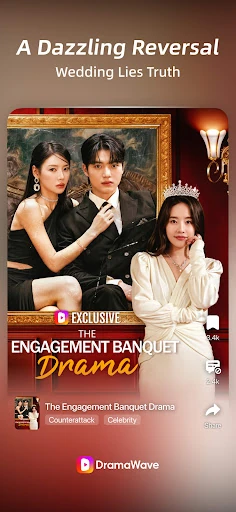
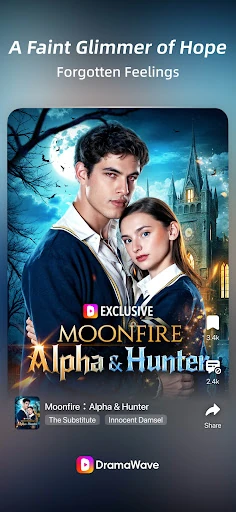
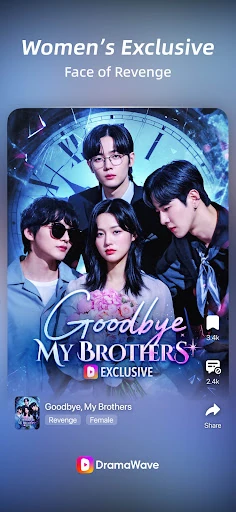
Analysis by Reviewed APKs
DramaWave - Dramas & Reels is an Android entertainment app for watching short, vertical drama episodes and longer series on a phone. Its format suits people who want a story in a spare few minutes, as well as viewers happy to settle in for a longer session. After looking at what it offers, my take is that it has a clear, convenient niche, though ads and paid access are worth keeping in mind.
A Story in a Spare Minute
When I have a short break between errands, a full-length show can feel like too much commitment. DramaWave is designed around a different rhythm: vertical, full-screen drama videos that let me dip into a story without turning the moment into a whole evening. I can open the feed, watch an episode, and decide whether I want another. That makes it especially suited to brief waits or a few quiet minutes before bed.
The app also supports a more deliberate session. I can follow a drama through its short episodes, and the description says episodes can be downloaded for offline viewing. That could be useful before a commute or a trip where internet access is uncertain. On-screen comments add a social layer while a video plays, so watching is not limited to silently following the plot. The central appeal is quick storytelling, rather than a traditional TV interface.
Short Drama, Not Every Screen
Compared with a conventional TV streaming app, DramaWave puts short, vertical stories at the center instead of making a large-screen series catalogue the main event. It is a natural fit when I am holding my phone upright and want an episode-sized break. The description also highlights series and movies, but its strongest identity is clearly drama made for short viewing sessions. People who enjoy a continuing story in compact installments may find that format easy to fit into daily life.
I would not treat it as a replacement for every kind of video service. The material focuses on drama shorts, vertical videos, series and movies, not a broad mix of live programming or unrelated entertainment. Nor is this the obvious choice for someone who prefers watching on a television or wants every viewing session to be a long, uninterrupted film. Its appeal depends on liking quick, phone-first storytelling and being comfortable with an app built around that habit.
Small Habits That Help
A little intention can make short-form viewing feel less scattered. I would start by choosing a drama that catches my interest and giving it a few episodes before switching to something else. Since the app offers multi-language subtitles, I would check the available subtitle options when starting a show, especially if I am watching in a noisy place or following dialogue in another language. The description names English, Spanish, French, German, Japanese and Korean among the options.
For days when connectivity is inconvenient, downloading an episode ahead of time is a practical habit the app explicitly supports. I would also use on-screen comments as an optional part of the experience: they can make a scene feel shared, but there is no need to engage with them to follow a story. Keeping sessions tied to a break or a planned episode helps preserve the convenience of the format without letting a quick watch turn into an accidental marathon.
More From Our News Desk

Zoom Meetings, Google Meet, or Teams: Which Is Easiest to Join?

How I Build a Free Streaming Lineup With Tubi

Why Crunchyroll Is the Default Anime App for So Many Fans

YouTube TV: A Practical Guide to Cutting Cable

Rummikub and the Small Comfort of Phone Games

TeamViewer Remote Control or AnyDesk for Helping Family?
Who Might Enjoy DramaWave
I would recommend DramaWave to viewers who like dramatic stories but often watch in short windows rather than sitting down for a full episode of a conventional series. The vertical feed, short-episode approach and offline downloads make sense for phone-first routines. It may also appeal to people who like reacting as they watch, since the description includes real-time on-screen comments. Multiple subtitle languages give viewers another reason to explore stories beyond their usual language choices.
It may be a weaker match for someone who dislikes ads, prefers a completely free catalogue, or wants a service centered on long-form viewing. DramaWave is free to download, but it includes ads and in-app purchases, and the description mentions a subscription for access to exclusive content. I would also look elsewhere if I wanted a general-purpose video library rather than drama-focused entertainment. The format is appealing when its short, serialized style matches the way I actually watch.
DramaWave - Dramas & Reels is an Android entertainment app developed by SKYWORK AI PTE.LTD. Google Play shows over 100 million installs and a 4.6-star rating from about 863,000 ratings. It is free to download, contains ads, and offers in-app purchases. The listed in-app product prices range from $0.09 to $299.99 per item, so the cost of optional purchases can vary considerably.
The app has a Teen content rating. Its listed version is 2.0.70, with a release date of September 12, 2024, and a last update date of October 29, 2026. The description says subscriptions renew automatically and can be managed or canceled in account settings. It does not give a minimum Android version, so I would check the Google Play page on my device before installing.
How DramaWave Fits a Phone-First Routine
A Direct First Impression
When I first opened the idea of DramaWave, its strongest point was easy to understand: this is entertainment built around vertical drama videos, not a conventional TV guide squeezed onto a phone. The description presents a full-screen feed and quick stories as the main draw. That clear focus should help viewers know what sort of experience they are choosing before they settle into a series.
Getting started is less about planning a viewing schedule and more about finding a story that catches my eye. The app describes personalized drama content in its feed, along with series and movies. I would approach that discovery with a little patience: a short-video format makes it easy to browse, but choosing one story and following it is likely more satisfying than endlessly hopping between clips.
The Everyday Viewing Rhythm
Day to day, the short-episode structure is the feature I would notice most. It lends itself to small pockets of time: a quiet lunch break, a wait for a ride, or a few minutes after finishing chores. Rather than needing to remember a long plot after a week away, I can return for another compact installment. That is a practical advantage for viewers whose schedules make regular, lengthy sessions difficult.
When I want a longer watch, the app also describes series and movies, so the experience is not limited to a single short clip. Streaming quality is described as reaching 1080p, and the app supports downloads for offline viewing. Those options make it easier to adapt a session to the moment, whether I have a reliable connection and time to browse or want to prepare an episode before heading out.
Features With a Clear Purpose
On-screen comments are one of the more distinctive details. The description says viewers can react in real time during playback, which changes the feeling of watching from a private activity to something shared with other viewers. I can see that being fun around a surprising scene or a cliffhanger. It will not suit everyone, though; some people would rather keep their attention on the story and ignore the conversation.
The combination of vertical full-screen playback and short drama episodes gives the app a recognizable shape. Personalized content is intended to help surface dramas a viewer may like, while regular additions bring new titles into the mix. The description also points to multi-language subtitles, including English, Spanish, French, German, Japanese and Korean. Those are useful options for following dialogue, though the particular subtitle languages available can depend on the title.
A Simple Viewing Routine
A routine I would use is to browse for a new drama when I have a few minutes, pick one premise, and watch a small run of episodes rather than treating every swipe as a new commitment. If a story earns my attention, I can return to it during another break. That approach makes the format feel more like a compact serial than an endless feed, while keeping the app’s quick-access appeal.
Before a trip or a stretch without dependable internet, I would make use of the download option described for episodes. At home, I might keep comments on when I feel like seeing other viewers’ reactions, then focus on the video when I want a quieter watch. Subtitles are another useful choice to check at the start. These small decisions help tailor the experience without expecting the app to be more complicated than it is.
Tradeoffs to Keep in Mind
The biggest practical caveat is the mix of advertising and optional spending. DramaWave is free to download, but it contains ads and offers in-app purchases; its description also mentions a subscription that unlocks exclusive content and renews automatically. I would look carefully at the purchase details before committing to anything. The listed range of in-app item prices is wide, so it is sensible to know what is optional and what a particular offer costs.
There is also a matter of taste. Short, vertical drama can be convenient, but it is not the same as settling into a traditional television episode on a large screen. Real-time comments may add energy or become a distraction, depending on how I like to watch. The app’s drama-focused selection is a strength for its audience and a limitation for anyone seeking a broader entertainment catalogue or a different kind of programming.
DramaWave makes a specific promise: drama stories in a format that fits the phone and the odd spare moment. The vertical feed, short episodes, subtitles, comments and offline downloads all support that purpose. I like that the concept is easy to grasp, even if ads and optional purchases mean the free download is not the whole cost picture.
I would try DramaWave if I wanted serialized drama in bite-sized sessions and was comfortable watching on a phone. It is less compelling for people who want a broad streaming service or a purely long-form experience. For the right viewer, it offers a convenient way to keep a story close at hand.
DramaWave Frequently Asked Questions
What is DramaWave - Dramas & Reels used for?
DramaWave is an entertainment app for watching vertical drama videos, short episodes, series and movies. Its description also mentions personalized drama content, on-screen comments, downloads for offline viewing, and subtitles in several languages. It is geared toward phone-based viewing, especially when someone wants a story in a short session rather than a long traditional TV watch.
Which devices can run DramaWave?
DramaWave is an Android app available through Google Play. The supplied details do not specify a minimum Android version, so compatibility may vary by device and operating system; check the Google Play page from the device you plan to use. The description discusses vertical, full-screen mobile viewing, and does not provide details about other platforms.
Does DramaWave cost money?
DramaWave is free to download, but it contains ads and offers in-app purchases. The listed purchase prices range from $0.09 to $299.99 per item. Its description also says a subscription unlocks exclusive content and renews automatically, with management or cancellation available in account settings. Check Google Play and the purchase screen for current terms and prices.
Does DramaWave support offline viewing?
Yes. The app description says episodes can be downloaded for offline viewing, which can be useful when you expect to be without an internet connection. It also describes streaming in up to 1080p and subtitles in multiple languages, including English, Spanish, French, German, Japanese and Korean. Available subtitle options may depend on the title.
Who is DramaWave best suited to?
DramaWave is best suited to viewers who enjoy drama stories in short, vertical installments and want to watch on a phone. Its offline downloads and on-screen comments add flexibility for different routines. It may not suit people who prefer long-form viewing, dislike advertising, or want a broad entertainment service. The app has a Teen content rating.
Pros
- Short, vertical drama episodes suit quick breaks and phone-first viewing.
- Episode downloads can make watching more convenient without an internet connection.
- Subtitles and on-screen comments add useful viewing options.
- The app combines drama shorts with series and movies.
Cons
- Ads and optional purchases may interrupt or add costs to viewing.
- The short vertical format may not suit traditional TV-style viewing.
- On-screen comments may distract viewers who prefer a quieter session.
- Category
- Entertainment
- Version
- 2.0.70