Dayforce
- 181.15K
- 4.5
- Installs
- 5.00M
- Price
- Free

Screenshots
Analysis by Reviewed APKs
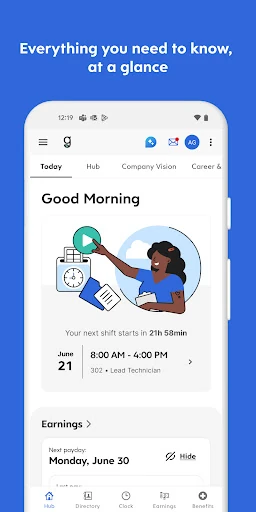
Dayforce is a work-life app for employees whose organizations use the platform, with tools for schedules, timekeeping, time off, pay details and, in some workplaces, manager tasks. I see its appeal in having routine work information close at hand instead of chasing paperwork or separate messages. It is practical rather than flashy, and how much it can do depends on what an employer has enabled.
A Shift Starts Here
Picture a typical workday: I want to know when my shift begins, check whether the schedule has changed, and clock in without stopping to find a paper timesheet. Dayforce brings those tasks together in one mobile app, provided my employer has enabled them. That makes it useful in the small gaps of a day, such as checking tomorrow’s hours while commuting or confirming a shift before making plans.
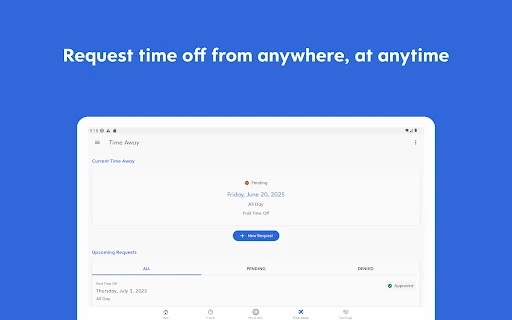
The same idea carries through after the shift. I can use the app to review work-related details such as time, pay information or a time-off request, rather than treating each question as a separate office errand. Shift swaps and time-off planning are also part of its stated toolkit. Not every workplace offers every option, but the central job is clear: give employees a mobile place to manage everyday work logistics.
A Work Tool, Not a Planner
Dayforce sits closer to an employee self-service portal than to a general calendar or to-do list. A personal planner can organize errands and appointments, but it does not provide an employer-connected view of shifts, clocking, timesheets or benefits. Dayforce is aimed at those workplace tasks. Its value is less about organizing all of life and more about making the work-related parts easier to check and handle on the go.
That focus is also a boundary. Dayforce is available only to employees of organizations that use the platform and enable mobile access, so it is not a standalone scheduling app for anyone to adopt. It is not a replacement for a broad personal finance or productivity tool, either. Pay-related options depend on employer choices, and the app’s usefulness will vary with the setup at a particular workplace.
Make Checks a Habit
The best way to get value from an app like this is to fold it into routines I already have. I might check the schedule when planning the week, then take a quick look before a shift to catch any changes. If clocking in and out is available, using the same app for those moments can keep the workday’s basic records in one place rather than relying on memory.
I would also handle requests when they naturally come up instead of saving every small task for later. That could mean checking time-off details when thinking about a trip or reviewing pay information when it is relevant. For people leaders, the same principle applies to timesheet approvals and employee requests. These habits do not add new features; they simply make the available tools easier to remember and use.
More From Our News Desk

Zoom Meetings, Google Meet, or Teams: Which Is Easiest to Join?

How I Build a Free Streaming Lineup With Tubi

Why Crunchyroll Is the Default Anime App for So Many Fans

YouTube TV: A Practical Guide to Cutting Cable

Rummikub and the Small Comfort of Phone Games

TeamViewer Remote Control or AnyDesk for Helping Family?
Who Might Find It Useful
I would recommend Dayforce to employees whose workplace already uses it, especially people who regularly need to check shifts, record work time or manage time-off requests. Having those details on a phone can be convenient when a question comes up away from a desk. People leaders may also appreciate being able to handle supported approvals and requests while away from their usual workstation.
It may be a poor fit for anyone looking for a general calendar, a job-search tool or an app that works independently of an employer. The experience is tied to workplace configuration, so a colleague may have options that another employee does not. I would also avoid assuming that on-demand pay or every other listed capability is available; employers decide which features to enable.
Dayforce is a free Business app from Dayforce on Google Play. It has over five million installs and a 4.5-star rating from around 181,000 ratings. The app is marked Everyone, and Google Play reports no in-app purchases or ads. Those store details give a quick sense of its broad workplace audience, while the features an individual can use depend on the employer’s Dayforce setup.
The supplied app details identify version 2026.11.2, a release date of September 15, 2011, and a last update of October 20, 2026. A minimum Android version is not included in the available facts, so it is worth checking Google Play for device compatibility before installing. Mobile access also requires an organization that uses Dayforce and has enabled the mobile experience.
The Practical Side of Dayforce
A Focused First Impression
When I first considered Dayforce, its purpose was easy to understand: it is for work tasks that employees might otherwise handle through paperwork or a workplace system at a desk. The appeal is not a long list of lifestyle extras. It is the possibility of reaching schedule, timekeeping and other work information from a phone when a small question comes up during the day.
Getting started is naturally tied to an employer’s use of the platform. The app is intended for employees at organizations that use Dayforce and have enabled mobile access, so downloading it alone does not guarantee every feature will be available. I would treat the employer’s setup as the key part of getting started, then explore the tools that apply to my role.
Everyday Work Tasks
The day-to-day experience is built around recurring needs rather than one-off projects. Checking a schedule, clocking in or out, planning time off and reviewing benefits are all within the app’s described scope. Putting these in one mobile destination can reduce the friction of remembering where a particular detail lives, especially for employees who do not spend the whole workday at a computer.
I like that the app’s core use does not require a complicated story: check what is relevant, handle a routine task, and get back to the day. Its usefulness will still depend on the employer’s configuration and the employee’s role. Someone whose workplace enables only a subset of the tools should expect a narrower experience than someone with a broader setup.
Features With Practical Value
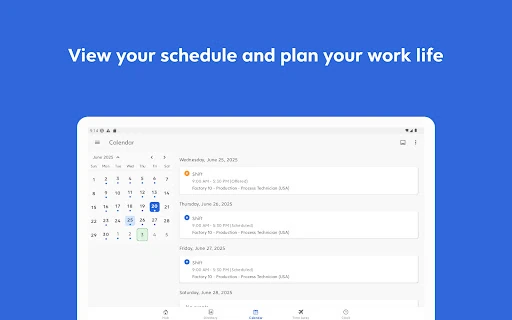
Shift management is one of the most tangible parts of Dayforce. The app can support checking schedules and swapping shifts, which can help employees keep work plans in view when coordinating the rest of the week. Time-off planning belongs in the same practical category: it connects a common workplace request to a mobile tool rather than making the employee rely on a paper process.
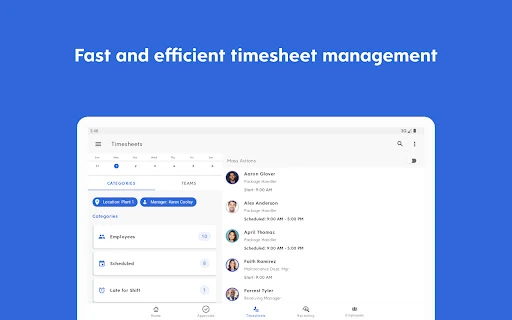
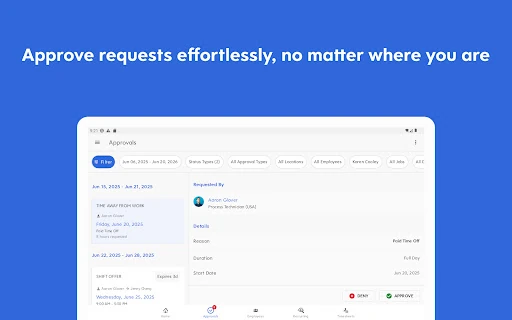
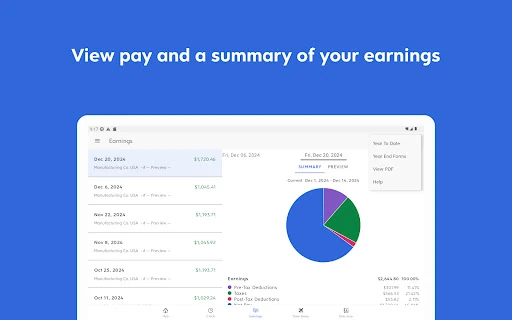
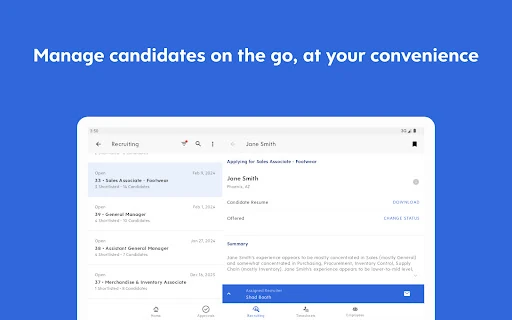
Pay and benefits add another layer, but they come with important qualifications. The description includes reviewing benefits and tracking real-time earnings, while access to pay before payday is tied to Dayforce Wallet and depends on an employer offering it. The app also includes manager tools such as timesheet approvals and responding to requests. These are useful capabilities, not guarantees that every user will see them.
A Simple Weekly Routine
A sensible routine might begin with a schedule check at the start of the week. I could look over upcoming shifts, consider whether a time-off request is needed, and use the app’s shift-swap option if that feature is part of my workplace setup. Before each shift, a quick check can help me keep the day’s timing straight, with clocking in and out handled through the app where available.
Later, I might review relevant pay or benefits information rather than opening the app without a purpose. A manager could build a similar routine around checking timesheets and responding to employee requests. Keeping these checks tied to real moments makes the app feel like a useful work utility, not another feed that demands attention throughout the day.
Keep Expectations Grounded
The biggest limitation is that Dayforce is not equally complete for everyone. The employer decides which features are available, and mobile access itself must be enabled. That means two employees using the same app can have different options. It is worth approaching the app as a companion to a workplace’s existing setup, not assuming it will expose every tool described in the general feature overview.
Pay access deserves particular care in setting expectations. The description says some employers offer access to pay before payday through Dayforce Wallet, while limitations and blackout dates may apply based on employer configurations and pay cycles. If that is the main reason to install the app, I would first check with the employer. More broadly, Dayforce is most useful when its basic work tasks match the way a person’s organization operates.
Dayforce makes a practical case for keeping common employee tasks on a phone: schedules, timekeeping, time off, pay details and selected manager actions. Its strongest quality is that focused, everyday purpose. Its main caveat is equally clear: the employer controls mobile access and feature availability, so the experience is not identical across workplaces.
I’d recommend it to employees and people leaders whose organizations use Dayforce and have enabled the app, particularly if they want to handle routine work checks away from a desk. If you need a general-purpose planner or independent scheduling tool, this is not the right fit. First confirm which features your workplace supports.
Dayforce Frequently Asked Questions
What is the Dayforce app used for?
Dayforce helps employees manage work-related tasks on a mobile device. Depending on the employer’s setup, it can support clocking in and out, checking schedules, swapping shifts, planning time off, reviewing benefits and pay information, and handling manager tasks such as timesheet approvals.
Can I use Dayforce on my phone?
Dayforce is an Android app available through Google Play. Mobile access is intended for employees of organizations that use Dayforce and have enabled the mobile experience. The available details do not specify other platforms, so check the relevant store or workplace guidance for device options.
What Android version does Dayforce require?
The Android version requirement can vary with the app and device, and a minimum version is not provided in the available app details. Check Google Play for the current compatibility information before installing, and remember that your employer must also enable mobile access.
Is Dayforce free, and does it have purchases?
Dayforce is free on Google Play, with no in-app purchases or ads reported in the supplied store details. Some pay features, including access to pay before payday through Dayforce Wallet, depend on whether an employer offers them and may have employer-specific limitations.
Is Dayforce right for every employee?
It is suited to employees and people leaders at organizations that use Dayforce and enable mobile access. The exact tools depend on the employer’s configuration, so it may not suit someone expecting every feature to be available or looking for an independent personal planner.
Pros
- Brings schedule, timekeeping and time-off tasks together in a mobile work tool.
- Can support shift swaps and pay or benefits checks when enabled by an employer.
- Offers manager-focused tools such as timesheet approvals and responding to requests.
- Free to download on Google Play, with no ads or in-app purchases reported.
Cons
- Requires an employer that uses Dayforce and enables mobile access.
- Available features vary by employer, so the experience may differ between users.
- On-demand pay is conditional and may include employer-specific limitations.
- Category
- Business
- Version
- 2026.11.2