Dailymotion Social Video App
- 989.05K
- 3.8
- Installs
- 50.00M
- Price
- Free

Screenshots

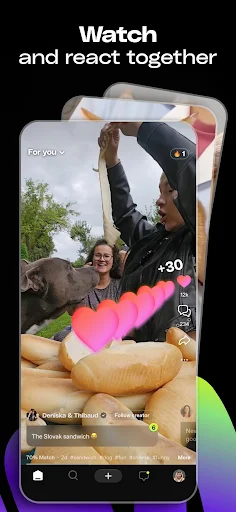



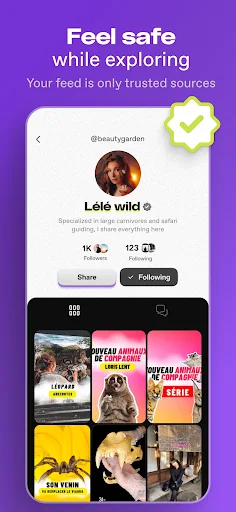
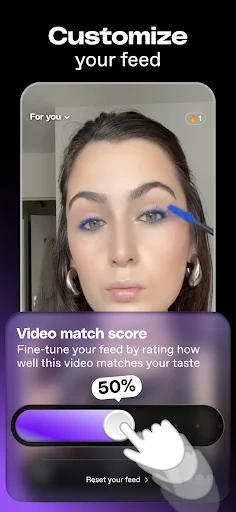
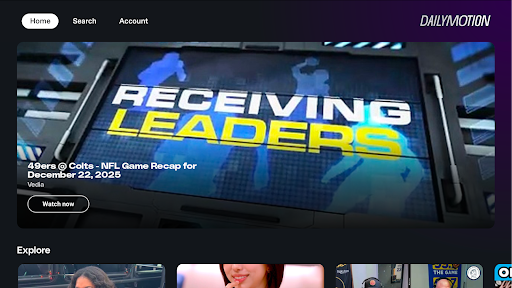
Analysis by Reviewed APKs
Dailymotion Social Video App is a mobile video platform for watching news, sports, TV shows, and other videos, while following channels and saving clips for later. I found it best suited to people who like a mix of familiar sources and unexpected discoveries in one feed. Its exploration-focused approach gives it a different feel from a narrowly curated watchlist, though ads and a busy stream may not suit everyone.
A Quick Break With Video
When I first opened Dailymotion, I thought about the small gaps in a normal day: a few minutes waiting for an appointment, a lunch break, or a quiet ride home. The app is built for dipping into videos, so I could browse updates from channels I follow and see other topics that might catch my attention. That mix makes it feel more like a place to explore than a single-purpose player.
The practical pattern is simple: open the feed, watch something that fits the moment, and follow a channel if I want to see more from it. If a clip looks interesting but I am short on time, I can bookmark it for later. I like that this gives a quick browse somewhere to go, instead of relying on memory to find a video again.
A Different Kind of Video Feed
Compared with choosing a specific video from a saved list, Dailymotion puts more emphasis on finding and following channels and topics. The description says its feed is designed to support exploration, and that suits me when I want to see varied perspectives rather than replay the same familiar choices. Following a channel helps keep its updates in view while leaving room for other discoveries.
I would not treat it as a focused tool for one task or a substitute for a carefully organized personal library. Its stated strengths are watching videos, keeping up with channels, exploring subjects, and joining conversations. That makes it a better fit for casual browsing than for someone who wants every viewing session planned in advance. If I already know exactly what I want, an open-ended feed can feel like extra scrolling.
Make Browsing More Intentional
A small habit that helps is following channels I genuinely want updates from, rather than treating every interesting video as a reason to follow. Dailymotion describes a feed shaped around followed channels and interactions, so those choices can help make the stream feel more relevant over time. I would check in on those updates first, then browse beyond them when I have a few extra minutes.
Bookmarking is useful when I come across something at the wrong time. I can save it and return when I have space to watch, rather than letting a promising clip disappear into the scroll. I also find it helpful to approach the feed with a loose topic in mind, such as news or sports, while staying open to another perspective. That keeps exploration enjoyable without turning every break into an endless session.
More From Our News Desk

Zoom Meetings, Google Meet, or Teams: Which Is Easiest to Join?

How I Build a Free Streaming Lineup With Tubi

Why Crunchyroll Is the Default Anime App for So Many Fans

YouTube TV: A Practical Guide to Cutting Cable

Rummikub and the Small Comfort of Phone Games

TeamViewer Remote Control or AnyDesk for Helping Family?
Who Might Enjoy It
I would recommend Dailymotion to people who like keeping up with video channels and want an easy way to browse across interests such as news, sports, and TV shows. It also makes sense for viewers who enjoy discovering topics they did not set out to search for. Following channels and bookmarking videos give casual browsing a little structure without requiring a complicated routine.
It may be less appealing if you dislike advertising, prefer a tightly controlled watchlist, or mainly want a dedicated app for one specific kind of content. The feed is meant to encourage exploration, which can be a plus or a distraction depending on how you use video. People who want to spend only a brief time watching may get the most from it by following selected channels and saving clips for later.
Dailymotion Social Video App is an entertainment app from Dailymotion for Android. It was released on November 8, 2011, and Google Play shows more than 50 million installs. Its rating is 3.8 out of 5 from about 989,000 ratings. The listed version varies with device, so the version a user receives can depend on their phone or tablet.
The app is free to install and contains ads. It also offers in-app purchases, with products priced at $14.99 per item. Google Play rates it Teen. The minimum Android version is not included in the available app details, so device compatibility is best checked on the Google Play page. The recorded last update date is October 23, 2026.
How Dailymotion Fits Into My Day
A Straightforward First Visit
My first impression was of an app organized around getting into videos quickly. The main idea is easy to grasp: explore a feed, follow channels, and watch updates on subjects that interest me. I did not need a complicated explanation to understand the intended routine. The appeal is less about managing a large collection and more about having a stream of video to browse when I have time.
The setup that matters most is deciding which channels and subjects I want to keep up with. Dailymotion describes a feed that can be shaped by following and interacting with videos and channels. I would take a moment to make those choices with care, since a little intention at the start can make the ongoing browsing feel less random.
The Everyday Viewing Loop
Day to day, I see the app working in short sessions as well as longer ones. A quick check can be enough to catch a channel update, while a longer stretch leaves room to explore other topics and perspectives. The feed is meant to mix followed video updates with recommendations, so there is a balance between returning to known interests and seeing something new.
What I would keep an eye on is the temptation to keep scrolling after the original reason for opening the app has passed. Dailymotion is designed for browsing, and that open-ended quality is part of its appeal. I get more out of it when I treat a session as a chance to watch a few things, rather than expecting every visit to have a specific endpoint.
Following and Saving Videos
Following channels is one of the more useful ways to make the app feel personal. It gives me a direct way to keep up with video updates from sources I care about, while the broader feed leaves space for discovery. That combination is more flexible than relying only on a fixed list of videos, especially when my interests shift from one day to the next.
Bookmarking is a small feature with a clear everyday purpose. I can set aside a video when I am busy and come back to it later, which is more practical than trying to remember its title or where it appeared. I would use it for clips that need more attention than a brief break allows. It helps separate quick viewing from videos I actually want to revisit.
A More Deliberate Routine
A useful routine is to begin with updates from channels I already follow, then spend a little time exploring around a subject I care about. For example, I might check sports or news videos first, then see what other perspectives turn up in the feed. That approach uses the app for both familiar updates and discovery without making the session feel completely aimless.
If I find a video at an inconvenient moment, I can bookmark it instead of trying to watch while distracted. Later, I can return to the saved clip when I have more time. I also like the idea of revisiting which channels I follow from time to time. Keeping those choices aligned with my interests gives the feed a better starting point for the next casual browse.
Keep the Trade-Offs in Mind
The biggest practical drawback is that the app contains ads, which can interrupt the flow for viewers who prefer uninterrupted watching. It also offers in-app purchases, so it is worth paying attention to any purchase prompts. The app is free to install, but that does not mean every part of using it is necessarily free of commercial interruptions or optional spending.
An exploration-first feed can also be a mixed blessing. It is useful when I want to broaden what I watch, but less convenient when I want a short, tightly controlled session. I would not rely on recommendations alone to find every video I care about; following channels and bookmarking clips give the experience more direction. That small amount of curation is important if the open feed starts to feel distracting.
Dailymotion Social Video App works best as a flexible place to watch channel updates, explore news and entertainment, and save videos for later. I like the combination of following and discovery, especially for casual viewing. Ads and the open-ended feed are real trade-offs, but they are easier to manage when I use the app with a little intention.
I would try it if I wanted a varied video feed and did not mind browsing beyond a fixed list. People who prefer a highly focused, ad-free viewing routine may be happier elsewhere. For curious viewers who enjoy finding new topics alongside familiar channels, Dailymotion is a practical option to consider.
Dailymotion Frequently Asked Questions
What is Dailymotion Social Video App used for?
Dailymotion Social Video App is for watching videos and keeping up with channels and subjects that interest you. Its description highlights TV shows, news, and sports, along with exploring new topics and perspectives. You can follow channels, interact with videos, join conversations, and bookmark clips to watch later when you have more time.
Can I use Dailymotion Social Video App on my device?
Dailymotion Social Video App is an Android app available through Google Play. The available details do not give a minimum Android version, and the app version varies with device. Check the Google Play page for current compatibility information for your phone or tablet before installing.
Does Dailymotion Social Video App cost money?
The app is free to install and contains ads. It also offers in-app purchases, with listed products priced at $14.99 per item. What you may choose to buy can depend on the options shown in the app, so check Google Play for current purchase details before making a decision.
What Android version does Dailymotion Social Video App require?
The minimum Android version is not included in the available app details. Requirements can vary as the app changes, so check the Google Play page on the device you plan to use. The listed app version also varies with device, which is another reason to confirm compatibility there.
Who is Dailymotion Social Video App best for?
It may suit viewers who enjoy browsing a mix of videos, following channels, and discovering new subjects, including news, sports, and TV shows. It may be less suitable if you want a highly focused viewing experience or dislike ads. Google Play rates the app Teen, which is worth considering when deciding whether it fits your household.
Pros
- Following channels makes it easier to keep up with video updates that match your interests.
- Bookmarks let you save videos for a more convenient time.
- An exploration-focused feed can introduce new topics and perspectives.
- The app covers varied viewing interests, including news, sports, and TV shows.
Cons
- Ads may interrupt the viewing experience.
- An open-ended feed can encourage more browsing than a short break requires.
- The minimum Android version is worth checking on Google Play before installing.
- Category
- Entertainment











