CUSTOM CAST
- 39.40K
- 3.4
- Installs
- 5.00M
- Price
- Free
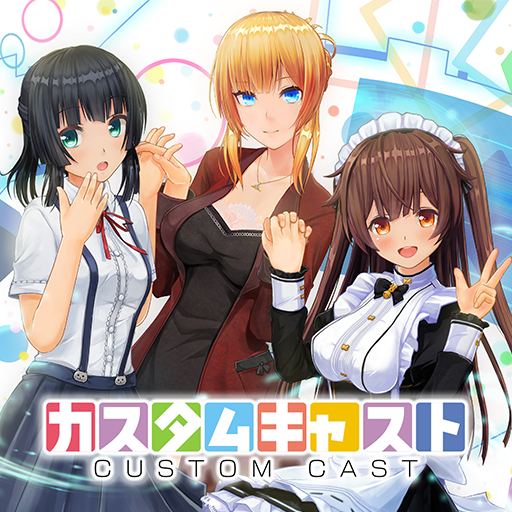
Screenshots
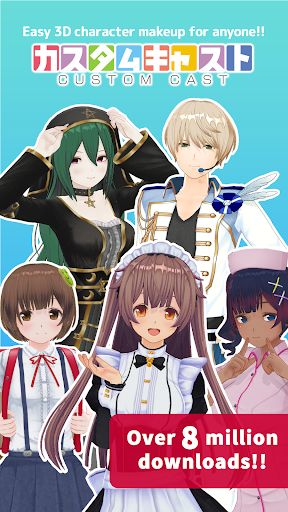
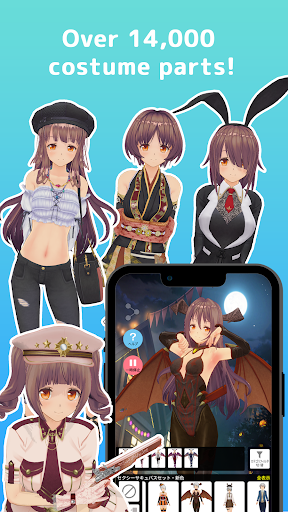
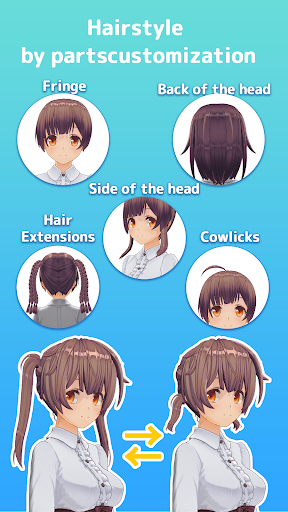
Analysis by Reviewed APKs
CUSTOM CAST is an Android app for building customizable 3D characters, dressing them up, and using them in camera-based virtual streams. It suits people who enjoy character design, want a playful avatar for social posts, or are curious about streaming as a virtual character. My overall take is that it has a clear creative focus: it offers several ways to make a character your own, though its appeal depends on wanting to spend time with avatars.
An Avatar for the Evening
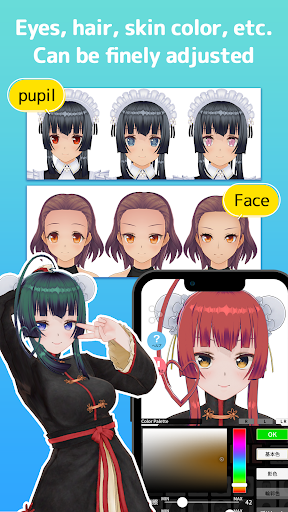
When I first opened CUSTOM CAST, I imagined settling in after dinner to make an avatar that looked a little like me, but with a more playful hairstyle and clothes. The app’s main job is character creation: I can choose features such as skin color, face type, hair, clothes, and accessories. Rather than making one quick profile picture, I can adjust a 3D model and keep changing its look.
That makes it easy to picture a simple routine: create a character while waiting for a friend, save it, then return later to try another outfit or hairstyle. I can also make multiple characters, so I don’t have to treat each new idea as a replacement for the last one. The process is aimed at experimenting with appearance, not at building a complicated animated production from scratch.
More Avatar Studio Than Editor
Compared with a basic profile-photo editor, CUSTOM CAST is more about shaping a reusable 3D character than applying a filter to a picture. I can keep multiple models and use different expressions and poses when taking screenshots. That gives the app a little more room for play than a one-and-done avatar maker, especially if I like revisiting a character’s clothes and appearance.
It is not a general video-editing or social-networking app. Its described tools center on character customization, screenshots with stickers and frames, and streaming with a character that responds to camera-detected movement. I would look elsewhere for editing a full video, collaborating on a shared project, or browsing a broad social feed; those aren’t the jobs this app sets out to do.
Keep Ideas in Rotation
A small habit that helps is saving a few different characters instead of trying to perfect one immediately. I can make one version for a casual look and another with a different hairstyle or outfit, then switch between them when I want a fresh screenshot. Since the app supports multiple saved characters, that kind of ongoing tinkering fits its design better than treating creation as a single session.
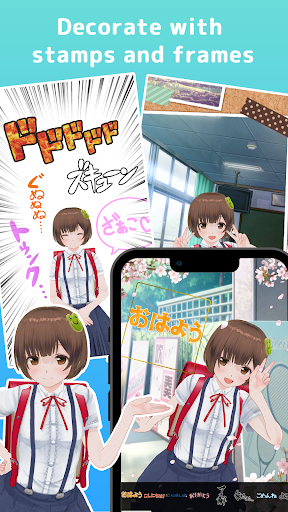
I’d also separate designing from sharing. First, I can settle on the character’s clothes and features; then I can choose an expression or pose and take a screenshot. Stickers and frames offer a finishing touch without changing the model itself. If I’m streaming, I can try the camera-driven movement or gyro option and use Flicks for specific poses, rather than expecting every moment to look exactly alike.
More From Our News Desk

Zoom Meetings, Google Meet, or Teams: Which Is Easiest to Join?

How I Build a Free Streaming Lineup With Tubi

Why Crunchyroll Is the Default Anime App for So Many Fans

YouTube TV: A Practical Guide to Cutting Cable

Rummikub and the Small Comfort of Phone Games

TeamViewer Remote Control or AnyDesk for Helping Family?
Who May Enjoy It
I’d recommend CUSTOM CAST to anyone who enjoys avatar makers, virtual characters, or casual creative play on a phone. It makes sense for people who want to keep a few 3D looks around, prepare character screenshots for social media, or try streaming with an avatar that follows head movement. The range of customization choices gives patient tinkerers something to revisit, even when they only have a few minutes to spare.
It may not suit someone looking for a full video-production toolkit, a large community feed, or a practical utility app. The experience is centered on designing and presenting characters, so its value depends on finding that activity fun. I’d also keep in mind that the app contains ads and offers in-app purchases; anyone who prefers an entirely uninterrupted or purchase-free experience should consider that before settling in.
CUSTOM CAST is an Entertainment app from Custom Cast, Inc. On Google Play it has over 5 million installs and a 3.4-star rating from around 39,400 ratings. It is free to download, contains ads, and offers in-app purchases. Listed in-app product prices range from $0.99 to $84.99 per item, so the free download does not mean every available purchase is free.
The app has an Everyone content rating. Its listed version is 1.04.07, and its release date is April 9, 2020. The recorded last update is September 9, 2026. Those details can help set expectations, but they don’t describe how the app will run on a particular phone; for its stated operating requirements, see the Android information in the FAQ.
Making a Character Feel Like Yours
A Clear Creative Premise
When I first considered what to do with CUSTOM CAST, the premise was refreshingly easy to grasp: make a 3D character, change its look, and decide whether to keep it as a saved creation or use it in a screenshot or stream. The supported options cover familiar choices such as hair, face type, skin color, clothes, and accessories. That gives a new creator several ways to form an idea without needing a separate design brief.
The app is also built around keeping more than one character. That matters because a first attempt doesn’t have to become the permanent version. I can make a second look or revisit a saved model when inspiration strikes. The setup is best approached as an open-ended creative activity, rather than a checklist that must be completed before the app becomes useful.
A Day-to-Day Creative Loop
The daily experience I’d expect from these tools is naturally in short bursts: adjust a hairstyle while taking a break, return later to change clothes, then capture a pose when the model feels finished. Saving multiple characters gives those sessions continuity. I don’t need to start from the same blank idea every time I want a different look, which makes casual experimentation feel like the point rather than wasted effort.
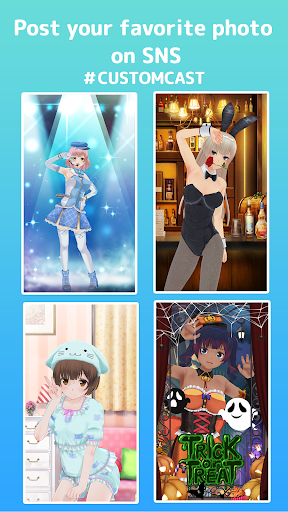
When I want a result to share, the screenshot tools are a practical next step. I can capture a customized character making an expression or pose, then decorate the image with stickers and frames. That creates a straightforward path from building a model to making a finished-looking still image, without suggesting that the app is meant to replace a dedicated image or video editor.
Movement and Presentation
The most distinctive feature is that a saved character can be used for virtual streaming. The app uses the device camera to detect the user’s face, then moves the 3D model in response to head actions such as turning or tilting. That gives the character a more active role than a static avatar image, though the described movement is specifically tied to the detected motion.
There are two other controls worth knowing about: a gyro function for immersive streams and Flicks for making the character perform specific poses. Together, these options add some direction to presenting a character. They don’t change the app’s core identity as a character-creation tool, but they give people who want to appear as an avatar more to explore than simply taking screenshots.
A Simple Weekend Routine
For a low-pressure weekend project, I’d start with one character and choose a few defining details first: face type, skin color, and hairstyle. Then I’d try clothes and accessories until the model had a recognizable look. Saving it at that point leaves room to return later, rather than getting stuck trying to settle every detail in one sitting.
On another session, I could make a second character with a different outfit or hairstyle, then decide which one suits a particular screenshot. I’d take a pose or expression, add a sticker or frame if it helped the image, and share the finished screenshot on social media. If I wanted to try streaming, I’d explore the camera movement, gyro function, and Flicks separately so I could see how each changes the presentation.
Keep Expectations Focused
CUSTOM CAST’s focus is also its main limitation: it revolves around 3D character creation and presentation. People who want a broad set of editing tools or a social platform for following and commenting on other creators may find that this isn’t the experience they had in mind. The documented features point to making characters, screenshots, and avatar-based streams, not to a wider content-creation suite.
There are practical considerations, too. Google Play lists ads and optional in-app purchases, with listed item prices reaching $84.99. The app’s operating information calls for Android 7.0 or higher and at least 1 GB of free storage. Those requirements are worth checking against a device before installing, particularly if storage is tight or the phone is older.
CUSTOM CAST has a coherent purpose and enough variety in character appearance, saved models, screenshots, and avatar movement to support more than a one-time experiment. I like that it connects design with ways to present the finished character, while keeping the core activity easy to understand.
I’d try it if making and dressing 3D avatars sounds relaxing or if I want to explore virtual streaming. I’d pass if I needed a general-purpose editor or a social network. The ads, in-app purchases, and device requirements are worth factoring into that decision.
CUSTOM CAST Frequently Asked Questions
What is CUSTOM CAST used for?
CUSTOM CAST is used to create and save customizable 3D characters. You can change features such as hair, clothes, skin color, face type, and accessories, then capture screenshots with expressions or poses and decorate them with stickers and frames. It also supports streaming with a character that responds to camera-detected movement.
Which devices can run CUSTOM CAST?
CUSTOM CAST is an Android app. Its operating information says it requires Android 7.0 or higher and at least 1 GB of free storage. Check the Google Play store information and your device details before installing, since compatibility can depend on the device as well as the operating system.
Does CUSTOM CAST cost money?
CUSTOM CAST is free to download on Google Play, but it contains ads and offers in-app purchases. Listed in-app product prices range from $0.99 to $84.99 per item. The available items and prices may vary, so check the store listing for current purchase details before spending.
Can CUSTOM CAST make an avatar move?
Yes. CUSTOM CAST can use the device camera to detect facial movement and move a 3D character in response to actions such as turning or tilting the head. It also describes a gyro function for streams and Flicks for specific poses. These features are intended for presenting a character as a virtual streamer.
Who is CUSTOM CAST best suited to?
CUSTOM CAST is best suited to people who enjoy making and dressing 3D avatars, creating character screenshots, or trying avatar-based streaming. It may be less suitable if you want a full video editor or a broad social-networking app. Ads and in-app purchases are also worth considering if you prefer apps without either.
Pros
- Offers several ways to customize a 3D character, including hair, clothes, skin color, and accessories.
- Lets users save multiple characters and return to change their looks later.
- Supports character screenshots with poses, expressions, stickers, and frames.
- Camera movement, gyro controls, and Flicks add options for virtual streaming.
Cons
- Its character-focused toolkit may not meet the needs of general video editors.
- Contains ads and offers in-app purchases, with listed items reaching $84.99.
- Requires Android 7.0 or higher and at least 1 GB of free storage.
- Category
- Entertainment
- Version
- 1.04.07











