Curri Driver
- 4.88K
- 4.5
- Installs
- 500.00K
- Price
- Free

Screenshots

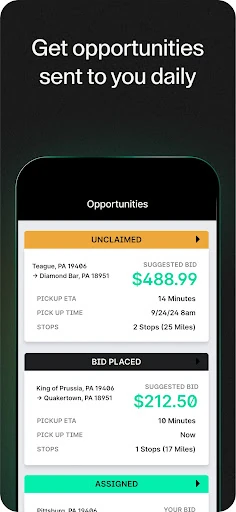
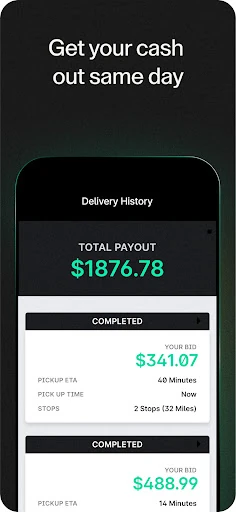
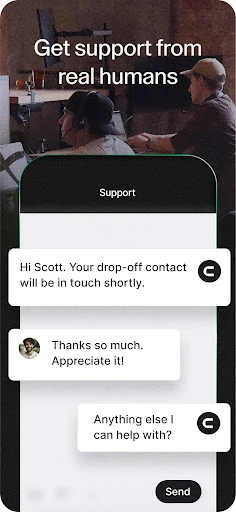
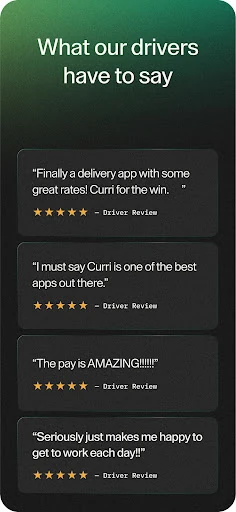
Analysis by Reviewed APKs
Curri Driver is a delivery app for drivers who want to hear about nearby Curri deliveries and keep their location active while completing one. I see it as a focused work tool rather than an all-purpose driving or route-planning app. Its job is deliberately narrow: notify active drivers about nearby deliveries and help keep customers informed during a delivery. That simplicity is useful, though it leaves little room for extras.
Starting a Nearby Delivery
Imagine I have a gap in my day and am already out driving. I open Curri Driver, set myself to active, and keep location turned on. The app’s central promise is straightforward: it can notify me about deliveries close to my current location. That makes the most sense when I am ready to consider nearby work, rather than when I am simply using my phone for unrelated errands.
The location detail matters once a delivery is underway, too. Curri asks drivers to leave location activated during a delivery so its system can keep customers updated. In practical terms, the app is part of the handoff between driver and customer, not just a way to hear about an opportunity. I would treat active status and location as deliberate work settings, switching into that routine when I am actually available.
A Focused Driver Tool
Curri Driver is best understood as a companion to Curri’s delivery service, not as a general-purpose navigation app or a broad marketplace for every kind of gig. The description centers on nearby delivery notifications and location sharing during a delivery. That narrow scope is its appeal if I want a simple way to stay connected to Curri work without expecting the app to handle every part of a driving day.
It is not presented as a route planner, mileage tracker, or a place to compare offers from several services. I would not install it expecting those tools, nor would I assume it provides detailed scheduling or customer chat. The available description keeps the promise modest: active drivers receive notifications for nearby deliveries, and location helps keep customers informed while a delivery is in progress.
Small Habits That Help
A useful habit is to check whether I am actually ready to take work before setting myself to active. That keeps the app’s notification purpose aligned with my plans rather than leaving me expecting useful alerts while I am unavailable. If I am only running personal errands, I would keep that distinction in mind instead of treating the app as a passive background source of delivery opportunities.
I would also make location part of my delivery-start routine. Before heading out, I would confirm that location is activated, since Curri says it needs that information during a delivery to keep customers up to date. Once the delivery is over, I can reassess whether I want to remain active. These small checks make the app’s two stated functions easier to use intentionally.
More From Our News Desk

Zoom Meetings, Google Meet, or Teams: Which Is Easiest to Join?

How I Build a Free Streaming Lineup With Tubi

Why Crunchyroll Is the Default Anime App for So Many Fans

YouTube TV: A Practical Guide to Cutting Cable

Rummikub and the Small Comfort of Phone Games

TeamViewer Remote Control or AnyDesk for Helping Family?
Who may find it useful
I would recommend Curri Driver to drivers who already use or are considering Curri’s delivery service and want a dedicated way to hear about deliveries near them. Its appeal is clearest for someone who can be available at certain times, is comfortable keeping location enabled during a delivery, and values a direct, purpose-built tool over a more general app. The concept is easy to grasp because its central workflow is simple.
It may not suit someone looking for a complete gig-work dashboard, turn-by-turn directions, or a broad set of driving utilities. Those needs are beyond what the app’s stated features cover. Drivers who prefer not to keep location active during a delivery should also consider that this is part of how Curri says it updates customers. I would approach it as one specific work connection, not a full operating system for driving.
Curri Driver is a free Android app from Curri in the Business category. Google Play shows over 500,000 installs and a 4.5-star rating from about 4,900 ratings. The app is rated Everyone. Its version is listed as varying with device, so the version available can depend on the device being used.
The app is free to download, with no in-app purchases or ads shown in the provided store facts. It was released on November 25, 2019. An Android minimum requirement and a latest update date are not included in the available facts, so I would check Google Play for current device compatibility and release details.
A Closer Look at the Driver Workflow
A Simple First Impression
When I first considered Curri Driver, the clearest thing about it was its limited, practical purpose. This is the driver-facing app for Curri.com, and its description focuses on notifications for deliveries near an active driver. There is no need to decode a long list of advertised tools to understand the basic idea: be available, receive nearby delivery notifications, and use location while completing a delivery.
Getting the intended workflow in mind is more important than expecting a complicated setup. The description says drivers should set themselves to active to receive nearby notifications and keep location activated on a delivery. I would think of those as the key conditions for the app to do its stated job, rather than assume that simply installing it means delivery notifications will arrive.
Day-to-Day Use
The everyday rhythm suggested by the app is fairly direct. When I am ready to hear about nearby deliveries, I set my status to active; while carrying out a delivery, I leave location enabled so the system can update the customer. That is a useful division between availability and an active delivery, even though the app description does not detail every step between receiving a notification and finishing the work.
This makes Curri Driver feel most relevant during a working window, rather than something I would open repeatedly throughout the day without a reason. I can picture checking my availability at the start of a shift and remembering the location setting when a delivery begins. The experience depends on those small choices, so it suits someone who is comfortable managing a dedicated work app intentionally.
What Stands Out
The standout feature is proximity: Curri says it notifies drivers about deliveries closest to their current location when they are active. That puts local availability at the center of the experience. Rather than describing a large collection of tools, the app links its main alert to where the driver is and whether they have marked themselves available.
The other notable function is location during a delivery. Curri explains that this lets its system keep customers up to date. I like that the purpose is concrete and tied to the delivery itself, not just a vague background feature. Still, the description supports only this basic account of customer updates; I would not assume it includes a live map, messaging, or other tracking controls.
A Practical Work Routine
For a practical routine, I would start by deciding whether I have time to take a delivery. If I do, I would open Curri Driver and set myself to active so the app can notify me about nearby options. If I am not available, I would avoid treating active status as something to leave on automatically. That simple distinction helps match notifications to my actual plans.
If I take a delivery, I would keep location activated throughout it, as Curri requests, so the system can keep the customer informed. At the end, I would decide whether to remain available or return to my own plans. This is not a complicated workflow, but the active setting and location permission are central enough that I would make them part of a consistent start-and-finish habit.
Limits to Keep in Mind
Curri Driver’s narrow purpose is also its main limitation. The supplied information does not describe navigation, route optimization, earnings tools, schedules, or communication features. Those may be important parts of a driver’s routine, but I would not count on this app to replace separate tools for them. Its stated role is to surface nearby Curri deliveries and support customer updates through location during a delivery.
The app also depends on location being available at the moments Curri describes. Drivers who would rather not enable it during work may find that expectation inconvenient. And because the version varies with device, the exact version can differ across phones. For minimum Android requirements and current compatibility, I would check the Google Play entry for the particular device.
Curri Driver makes sense as a focused connection to nearby Curri deliveries. Its active-status notifications and delivery-time location sharing are easy to understand, and the app does not pretend to be a complete toolkit for every driving task. The trade-off is that drivers looking for broader work management or navigation features will need to look elsewhere.
I would try it if I already use Curri or want to explore its driver workflow, and I would make a habit of managing active status and location deliberately. It is less compelling as a standalone app for someone seeking general delivery work or a full suite of driver utilities.
Curri Driver Frequently Asked Questions
What is Curri Driver used for?
Curri Driver is the driver app for Curri.com. When a driver is set to active, it can notify them about deliveries near their current location. Curri also asks drivers to keep location activated during a delivery so its system can keep customers up to date.
Which devices can run Curri Driver?
Curri Driver is an Android app available through Google Play. The Android version requirement can vary or change over time, so check the Google Play entry for the current compatibility details for your device. The app version itself is described as varying with device.
Does Curri Driver cost anything?
The app is free to download. The provided store facts show no in-app purchases and no ads. Delivery work and any terms associated with using Curri are separate from the app’s download price, so check the Google Play entry and Curri’s service information for details that may vary.
Does Curri Driver require location access?
Curri says drivers should have location activated while on a delivery so its system can keep customers updated. Location is also relevant to notifications for deliveries closest to the driver’s current location. The exact permission steps can depend on the device and Android version.
Who is Curri Driver best suited for?
It is most relevant to drivers who want to receive notifications about nearby Curri deliveries and are comfortable keeping location activated during a delivery. It may not suit someone seeking a general navigation app or a broad driver-work dashboard, since those functions are not part of the app’s stated purpose.
Pros
- Focused notifications for deliveries close to an active driver’s location.
- Clear reason for keeping location enabled during a delivery.
- Free to download, with no in-app purchases or ads shown.
- A straightforward purpose for drivers using Curri’s delivery service.
Cons
- Its stated role is narrow, with no described navigation or route-planning tools.
- Drivers need to manage active status and location intentionally.
- Minimum Android requirements may vary; check Google Play for device compatibility.
- Category
- Business











