Connecteam Team Management App
- 30.59K
- 4.8
- Installs
- 1.00M
- Price
- Free

Screenshots
Analysis by Reviewed APKs
Connecteam Team Management App brings scheduling, time tracking, team communication, task forms, training, and employee requests into one mobile workspace. I see it as a practical fit for businesses whose people spend more time on jobs or shifts than at desks, and whose managers are tired of spreading routine work across separate tools. Its breadth is appealing, though teams looking for a simple chat app may find it more than they need.
A Shift Starts Here
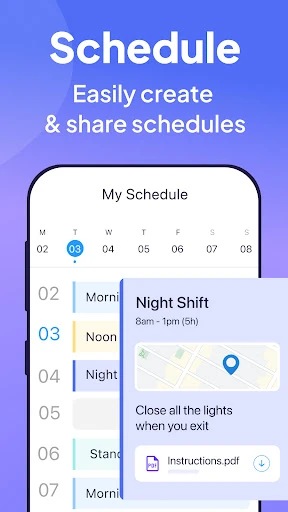
Imagine a manager preparing a Monday schedule while employees are out on different jobs. In Connecteam, the schedule can include shifts, job details, locations, and attachments, so staff have more than just a start time to work from. During the day, employees can use the time clock, while managers can follow GPS status updates for visual job progress. That combination makes the app relevant to the handoffs and small coordination jobs that make a shift run smoothly.
I can picture checking the next shift on my phone before leaving home, then using the same work app to find job information or a message from a manager. For a team that relies on paper notes, verbal updates, and scattered group chats, having schedules, communication, and work procedures under one roof could reduce the amount of back-and-forth. Connecteam is designed around that kind of non-desk routine, rather than treating mobile access as an afterthought.
More Than a Time Clock
The obvious alternative is to piece together separate apps for shift planning, clock-ins, messaging, checklists, and training. Connecteam’s pitch is consolidation: it includes scheduling, a time clock, chat and posts, forms, checklists, training materials, and an internal help desk. That breadth may be useful when managers want staff to find everyday work information in one place instead of remembering which tool holds which update.
It is not simply a personal calendar, a general-purpose social chat app, or a dedicated time tracker. Its features are framed around employees, shifts, jobs, and company procedures. That focus is a strength for a business coordinating field or frontline work, but could feel unnecessary for a small group that only needs occasional messages or for an individual hoping to organize personal tasks.
Make the Routine Repeatable
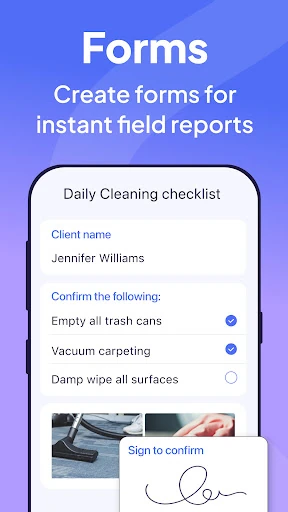
A good way to get value from a broad work app is to use it for repeatable routines, not just emergencies. A manager might put shift information and attachments where employees can refer back to them, then use checklists for recurring opening or closing steps. Auto-reminders can help prompt daily checklist work, while read-and-sign options suit procedures that need an acknowledgment.
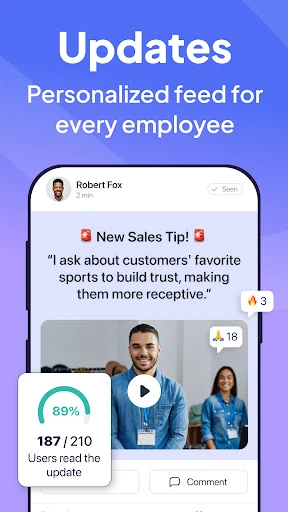
I’d also keep the communication tied to the work people are doing. A question can go into a one-to-one or group chat, while broader updates can live in posts with comments and reactions. For a weekly rhythm, a manager could review schedules, check timesheets, and use a feedback survey to gather employee input. Small, consistent habits are more likely to make a multi-purpose app feel useful than turning on every feature at once.
More From Our News Desk

Zoom Meetings, Google Meet, or Teams: Which Is Easiest to Join?

How I Build a Free Streaming Lineup With Tubi

Why Crunchyroll Is the Default Anime App for So Many Fans

YouTube TV: A Practical Guide to Cutting Cable

Rummikub and the Small Comfort of Phone Games

TeamViewer Remote Control or AnyDesk for Helping Family?
Who May Get the Most Out of It
I’d recommend Connecteam to managers and owners who coordinate shift-based or non-desk teams and want schedules, time tracking, communication, and routine procedures accessible from phones. It is especially relevant when work involves different jobs or locations, since the listed tools include job details, GPS status updates, location tracking, and geofencing. Teams that already rely on digital forms or training materials may also appreciate having those alongside everyday coordination.
It may be a poor fit for someone who wants only a lightweight messenger, a personal planner, or a single-purpose clock-in tool. There is a lot of ground to cover, from training courses and quizzes to digital employee ID cards and help desk requests, so a business should have a real need for that range. If employees rarely use phones for work or the team has very simple coordination needs, a smaller tool may feel easier.
Connecteam Team Management App is a Business app from Connecteam Inc. On Google Play, it has more than one million installs and a 4.8-star rating from about 30,600 ratings. It is free to download, with no in-app purchases and no ads indicated in the supplied app facts. The content rating is Everyone, making the store’s age classification broad.
The supplied Google Play facts identify version 10.0.1, a release date of May 18, 2016, and a last update of October 26, 2026. A minimum Android version was not included in those facts, so check the Google Play entry on the device you plan to use for current compatibility information.
A Closer Look at the Workday
First Open, Big Scope
My first impression of Connecteam is that it is trying to cover a whole workday, not just one narrow chore. Scheduling and time tracking sit alongside chat, posts, forms, training, help desk requests, and employee IDs. That scope makes the app easier to understand as a company workspace than as a single-purpose utility, but it also means a new team will need to decide which parts matter first.
I would start by thinking about the team’s most frequent friction point: missed shift details, time entry, or procedures that are still handled on paper. The description emphasizes access to work information from a phone and tools that managers can configure, including customizable forms and checklists. Beginning with one recurring need seems more manageable than trying to move every company process into an app on day one.
The Everyday Work Loop
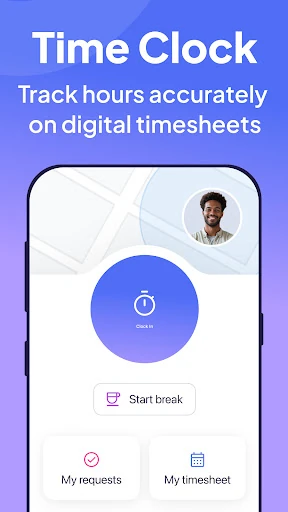
On an ordinary workday, scheduling and the time clock form a useful backbone. Managers can create single, multiple, or team shifts and attach job details, locations, and files. Employees can clock in, while the time clock supports tracking hours across jobs, projects, or customers. Timesheets and automated break, overtime, and double-time handling are also part of the described toolset.
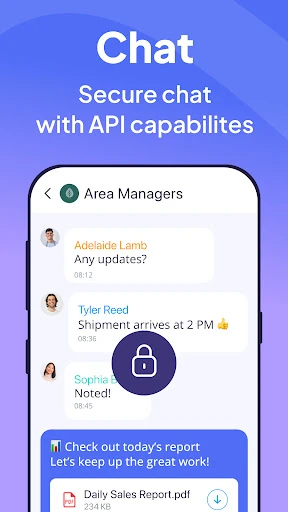
Communication fills in the gaps around that structure. The app includes direct and group chat, a work contact directory, and posts with comments and reactions. In practice, that gives a team different ways to handle a quick question and a broader update. I like that these are presented as work-focused tools, though any team will still need clear habits about where important information should live.
Details That Stand Out
The GPS-related tools are a notable part of Connecteam’s feature mix. The time clock includes GPS location tracking, geofencing, and map displays, while scheduling includes GPS status updates for visual job progress. Those capabilities make sense for work spread across jobs or locations, rather than a team that always sits together in one office.
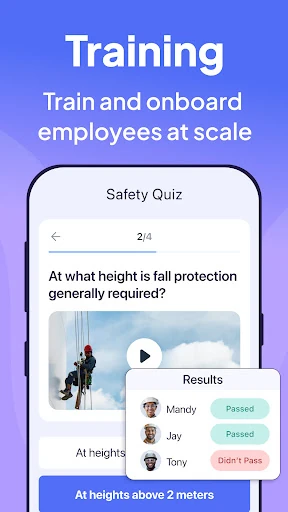
The task side goes beyond a plain to-do list. Teams can use daily checklists, online forms, and tasks with read-and-sign options; employees can upload images and report geolocation. The app also includes access to files and media, premade training templates, courses, and quizzes. These features point to a practical use: keeping routine instructions and documentation close to the people carrying them out.
A Practical Weekly Rhythm
For a manager, a simple weekly routine could begin with creating shifts and including the job information employees need. As the work happens, staff use the time clock and relevant checklists; managers can consult timesheets and status updates rather than relying only on verbal catch-ups. If a process needs changing, a form or post can keep the new instruction in the same work environment.
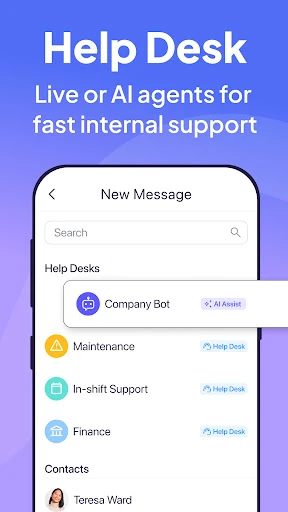
For employees, the routine can be just as straightforward: check the schedule, look up a location or attachment, clock in, and follow the relevant checklist. If something goes wrong, the internal ticketing system provides a central place for team requests, while chat can handle conversation. The advantage is less about a clever trick and more about having familiar work steps gathered together.
Keep the Scope in View
Connecteam’s main limitation is also its defining characteristic: it covers a lot. A team that only wants to exchange messages may not benefit from the scheduling, training, time clock, forms, and help desk tools. Managers should consider whether they have the time and need to introduce a broader workflow, rather than assuming that more features automatically make daily work simpler.
Some tools also involve sensitive workplace details, including employee hours and location-related tracking. The description explains that these capabilities exist, but businesses will need to decide how they fit their own processes and communicate expectations to staff. I would treat the app as a toolkit for managing work, not as a substitute for clear policies, thoughtful setup, or conversation between managers and employees.
Connecteam makes the most sense when a business wants one mobile home for shift planning, clock-ins, team updates, and repeatable procedures. Its combination of scheduling, communication, forms, training, and requests gives it more range than a basic work chat, while also asking teams to adopt a broader system.
I’d suggest it to managers coordinating non-desk employees across shifts, jobs, or locations. If all you need is a simple way to message coworkers, the extra scope may be hard to justify. But for teams trying to make everyday work information easier to reach, Connecteam is worth a closer look.
Connecteam Frequently Asked Questions
What is Connecteam Team Management App used for?
Connecteam is a business app for coordinating employee work. Its described tools include shift scheduling, a time clock, team chat and posts, checklists and forms, training materials, an internal help desk, and digital employee IDs. It is particularly oriented toward teams whose employees work shifts or away from desks, rather than personal planning or casual social messaging.
Can I use Connecteam on Android or other devices?
The app is available on Google Play for Android. Its description says employees can access work information from their phones and that clocking in can be done from any device. For the Android version required on a particular phone, check the current Google Play entry, since compatibility details may vary.
What Android version does Connecteam require?
The minimum Android version can vary as app compatibility changes, so check Connecteam Team Management App’s Google Play entry before installing it on a particular device. The supplied app details identify version 10.0.1, but do not provide a minimum Android requirement.
Does Connecteam cost money or include purchases?
The supplied Google Play facts show Connecteam as free to download, with no in-app purchases and no ads indicated. Store details and availability can change, so it is sensible to review the current Google Play page before downloading or setting up a team.
Is Connecteam suitable for a small team?
It may suit a small team if the group needs to coordinate shifts, track work time, share updates, or manage recurring procedures. The app includes tools for those tasks as well as training and help desk requests. If a small group only needs occasional chat, its wider set of work-management features may be more than necessary.
Pros
- Combines shift scheduling, time tracking, communication, forms, and training in one work app.
- Supports job details and attachments alongside shifts, helping employees find relevant work information.
- Includes checklists, forms, and read-and-sign options for repeatable workplace procedures.
- Offers GPS-related time clock and job progress tools for teams working across locations.
Cons
- Its broad feature set may feel excessive for teams that only need basic messaging.
- Managers may need to establish clear routines before employees know where work information belongs.
- Location-related tracking and time tools may require careful workplace expectations and setup.
- Category
- Business
- Version
- 10.0.1











