Caregiver by GT
Listed on Google Play as “GT App”
- 2.39K
- 2.3
- Installs
- 100.00K
- Price
- Free

Screenshots
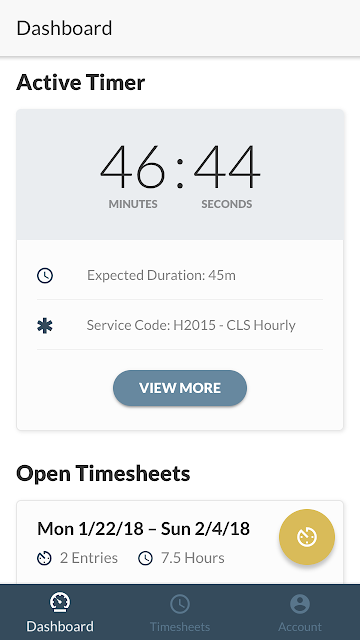
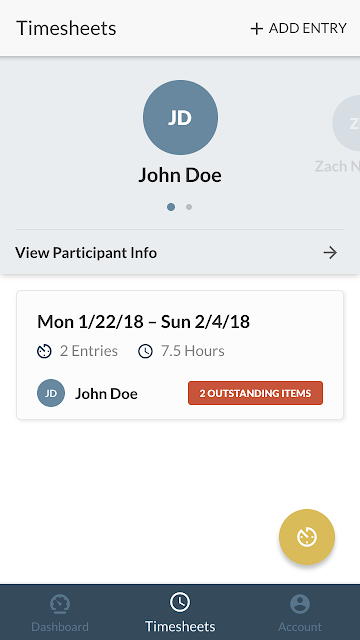
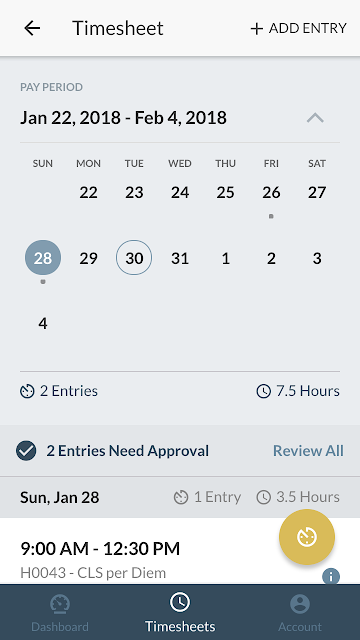
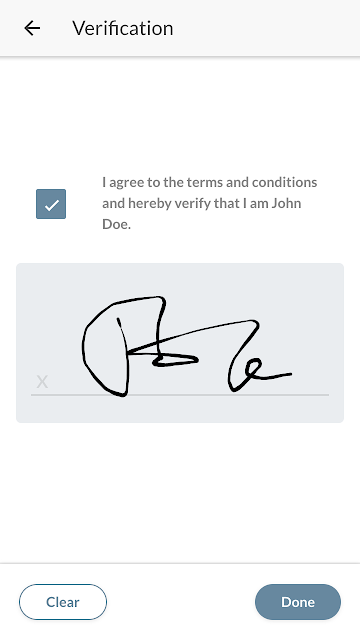
Analysis by Reviewed APKs
GT App is a time-tracking tool for people who provide care and need to record and submit their hours. I see its appeal in a straightforward workday task: clock in, keep track of time across participants, collect a signature, and send the timesheet to GT Independence. It focuses on that practical job rather than trying to be an all-purpose caregiving organizer, which makes its purpose easy to understand.
A Shift, Tracked Simply
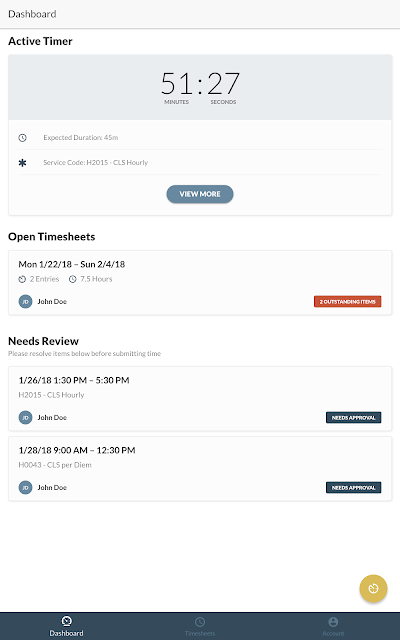
Imagine arriving for a care shift and opening GT App before settling into the day. You can clock in, then keep your hours associated with the participant you are supporting. If you work with more than one participant, the app is designed to manage timesheets across them, rather than leaving you to piece together separate records later. That makes the central task feel tied to the actual rhythm of providing care.
At the end of the shift, the next steps are also part of the app’s core job: obtain the participant’s signature and submit the timesheet directly to GT Independence. I like that the process is described as a connected workflow, from tracking time through submission. The app is not promising to manage every part of a care relationship; it aims to make documenting hours less of a separate chore.
A Focused Work Tool
GT App makes most sense beside a paper timesheet or a general-purpose clock app. A paper record can be easy to start, but hours and signatures still need to make their way to the organization that receives them. A basic clock can mark time, but GT App is designed around timesheets, multiple participants, signatures, and submitting records to GT Independence. That narrower focus is its main distinction.
It is not a broad care-planning hub, medical reference, or family communication space based on the features described. I would not choose it expecting medication tracking, health monitoring, or a library of caregiving advice. Instead, it is for the administrative slice of care work: recording hours and completing the timesheet process. If that is the task creating friction in your routine, the focused scope may be welcome.
Make the Workflow a Habit
A useful way to approach GT App is to treat clocking in and out as bookends to each shift. Starting the record when work begins and ending it when the shift is over keeps the time-tracking task close to the event itself, rather than turning it into a memory exercise later. The app also supports alerts, so those can be part of a routine for staying attentive to the timesheet process.
For people serving multiple participants, it may help to make a brief check of the relevant timesheet part of each shift’s wrap-up. The app supports obtaining participant signatures and submitting records, so those steps can sit alongside clocking out instead of waiting until a busy day has passed. Since time can be tracked without cellular or internet service and synced when service returns, the workflow can continue through a connection gap.
More From Our News Desk

Zoom Meetings, Google Meet, or Teams: Which Is Easiest to Join?

How I Build a Free Streaming Lineup With Tubi

Why Crunchyroll Is the Default Anime App for So Many Fans

YouTube TV: A Practical Guide to Cutting Cable

Rummikub and the Small Comfort of Phone Games

TeamViewer Remote Control or AnyDesk for Helping Family?
Who May Find It Useful
I would recommend GT App to care providers who need to track and submit work hours to GT Independence, particularly if they keep timesheets for more than one participant. Its practical value is in bringing clocking in and out, participant signatures, alerts, and submission into one task-oriented app. If paperwork tends to get pushed to the end of a shift or the end of the week, this focused workflow is worth considering.
It may be less appealing to someone looking for a general caregiving companion with health tracking, medication reminders, or educational resources. Those are not the job described for this app. It also depends on your work process fitting GT Independence timesheets; a general timer may be enough if you only need to note elapsed time and do not need the specific submission workflow.
GT App is a free Android app from GT Independence in the Business category. Google Play shows over 100,000 installs and a 2.3-star rating from around 2,400 ratings. The app is rated Everyone. Its listed version is 5.8.7, and it was released on January 31, 2018.
The app contains no ads and does not offer in-app purchases, according to its store details. Its last update is dated September 22, 2026. The Android version requirement is not included in the supplied app details, so check Google Play for the requirement that applies to your device.
How GT App Fits Into a Care Shift
A Clear Starting Point
When I first considered GT App, the purpose was immediately apparent: it is for tracking hours worked providing care and submitting those hours. That clarity matters in a work app. Rather than asking you to learn a broad set of unrelated tools, it centers on the timesheet journey. Its description names the key actions plainly: clock in and out, manage records for multiple participants, and send a timesheet to GT Independence.
The practical setup will depend on how your work is organized, but the app’s stated workflow gives you a simple mental model. Keep the participant’s timesheet in view, track the shift, and complete the signature and submission steps. I would start by getting comfortable with those basic actions before relying on the app as part of a busy routine. The scope is compact enough to explain without much guesswork.
The Day-to-Day Record
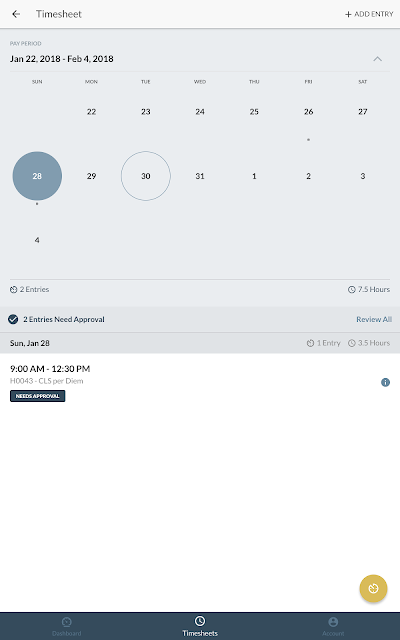
In daily use, the most important feature is the clock-in and clock-out function. It gives the timesheet a connection to the shift itself, instead of asking you to reconstruct hours from memory. For someone who provides care on a regular schedule, that can make recording time feel like a small part of the workday rather than a separate paperwork session.
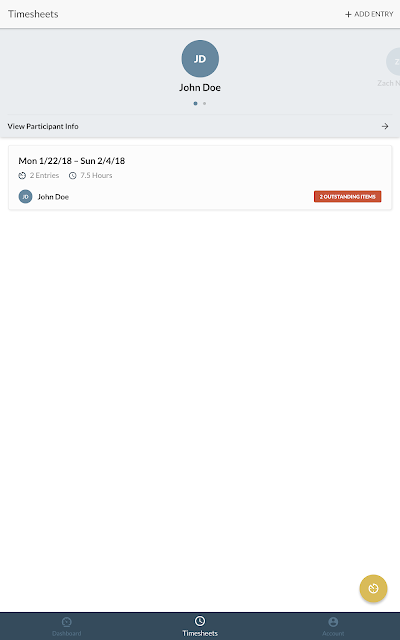
The multi-participant timesheet support is useful for providers whose work spans more than one person. Rather than framing the app as a single generic timer, GT App is built to manage timesheets across participants. The exact feel of the process will depend on your work arrangement, but the app’s stated goal is to keep the hours and submission steps together in one place.
Signatures and Offline Time
Two details help the app reach beyond a simple clock. First, it supports obtaining participant signatures, which makes that step part of the timesheet flow. Second, it can track time without cellular or internet service and sync the data automatically when service returns. That offline behavior is especially practical for a shift in a place where a reliable connection is not available throughout the day.
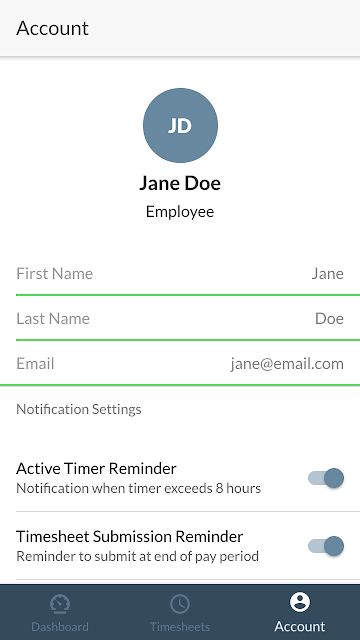
Alerts are another supported feature, giving the app a way to notify you about timesheet-related matters. I would think of these as prompts within the work routine, not as a replacement for checking that a shift record is complete. Taken together, signatures, alerts, and offline tracking support the core purpose without turning GT App into a general-purpose care management system.
A Practical Shift Routine
A sensible routine is to open the relevant timesheet when a shift starts, clock in, and then clock out when the shift ends. After that, you can handle the participant signature and submit the record directly to GT Independence. Keeping those actions close to the shift makes the record easier to complete while the details are fresh, rather than leaving several shifts to sort out later.
If your work includes multiple participants, give each timesheet a quick review as part of wrapping up. Where service drops during the shift, the app is designed to track time offline and sync once a connection returns. That means a temporary signal gap need not interrupt the tracking workflow, though I would still make a habit of checking that the record has synced and the submission steps are finished.
Keep the Scope in Mind
GT App is deliberately centered on timesheets. That makes it easier to understand, but it also means users should not expect a wider set of caregiving tools from the features described. There is no stated medication tracking, health monitoring, or caregiving resource library. If you need those functions, this app’s role is limited to documenting hours and handling the related timesheet steps.
The rating on Google Play is 2.3 stars from around 2,400 ratings, so I would go in with measured expectations and check that the workflow fits your needs. A low rating does not tell you which specific issue a particular user encountered, but it is useful context when deciding whether to try the app. The listed Android version requirement can also vary by device and should be checked in the store.
GT App has a focused job: help care providers track hours, manage timesheets across participants, collect signatures, and submit records to GT Independence. Offline time tracking and automatic syncing are practical touches for shifts where service is unreliable. It is not a full caregiving suite, and its low store rating is worth keeping in mind.
I would try GT App if your work already involves submitting hours to GT Independence and you want those steps together in one mobile workflow. If you need broader care-planning features or only want a basic timer, it may not be the right fit. Check the store details and rating before deciding whether it suits your device and routine.
Caregiver by GT Frequently Asked Questions
What is GT App used for?
GT App is designed for care providers to track and submit their hours. It supports clocking in and out, managing timesheets across multiple participants, obtaining participant signatures, and submitting timesheets directly to GT Independence. It can also track time without cellular or internet service and sync data when a connection returns.
Which devices can I use GT App on?
GT App is an Android app available through Google Play. The Android version requirement can vary with the app and device, so check its Google Play page for the requirement that applies to your phone or tablet. The app’s described purpose is managing care-related hours and timesheets for submission to GT Independence.
What Android version does GT App require?
The Android version requirement may vary, so check the GT App page on Google Play for the current device requirement. The app is listed as version 5.8.7, but that does not establish which Android versions it supports. Confirm compatibility for your particular device before making it part of your timesheet routine.
Does GT App cost money?
GT App is free to download, and its store details say it has no in-app purchases and contains no ads. Store information can change over time, so it is sensible to check Google Play for current details before installing. Its central function is tracking care hours and submitting timesheets to GT Independence.
Is GT App suitable for every caregiver?
It is aimed at care providers who need to track hours, manage timesheets across participants, obtain signatures, and submit records to GT Independence. It may not suit someone seeking broader tools such as health tracking or medication management, which are not part of the described feature set. Its relatively low Google Play rating is also worth considering.
Pros
- Combines clocking in and out with timesheet submission to GT Independence.
- Supports timesheets for multiple participants and participant signatures.
- Tracks time offline and syncs data when service returns.
- Free to download, with no ads or in-app purchases.
Cons
- Focused on timesheets rather than broader caregiving organization.
- Google Play rating is 2.3 stars from around 2,400 ratings.
- Android version requirement should be checked for device compatibility.
- Category
- Business
- Version
- 5.8.7











