Call Blocker - Block Numbers
- 53.45K
- 4.1
- Installs
- 5.00M
- Price
- Free

Screenshots
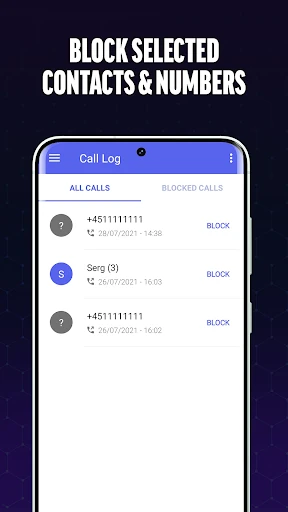
Analysis by Reviewed APKs
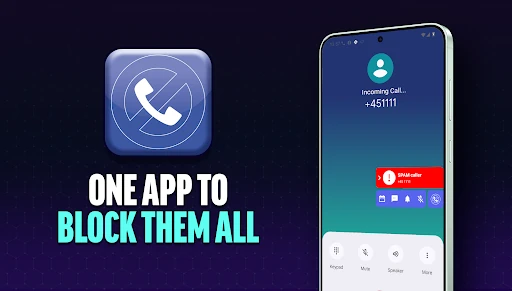
Call Blocker - Block Numbers is a call-filtering app for people who want more control over interruptions from unknown callers, telemarketers, and numbers they have already identified as unwanted. I like that it leaves the final blocking decision to the user rather than automatically rejecting calls. Its personal blacklist and location-based Quiet Locations feature give it a few useful angles beyond a basic block list, though ads and in-app purchases are part of the package.
A calmer call routine
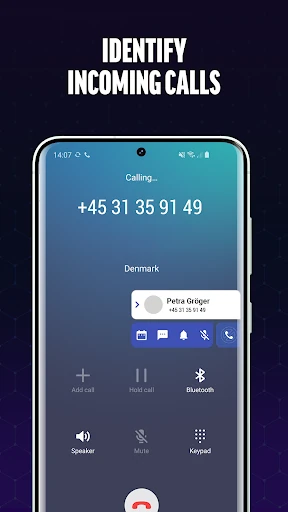
When I first opened Call Blocker - Block Numbers, I pictured using it after an unfamiliar number interrupted an ordinary day. The app describes real-time caller identification, so I could use the information it provides to decide whether a call looks worth answering. If a caller turns out to be unwanted, I can choose to add that number to my blacklist after the call. That makes the app feel like a practical follow-up tool, not a substitute for judgment.
I can also see the appeal for someone who gets recurring sales calls while working, studying, or trying to get through a family meal. Instead of treating every unknown caller as unwanted, the app gives me a way to review a number and make my own call. If the interruptions come from a pattern of numbers, its blacklist can include specific numbers or numbers beginning with chosen digits. The point is to make later interruptions easier to manage.
A filter, not a phone replacement
The obvious alternative is to handle unwanted callers through the phone's own call controls or simply ignore unfamiliar numbers. Call Blocker - Block Numbers is for people who want a dedicated place to identify callers and maintain a more tailored blacklist. Its location-based Quiet Locations option is another distinction: I can select a place by entering an address or choosing it on a map, then have the feature activate when I am there.
That focus also sets a boundary. This is a call-management app, not a general messaging tool or a way to manage every kind of digital interruption. Nor does its description promise that I can stop every unwanted caller without making choices: it explicitly says numbers are not blocked automatically and leaves the decision to me. If I prefer a completely hands-off filter, this approach may feel less convenient than I want.
Small habits that help
A useful habit is to review an unfamiliar call soon after it comes in, while I still remember whether it was a sales pitch, a useful callback, or a number I want to avoid. The app's description says I can decide in the app whether to block a number after the call. That simple timing makes the blacklist more personal over time, rather than relying on a blanket rule about every number I do not recognize.
I would also keep any blacklist rules narrow enough to reflect the calls I actually want to stop. Blocking a specific number is straightforward in principle, while blocking numbers that start with selected digits can cover a broader pattern. Quiet Locations suits a different habit: set a place where calls should not disturb me, then turn the feature on. It is worth remembering that this setting stops all calls while activated, not just suspected spam.
More From Our News Desk

Zoom Meetings, Google Meet, or Teams: Which Is Easiest to Join?

How I Build a Free Streaming Lineup With Tubi

Why Crunchyroll Is the Default Anime App for So Many Fans

YouTube TV: A Practical Guide to Cutting Cable

Rummikub and the Small Comfort of Phone Games

TeamViewer Remote Control or AnyDesk for Helping Family?
Who may find it useful
I would recommend Call Blocker - Block Numbers to people who regularly receive unwanted calls and want a dedicated blacklist they can shape themselves. It may also suit anyone who likes to check an unfamiliar caller before deciding what to do, or who wants calls silenced at a selected location. The app's central appeal is control: I can decide which numbers to block rather than having the app make that choice automatically.
It may be a weaker fit for someone who wants a completely automatic solution, since the description says the app never blocks a number automatically. Quiet Locations also needs care because it stops all calls while active, which may not suit a place where certain calls still matter. People who dislike advertising or optional paid items should weigh those trade-offs too. The app is free to download, but it contains ads and offers in-app purchases.
Call Blocker - Block Numbers is a Communication app from Spam Call Blocker Apps. On Google Play, it has over 5 million installs and a 4.1-star rating from around 53,000 ratings. The app is free to download, contains ads, and offers in-app purchases. Listed in-app items range from $2.99 to $19.99 each. Its content rating is Everyone.
The current version shown is 3.5.0.1948. The app was released on August 25, 2017, and its recorded last update is October 26, 2026. The supplied information does not give a minimum Android version, so check the Google Play store page on the device you plan to use. As with other app-store details, availability and purchase information can change over time.
Making unwanted calls easier to manage
A clear starting point
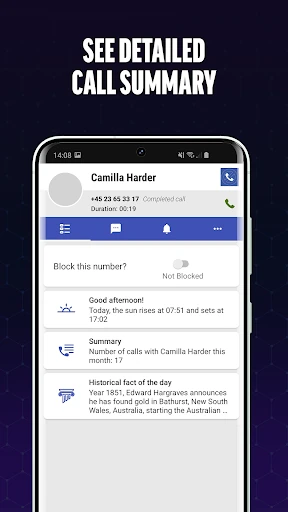
My first impression is that the app has a focused job: help me identify callers, decide which numbers to block, and keep those choices in a blacklist. The description presents call history, blacklist, and settings as places to access, which gives the experience a practical center. I do not have to treat every unknown caller the same way; the decision remains mine.
Getting started revolves around choosing how I want to handle unwanted calls. I can add a number directly or use the option to block numbers that begin with selected digits. For Quiet Locations, the setup described is to enter an address or select it on a map, then activate the feature. Those choices make the app more configurable than a single on-and-off switch.
The everyday experience
Day to day, the most useful idea is having a place to make a considered decision after an unfamiliar call. Call Blocker - Block Numbers describes real-time caller identification, giving me information that can help me decide whether to answer or reject a call. If I find a number unwelcome, I can add it to the blacklist so it is easier to avoid future calls from that number.
That human-in-the-loop approach is a meaningful part of the experience. The app says it does not block numbers automatically, so I am not handing over the choice about every caller. This can be reassuring if I sometimes receive legitimate calls from numbers I do not know, but it also means I need to take action when I want a number blocked. It is control in exchange for a little attention.
Useful details beyond blocking
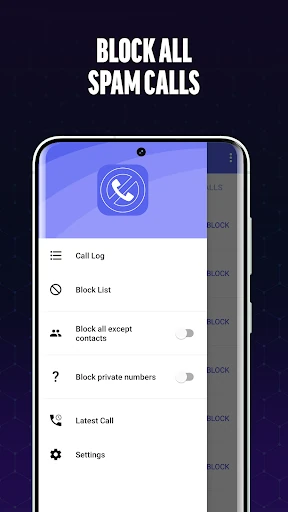
The blacklist is the app's most straightforward feature. It can hold unwanted numbers, and the description also says I can block numbers beginning with particular digits. That second option could be handy when unwanted calls share a recognizable starting pattern. Because it applies a broader rule than blocking one exact number, I would use it thoughtfully and make sure the pattern matches what I intend to avoid.
Quiet Locations is the feature that feels most different from a standard list of blocked callers. I can choose a location using an address or a map, and the setting activates automatically when I am there. The app says calls are stopped while the feature is active, so this is about avoiding interruptions at selected places, not sorting spam from legitimate callers.
Caller identification rounds out the feature set by helping me assess an unknown number in real time. In practice, that makes the app useful before I decide what to do, while the blacklist handles numbers I have already judged unwanted. The combination gives me two different kinds of control: information about an incoming caller and a way to prevent selected numbers from being a repeat nuisance.
A routine for busy days
For a workday routine, I would start by setting a Quiet Location for a place where I want fewer interruptions, such as an office or library. The description says the feature can activate automatically once I am at the selected location. Since it stops all calls while active, I would consider whether that suits the kind of day I have planned before relying on it.
Outside that setting, I would use caller identification to make a quick decision about unfamiliar numbers. After a call, I could add a number to my blacklist if I decide it is unwanted. A short review of recent calls and blacklist entries now and then would help me keep those choices deliberate. That routine is more hands-on than an automatic filter, but it keeps the user in charge.
Trade-offs to keep in mind
The biggest limitation is also a deliberate design choice: the app does not automatically block numbers. If I am looking for an app that handles spam calls without asking me to make decisions, this one may not match that preference. Its approach is better suited to someone who wants caller information and the option to block numbers personally, even if that means a little extra follow-up.
Quiet Locations deserves similar care because it stops all calls while activated. That can be useful when I want a quiet stretch, but it is broader than a spam-only filter. I would think about whether I need to receive any calls at a selected place before turning it on. The app also contains ads and offers in-app purchases, so it is not an ad-free, purchase-free experience.
Finally, call identification and blocking are tools for managing interruptions, not a reason to assume every unfamiliar number is unwanted. The app gives me options to assess callers and maintain my own rules, but the sensible value comes from using those options selectively. Anyone who wants a simple list of numbers to block may find the main idea easy to grasp; people seeking a fully automatic, all-purpose call solution should look elsewhere.
Call Blocker - Block Numbers makes the most sense as a user-directed call organizer. Caller identification helps with the first decision, the blacklist handles numbers I have already rejected, and Quiet Locations offers a separate way to stop calls at chosen places. I appreciate that the app leaves blocking choices with me, even though that means it asks for more involvement than an automatic filter.
I would try it if unwanted calls are a recurring annoyance and I want to build my own blocking rules. I would be more cautious if I need calls to keep coming through at particular locations or want everything handled automatically. Ads and optional purchases are worth factoring in, but the core idea is clear: review, decide, and block the numbers that deserve it.
Call Blocker Frequently Asked Questions
What is Call Blocker - Block Numbers used for?
Call Blocker - Block Numbers helps identify unknown callers and manage unwanted calls. It offers a blacklist for specific numbers or numbers beginning with selected digits, plus Quiet Locations, which stops all calls while active at a location you choose. The app does not block numbers automatically; you decide which callers to block.
Which phones can run Call Blocker - Block Numbers?
Call Blocker - Block Numbers is an Android app distributed through Google Play. The available details do not specify a minimum Android version, so check the Google Play store page from the phone you plan to use. Store compatibility information may vary by device and can change, so the current store page is the best place to check.
Is Call Blocker - Block Numbers free?
The app is free to download, but it contains ads and offers in-app purchases. The listed in-app purchase range is $2.99 to $19.99 per item. Whether an optional purchase is useful depends on what you want from the app, and prices or purchase details may vary, so check Google Play for the current information.
Does Call Blocker - Block Numbers block calls automatically?
No. The app's description says it does not block a number automatically; you decide whether to block it. It provides real-time caller identification and lets you add unwanted numbers to a blacklist. Quiet Locations works differently: while active at a selected location, it stops all calls, rather than only calls identified as spam.
Who should use Call Blocker - Block Numbers?
It may suit people who want to review unknown callers and manage a personal list of numbers to block. Quiet Locations may also appeal to someone who wants calls stopped at selected places. It may not suit people who want automatic blocking or who need calls to come through while Quiet Locations is active. The app is rated Everyone.
Pros
- Lets users choose which callers to block instead of blocking numbers automatically.
- Blacklist supports individual numbers and numbers beginning with selected digits.
- Quiet Locations can activate automatically at a chosen place.
- Real-time caller identification helps assess unfamiliar numbers.
Cons
- Blocking unwanted numbers requires the user to make the decision.
- Quiet Locations stops all calls while active, not only suspected spam.
- The free app contains ads and offers in-app purchases.
- Category
- Communication
- Version
- 3.5.0.1948











