Call Block: Filter and Blocker
- 23.60K
- 4.2
- Installs
- 5.00M
- Price
- Free
Screenshots
Analysis by Reviewed APKs
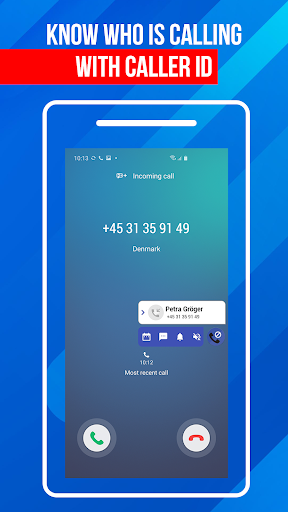
Call Block: Filter and Blocker is a call-management app for people who want fewer interruptions from spam, telemarketers, and unfamiliar numbers. It combines caller identification with tools for blocking calls and keeping a personal blacklist. I like the practical focus: it is built around quick decisions, whether I want to silence calls temporarily or block a number that just showed up on my screen.
A Quieter Workday
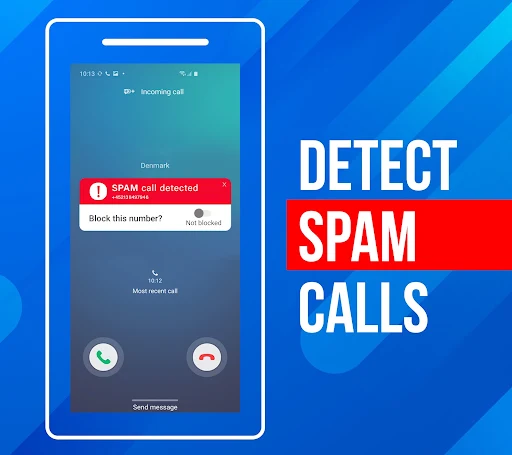
When I first opened Call Block, I pictured using it during an ordinary workday: my phone is nearby, but sales calls and repeated unknown numbers keep breaking my concentration. The app is designed to identify unfamiliar callers and automatically block spam and unknown calls. If a number still gets through, I can add it to my blacklist rather than trying to remember to deal with it later.
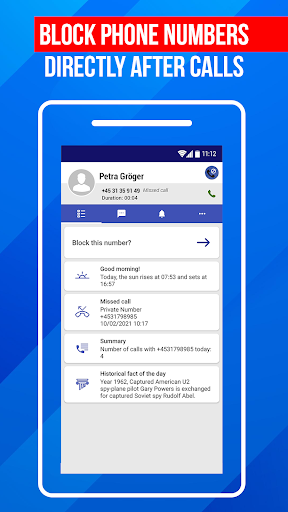
The after-call screen is a useful part of that scenario. After hanging up, I can review call details and take action on the number while I still remember what happened. The call log and blocked-number history give me somewhere to check recent activity. I would treat the app as a way to manage interruptions, not as a reason to assume every unfamiliar caller is unwanted.
A Call Filter, Not a Phone Replacement
Compared with simply ignoring unknown calls, Call Block offers a place to identify callers, build a blacklist, and review calls that were blocked. Its Do Not Disturb mode also suits moments when I want quiet for a while. Those tools make it more involved than a one-off decision to silence a caller, while keeping its purpose firmly focused on incoming calls.
This is not a general-purpose messaging app or a full phone service. Its described tools are for filtering and reviewing calls, rather than organizing conversations or replacing a phone's other communication features. I would also avoid treating caller identification as proof that a call is safe. The practical value is having controls for unwanted calls and a record of recent activity, with the final judgment still mine.
Small Habits That Help
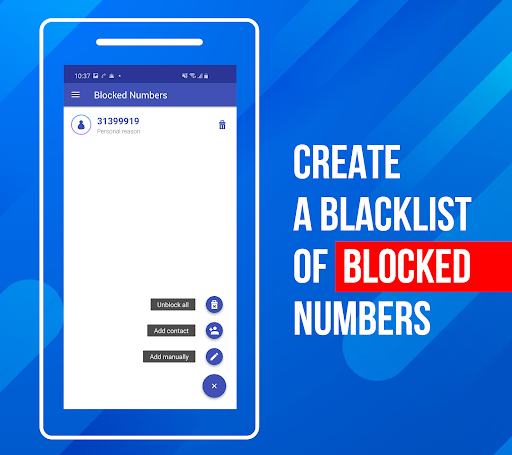
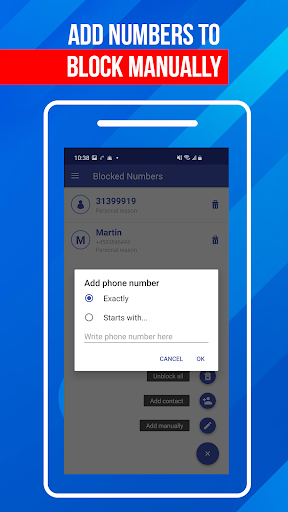
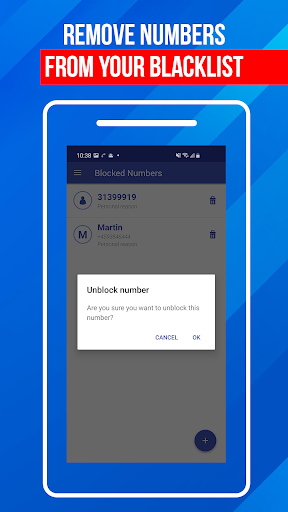
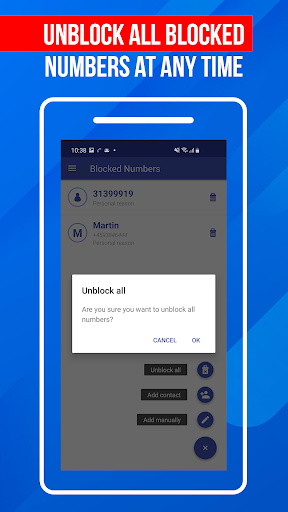
I would start by adding numbers I already know I do not want to hear from, then check the blacklist now and then so it stays useful. The app supports adding specific numbers and number patterns, and entries can be removed later. That makes it possible to adjust the list as circumstances change instead of letting old decisions become permanent by accident.
After an unwanted call, I would use the after-call screen to review the number and decide whether to block it. For a quiet stretch, I could turn on Do Not Disturb mode, then return to the call log to see recent activity. These are small steps, but they keep the app's controls close to the moments when I actually need them.
More From Our News Desk

Zoom Meetings, Google Meet, or Teams: Which Is Easiest to Join?

How I Build a Free Streaming Lineup With Tubi

Why Crunchyroll Is the Default Anime App for So Many Fans

YouTube TV: A Practical Guide to Cutting Cable

Rummikub and the Small Comfort of Phone Games

TeamViewer Remote Control or AnyDesk for Helping Family?
Who May Find It Useful
I would recommend Call Block to Android users who regularly receive unwanted calls and want a direct way to manage them. Caller ID, a personal blacklist, call history, and temporary Do Not Disturb mode cover several common needs without shifting the app into unrelated tasks. The after-call controls are especially handy for anyone who prefers to decide what to do just after an unfamiliar call ends.
It may not suit someone who rarely gets unwanted calls or who would rather handle every number manually with the phone's existing call controls. People should also keep in mind that a call filter is a convenience, not a substitute for judgment about unfamiliar callers. Since the app includes ads and optional in-app purchases, those details may matter to anyone who prefers an entirely ad-free experience.
Call Block: Filter and Blocker is a Communication app from Appsbuyout. Google Play shows over 5 million installs and a 4.2-star rating from about 23,600 ratings. The app is free to install and contains ads. Its content rating is Everyone, and the listed version varies with device.
The app was released on July 21, 2016. It offers in-app purchases, with items priced from $0.49 to $14.99. The available facts do not give a minimum Android version or a last-update date, so check Google Play for current device compatibility and release details before installing.
Making Call Control Part of the Day
A Straightforward First Look
When I first opened the app, the basic job was easy to understand: manage unwanted calls, review activity, and keep a list of numbers I do not want to hear from. The directions describe adding numbers to a blacklist from the bottom navigation bar, with a menu in the top-left area for other settings. That gives the experience a practical starting point rather than making the core task feel hidden.
Getting value from caller identification and call filtering means allowing the app to work with call information on the device. I would take a moment to read any access requests and decide whether they make sense for the features I want to use. After that, I would add a known nuisance number and check that I can find the blacklist and call log.
The Everyday Call Flow
Day to day, the useful pattern is simple: a call comes in, caller ID helps me assess an unfamiliar number, and I decide whether to answer or block it. The app describes automatic blocking for spam and unknown calls, along with controls for adding numbers to a personal blacklist. That means routine decisions can be handled through the app instead of relying only on memory.
The call log and history provide a place to review recent calls and blocked numbers. I like having that record available when I want to check whether an interruption was filtered or whether I need to update my list. It keeps the task grounded in recent activity, rather than asking me to maintain a separate mental note of every number I have blocked.
Useful Controls in One Place
The standout feature for me is the after-call screen. It appears when a call ends and offers a quick route to review details or block the number. That is a sensible moment to make a decision: the call is fresh in my mind, and I do not have to search through the call log before acting.
The blacklist is another useful tool because it can hold specific numbers as well as number patterns. I can add entries, remove them, and keep the list personal to my needs. Caller ID, spam-call detection, and the call history complement that control by helping me assess calls and look back at what happened.
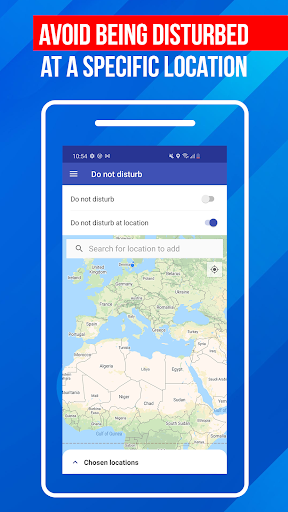
Do Not Disturb mode rounds out the set of features for times when I want fewer interruptions temporarily. Rather than adding another permanent blacklist entry, I can use the mode when quiet matters for a particular stretch. It is a different kind of control, and that distinction makes the app more flexible for everyday use.
A Practical Weekly Routine
A routine I would use is to deal with unwanted calls as they happen. After a suspicious or persistent call, I would check the after-call screen, review the details, and block the number if I am sure I do not want future calls from it. Later, I could glance at the call history and make sure the blacklist still reflects my preferences.
For a meeting or a focused work session, I would use Do Not Disturb mode as a temporary measure, then turn back to normal call management afterward. I would avoid adding every unknown caller automatically to my personal list without a second thought. A little review helps keep the filter targeted and leaves room for an unfamiliar but legitimate call.
Limits to Keep in Mind
Caller ID and spam detection can help me make a decision, but they should not become the decision by themselves. An unfamiliar number is not automatically a nuisance, and a call that looks ordinary may still deserve care. The app gives me tools to review and block; it does not remove the need to decide which callers I want to hear from.
The feature descriptions explain what the app is intended to do, but they do not establish how well it will identify every caller or filter every unwanted call. Results can depend on the call and the device. I would also check the current Google Play information for compatibility, since the minimum Android version is not given in the available app facts.
Finally, the free download includes ads and offers in-app purchases. That is worth considering if I want a quieter interface or prefer not to encounter optional purchases. The app's core idea is clear, but anyone sensitive to advertising should look at the current store details before deciding whether it fits their routine.
Call Block: Filter and Blocker gives unwanted-call management a clear home, with caller ID, a blacklist, call history, after-call controls, and temporary Do Not Disturb mode. I especially like the quick opportunity to act after a call instead of putting off the decision until later.
I would try it if spam calls are a regular annoyance and I want more control over which numbers reach me. It is less compelling for someone who rarely needs call filtering or wants an experience without ads. In either case, I would keep caller identification as a helpful prompt, not a final verdict on a caller.
Call Block Frequently Asked Questions
What is Call Block: Filter and Blocker used for?
Call Block: Filter and Blocker is used to identify unfamiliar callers, block spam or unwanted numbers, and manage a personal blacklist. It also includes call history, an after-call screen for reviewing or blocking a number, and Do Not Disturb mode for temporarily blocking calls. It is focused on incoming-call management rather than messaging or broader phone tasks.
What devices can run Call Block: Filter and Blocker?
Call Block: Filter and Blocker is an Android app distributed through Google Play. The available app details do not specify a minimum Android version, so compatibility can vary by device and software version. I would check the Google Play store page from the device where I plan to install it for the current requirements.
Does Call Block: Filter and Blocker cost money?
The app is free to install and contains ads. It also offers in-app purchases, with listed items ranging from $0.49 to $14.99. Those store details can change, so I would check Google Play for current pricing and purchase information before downloading or buying anything.
What Android version does Call Block: Filter and Blocker require?
A minimum Android version is not provided in the app facts available here. Requirements can vary as the app and supported devices change, so check the Google Play page on your Android device for the current compatibility information before installing Call Block: Filter and Blocker.
Who is Call Block: Filter and Blocker best suited for?
It may suit Android users who get frequent unwanted calls and want caller identification, a blacklist, call history, and a way to block calls temporarily. It may be less useful for people who rarely receive such calls or prefer to manage them without an app. Since it contains ads, that is another point to weigh against your preferences.
Pros
- Combines caller ID, call blocking, a blacklist, and recent call history.
- After-call controls make it easy to review a number while the call is fresh.
- Do Not Disturb mode offers a temporary option for quieter stretches.
- Blacklist entries can include individual numbers and number patterns.
Cons
- Contains ads, which may bother people looking for a quieter app experience.
- Caller identification cannot replace personal judgment about an unfamiliar number.
- The minimum Android version is not provided in the available app facts.
- Category
- Communication











